Rowing Club Payments Software UK

Support Area

🚀

Support Area coming soon

Back to Features
Payments and Club Money

Every club payment. One clear ledger.

Collect subs, event entries, session fees and one-off charges through the club's own Stripe account or by bank transfer. Row HQ adds no platform fee.

otrc.rowhq.app
Row HQ payments ledger showing club charges and payment status
Club payments overview in the Row HQ mobile app

How does Row HQ handle rowing club payments?

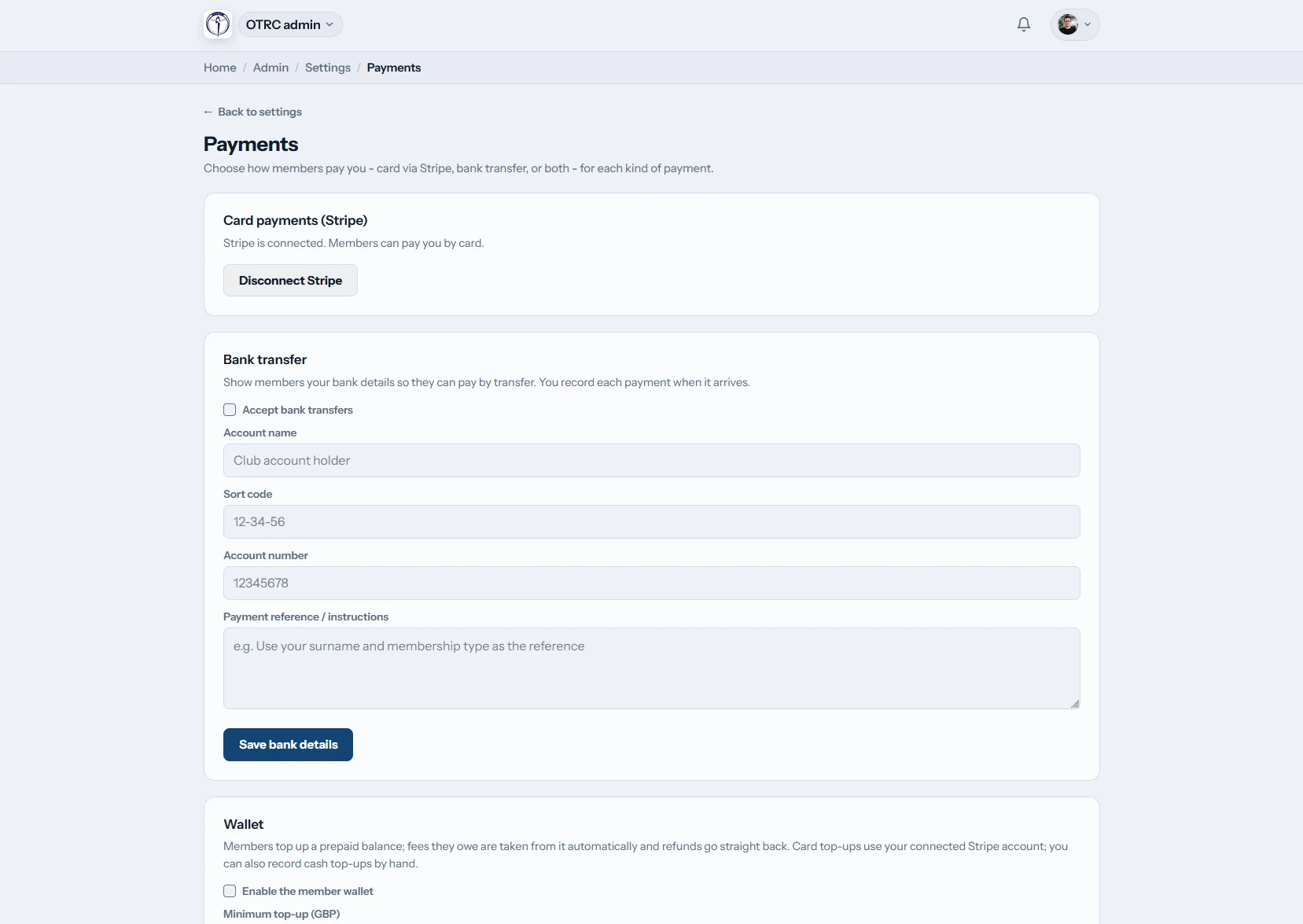
Row HQ puts membership fees, event entry fees and per-session fees in one ledger, along with one-off charges. The club chooses card, bank transfer or both for each category. Members pay online through the club's connected Stripe account, while the treasurer records bank transfers against the correct charge.

Payments are included in every band, including the free band. See Row HQ pricing for your membership size.

A term of club money in four views

Issue charges, follow up unpaid subs, prepare the accounts and keep the committee informed without rebuilding the figures elsewhere.

app.rowhq.app
Row HQ payments ledger with club charges and status filters

Collect

Put every charge in one ledger

Create membership, event, session and one-off charges. For each category, choose card through Stripe, bank transfer or both. Parents pay a junior's charges from their own linked account.

The overview shows every charge, its member and current status, with filters for the treasurer.

app.rowhq.app
Membership secretary view showing paid and unpaid club members

Chase

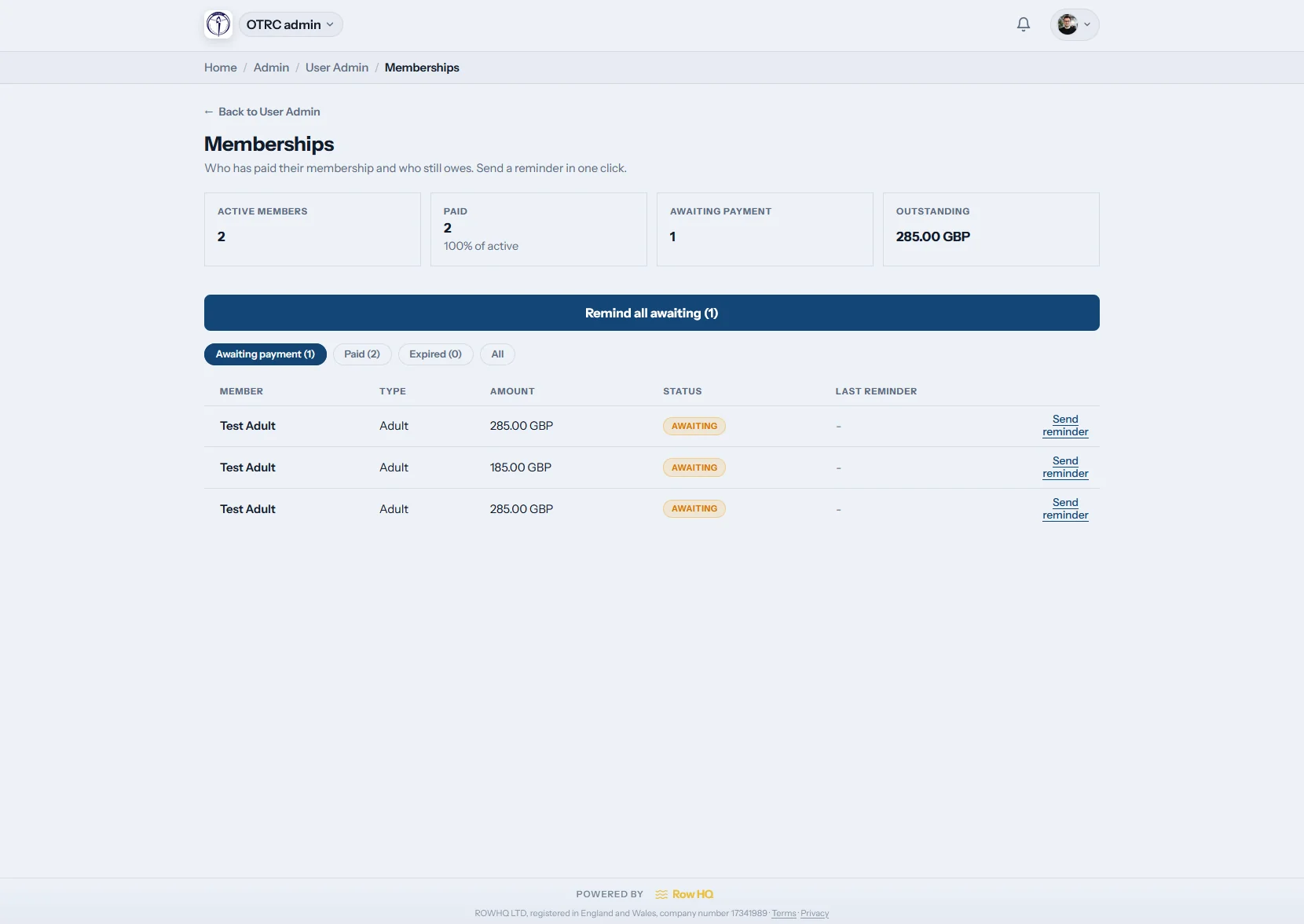
See unpaid subs before sending reminders

The membership secretary sees paid and unpaid members together. A single reminder or a bulk club-branded email takes one click.

Scheduled membership renewals create the next charges automatically.

app.rowhq.app
Row HQ export screen with payments and accounting CSV options

Reconcile

Export money received for the accounts

Download the payments ledger as CSV. Ready-made Xero bank-statement and QuickBooks three-column CSV files give the accounts team the received payments in a familiar format.

These are clean CSV exports, not a live accounting sync.

app.rowhq.app
Row HQ administration dashboard with the payments area

Oversee

Keep the full payment story attached

Open a charge to review how it was paid. Card payments show the live Stripe fee, net amount and payout date on the detail page.

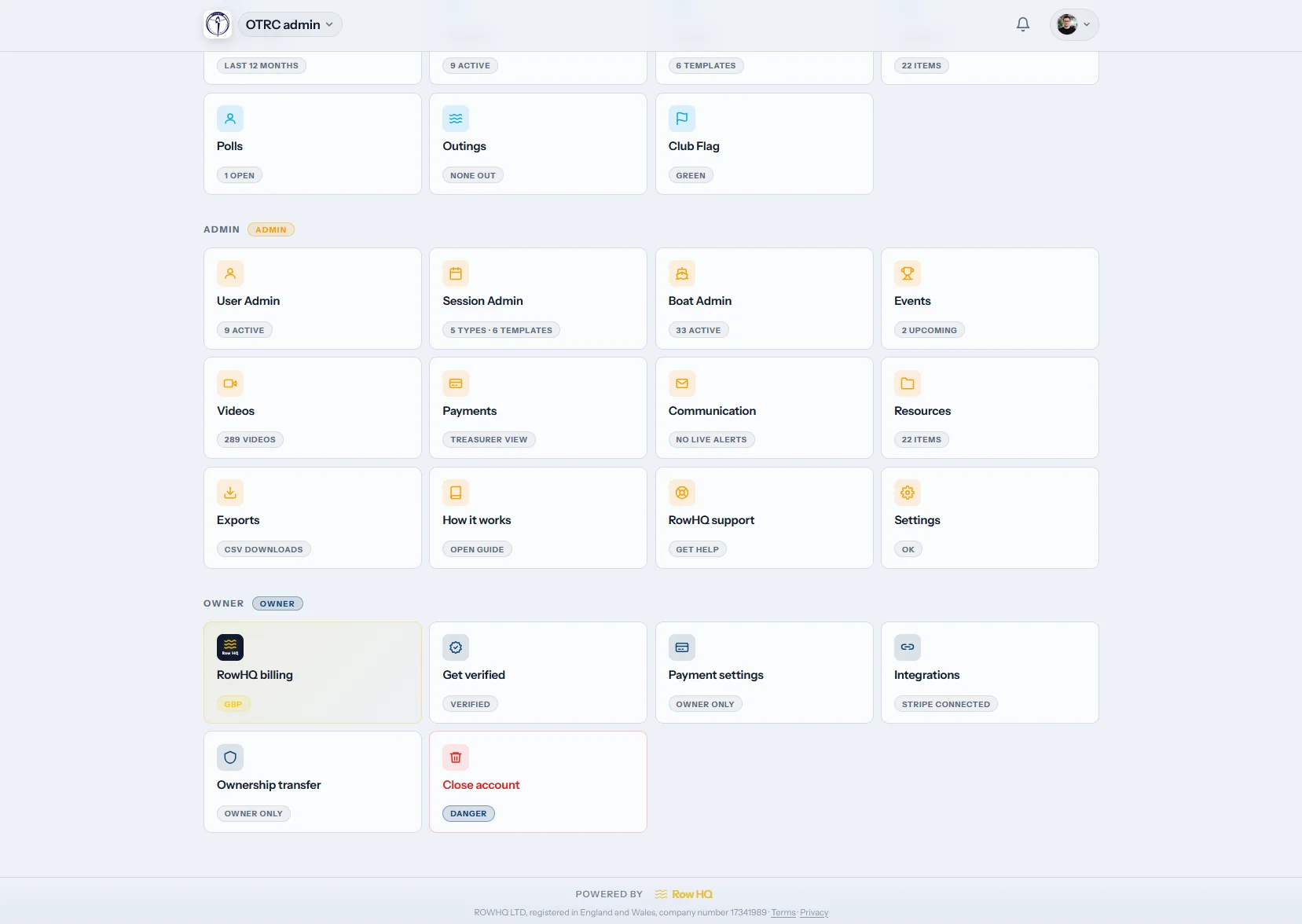
The admin dashboard keeps payments beside the rest of the club's work.

The club holds the money

Card income goes to your own Stripe account

Members pay through the Stripe account connected by the club. The funds settle in the club's Stripe balance. Row HQ does not sit between the club and its money, and adds no platform fee to a card payment.

Stripe's standard processing fees still apply. The charge detail shows that live fee, the net amount and the payout date.

Secure card processing through the club's connected account.

Give the treasurer one version of the figures

Charges, payment status, documents and follow-up stay on the same record.

Spread across separate records

  • Subs on one sheet and event entries on another
  • Bank transfers matched from a separate statement
  • One-off charges lost inside a general spreadsheet
  • Reminder lists copied by hand
  • Invoices and refunds without one clear history

Held together in Row HQ

  • One ledger for every amount a member owes
  • Card and bank transfer status on the original charge
  • Invoices, refunds and payout details kept together
  • Paid and unpaid membership status in the admin dashboard
  • CSV exports prepared for the accounts

The practical tools behind the ledger

Each payment record gives the treasurer enough detail to collect, explain, correct and export the money received.

Card or bank transfer by category

Let members pay by card, bank transfer or either method. Country-aware transfer details are shown when bank transfer is available.

Club-branded invoices and receipts

Download or email a PDF invoice carrying the club logo, contact details and registration details. Stripe emails its own card receipt at no cost.

Renewals and recurring extras

Run membership renewals on a schedule, add repeating extras such as rack fees, or use the charge members tool for the same one-off amount.

Focused payment reminders

See paid and unpaid membership status, then send one club-branded reminder or a bulk batch. Members can pay in the member portal.

Exports made for the accounts

Download the ledger, a Xero bank-statement CSV or a QuickBooks three-column CSV. Event fees stay in the same received-money export.

Refunds with the right outcome

Issue a full Stripe card refund from the charge page. Reverse an offline payment to pending, while cancelled session charges are voided automatically.

Wallets and per-session fees, handled

The same ledger covers pay-per-row sessions and event entry fees, not only the annual membership bill.

An optional prepaid member wallet

Members can hold a balance for pay-per-row fees. They top up by card, or the treasurer records cash. Charges deduct automatically, and refunds return to the wallet or card correctly. Each balance is visible in the member portal.

Session fees tied to attendance

Set a fee on a session or template and choose which attendance types pay. Attending creates the charge. A withdrawal or cancellation voids it automatically, while related event money stays separate.

From a charge to the year-end file

See the wider club administration in the Oundle Town Rowing Club case study.

01

Choose how members pay

Set card, bank transfer or both for each payment category.

02

Create the charges

Schedule renewals, add recurring extras or charge several members once.

03

Record each outcome

Stripe updates card payments, while the treasurer records bank transfers manually.

04

Review and export

Send reminders, handle refunds and download the right accounts CSV.

Members can settle club fees from their phone

Each member sees their own payments, opens an outstanding charge and pays online. Members of more than one club also get a cross-club payments roll-up on their Row HQ account.

  • Show UK sort code and account details for bank transfers
  • Pay an outstanding charge by card when that category allows it
  • Keep membership and payment status on the same profile
iOS and Android apps now available Use Row HQ in any browser or install the iOS or Android app.
See the Row HQ rowing club app
Treasurer payments overview in the Row HQ mobile app Member profile showing membership and payments in Row HQ

Rowing club payments FAQs

Direct answers for treasurers checking where the money goes and how the records work.

The club does. Card payments run through the club's own connected Stripe account, and the funds settle in the club's Stripe balance. Row HQ does not hold the club's card income. The charge detail shows the Stripe processing fee, net amount and payout date.

No. Row HQ adds no platform fee to card payments or other club charges. Stripe's standard processing fees still apply to card transactions. The live Stripe fee is recorded on the charge detail, so the treasurer can see the gross payment, fee and net amount.

Yes. A club can allow bank transfer, card, or both for each payment category. Members see the relevant country-aware bank details. In the UK that means sort code and account details. The treasurer then records the transfer manually against the member's charge.

A treasurer can issue a full refund for a card payment through Stripe from the charge page. An offline payment can be reversed, which returns the charge to pending. Wallet refunds go back to the member wallet or the card correctly, according to how that money was paid.

No. There is no live accounting sync. Row HQ provides downloadable files instead: the payments ledger CSV, a Xero bank-statement CSV and a QuickBooks three-column CSV of money received. The treasurer imports the relevant file into the club's accounts workflow.

Yes. Every Row HQ band includes the full payments feature set. The free band is not a reduced feature tier, and payments are not sold as an add-on. The club's member count determines its Row HQ band, while Stripe's standard processing fees still apply to card payments.

Give your treasurer one reliable ledger

Collect every type of club money without adding a Row HQ platform fee to the payment.

Free up to 20 active members, permanently. After that it is £15 a month for a 21 to 30 member club. Every feature is included on every plan and there are no transaction fees. VAT is not included. See full pricing

Start Free