Plan the week. Know who is rowing.
Publish every outing once. Squads tap in from their phones. Coaches arrive with a headcount, not another WhatsApp thread or messy spreadsheet.
Watch the 90-second how-to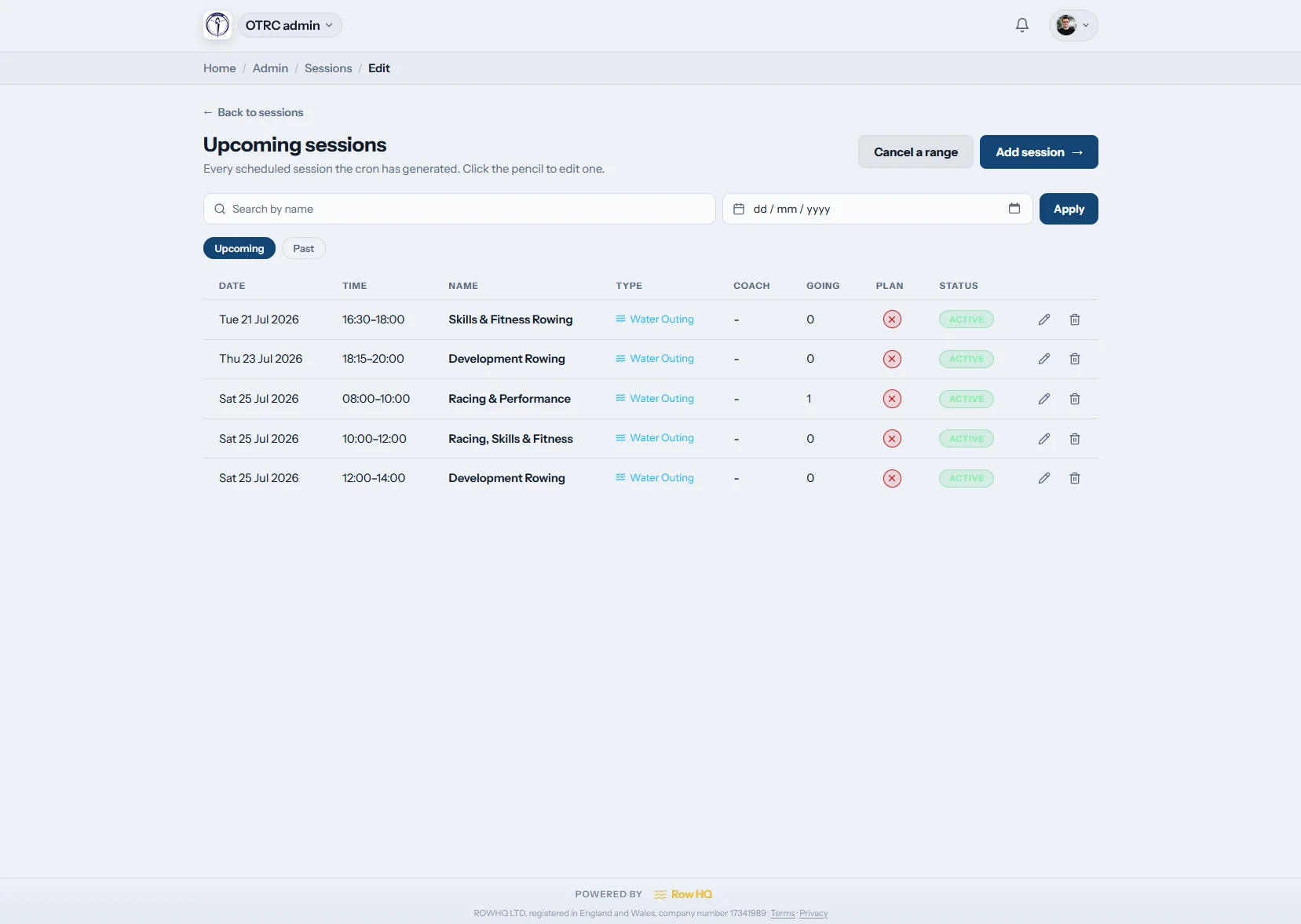
What is rowing training session software?
Rowing training session software gives a club one shared programme for water outings, winter erg blocks and circuits. Coaches publish recurring or one-off sessions, members tap in or out, and automatic reminders chase missing replies. Attendance, volunteer and coaching responses then stay available for crew planning, rather than disappearing into chat threads.
Session planning is included in every plan. See pricing for your club size.
Watch the weekly set-up in 90 seconds
This how-to video follows one club admin from a blank calendar to a seated crew. They build a Saturday outing template, let Row HQ add seven Saturdays to the calendar in one click, pick a rower for every seat in an eight and a coxed four, then show the boat a member sees on her phone.
A training week in Row HQ
Move from the standing programme to crews on the water without rebuilding the same list in three places.

Build templates
Set the club rhythm once
Create recurring templates for squad outings, winter erg intervals and circuits. Add a one-off seat race or safety briefing without changing the weekly pattern.
The template remains ready for next week when one outing changes.
Publish the week
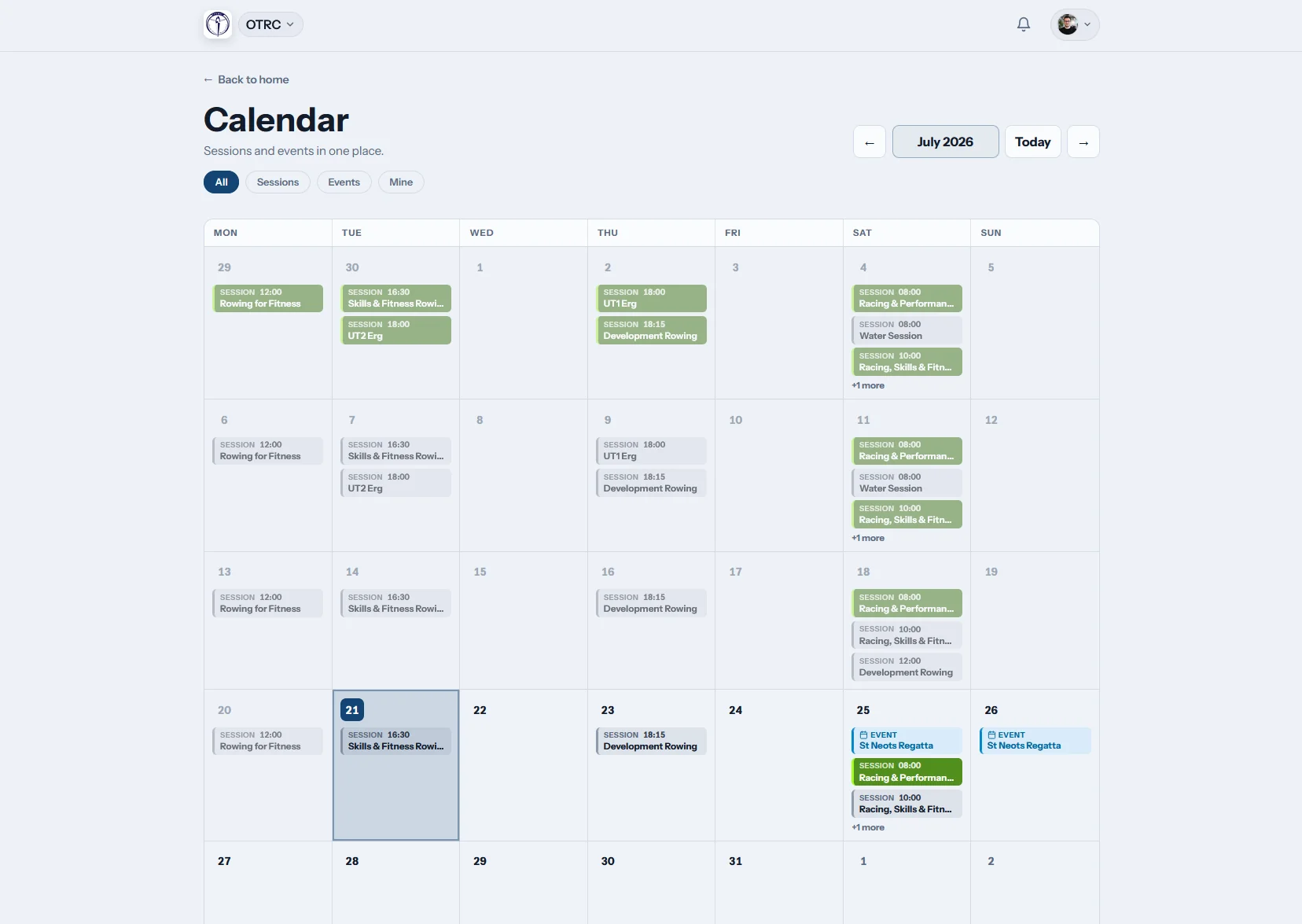
Give every squad one calendar
Published sessions appear in the shared calendar with their time, type and plan. Members can also subscribe through iCal for a familiar diary view.
The committee, coaches and rowers all read the same programme.
Members respond
Collect useful answers
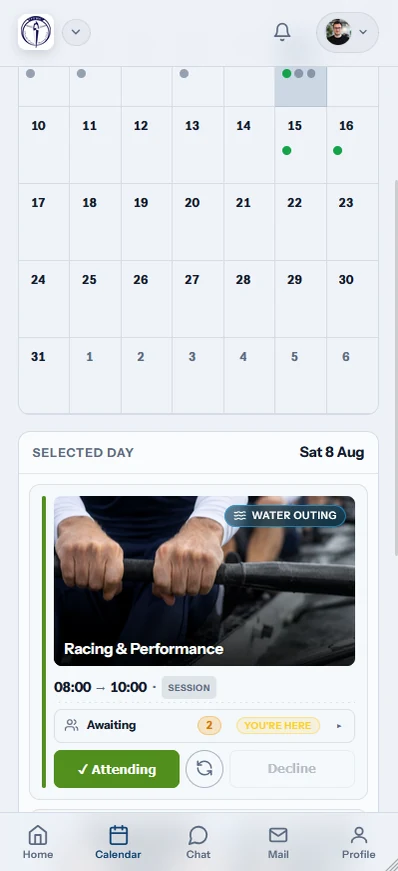
Members answer with one tap. Each session type can ask who is rowing, volunteering or coaching, while reminders follow up missing replies automatically.
Coaches see names and roles before they start planning boats.
Run the session
Carry the plan to the water
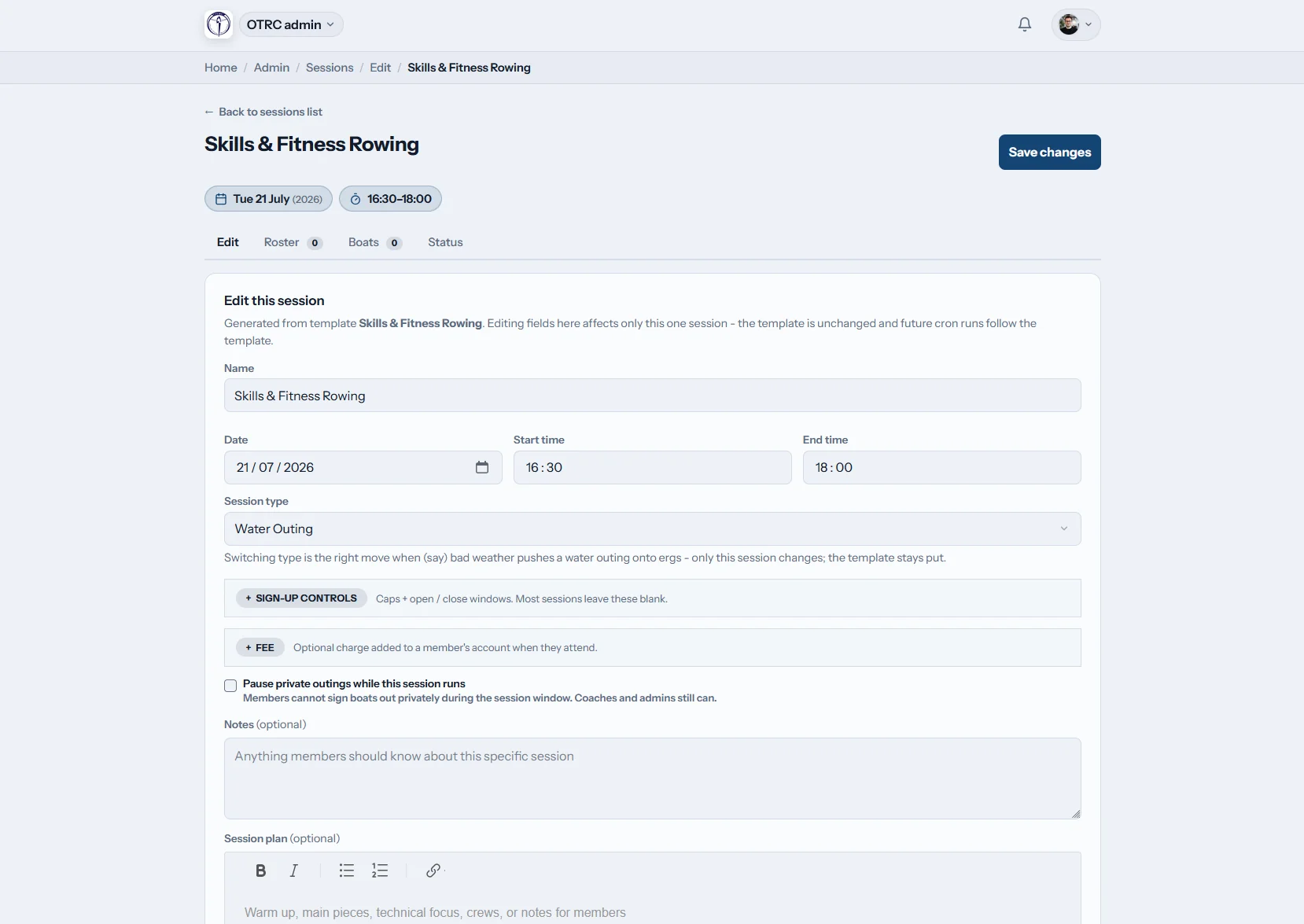
Add the training plan for the session, from technique focus to the pieces, then link into crew planning and adjust a single outing when conditions change. Attendance is marked with one tap at the boathouse.
The final turnout and the coach plan stay with the session record.
Replace the weekly scramble
The difference is one live source of truth, visible before anyone reaches the boathouse.
Without Row HQ
- A WhatsApp poll buried under other club messages
- A spreadsheet that disagrees with the chat
- Dark-evening cancellations passed along by hand
- Coaches counting heads beside the racks
- No useful attendance record for selection
With Row HQ
- One-tap replies tied to the right session
- Automatic reminders and cancellation notifications
- Volunteer and coach availability beside rower numbers
- Attendance history in the admin dashboard
- A clear programme for every squad
Everything needed to run the programme
These are real Row HQ screens, not mock-ups. Browse the full screenshot gallery.
Templates and one-offs
Repeat the regular squad timetable, then add or change a single outing without disturbing future weeks.
Responses by session type
Collect one-tap rowing, volunteer or coach attendance. Members manage their replies in the member portal.
Automatic notices
Remind silent members and notify the whole list when wind, darkness or water conditions cancel a session.
Water, erg and circuits
Give each session its proper type. Water outings can connect directly to boat booking.
Calendar and iCal
View the programme as a club calendar or subscribe from another diary. Past turnout stays in the admin dashboard.
Plans that reach the crew
Attach the warm-up, pieces and notes, then move confirmed names into crew planning.
From programme to push-off
See how Oundle Town Rowing Club uses Row HQ, or check an erg piece with the free erg pace calculator.
Create the pattern
Set recurring sessions, squad access, times and types.
Publish and remind
Put the week live and let automatic reminders gather replies.
Read the turnout
See rowers, coaches and volunteers together before the outing.
The training week travels with the squad
Rowers do not need a laptop to answer. The same live session record is ready wherever the decision happens.
- RSVP from the phone before an outing or erg block
- Receive push notifications when a session is cancelled
- Mark final attendance at the water with one tap


Keep the rest of the outing connected
Coach Tools
Turn confirmed attendance into crews and seat plans.
Member Portal
Give each member their sessions, replies and history.
Boat Booking
Reserve the right shell alongside the water outing.
Related reading
Getting training sessions sorted Crew selection tips for coaches Making sense of ergo metricsCheck the FAQ, read what clubs say, or compare the pricing bands.
Training session software FAQs
The practical questions British clubs ask before moving the programme out of chat.
It replaces the weekly mix of WhatsApp polls, copied lists and separate attendance sheets. Row HQ holds recurring templates, one-off outings, erg blocks and circuits in one calendar. Members answer from their phones, coaches see the live turnout, and the club keeps the final attendance record after the session.
Yes. The response choices can follow the session type, so a club can collect rower RSVPs, volunteer availability or coach attendance. Each person answers with one tap. The coach sees those roles together instead of reconciling several polls before allocating launches, safety cover or crews.
Build a template for the normal weekly programme, such as a squad outing, winter erg block or circuits night. Row HQ publishes the repeating sessions. A coach can edit or cancel one date, or add a one-off session, without changing the template that creates future weeks.
Yes. Automatic reminders prompt members who have not replied, and cancellation notifications reach the people attached to that session. The calendar stays current, while iCal subscription gives members the same programme in their usual diary. Nobody has to search a long chat thread for the latest plan.
Yes. Confirmed names move into the crew planning workflow, where coaches can assign boats and seats. The session plan can hold the warm-up, pieces and technical focus. At the boathouse, a coach marks who actually attended with one tap, leaving a useful record for later selection.
Put next week in one place
Show your squads the programme, collect replies and reach the boathouse with crews ready.
Free up to 20 active members, permanently. After that it is £15 a month for a 21 to 30 member club. Every feature is included on every plan and there are no transaction fees. VAT is not included. See full pricing