Run the coaching week from one place
Plan outings, set crews and read the training pattern without stitching together notes, chat replies and spreadsheets.
Watch the 90-second how-to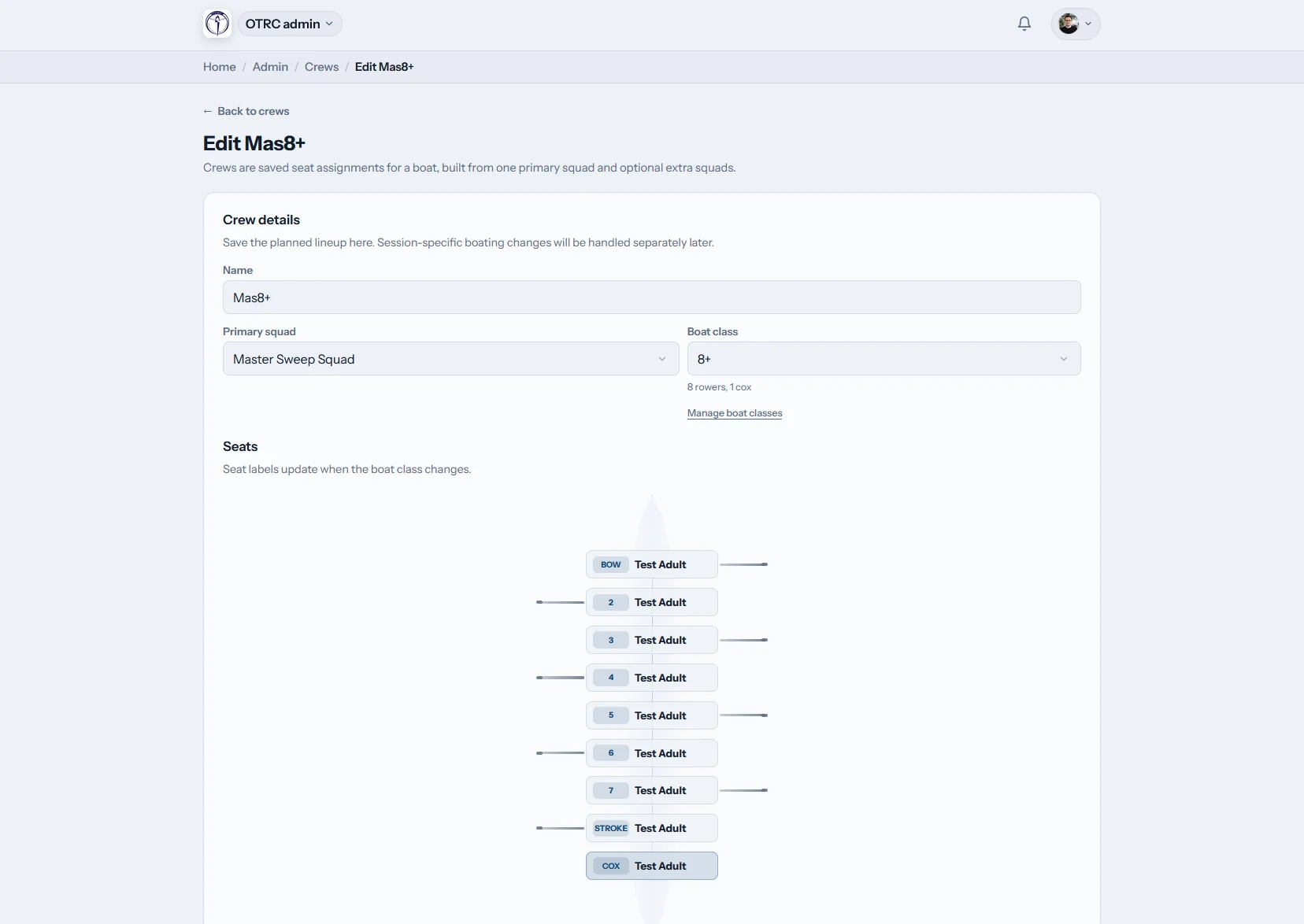
What does Row HQ give a rowing coach?
Row HQ gives rowing coaches their own workspace for squads, session plans, crews, attendance and reports. It brings live roster feedback, the boat lineup diagram and recent rowing history together, so selection is based on what happened across the squad rather than a notebook and whoever replied last.
Every coach tool is included in the club plan. See the member bands on our pricing page.
Watch a coach set up Saturday's outing in 90 seconds
This how-to follows a squad coach from the coach view to the evidence. The coach opens a dashboard that shows only coaching tools, writes a plan for Saturday's outing and saves it for the crew. A saved crew fills every seat of the four, cox included, in one step. Attendance across the training block, the squad's best 2k scores and one rower's progress come last.
A coaching week, connected
Open the coach view, set the work, build the boats and review the evidence before the next selection meeting.
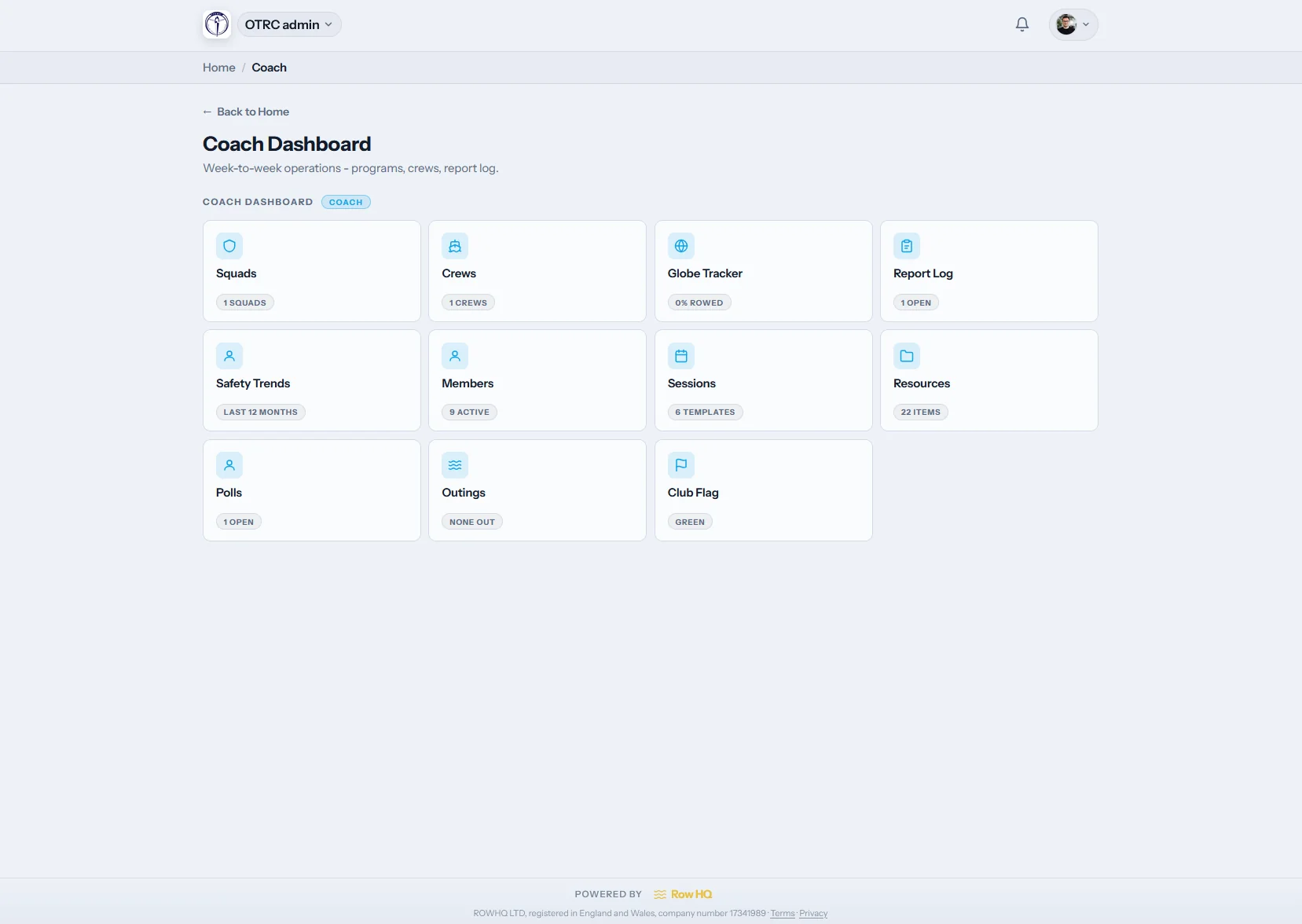
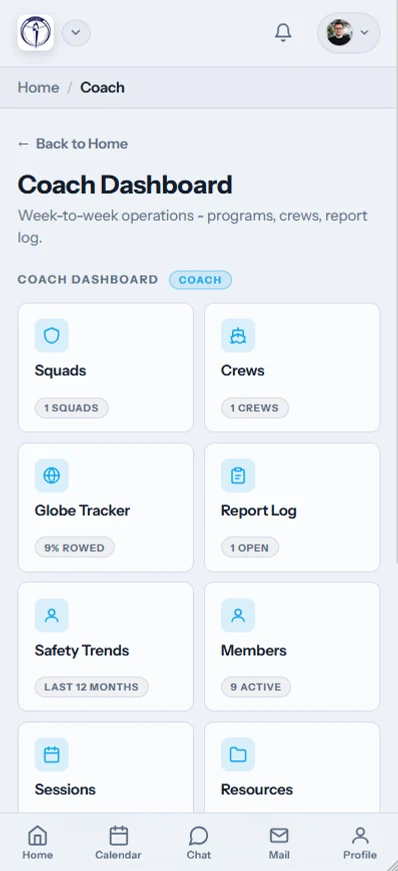
Coach dashboard
The coaching tiles, without committee clutter
The /coach surface shows only the areas a coach has been given. Squads, sessions, reports and erg records are close at hand. Membership payments and other committee work stay out of the way.
Club admins decide which features each coach can open.
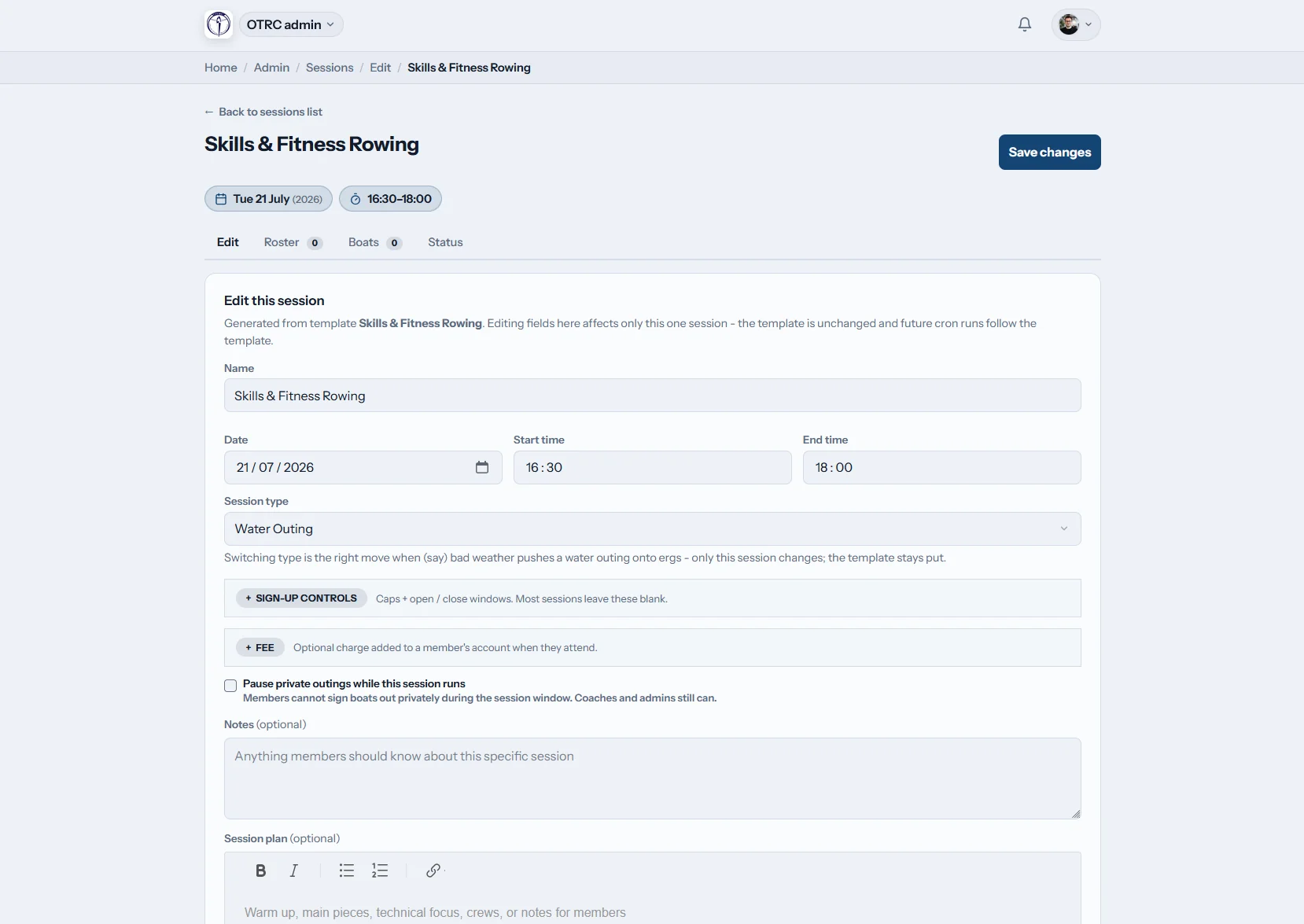
Plan the session
Write the plan where the roster lives
Add the session brief in the shared rich text editor: stroke rate targets, technique work, intervals, whatever the outing needs. Choose attendance types and set an access override when a session needs a different coaching team.
Per-session permissions can differ from the coach's normal access.
Build the crews
Put each rower in the right seat
Start from a saved crew template or build a fresh assignment on the boat diagram. The whole lineup remains visible, from bow to stroke and the cox.
Crew templates and seat assignments are saved against the session.
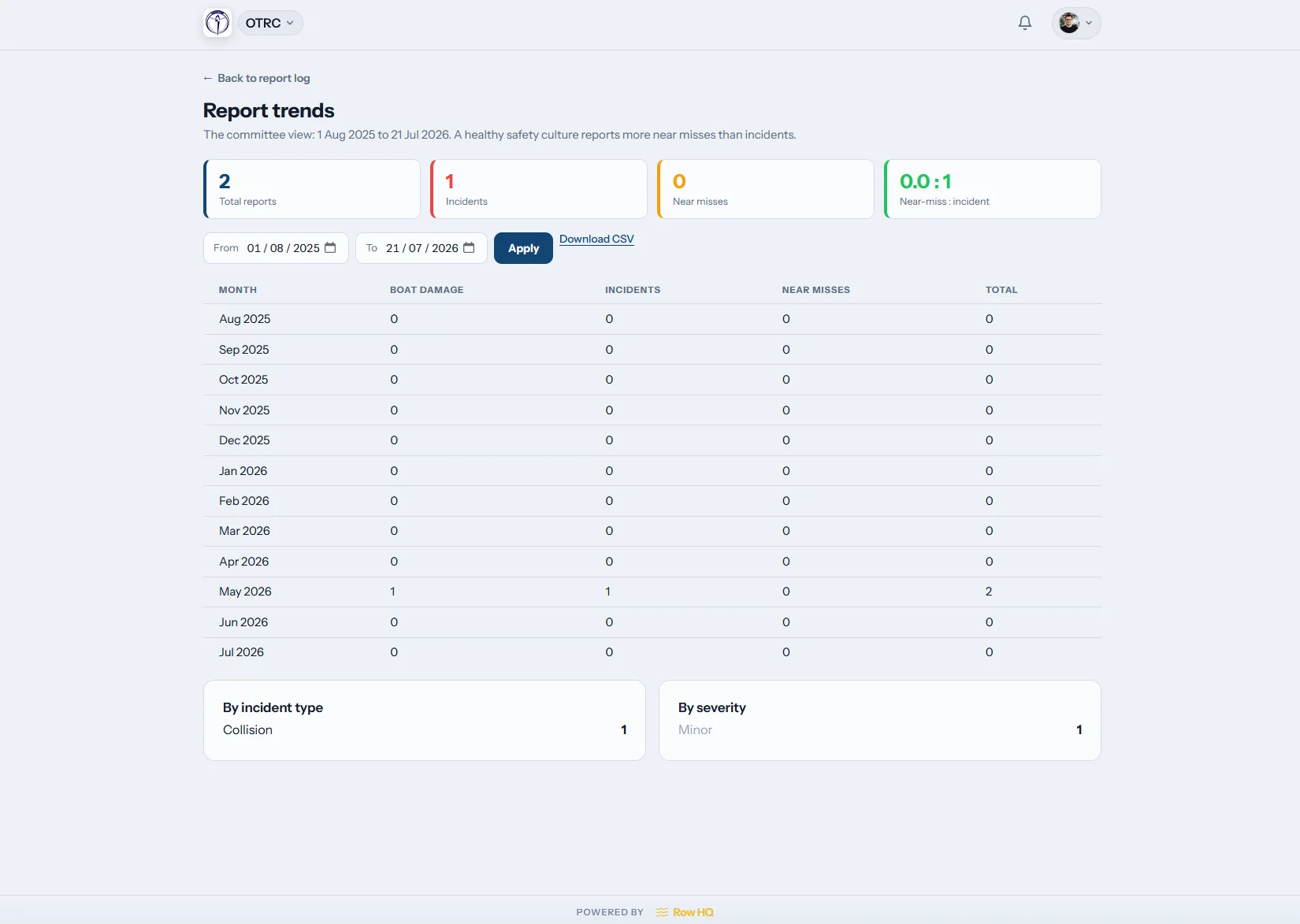
Track the trend
Use the season, not the last outing
Attendance and report trends show the metrics behind selection. Coaches can check the report log, see erg scores they have permission to view, including workouts synced from members' Concept2 Logbooks, and spot who has missed a winter block.
Recent evidence stays available when head season crews are discussed.
Selection without the Sunday-night chase
The same coaching judgement remains. The missing information stops slowing it down.
The old way
- Lineups pencilled into a notebook and changed on the boathouse wall.
- Attendance chased through WhatsApp after dark.
- Head season selection argued from memory.
The Row HQ way
- Live roster answers are ready before the outing.
- The lineup diagram shows every boat and seat.
- Attendance history gives selection a written record.
Six tools for the people running the water
These are working parts of Row HQ, not a concept screen. See how Oundle Town Rowing Club uses the platform.
Squads and rosters
Keep each squad together and carry replies from training sessions into the coach view. Rowers update their side through the member portal.
Crew building
Reuse crew templates, then assign every seat on the lineup diagram. The coxswain is shown with the crew, and the linked boat booking view keeps the fleet visible.
Session plans
Write technical work and safety notes in the shared editor, then connect the plan to club events. Add a drill for catching a crab without losing it in chat.
One-tap attendance
Mark who trained at the water. The answer feeds the live session record and is ready for coaches with delegated access in the admin dashboard.
Trends and reports
Review attendance, the report log and visible ergometer scores. Use the erg pace calculator when a split needs checking.
Delegated access
Give a coach only the features they need. A session can carry its own permission override, while committee controls remain with the club.
Coach from the pontoon
The mobile view keeps the live session in reach when the laptop is back in the clubhouse.
- Mark attendance at the water with one tap.
- See who is coming before the session starts.
- Cancel a session and send automatic notifications.

Keep the rest of the club connected
Training sessions
Publish the outing and collect roster answers before crews are set.
Boat booking
Check what is free before a lineup is attached to a boat.
Admin dashboard
Delegate coaching access without handing over committee controls.
Related reading
Crew selection for coachesPlanning better training sessionsUnderstanding erg dataWhat is an ergometer?What does catching a crab mean?Free erg pace calculatorRead the full FAQ, see what clubs say, check pricing, or add your club identity through white label.
Questions coaches ask
Straight answers about plans, crews, access and the session record.
Row HQ covers the working week around an outing. Coaches can manage squads, write session plans, assign crews on a boat diagram, mark attendance and review reports. The coach dashboard shows the tools the club has delegated. Committee areas stay hidden unless that coach also has permission to use them.
A coach opens the session and assigns rowers seat by seat on a visual boat lineup. Saved crew templates provide a starting point for regular combinations. The final assignment stays with that session, so the coaching team can return to the same crew without rebuilding it from a notebook.
Yes. Squads organise the roster, while crew templates keep combinations that are worth using again. A coach can start with the familiar Saturday eight, then change the seats needed for the next outing. The original session record remains intact for later review.
An authorised coach can cancel the session from Row HQ. Automatic notifications tell the affected members about the change. Coaches can also see who planned to attend before making the call, which helps on dark winter evenings when weather and water conditions change quickly.
Attendance marked at each session feeds the history and trends view. Coaches can also see erg scores when the club has granted that access. Those records support selection across winter erg blocks and head season, but the final crew decision still belongs to the coaching team.
Give coaches a cleaner week
See the coach dashboard, session plan and crew diagram with your club in mind.
Free up to 20 active members, permanently. After that it is £15 a month for a 21 to 30 member club. Every feature is included on every plan and there are no transaction fees. VAT is not included. See full pricing