Run the club without the spreadsheet chase
Give the committee one clear place for members, subs, permissions, equipment repairs and reports. Replace the spreadsheets passed between officers with records that stay with the club.
Watch the 90-second how-to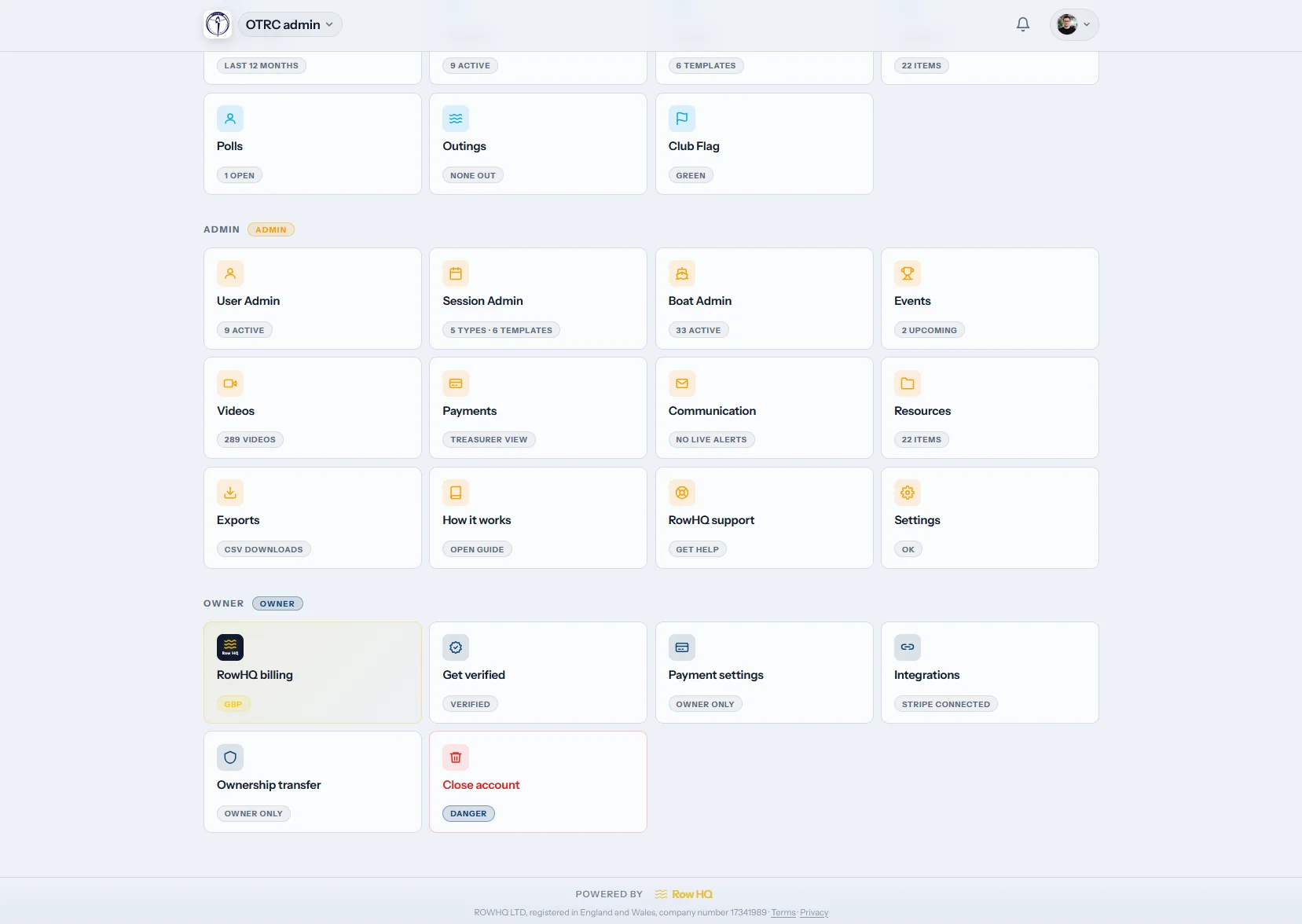

What does the Row HQ admin dashboard do?
The Row HQ admin dashboard gives committee officers one place to manage rowers, squads, payments, renewals, permissions, exports and handovers. The membership secretary can see paid and unpaid members, the treasurer can work from a live charges ledger, and the chair can delegate access without sharing an owner login. Every action stays attached to the club record.
The full admin toolkit is included with every plan. Check the rowing club software pricing bands.
Watch the committee's main jobs in 90 seconds
This how-to video follows a club admin through four committee jobs. She filters the member list by label and opens a member's record, finds a payment in the ledger and emails the invoice, reminds every member whose membership is still awaiting payment, and downloads the CSV files and the owner's full club copy.
Your committee control room
Move through four working views. Each one is built for a real committee job, from changing a member role to preparing the AGM files.

Members
Keep the club register usable
Search the roster by role, activity, label or skill level. Open a member record to change access, suspend an account, send a password reset or remove someone who has left.
Roles, custom labels and rowing skill levels stay visible beside the member record.
Payments
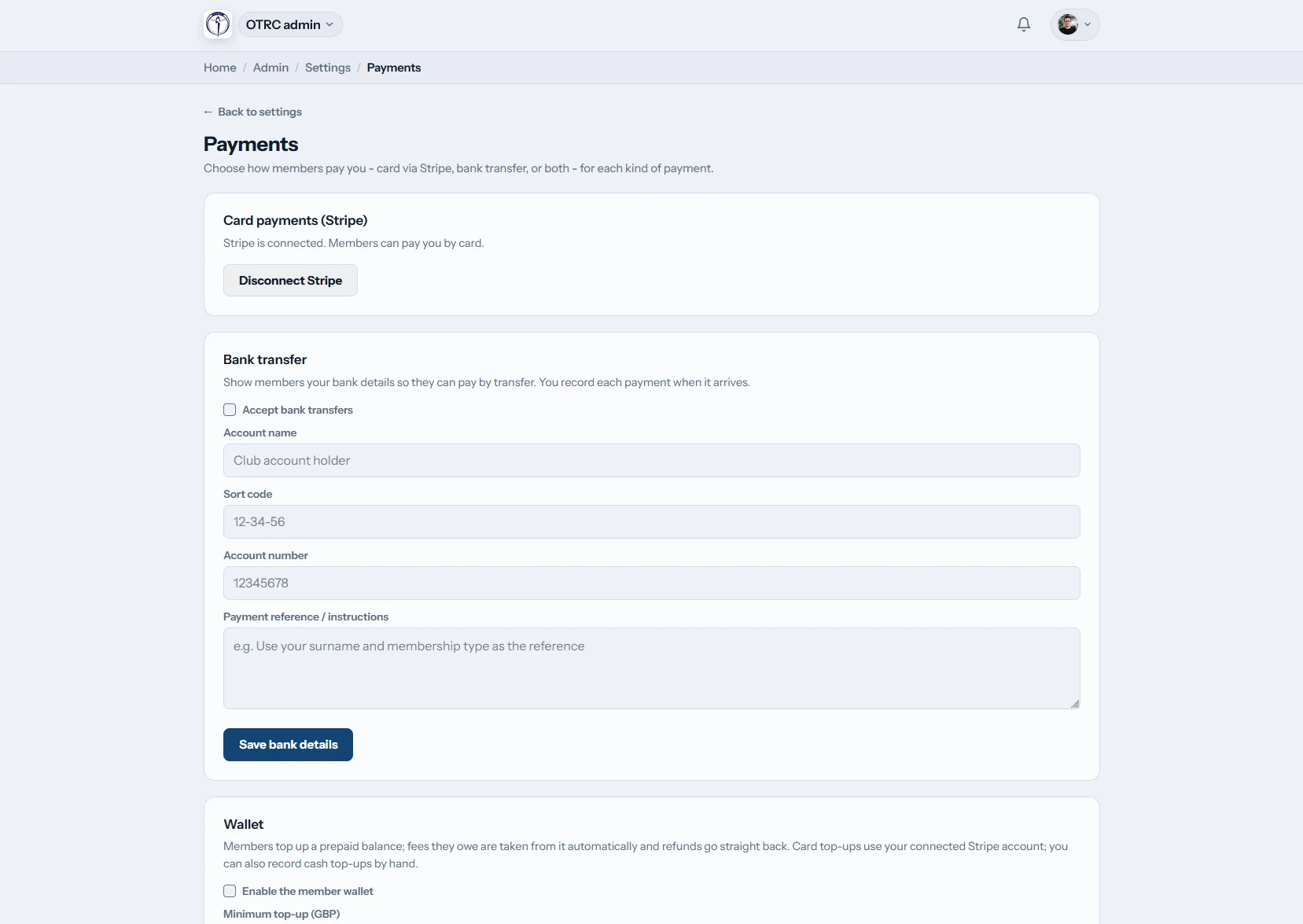
See exactly who owes what
The charges ledger lists each fee, payer, due date and status. Take card payments through the club's own Stripe account or record a bank transfer, then reverse a record when a correction is needed.
Invoices can be downloaded as PDFs or emailed from the same payment record.
Memberships
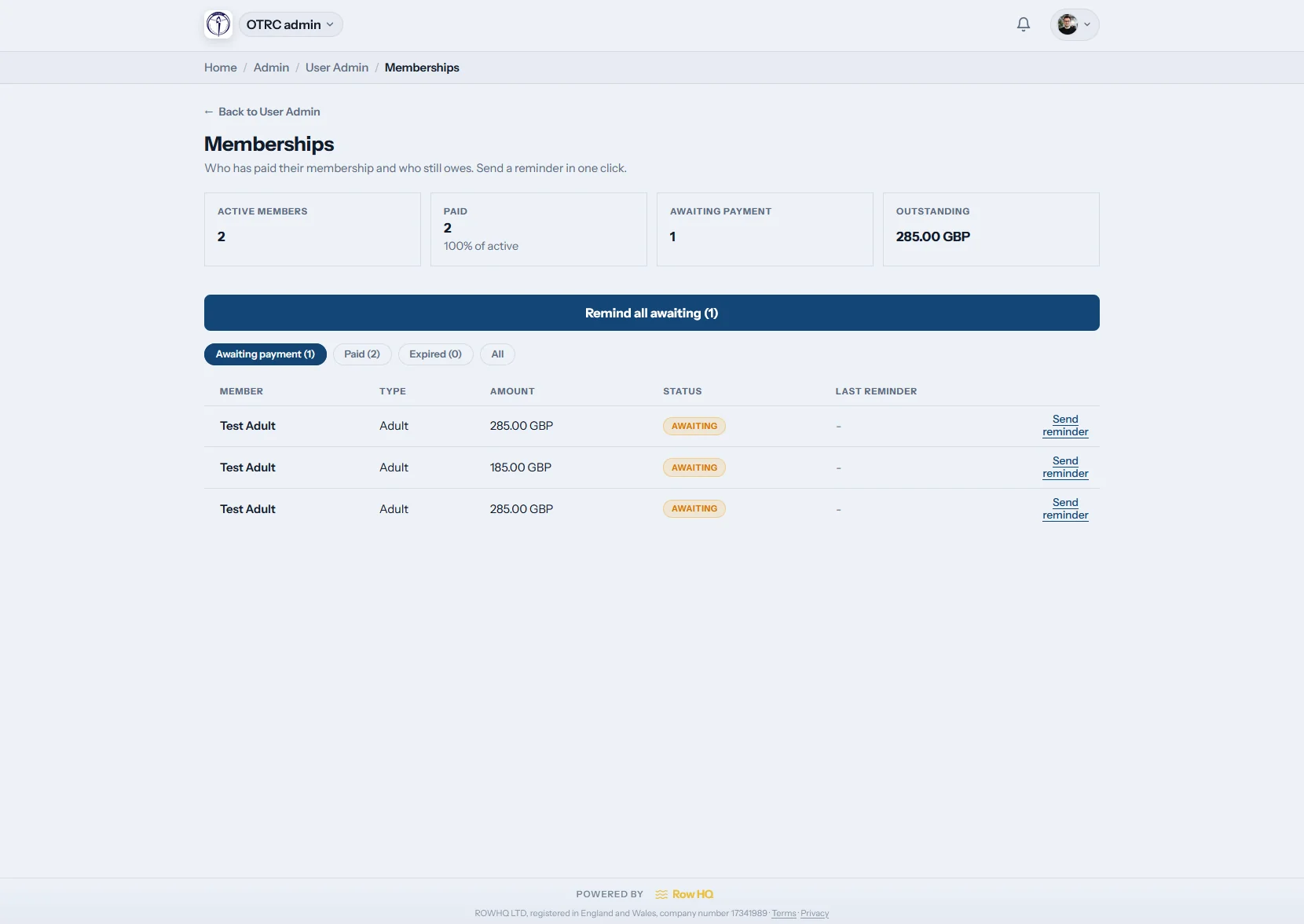
Give the secretary a live renewal list
Paid and unpaid memberships appear together, with a reminder action beside the people still outstanding. Automatic renewal runs handle the scheduled work underneath without hiding the result.
One click sends the next reminder to the members who still need to renew.

Exports
Take clean files to the AGM
Download member, payment, attendance and RSVP CSVs when the committee needs them. Xero and QuickBooks import files are ready for the treasurer, while the owner can request the club's full JSON export.
The export page separates everyday reports, accounting files and the owner data copy.
What changes when the committee shares one system?
The biggest gain is continuity. Records no longer disappear when an officer steps down.
The old committee routine
- The treasurer rebuilds payment totals from several spreadsheets.
- The membership secretary chases subs through texts and personal email.
- Key records leave with the one officer who kept the master copy.
The Row HQ routine
- A live ledger shows charges, payments, reversals and balances.
- Reminder buttons and renewal runs handle the follow-up work.
- The full record survives the AGM handover to the next committee.
Admin tools for the whole committee
The same core controls used in the Oundle Town RC case study, arranged around the officers who actually do the work.
Member administration
Manage roles, suspension, resets, labels and skill levels. Members keep their own details current through the member portal.
Payments and reminders
Track Stripe card charges, bank transfers, invoices and outstanding subs. The membership system keeps renewals beside the money owed.
Permissions you can delegate
Give officers only the tabs they need. Owner-only keys remain protected, while coaches work inside their own remit. Sensitive record access is logged.
Committees and officer records
Record committees, positions and current office holders. Responsibility for club events stays clear when jobs change hands.
Exports and accounting files
Export members, payments and activity from training sessions or boat bookings. Xero, QuickBooks and owner JSON files are included.
Setup and support help
Start with a setup wizard and checklist. Raise support tickets directly with Row HQ, then add club branding when the basics are ready. Read how data is kept secure.
Answer admin questions away from the desk
Committee work rarely waits for a laptop. Open the club dashboard on mobile when a member asks about access, a payment lands, or the secretary needs a current answer at the boathouse.
- Check the admin hub and current club totals from your phone.
- Review charges and payment status while speaking to a member.
- Use the same role-based access as the browser dashboard.

Connect the rest of the club
Member Portal
Let members update their profile and membership details themselves.
Training Sessions
Turn session sign-ups and attendance into records the committee can use.
White Label
Put the club crest, colours and identity across the member experience.
Related reading
Keeping your fleet in top condition Getting training sessions sorted Why every rowing club needs a member portal Membership management software for rowing clubs British Rowing affiliation tools and returns reportingCheck the general FAQ, read what clubs say, or compare the pricing bands.
Admin dashboard FAQs
Five practical answers for club officers moving committee work into Row HQ.
The club owner decides which officers receive admin access. Permissions are split by area, so the treasurer can manage payments, the membership secretary can handle member records and renewals, and coaches can use their relevant tools without seeing owner-only keys. Access can be changed when committee roles move after the AGM.
The club can take card payments through its own connected Stripe account or offer bank transfer. The charges ledger shows the fee, payer, due date and status. Admins can record or reverse payments, then download a PDF invoice or email it from the payment record. Reminder actions help the treasurer follow up outstanding subs.
Yes. The membership admin view separates paid and unpaid members, supports one-click reminders and shows the outcome of automatic renewal runs. Member roles, labels, skill levels and account status sit in the same admin area, so the secretary does not need to reconcile a second spreadsheet before contacting anyone.
Admins can download CSV files for members, payments, attendance and event RSVPs. The accounting section provides import files for Xero and QuickBooks. The club owner can also request a full JSON copy of club data. These exports are useful for finance work, committee papers and a clean handover to the next officers.
New clubs get a guided setup wizard and a checklist covering the main configuration jobs. If an officer gets stuck, they can open a support ticket to Row HQ from the admin area. Committee permissions can be added gradually, so the owner can finish the core setup before handing each officer their own access.
Give the next committee a cleaner handover
See the member, payment and renewal workflows with your club structure in mind.
Free up to 20 active members, permanently. After that it is £15 a month for a 21 to 30 member club. Every feature is included on every plan and there are no transaction fees. VAT is not included. See full pricing