Rowing Club Dues and Payments Software

Support Area

🚀

Support Area coming soon

Back to Features
Dues and Club Payments

Put every amount owed on one record.

Track dues, regatta entries, practice charges, and special assessments together. Members use the club's Stripe connection or bank transfer. Row HQ adds no platform fee.

otrc.rowhq.app
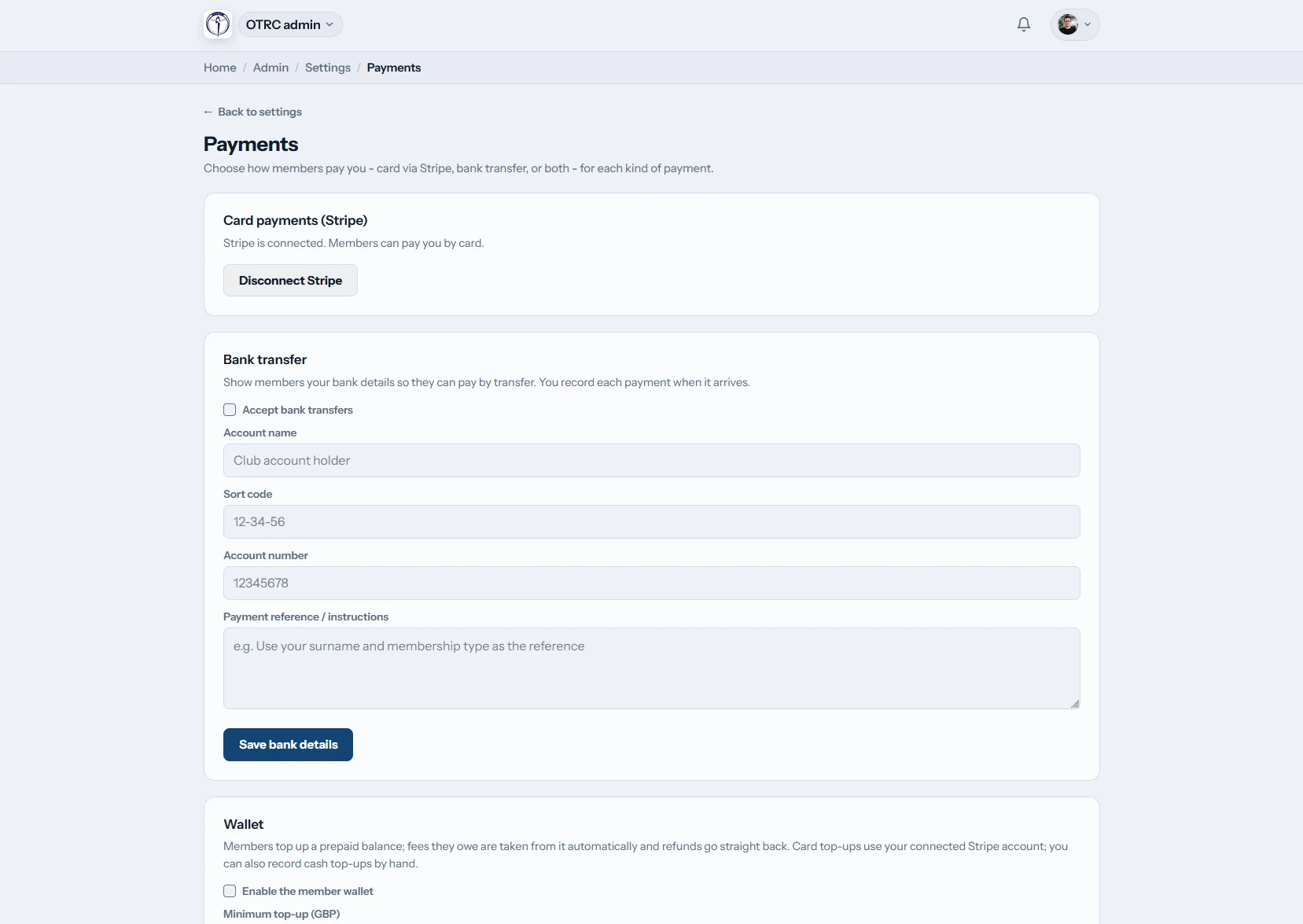
Club charges and payment statuses in the Row HQ finance ledger
Row HQ club payments screen on a phone

How can a rowing club manage dues and payments?

Row HQ records dues, regatta costs, per-practice fees, and one-time charges in a shared ledger. A club sets card, bank transfer, or both for each category. Card money enters the club's connected Stripe balance, and a treasurer manually matches bank transfers to the member charge.

The complete payment toolkit comes with every membership band, including the free band. Review plans by club size.

Club finances across one rowing season

Post what athletes owe, identify overdue dues, hand clean files to the bookkeeper, and give the board a current view.

app.rowhq.app
US rowing club member charges listed in Row HQ

Post charges

Build one list of member obligations

Add dues, race entries, practice costs, or an equal one-time charge for several people. Pick the allowed payment method for each category.

Status filters separate paid, pending, and outstanding records without another worksheet.

app.rowhq.app
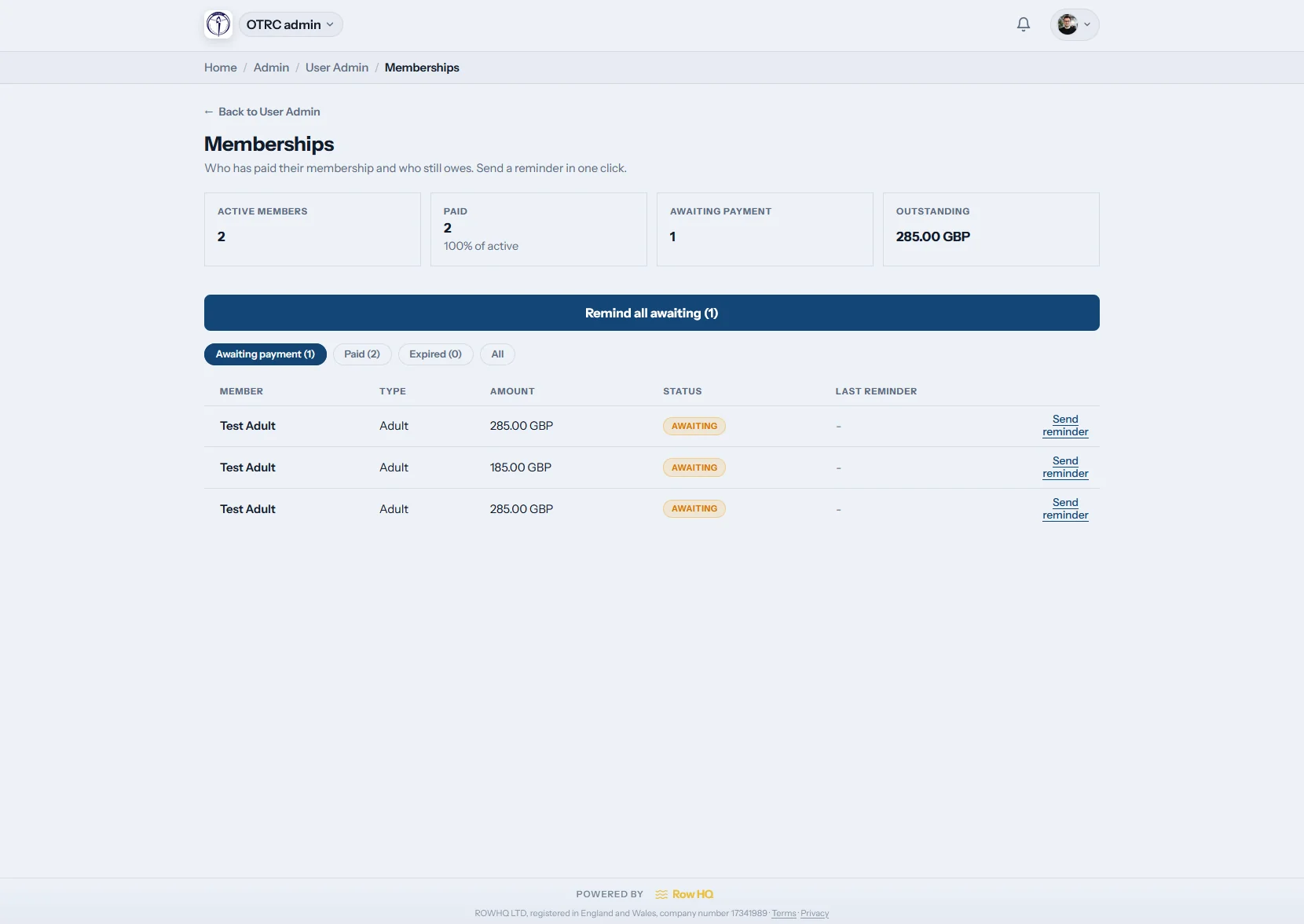
Paid and unpaid dues shown on the Row HQ membership screen

Follow up

Give the dues list to the right officer

A membership officer or board treasurer can compare paid and unpaid athletes. They can send one branded reminder or contact the full unpaid group.

Scheduled renewals generate the new season's dues without recreating each member row.

app.rowhq.app
Accounting export choices for club payments in Row HQ

Close the books

Move received funds into accounting

Export the ledger as a CSV, use the prepared Xero bank-statement file, or download the QuickBooks three-column format. Each file covers money received.

Row HQ supplies import files. It does not claim a live connection to either accounting product.

app.rowhq.app
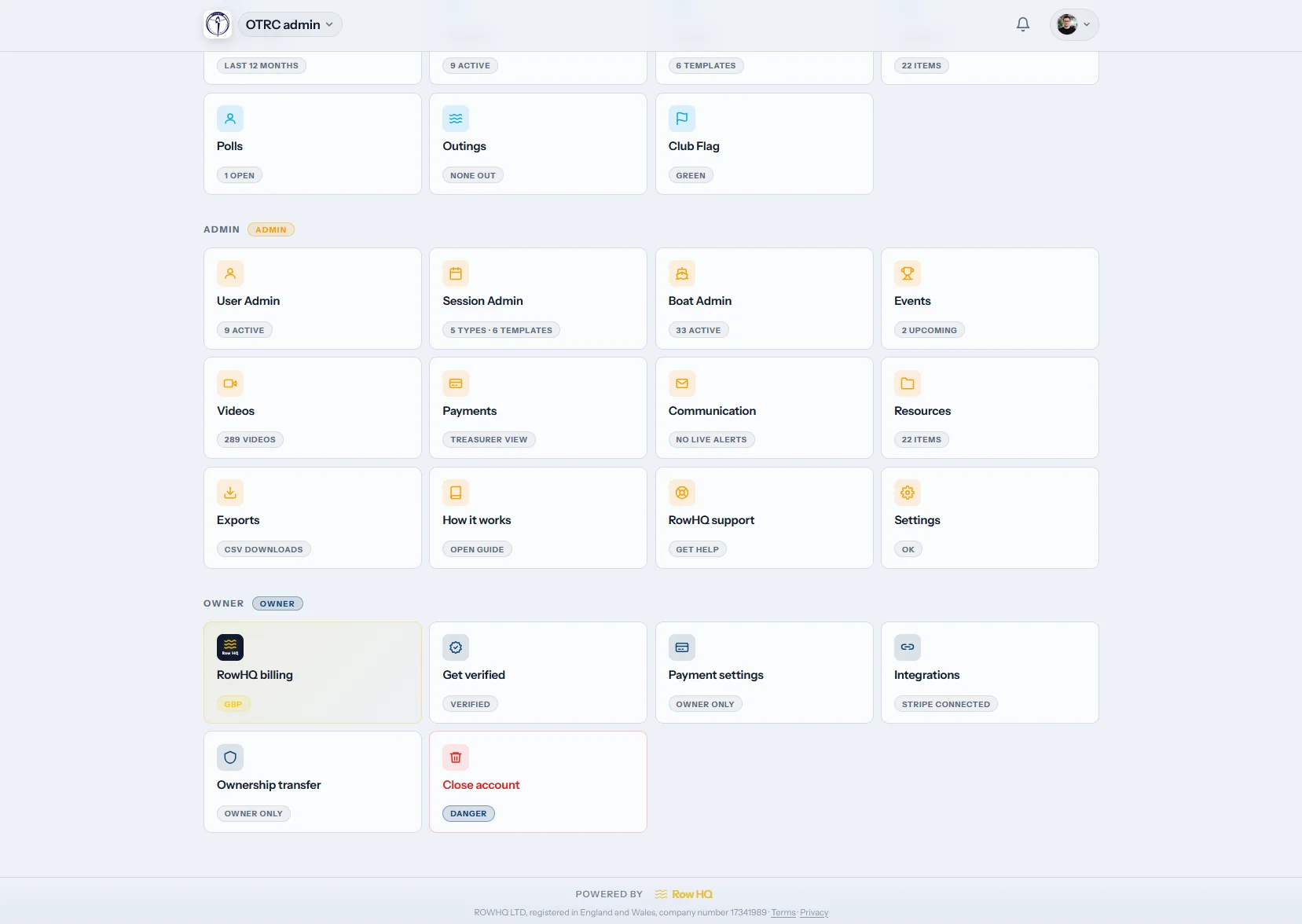
Row HQ administrative home screen for a rowing club board

Report

Answer the board with current records

Open the admin area to reach the payments ledger and each underlying charge. A card record includes its Stripe fee, net proceeds, and payout date.

The payment history remains attached to the member charge that created it.

Direct to the club

Your organization owns its Stripe relationship

The rowing club connects its own Stripe account. Card proceeds settle into that club account, rather than a Row HQ balance. Row HQ does not hold the funds and does not add a platform charge to the transaction.

Stripe's standard processing fees remain. Row HQ displays the actual fee, net proceeds, and payout date on the card charge.

Card processing uses the Stripe account owned by the club.

Stop rebuilding the finance report

The original charge carries the payment method, follow-up, supporting document, and final outcome.

Information split by task

  • Dues tracked apart from regatta expenses
  • Transfers checked against a bank portal by hand
  • Special assessments placed in a separate spreadsheet
  • Past-due lists copied into an email draft
  • Refund evidence stored away from the charge

One member payment history

  • All member obligations listed in one ledger
  • Each transfer recorded against its source charge
  • Card fee, payout, invoice, and refund information together
  • Dues progress visible in the club admin dashboard
  • Received-payment files ready for the bookkeeper

Controls a club treasurer can use immediately

The ledger handles routine dues and the smaller charges that still need a clear owner and audit trail.

Payment choices by category

Allow Stripe cards, bank transfer, or both. Members receive US routing and account details for a transfer, and the interface uses "Check" for US clubs.

Documents with the club identity

Send or download a PDF invoice bearing the organization logo, contact information, and registration details. Stripe emails a free card receipt.

Annual dues and repeating extras

Schedule membership renewals, repeat an extra such as a rack fee, or post the same one-time amount to a selected group.

Past-due reminders without a new list

Filter paid and unpaid memberships, then send an individual or bulk branded email. Athletes settle open charges from the member portal.

Bookkeeper-friendly downloads

Choose the full ledger, Xero bank-statement CSV, or QuickBooks three-column CSV. Money from regatta entries appears with other receipts.

Correct reversals and card refunds

Send a full card refund through Stripe on the charge page, or return an offline record to pending. Withdrawal from a paid practice voids its charge automatically.

Cover pay-per-row activity as well as dues

A treasurer can keep usage-based practice money and race entry charges inside the main member ledger.

Prepaid funds for regular athletes

Turn on the member wallet for pay-per-row use. An athlete adds funds by card, or a treasurer posts a cash top-up. Fees deduct from the balance. Eligible refunds return to the wallet or card, and the balance appears in the member account.

A charge created by attendance

Attach a fee to a practice or template, then choose which attendance responses are billable. Attendance creates the charge. A withdrawal or cancellation voids it. Separate event costs retain their own category.

A simple route from dues notice to deposit

The Oundle Town Rowing Club story shows these finance records within day-to-day club management.

01

Set category rules

Decide which obligations accept cards, bank transfers, or either.

02

Post what is due

Run renewal schedules, repeating extras, and selected group charges.

03

Match the receipt

Stripe reports card results; the treasurer posts transfers manually.

04

Finish the record

Follow up balances, process corrections, and export received funds.

Athletes can pay without finding the treasurer

A member opens their profile, reviews an unpaid item, and pays online when card payment is enabled. Someone registered with multiple rowing clubs sees a combined account view across those clubs.

  • Display US routing and account information for a bank transfer
  • Use the club's chosen currency throughout the payment screen
  • Review dues status and open charges on the same profile
iOS and Android apps now available Use Row HQ in any browser or install the iOS or Android app.
Explore the Row HQ club app
Club treasurer view of charges on a mobile device Athlete membership and payment profile in the Row HQ app

FAQs for US club treasurers

The payment ownership, fees, refunds, and accounting points a board should confirm.

It settles in the club's own Stripe balance. The rowing organization connects its Stripe account to Row HQ and remains the holder of the funds. Row HQ does not collect card proceeds on the club's behalf. The underlying charge records the processing fee, net proceeds, and payout date.

No. Row HQ adds no platform fee to money collected for the club. Stripe's standard processing fees still apply when an athlete uses a card. The precise Stripe fee appears on that payment record, along with the net amount and expected payout date.

Yes. The club decides by category if members may use a bank transfer, a card, or either. A US member receives the applicable routing and account details. After the deposit arrives, the treasurer manually records it against the correct charge. US screens use "Check" rather than "Cheque."

A full card refund can be started from the charge page and runs through Stripe. An offline payment can be reversed so the charge becomes pending again. For wallet activity, Row HQ returns the refund to the prepaid balance or card as appropriate.

No. Row HQ does not sync transactions into those accounting systems. A treasurer downloads the general ledger CSV, the prepared Xero bank-statement CSV, or the QuickBooks three-column CSV of money received. Those files can then enter the club's normal bookkeeping process.

Yes. Payment collection, reminders, invoices, refunds, wallets, session charges, and exports are included in every Row HQ band. There are no paid feature tiers. Stripe's usual processing fees still apply to card transactions, regardless of the club's Row HQ membership band.

Give the board a dependable dues record

Keep the money in the club's Stripe account and every obligation in one ledger.

Free up to 20 active members, permanently. After that it is $21 a month for a 21 to 30 member club. Every feature is included on every plan and there are no transaction fees. Sales tax is not included. See full pricing

Start Free