Turn the winter erg block into club momentum.
Collect each rower's pieces, intervals and personal bests in the same place. RowErg work can travel both ways between Row HQ and a member's Concept2 Logbook, while the club's total metres move a boat across Globe Tracker.
Watch the 90-second how-to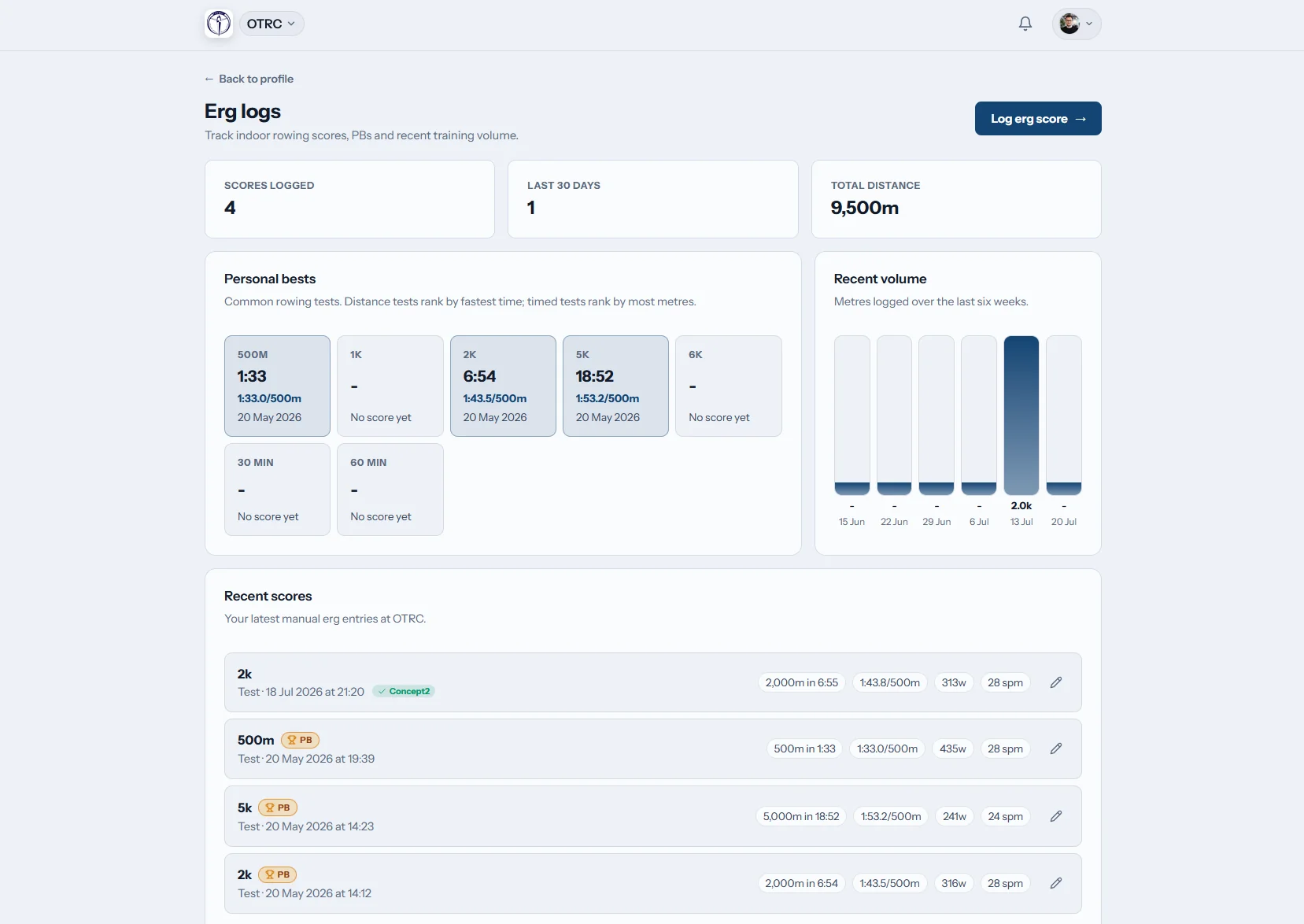
What does erg tracking add to a rowing club?
Row HQ turns indoor pieces into a lasting record for rowers and coaches. Members save distance, time, splits and interval rest, while the software calculates pace and power. A personal Concept2 Logbook can supply RowErg results, best efforts receive a gold badge, and every metre may contribute to the club's Globe Tracker trip.
These functions are not divided into paid feature tiers. See the Irish price bands for different club sizes.
See an erg test logged and counted for the club
Over 90 seconds a rower enters a 2k test on her phone. Row HQ calculates her split and watts and marks a personal best. She sees where to link her Concept2 Logbook once and the tick that sends a score to it. The club then compares test results across members and follows its metres along the Thames route.
Carry the erg result into the wider club
A piece can support the rower's history, the coach's view and a shared distance challenge.
Write it down
Keep the splits behind the score
Record the metres, time and split rows from a steady piece or a test. Interval sessions retain their rest values, and Row HQ supplies the linked watts, pace or duration.
The pace convention remains time per 500 metres for every member and region.

Connect it
Set up the Logbook at account level
The rower authorises their own Concept2 Logbook once. The same member connection continues to work if they take part in more than one club using Row HQ.
Clear badges report the transfer state, and a matching manual row is linked rather than copied.
Keep it
Make the strongest rows easy to recognise
A gold mark appears when a member records a personal best. Their earlier scores remain in the erg list, and coaches can inspect member results from the coach view.
Winter progress stays available when river and coastal crews return to regular water work.

Move it
Row a real route as one club
All recorded metres shift the club boat on a mapped 3D journey. Admins select one of the supplied routes or edit a course that suits the next challenge.
Checkpoint notices can reach an admin-selected group, and finished routes remain on record.
Keep the club's indoor work out of loose messages
A winter programme needs a record that survives beyond one testing night.
Scores passed around
- Monitor photographs forwarded to a group chat
- Senior, junior and novice sheets kept separately
- Interval rests omitted from the saved summary
- Personal bests checked against old messages
- Club-distance totals maintained by one volunteer
Scores kept together
- The member record holds the original piece details
- RowErg work passes in either direction through the Concept2 Logbook link
- Scores are visible inside the coaching section
- Built-in ergometer maths gives consistent figures
- Globe Tracker totals every metre submitted by club members
A useful record from first interval to final test
Erg data sits with the club's other Row HQ work. For a wider look at the system in use, open the Oundle Town Rowing Club case study.
Every part of the session
Save time, distance and splits for single or repeated efforts. Rest is supported for intervals, and erg pace uses the universal per-500-metre format.
Numbers completed for the rower
The entry form derives split, watts, pace and time. That calculation method is also open to everyone through the free tool collection.
Incoming and outgoing Logbook rows
Send a fresh Row HQ result with one tickbox. Bring RowErg work back on page load, with a manual sync, or in the nightly sweep.
A visible best performance
Row HQ gives a gold badge to the entry that sets a personal best, so it stands apart within the member's history.
Six prepared challenges
Routes start with the 33 km English Channel and extend to 46,137 km Around the World. The custom editor lets admins create another journey.
Part of the coaching view
Coach tools include member erg scores. All six functions above also come with every Row HQ band, including free.
Globe Tracker
Give the winter metres a common finish
A community club can collect work completed across different squads and locations. Put the organised sessions into the club programme, then use actual logged distance to advance the journey.
Select the crossing
An administrator chooses a preset or creates a fresh mapped route.
Gather club distance
Each member's recorded metres move the same virtual boat.
Share the landmark
Checkpoint messages appear for the audience configured by admin.
Store the completed route
The finish is kept in history before the next challenge starts.
Check a target split without signing in
The public Row HQ calculation pages are free on any browser. Their rowing formulae match the calculator within the member log.
Erg Pace Calculator
Find average pace per 500 metres from the full distance and time.
Find a splitErg Score Calculator
Use two known figures to calculate time, distance or pace.
Complete the figures2K Prediction Calculator
Turn another training result into a sensible estimate for 2K.
Estimate the 2KKeep the score before packing away
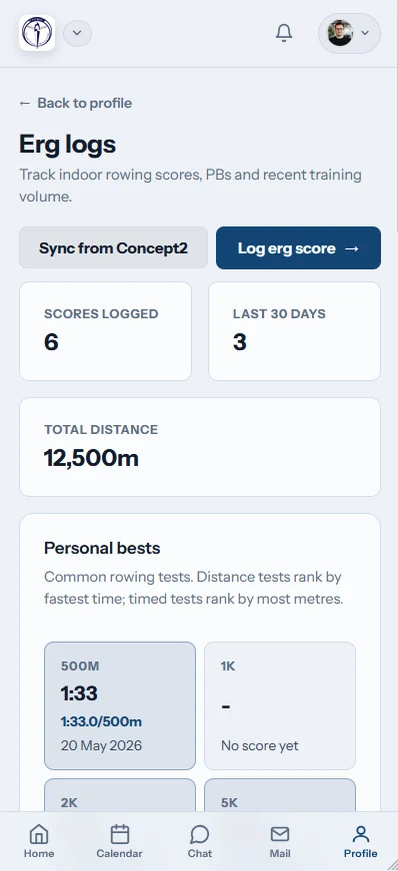
Members can log erg work in a phone browser or through the two Row HQ apps. A result can be entered, synced and checked while the details are still clear.
- Add single pieces or interval rows directly from mobile
- Use the Sync action for the personal Concept2 Logbook
- Get checkpoint celebrations through push notifications

Connect the erg room with club activity
Club Sessions
Schedule winter pieces beside river or coastal training.
Coach Tools
Review member scores within the regular coaching surface.
Member Portal
Give rowers one account for their club records and actions.
Return to the feature directory, view the UK Oundle Town implementation, or compare the available Irish bands.
Irish club questions about erg tracking
The connection, access and challenge details for rowers, coaches and committee members.
Yes. The send checkbox is already ticked when a member creates a Row HQ score. RowErg records return from the Concept2 Logbook when the erg page opens, when Sync is pressed, and through the nightly sweep. An interval workout is sent as intervals when rest has been entered.
No. Members can use every direct logging field without a Concept2 account. Registration is only required for someone choosing Logbook sync. That member completes the connection once for their whole Row HQ account, rather than connecting it separately for each club.
An incoming RowErg entry is checked against existing manual scores. When the details match, Row HQ claims the score already present and attaches the Logbook record to it. The erg list has separate badges for successful syncs and transfer errors.
The club has one active course. Admins choose from six preset routes or make one through the custom editor. Logged metres move the boat along the 3D globe, checkpoints generate in-app notifications for a selected audience, and completed trips are moved into the route history.
Yes. The coach workspace contains member erg-score visibility. Coaches can refer to those results as part of their club work. Members see their own score list, including the gold badge that Row HQ applies whenever an entry represents a personal best.
Yes. Direct erg entry, Concept2 Logbook sync, coach access and Globe Tracker are available in the free band and every paid band. Any phone browser works, alongside the iOS and Android apps. Checkpoint updates can reach members as phone push notifications.
Put the next club erg block on one course
Retain every result, link personal Logbooks and give the combined metres somewhere to travel.
Free up to 20 active members, permanently. After that it is €18 a month for a 21 to 30 member club. Every feature is included on every plan and there are no transaction fees. VAT is not included. See full pricing