Rowing club member portal
Rowers answer outing calls, mind their own membership details, and book boats without sending another message to the secretary.
Watch the 90-second how-to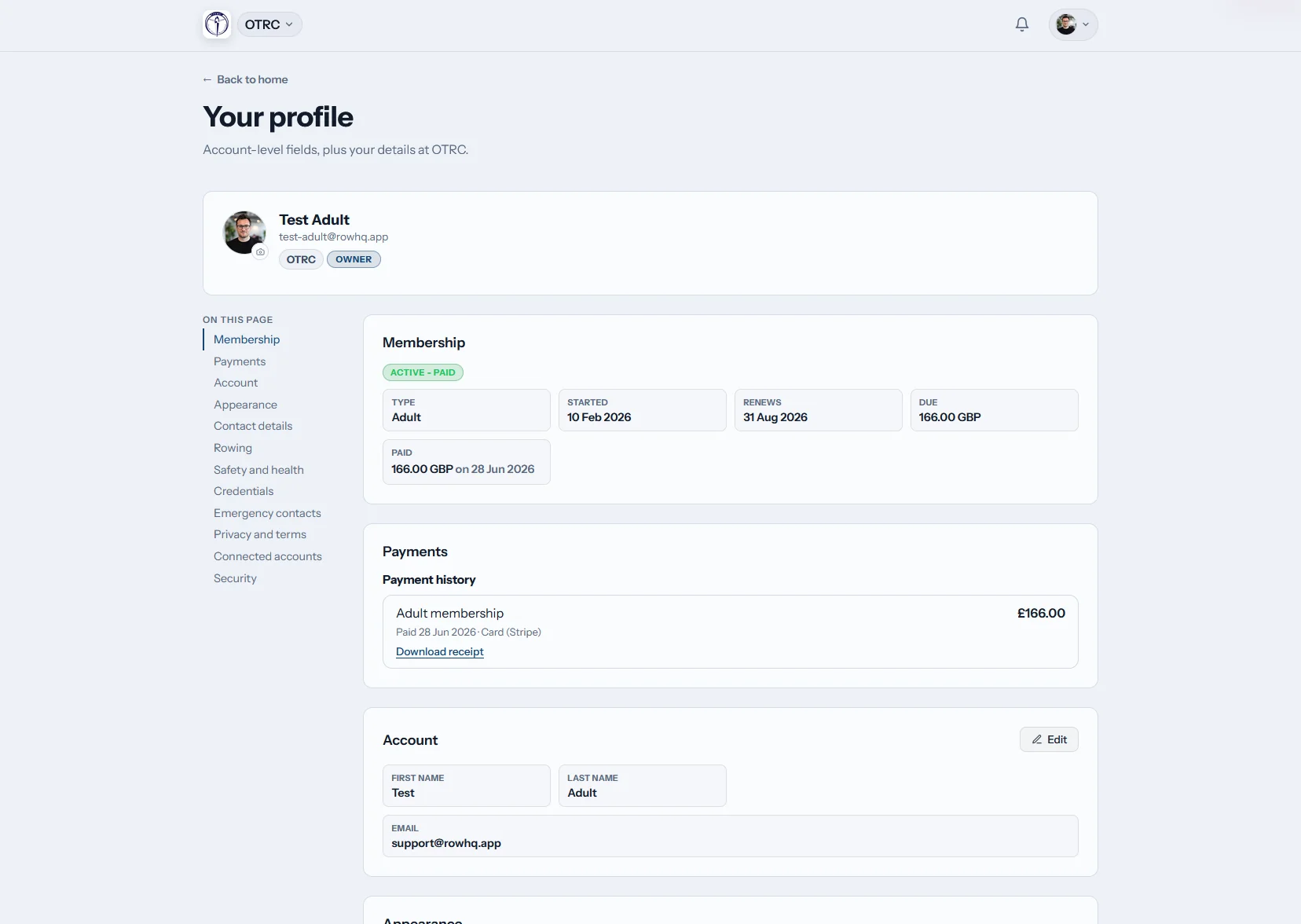
What can an Irish club member do in Row HQ?
Each rower gets an account for outings, regatta replies, club notices, erg scores and membership information. They keep their contact, emergency and rowing details accurate. Guardian accounts support juniors. Coaches and committee officers see those updates in the same system, so volunteer time is not spent relaying routine changes.
Member logins are included throughout. See Euro pricing by active member band.
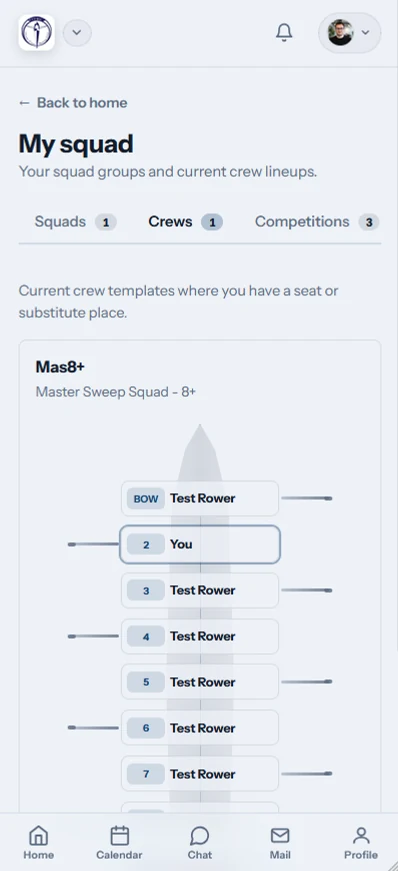
See the member portal through one rower's phone
Over 90 seconds, a rower opens Row HQ on her phone. Her home screen leads with the next outing and her seat in the boat, plus the weather, river level and club flag. She checks sessions and club events in one calendar, confirms she will be there, looks over her erg personal bests and reads the club news.
One place for the next outing and beyond
The member view joins everyday training, race dates, indoor work and committee updates without another paper list.
Home
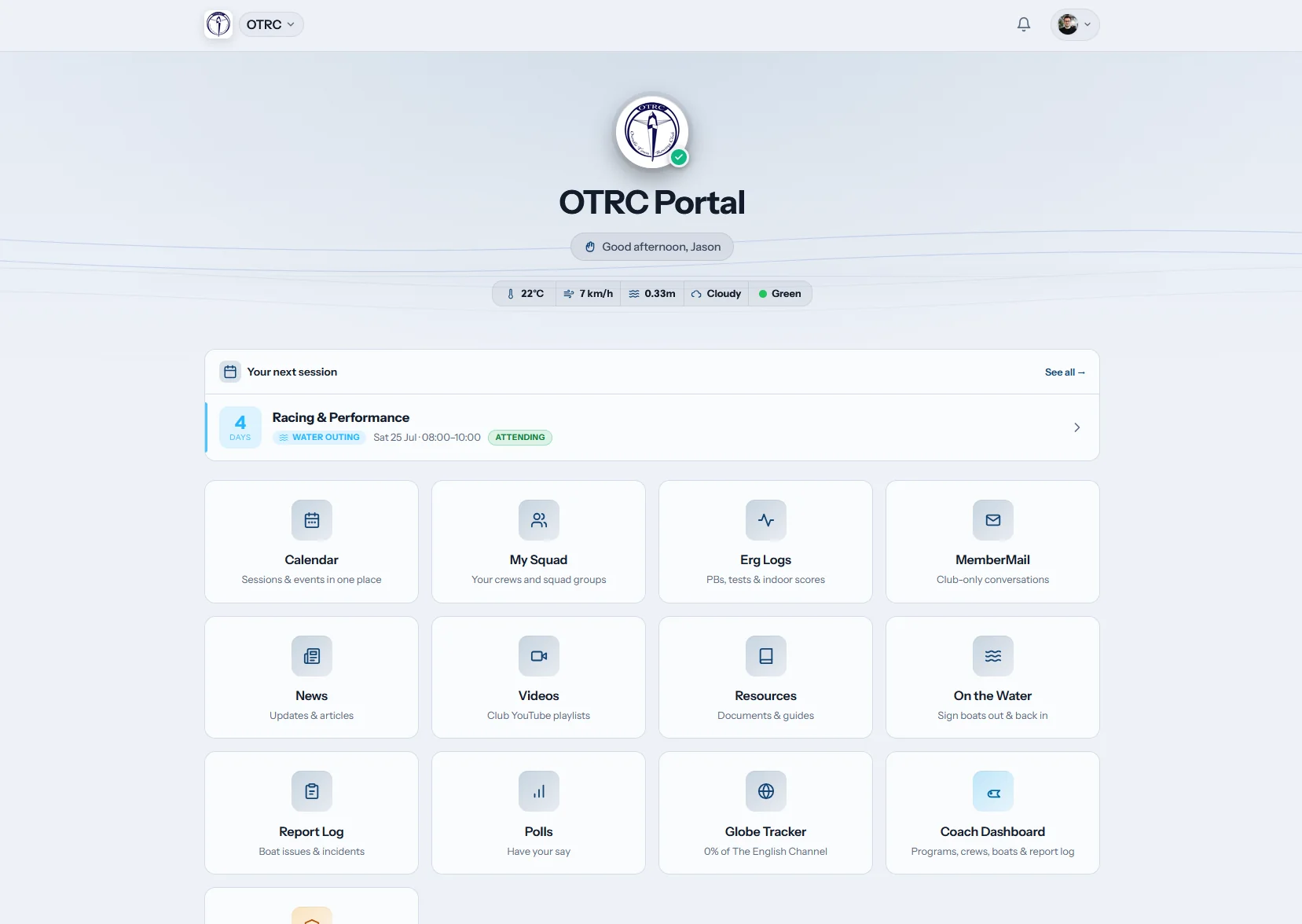
The next club job is visible
Members land on the next session, with weather and river condition chips alongside it. Club tiles point to frequently used parts of the account.
A quick check settles the plan before the rower reaches the boathouse.
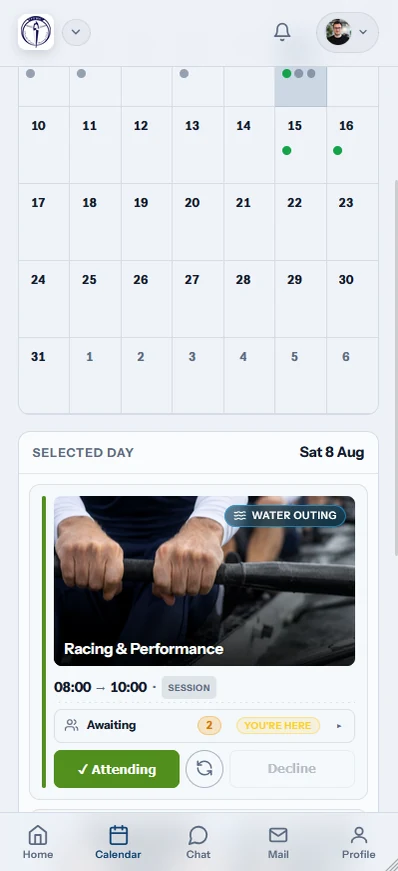
My calendar
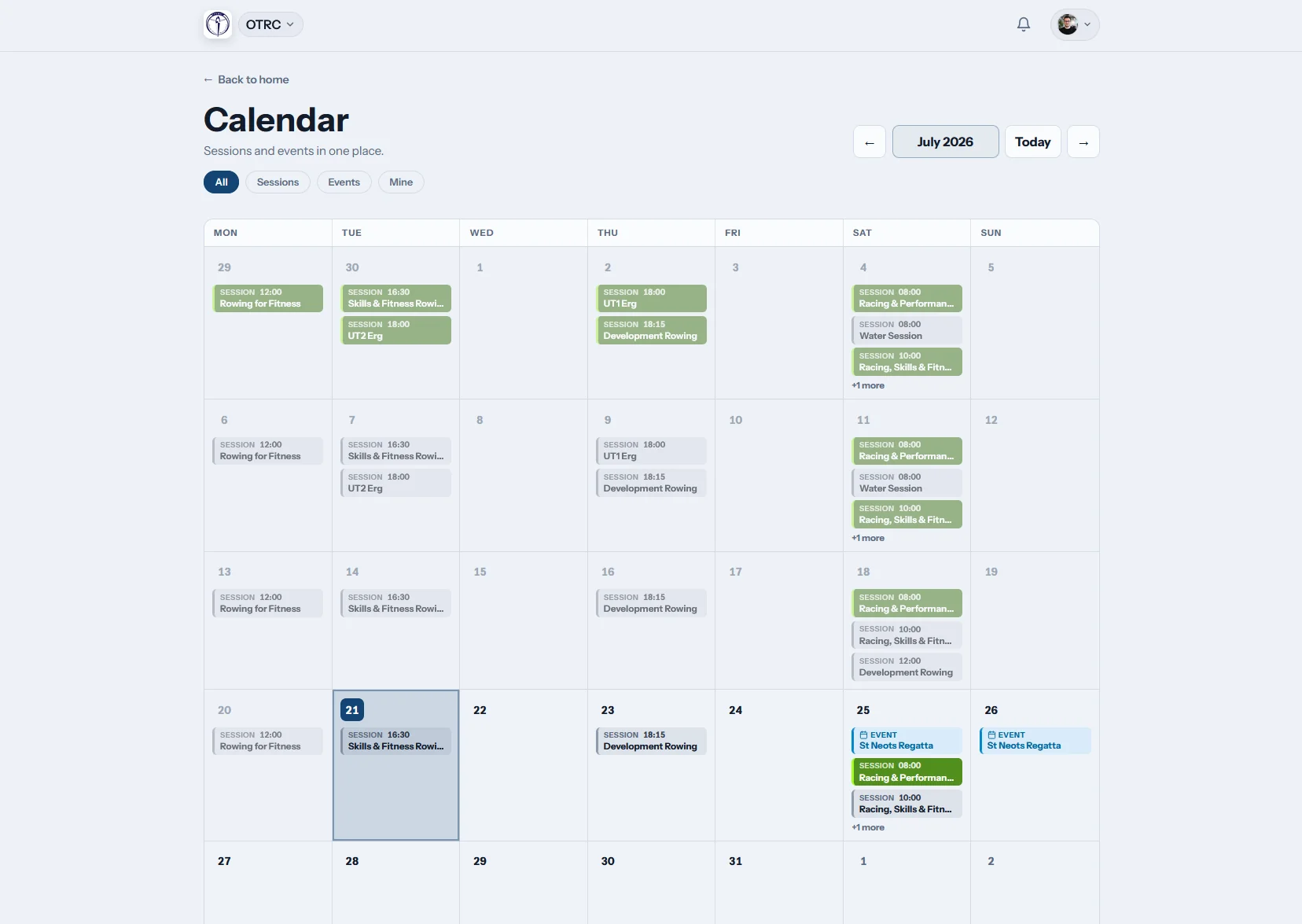
Outings and regattas stay aligned
Training calls and race dates share one calendar. The rower replies from the list and can subscribe by iCal to follow changes through a personal calendar.
Members see the club schedule without waiting for a weekly email round-up.
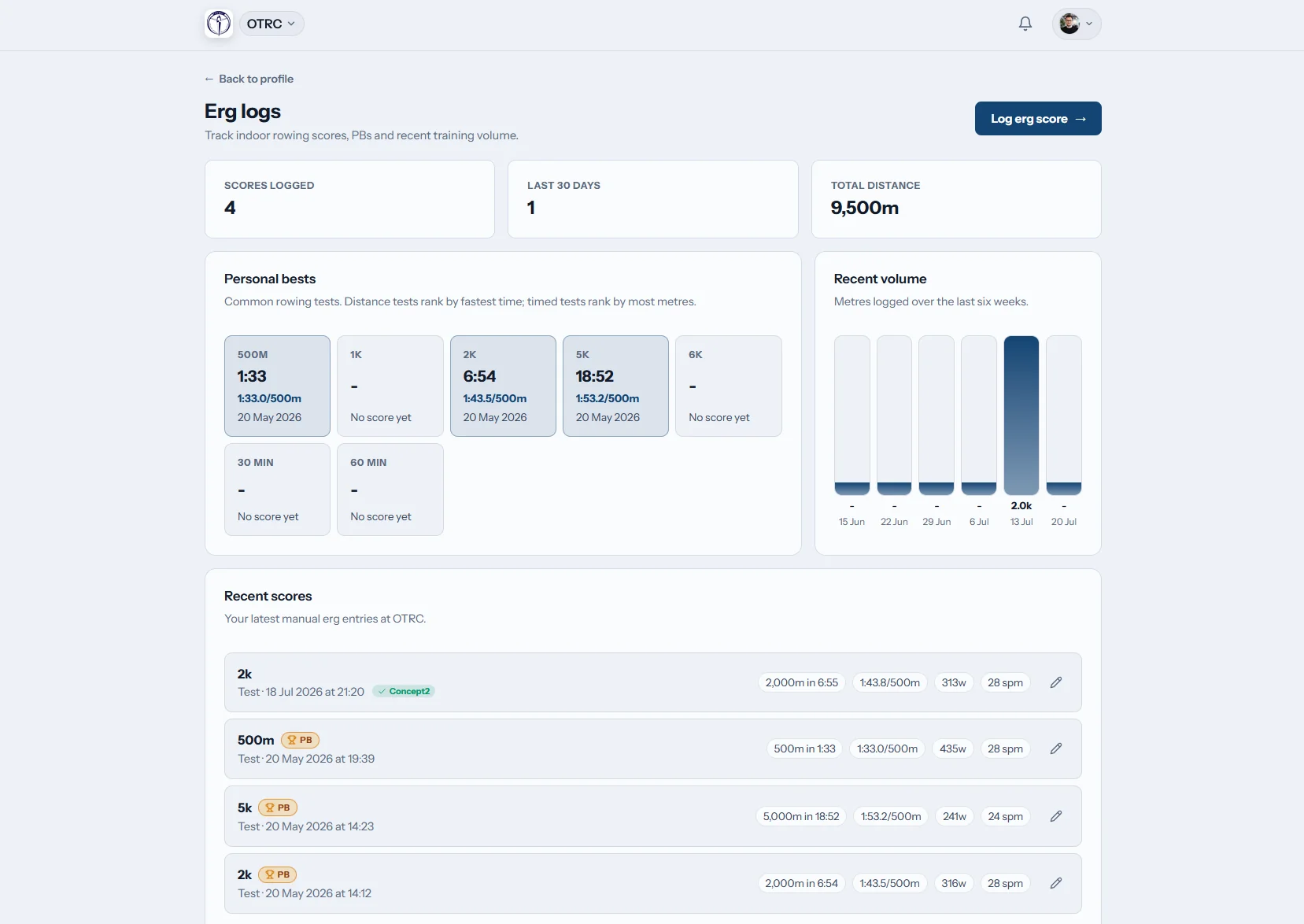
Erg logs
Indoor pieces stop going missing
An erg history holds scores and personal bests. Rowers using Concept2 Logbook can connect it, keeping their training record in step with the club account.
The last test result is available when a coach needs to review it.

Club news
Committee notices have a home
Entries, travel notes and club announcements remain in a single feed. Members can return to the full post instead of searching through WhatsApp.
The club publishes the agreed detail once and keeps it accessible.
Move routine requests away from the secretary
See the workflow at Oundle Town Rowing Club. Then compare it with the manual work in our spreadsheets review.
The committee as switchboard
- A new mobile number waits to be copied by hand.
- Outing replies arrive through several squad chats.
- Regatta notes are resent whenever somebody joins late.
- Members ask an officer to check their subs position.
The member as record owner
- Personal and emergency information is corrected at source.
- Availability sits with each outing and event.
- News remains readable after the first alert.
- Membership standing and payments can be viewed directly.
The member jobs Row HQ covers
The account deals with common club tasks while leaving coaching and committee decisions with the right people.
Member-owned information
Each rower keeps contact, emergency and rowing details correct without an admin request.
Protected club data
Personal information is held behind a login. The security section explains the controls.
A proper rowing record for every member
Coaches get clear rowing context, and committee officers use the corresponding member in the administration dashboard.
Personal details
Contact information, Rowing Ireland number and swim declaration.
Next of kin
The emergency contact available to authorised club users.
Rowing background
Discipline, bow or stroke side, squad and experience level.
Subs position
Membership state, renewal information and payments already recorded.
Members take the club account with them
The app is ready when a rower has a free minute, rather than when a committee officer happens to be at a desk.
- Reply to an outing and review event dates by phone.
- Receive push notices about changes and club posts.
- Log an erg result beside the machine after a piece.

One system around the rower
Coach Tools
Session and crew planning connects to the member account.
Events
Regatta interest is captured beside the event details.
White Label
The signed-in portal carries the club crest and colours.
Read next
Why a member portal suits a rowing club Sorting the weekly training list A clear guide to erg metrics What the coxswain is responsible forUse the general FAQ, read stories from clubs, or view Irish pricing. Row HQ joins member self-service to rowing membership administration and the committee dashboard.
Irish member portal FAQs
Answers for volunteer committees, coaches, members and junior families.
The rower can see their profile, emergency contact, rowing details, outings, events, club feed, notifications, erg scores and membership position. Guardian accounts are available for juniors. Updates made there become part of the same club record used by coaches and committee officers, rather than a separate personal copy.
Yes. A member can keep contact and emergency information right, along with discipline, side preference, skill level, Rowing Ireland number and swim declaration. The account also shows membership status and payment history. That removes common correction requests while the committee still manages club-level decisions.
Row HQ keeps member data inside authenticated accounts and separates it from public website content. Role-based access gives members, guardians, coaches and committee administrators the view suited to their work. Clubs can review the security page for current safeguards and information about how personal data is handled.
It does. Any current phone or computer browser can open the member portal. Row HQ also offers mobile apps through Google Play and the App Store. Members use the same credentials and club record in each place, so installing an app remains a personal choice.
Members have access to their own session activity and erg log. They can store scores, follow personal bests and connect Concept2 Logbook. This gives a rower a consistent training record from winter circuits to summer regattas, while keeping other members’ information private.
Give the committee fewer messages to relay
Put outings, member details, erg records and club notices in one account.
Free up to 20 active members, permanently. After that it is €18 a month for a 21 to 30 member club. Every feature is included on every plan and there are no transaction fees. VAT is not included. See full pricing