Name the boats without chasing the group
Plan the outing, place rowers in seats and keep the evidence for the next pick. Leave notebook crews and the weekly availability sheet behind.
Watch the 90-second how-to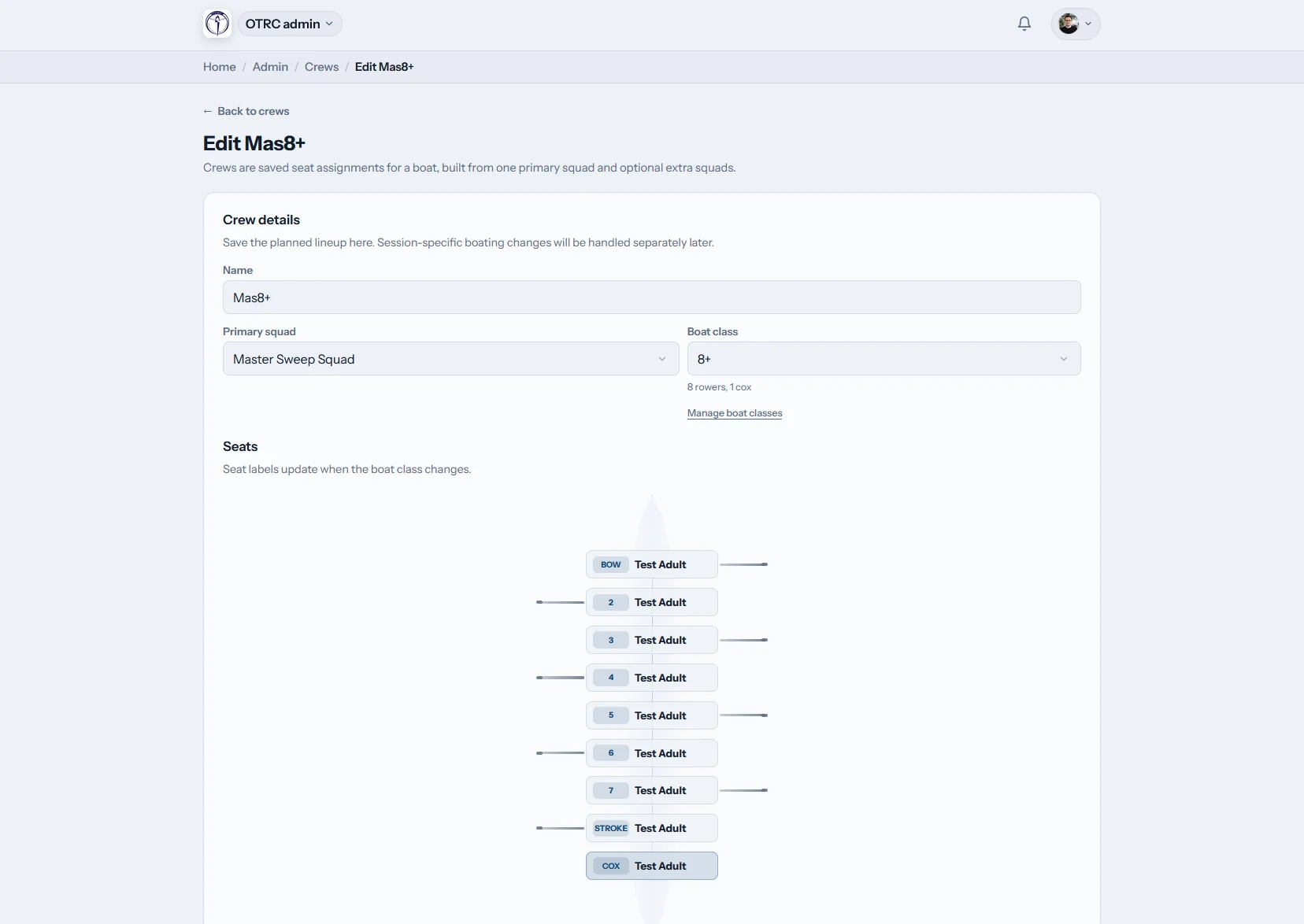
What does Row HQ handle for an Irish rowing coach?
Coaches get one place for squad lists, outing plans, crew assignments, attendance and reports. The coach sees who intends to train, names the boat on a visual layout and keeps the resulting record. Club officers control access, so coaching work stays clear of unrelated committee administration.
The coach area comes with the club account. Euro member bands are shown on the pricing page.
Follow a coach through Saturday's preparation
Across 90 seconds a squad coach opens the coaching view, writes the plan for Saturday's outing and saves it so the crew can read it. One saved crew seats the whole four, cox included, in a single step. The coach then reviews attendance over the block, the squad's best 2k scores and one rower's progress.
Run the outing without losing the detail
The dashboard, plan, crew and report belong to the same session record.
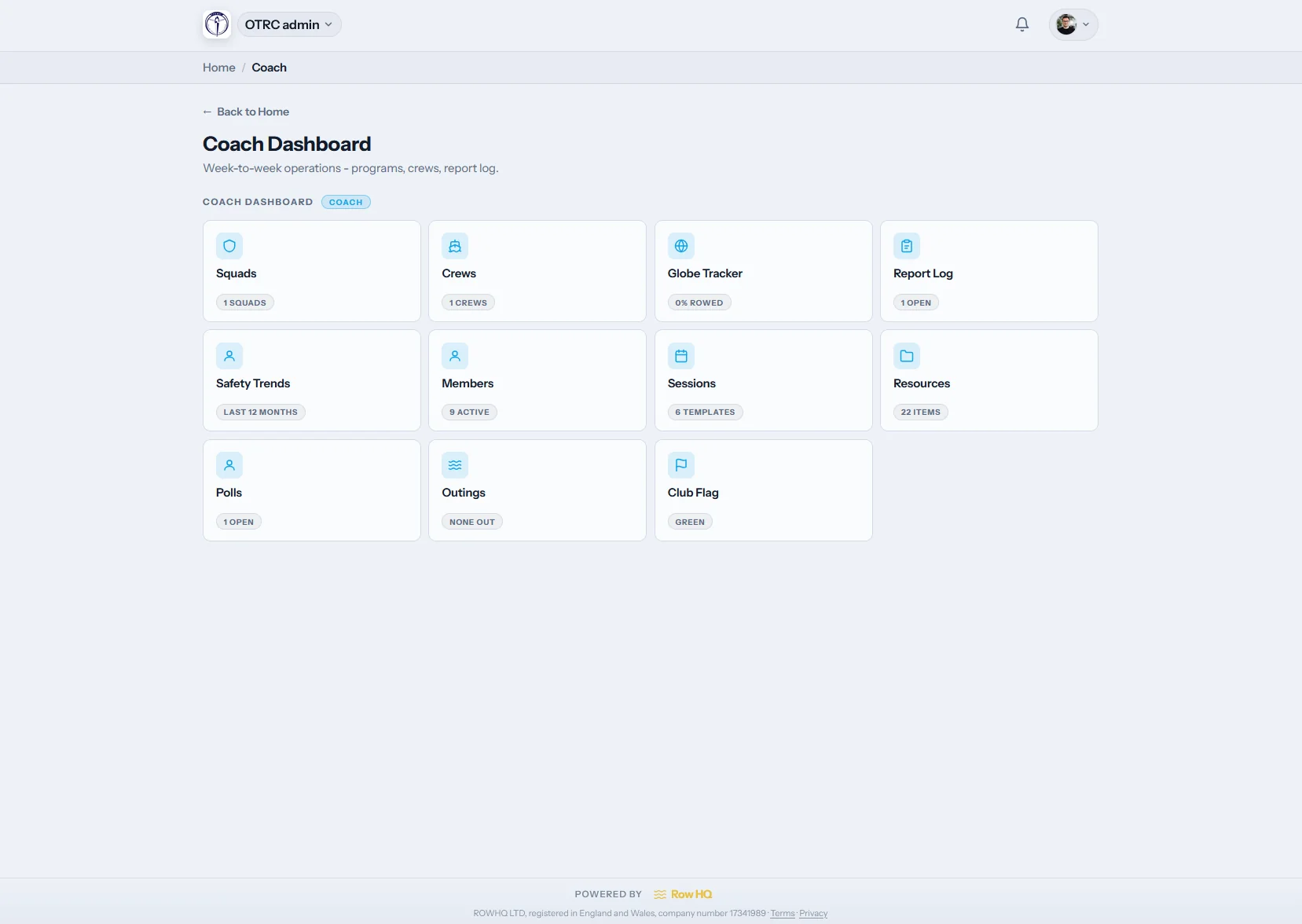
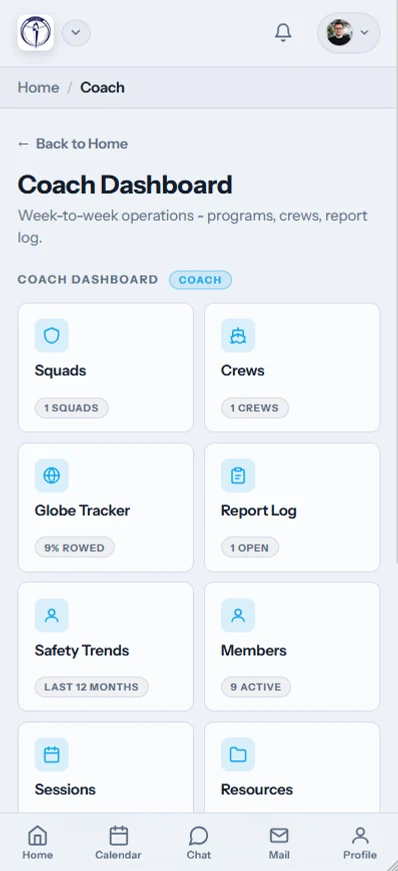
Coach dashboard
Begin with the squad, not the committee menu
The /coach screen surfaces sessions, squads, reports and erg information according to the role. A junior helper can receive fewer areas than the head coach or captain.
The club delegates every feature instead of sharing an administrator login.
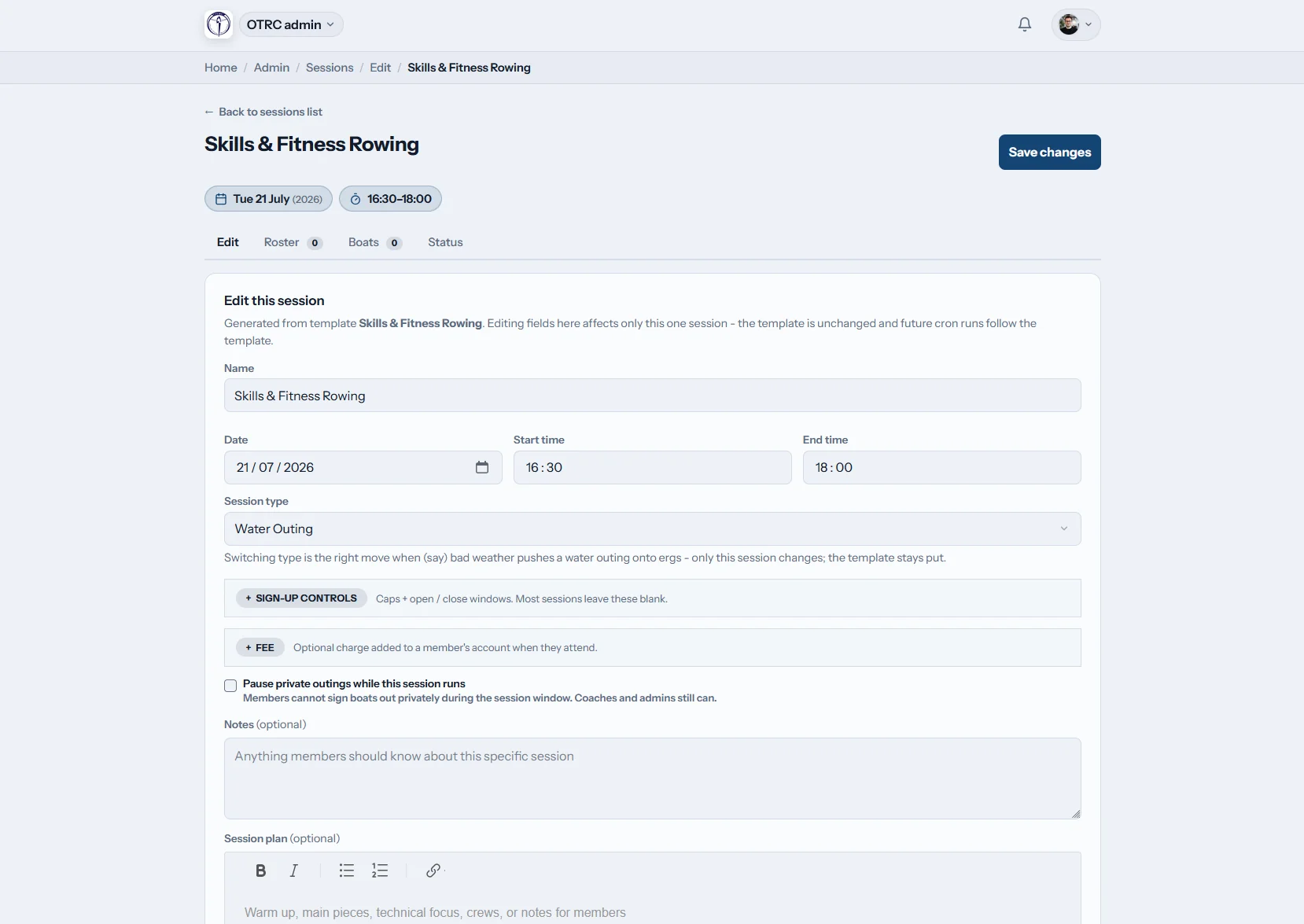
Plan the outing
Leave a proper brief for the coaching team
Use the common rich text editor for the warm-up, work pieces and technical notes. Choose attendance options and add special access for a coach covering this outing.
Session-level permissions handle cover without changing the main role.
Fill the seats
Build the boat on screen
Open a saved template or create a different combination. Place every rower and the cox on the lineup diagram, then store that crew with the outing.
The actual boating is there when Cork or Championship crews are reviewed.
Review the record
Look beyond the last morning on the river
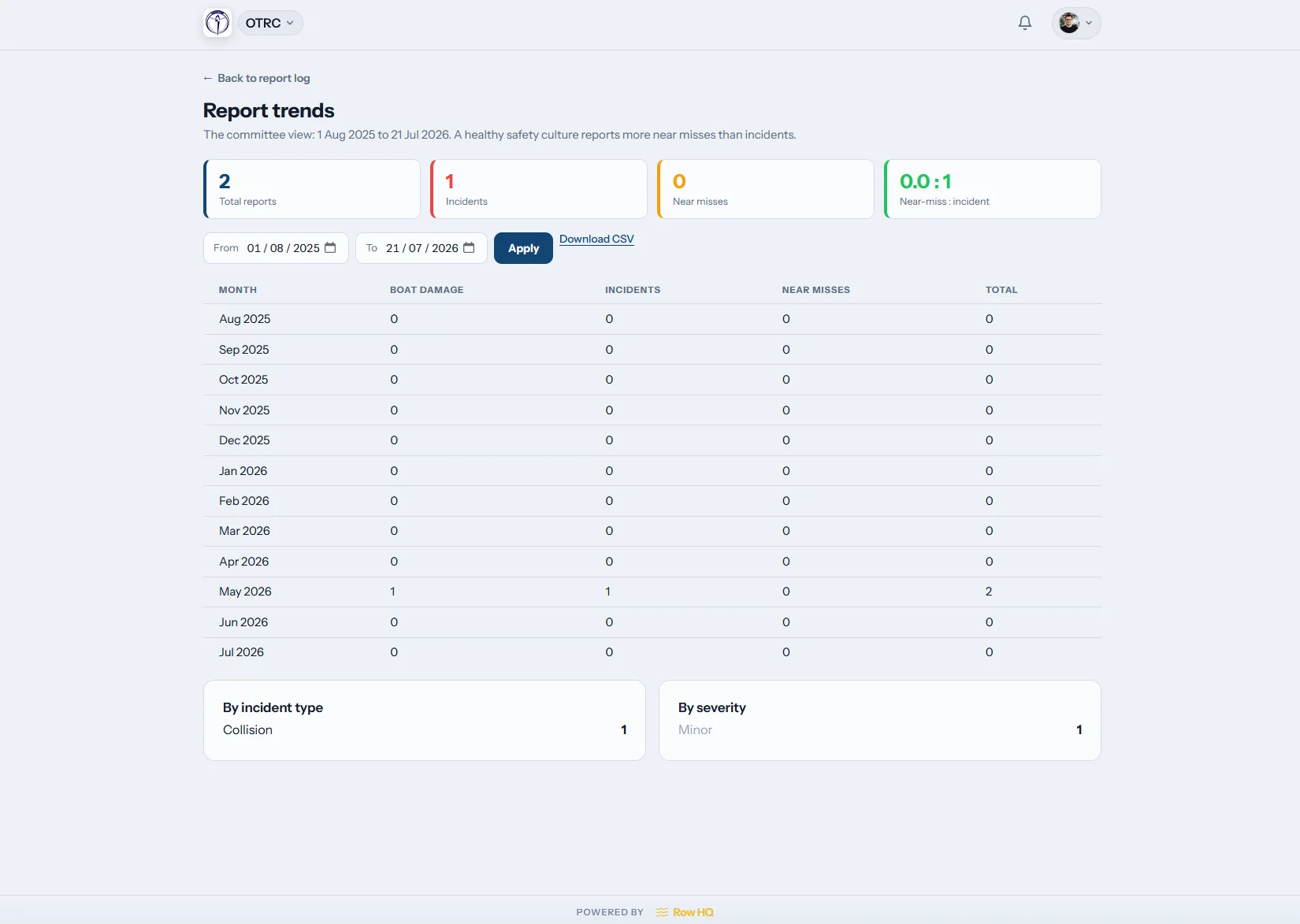
Attendance trends and coach reports keep several weeks visible. With the right permission, erg scores can sit beside that history before head races and championship selection.
The report log gives coaches a shared account of the training block.
Spend the evening choosing, not gathering
The coach still balances the boat. Row HQ removes the hunt for the latest reply.
Before the outing
- Names moved around a notebook crew list.
- Turnout confirmed through repeated WhatsApp messages.
- Championship picks defended from memory alone.
Inside Row HQ
- The roster shows current replies in one view.
- The boat plan makes every assignment clear.
- Training history remains ready for selection review.
Six pieces of the weekly coaching job
These screens are part of the live product. See the Oundle Town Rowing Club example for a club already using Row HQ.
Squad lists
Keep juniors, novices and senior rowers in organised groups. Replies to training sessions reach coaches, while each rower maintains details through the member portal.
Boat lineups
Save a useful combination and reuse it on the seat diagram. Include the coxswain, then check which hull is free through boat booking.
Outing plans
Put the full session programme where every authorised coach can read it. Prepare for races and regattas, or record a correction for catching a crab after the outing.
Attendance on the bank
Tap rowers present as the crew gathers. Their marks become part of the training record, with delegated access managed in the club dashboard.
Coach reports
Read turnout and written reports alongside permitted ergometer scores. Check a split quickly with the erg pace calculator.
Club-set access
Give a coach the tools for their own squad without opening finance or membership work. One outing can grant extra access when another coach steps in.
Coach from the slip
The mobile screens keep the outing list in hand on the Lee, the Liffey, or back at the club landing.
- Mark attendance beside the water.
- Check who said yes before the crew arrives.
- Cancel the outing and send automatic notifications.

Join coaching to the club calendar
Training outings
Publish the date and gather responses ahead of crew selection.
Boat booking
Know which hulls are spoken for before naming crews.
Club dashboard
Delegate coach access while officer controls remain separate.
Further reading
Making better crew selectionsGetting outings organisedWhat erg results can showErgometer explainedCatching a crab explainedCalculate an erg paceRead the general FAQ, see club testimonials, check Irish pricing, or add club colours through white label.
Irish club coach questions
Clear details on crews, templates, notifications, and training records.
The coach area covers squads, outing plans, boat assignments, attendance and reports. Club officers choose which parts each person can access. A junior coach can have the relevant roster and sessions without seeing membership payments, while the head coach receives broader reporting where required.
Open the outing and use the boat diagram to place each rower in position. Coxed crews show a place for the cox. Coaches can begin with a stored crew template or an empty boat, and Row HQ records the completed lineup against that session.
Yes. Crew templates keep regular combinations ready for another outing. A coach can reload the senior eight or novice four, change the necessary seats and save the current boating. Older session records stay unchanged, giving the club a reliable history for review.
A coach with the right access can cancel it from Row HQ. Automatic notifications go to affected members, so there is no need to repeat the same message in several WhatsApp groups. The coach can also inspect expected attendance before making the final call.
Attendance marks build the trend view over time. Erg scores and report entries are available where the club has granted permission. Those records add context before Cork Regatta, the Irish Championships or a head race, while technical judgement remains with the coaching team.
See the next outing laid out clearly
Walk through squads, plans, crews, and reports using your club setup.
Free up to 20 active members, permanently. After that it is €18 a month for a 21 to 30 member club. Every feature is included on every plan and there are no transaction fees. VAT is not included. See full pricing