Keep the ergo work with the crew.
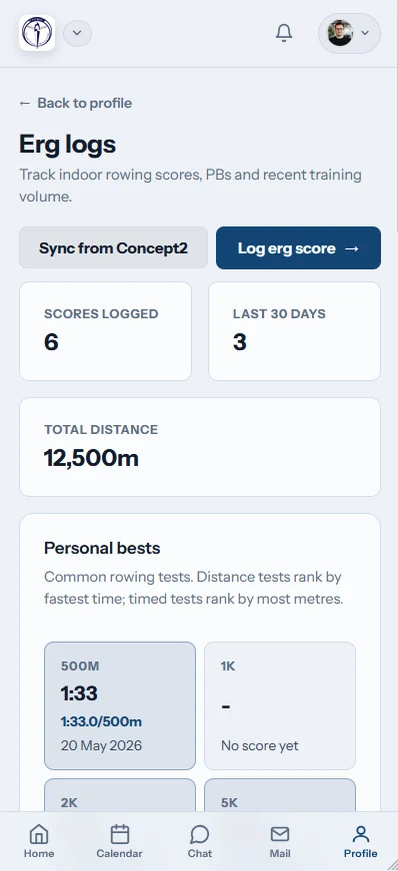
Save every interval, test and recovery row in one club system. Members can exchange RowErg data with their own Concept2 Logbook, and the metres they bank can send the whole shed along a Globe Tracker course.
Watch the 90-second how-to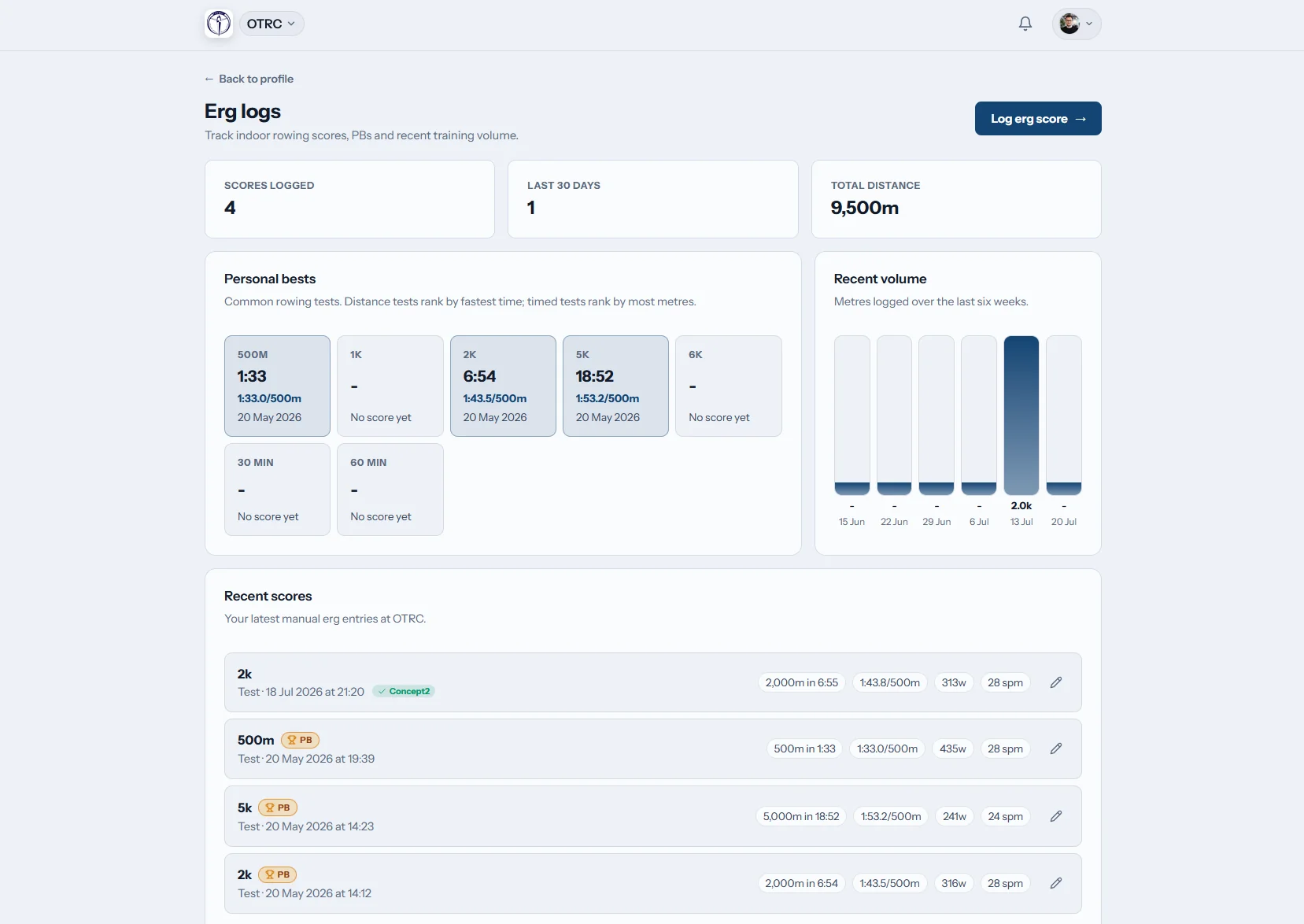
What does an ergo tracker do for a rowing club?
An ergo tracker keeps indoor rowing work attached to the member and the club. Row HQ stores time, distance, split detail and interval sessions, calculates the missing pace or watts, identifies personal bests, and retrieves RowErg work from a connected Concept2 Logbook. Logged metres can then drive a Globe Tracker challenge.
The full ergo record, Concept2 connection and club route challenge come with every band. View Australian options by active membership.
From one ergo test to the club's globe challenge
Watch a member enter a 2k ergo test on her phone. Row HQ works out the split and watts and marks a personal best. She finds where to connect her Concept2 Logbook once, and the tick that sends a score across. The club then compares results across members and follows its progress along the Thames route on the globe.
Take an ergo piece beyond the shed
The monitor result becomes a durable member record, coaching reference and contribution to the club journey.
Save the piece
Capture intervals as intervals
Members record the metres, elapsed time and individual splits. Repeat work can include its rest, and the remaining pace, power or time figures are filled in by Row HQ.
Pace is always shown per 500 metres, wherever the club is based.

Link the Logbook
Authorise once at member level
Each rower connects a personal Concept2 Logbook to their Row HQ account. There is no need to repeat the setup when that person belongs to another club.
Import, send and error states are labelled, while an existing matching result is linked rather than doubled.
Read the history
Carry form through the racing season
The personal ergo list retains earlier work and places a gold badge beside a new best. A coach can inspect member scores through the coaching area.
Testing from a wet-weather session remains available when the crew returns to the water.

Travel together
Put the shed on one course
Club metres advance one boat over a real route rendered on a 3D globe. The administrator chooses a standard journey or makes a course for the club.
The selected audience receives checkpoint notices, and finished journeys are kept as past challenges.
Replace the whiteboard tally
Indoor metres should remain useful after the next early start at the boatshed.
Results without a home
- Phone snaps with no member history attached
- Testing sheets split between squads and seasons
- Repeat pieces reduced to an average
- Best scores circled on a temporary printout
- A distance challenge updated whenever someone has time
Results kept in Row HQ
- The rower reads every entry in their member view
- The Concept2 Logbook and Row HQ pass RowErg work in either direction
- Coach access keeps test results within the session workflow
- Automatic ergometer conversions remove hand calculations
- Globe Tracker adds each submitted metre to the live club course
The detail a proper ergo log needs
Indoor training stays linked to the broader club operation. For a view of Row HQ across an established club, read the Oundle Town case study.
Scores and repeat work
Store time, distance and split rows, with rest recorded for intervals. The ergo pace remains a per-500-metre figure.
No separate formula sheet
Split, watts, pace and finish time are derived inside the form. Identical maths powers the open-access Row HQ calculator set.
Logbook exchange in both directions
Upload newly entered work, including true interval payloads when rest is present. Fetch RowErg sessions on view, manually or overnight.
Gold for a new best
A best result is easy to pick out because Row HQ adds a gold marker directly to that item in the member log.
A short crossing or world circuit
Six prepared routes cover the 33 km English Channel through to Around the World at 46,137 km. Admins may sketch a different route.
Scores where coaches work
The coaching surface includes member ergo visibility. It is available on the same bands as every other item here.
Globe Tracker
Make the kilometres visible across the shed
An ergo challenge can hold a squad together through rough water, travel or a focused conditioning block. Publish the relevant dates through club session planning, then watch each row move the marker.
Name the destination
Pick a supplied distance or draw a club-specific route in admin.
Feed in the kilometres
Every member entry contributes its distance to the active journey.
Reach a checkpoint
The chosen in-app audience receives a notice at each landmark.
File the finished trip
Completed routes remain in history before the next one is activated.
Sort the target pace before training
Open the free rowing calculator hub on any device. Its equations match the converters used when an ergo score is entered in Row HQ.
Erg Pace Calculator
Turn a distance and finish time into the corresponding 500-metre split.
Check the splitErg Score Calculator
Calculate distance, total time or average pace from the other inputs.
Solve the score2K Prediction Calculator
Use shorter or longer rows to set a considered target for 2K.
Plan a 2KSave the score from beside the machine
Row HQ runs in a mobile browser as well as the iOS and Android apps. A rower can enter the session at the shed and check the Logbook state without finding a desktop.
- Add a completed piece before leaving the ergo room
- Trigger a fresh pull from the Concept2 Logbook
- Receive Globe Tracker checkpoint messages by push notification

Carry the indoor block into club planning
Training Calendar
Schedule ergo sessions around outings, racing and squad work.
Coaching Workspace
Keep member scores available where coaches organise the program.
Rower Portal
Give every member a direct view of their club and training details.
Go back to the product overview, look through the British Oundle Town implementation, or find the suitable membership band.
Ergo logging and Concept2 questions
Clear answers for Australian clubs planning indoor work around the water season.
Yes. A member can send a Row HQ result to the personal Concept2 Logbook, with that option ticked initially. RowErg work returns during the nightly sweep, when the erg page is opened, or after the member presses Sync. Rest data lets interval sessions upload as interval payloads.
Yes. Recording scores in Row HQ does not depend on a Concept2 account. The account is only needed by rowers who want Logbook exchange. Connection is completed once for the member's Row HQ identity and then applies in every club that person joins.
When Row HQ retrieves a Logbook result, it searches for a matching row that the member already entered manually. That existing item is claimed instead of another being created. The member can also read sync and error markers beside results in the list.
An admin selects one of six ready-made routes or edits a custom course. Only one journey runs at once. The admin also decides who receives checkpoint celebrations in the app. Once the club reaches the finish, the completed route is stored in its history.
Yes. Member ergo results are visible through the coach area. This gives coaches access to recorded scores alongside their other club tasks. A member's own log shows the wider result history and identifies personal-best rows with a gold badge.
Yes. All bands include direct score entry, the Concept2 Logbook integration, coach viewing and Globe Tracker. There is no feature upgrade required. Members can use a phone browser or either mobile app, and push notifications can deliver route checkpoint updates.
Bring the next ergo block into the club record
Save accurate pieces, exchange RowErg work and turn the accumulated metres into a route everyone can follow.
Free up to 20 active members, permanently. After that it is A$29 a month for a 21 to 30 member club. Every feature is included on every plan and there are no transaction fees. GST is not included. See full pricing