Make every erg test part of the program.
Capture steady-state meters, interval splits, and test pieces in Row HQ. Each athlete can link a personal Concept2 Logbook for two-way RowErg sync, while Globe Tracker combines the team's work into one visible challenge.
Watch the 90-second how-to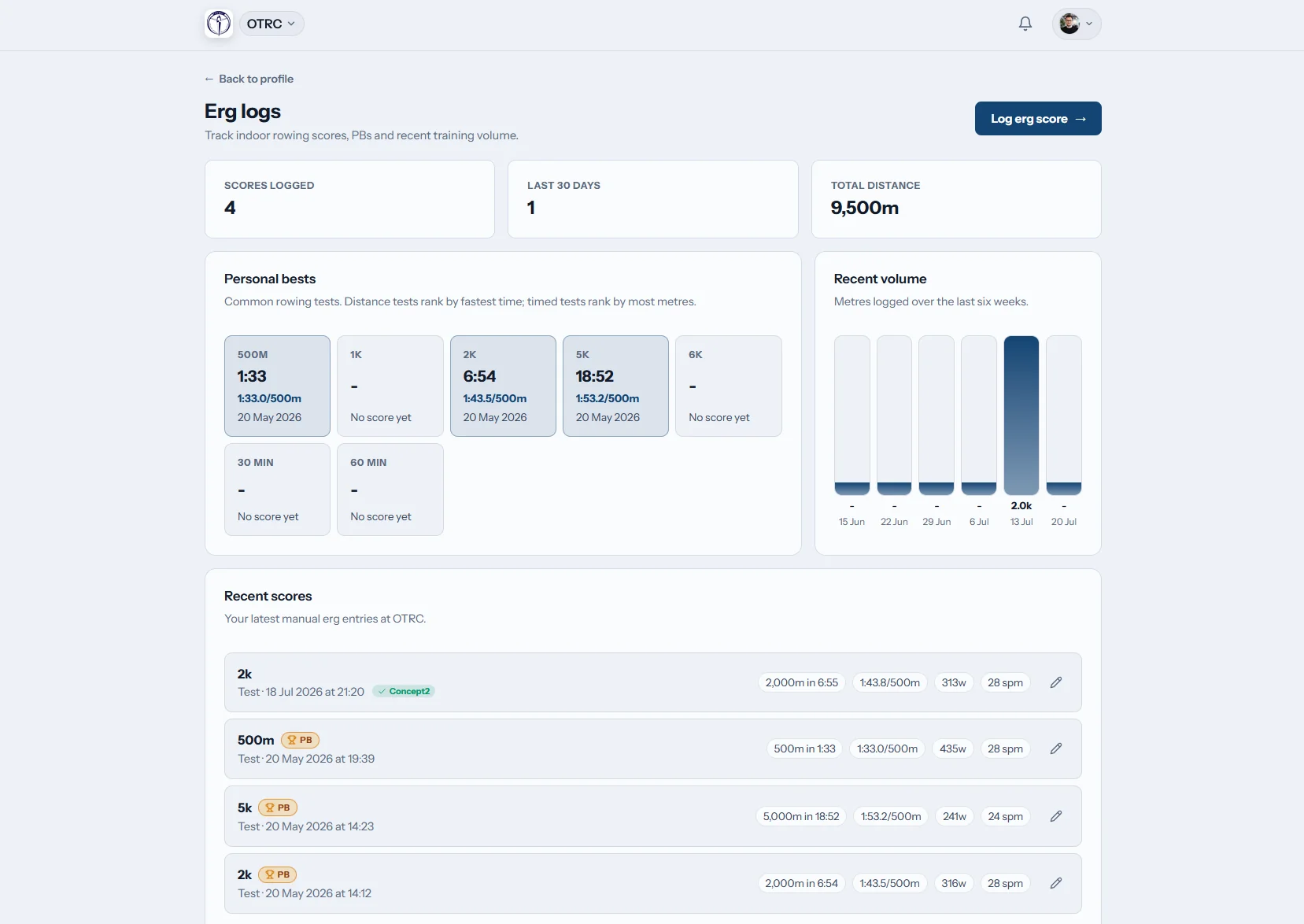
How can a rowing program track erg results?
A shared erg tracker records an athlete's distance, elapsed time, splits, and intervals without passing test sheets between coaches. Row HQ handles the pace and power calculations, flags personal records, brings RowErg entries across from the Concept2 Logbook, and can apply every recorded meter to a whole-program Globe Tracker route.
Every membership band includes score logging, Logbook synchronization, and Globe Tracker. Review pricing by active member count.
See a 2k test logged and the club challenge move
An athlete logs a 2k test on her phone, and Row HQ calculates her split and watts and flags a new personal best. The video shows where she links her Concept2 Logbook once, plus the checkbox that sends a score there. Coaches then compare test results across the team, and the globe challenge shows the club's progress along its route.
Follow a result from monitor to team record
One entry can serve the athlete, the coaching staff, and a program-wide distance goal.
Enter results
Keep the detail behind the finish time
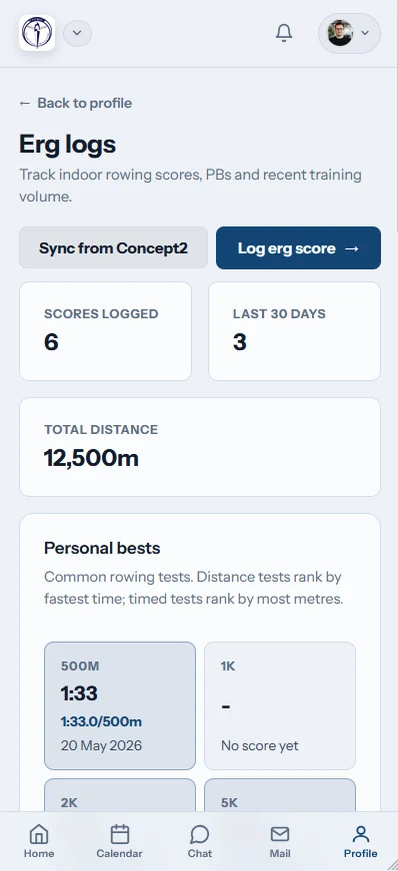
Athletes add meters, time, and splits from their erg page. Rest can be recorded for interval workouts, and Row HQ fills in the related split, watts, pace, or time.
The pace display remains per 500 meters, the rowing standard used worldwide.

Connect accounts
Use one Logbook link everywhere
The athlete authorizes a personal Concept2 Logbook once at account level. That connection carries into any junior, collegiate, or masters club they join in Row HQ.
Status badges show completed transfers or errors, and an equivalent manual entry is matched instead of repeated.
Review progress
Find the efforts that matter
The athlete's log keeps past pieces together and places a gold badge on a personal record. Coaches have erg-result visibility within their coaching view.
A winter test remains available after lineups change and the next training block begins.

Move the boat
Combine individual meters into one route
Every club entry advances a boat on the active 3D globe course. An administrator can select a preset distance or plot a route for the program.
In-app checkpoint celebrations recognize distance covered, and completed courses are archived.
Bring winter testing out of separate files
Athletes should not have to submit the same monitor result to several different records.
A disconnected test cycle
- Screenshots texted to whichever coach ran practice
- Varsity, JV, and novice results stored in separate sheets
- Rest periods missing from interval summaries
- PRs called out only during the testing session
- Meters completed outside practice left uncounted
A Row HQ record
- Each athlete keeps a detailed erg history
- RowErg results travel to and from the Concept2 Logbook
- Coaching staff can read member scores from their own surface
- Built-in calculations use established ergometer pace conventions
- Recorded work advances one active club journey
Ready for everyday mileage and test day
The erg log sits inside the same system as the rest of the club. The Oundle Town Rowing Club story shows Row HQ operating in a real organization.
Intervals stay intact
Save distance, time, splits, and rest for repeat work. All pacing uses the familiar per-500-meter ergometer convention.
Automatic conversions
Enter the numbers available from the monitor. Row HQ derives split, watts, pace, and time with the calculations found in its free rowing calculator collection.
Push and pull
Send a Row HQ workout to the athlete's Concept2 Logbook. Import RowErg work on page view, from the Sync control, or through the overnight sweep.
Personal records marked
A gold indicator identifies a new personal best inside the athlete's result list, next to the work that established it.
Six courses or your own
Start with the 33 km English Channel or choose distances up to the 46,137 km Around the World course. Administrators may also plot a custom option.
Visible to coaches
Member erg entries are available through the coach surface. None of these capabilities is held behind a higher feature tier.
Globe Tracker
Turn the winter block into a shared expedition
Globe Tracker connects independent erg sessions through a common destination. Add the challenge to the team calendar with practice scheduling, then let every submitted meter move the course forward.
Set a course
An administrator activates a preset journey or draws a custom path.
Log the work
Meters from each club member contribute to the same boat position.
Celebrate landmarks
Checkpoint notices reach the in-app audience selected by an administrator.
Close the course
After the finish, the route moves to history and another can begin.
Run the calculation without opening an account
Row HQ's public rowing tools are available in a browser. Use them to check a workout, then save the finished result in the club log.
Erg Pace Calculator
Find the average 500-meter split produced by a known distance and time.
Find the paceErg Score Calculator
Solve for total time, completed meters, or average split.
Calculate the result2K Prediction Calculator
Translate recent benchmark pieces into a possible 2K target.
Estimate a 2KRecord the test before practice moves on
The complete erg record works in a phone browser and in both mobile apps. Athletes can add a result, check its transfer state, and see when an effort earns a personal-record badge.
- Submit an erg result directly from the training room
- Request a Concept2 Logbook refresh when needed
- Get Globe Tracker checkpoint notices on a phone

Put scores beside the rest of the program
Practice Scheduling
Place testing and conditioning sessions on one program calendar.
Coach Tools
Review available erg data while planning training and lineups.
Athlete Portal
Give each rower direct access to personal club information.
Browse the complete feature set, visit the UK-based Oundle Town case study, or compare membership bands for your program.
Questions about erg tracking and Logbook sync
Answers for US junior clubs, collegiate programs, masters groups, and their coaches.
Yes. Exchange runs in both directions. The send option is checked by default when an athlete logs a Row HQ result. RowErg records stored in the Concept2 Logbook are collected when the erg page loads, after a manual Sync request, and by a nightly process.
No. Direct erg entry works for every member without a Concept2 account. An athlete only needs one to use synchronization. Once authorized, the personal Logbook connection belongs to the athlete's Row HQ account and remains available across all clubs connected to that account.
Row HQ looks for an equivalent result already entered by hand. When it finds one, the system associates the Concept2 Logbook record with that result instead of creating a duplicate. Transfer and error indicators on the list help the athlete check what happened.
Every meter recorded by club members advances a virtual boat on a real route shown on a 3D globe. One course can be active at a time. Administrators choose among six presets or design another route, control the checkpoint audience, and retain finished journeys in club history.
Yes. Coaches have erg-score visibility inside the coach area. They can refer to the member results available there during a testing block or while planning later sessions. The athlete also has a personal history, including gold markers for personal best performances.
Yes. The free membership band includes result entry, Concept2 Logbook synchronization, coach visibility, and Globe Tracker. Row HQ runs in any mobile browser and has iOS and Android apps. Phone push notifications can announce Globe Tracker checkpoints.
Put the next erg test into one program record
Capture the detail, keep the Concept2 Logbook aligned, and give every meter a team destination.
Free up to 20 active members, permanently. After that it is $21 a month for a 21 to 30 member club. Every feature is included on every plan and there are no transaction fees. Sales tax is not included. See full pricing