Make winter erg metres visible club-wide.
Keep time, distance, intervals and best performances together through the indoor season. Members can connect a Concept2 Logbook for two-way RowErg transfer, then combine every club metre on a Globe Tracker route.
Watch the 90-second how-to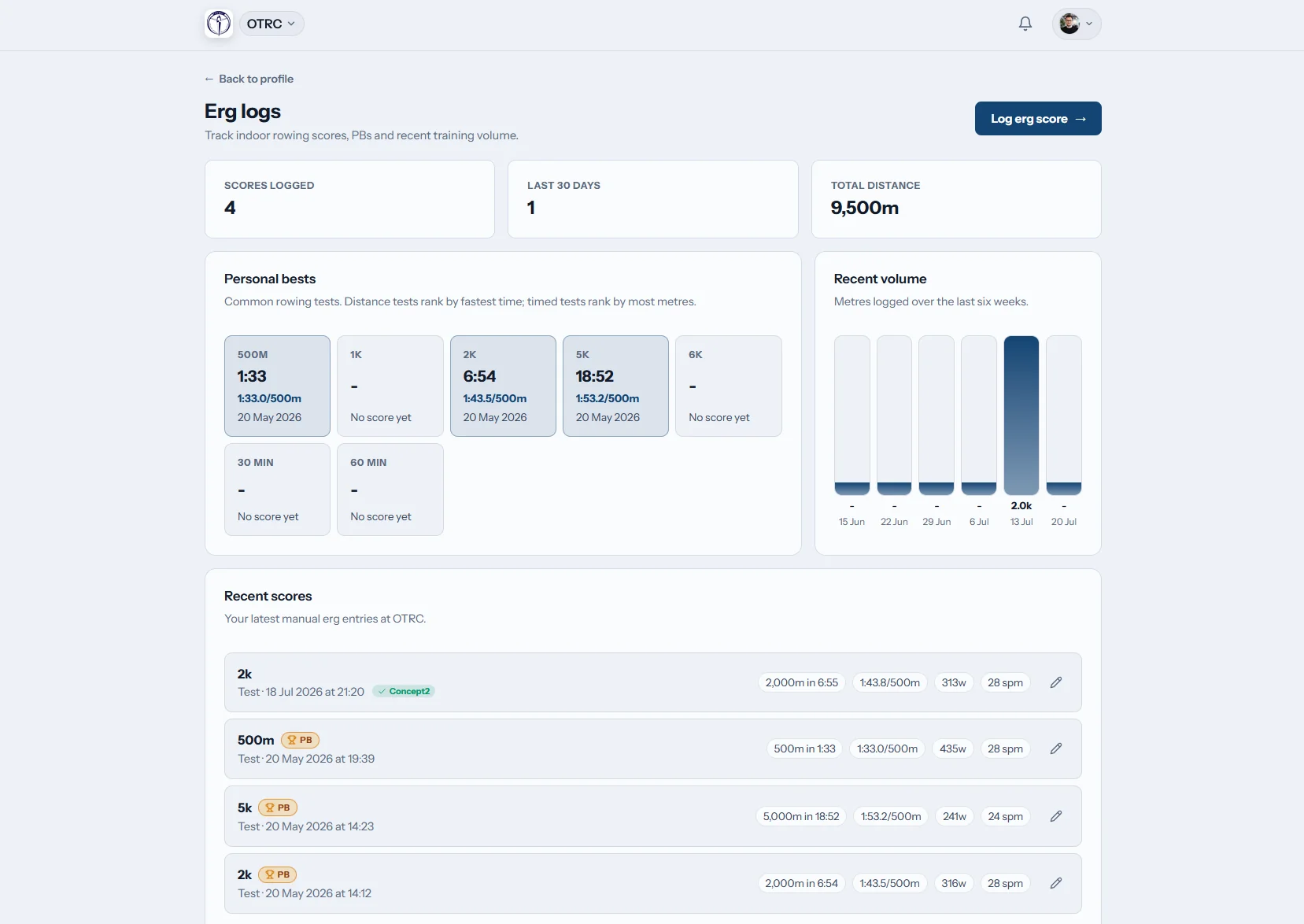
How can a Canadian rowing club organize erg scores?
Row HQ stores each member's indoor distance, finish time, splits and interval sets in a club-wide system. It calculates the related pace and watts, marks personal bests, and imports RowErg activity through a personal Concept2 Logbook connection. Coaches gain score visibility, while Globe Tracker totals the metres toward one club route.
All clubs receive the score log, Concept2 Logbook exchange and Globe Tracker. Choose a band based on active membership.
Watch one 2k test feed the club's challenge
In this 90-second video a member records a 2k test on her phone, and Row HQ calculates her split and watts and marks a new personal best. She sees where to link her Concept2 Logbook once and the checkbox that sends a score to it. The club then reviews results across members and its progress along the globe route.
Use one score through the entire indoor season
The member keeps the detail, coaches can review the result, and the club gains distance on its active challenge.
Capture
Preserve each split and rest period
A rower enters time, metres and split data on the erg page. Interval sets accept recorded rest, and Row HQ calculates any connected power, pace or duration value.
The pace format is fixed to time per 500 metres, following worldwide rowing use.

Exchange
Connect a personal Logbook one time
Concept2 authorization is attached to the member account rather than a single club. A rower with more than one membership keeps the same connection in each one.
Matching hand-entered rows are associated during import, and badges expose successful or failed transfers.
Review
See what changed over the long winter
Past erg work stays on the member record. Row HQ marks a personal best with gold, and the coaching section gives coaches access to member scores.
The indoor record remains intact when the short water season returns.

Combine
Let the whole club move one boat
Every submitted metre changes the boat position on the club's live 3D route. An administrator selects a preset course or draws a custom trip.
The chosen audience receives checkpoint celebrations, and previous routes stay archived.
Build a real winter record
Months of indoor work should produce more than a folder of monitor photos.
Indoor data in pieces
- Test results scattered across team chats
- Different spreadsheets for juniors and masters
- Interval structure missing from final totals
- Previous best times searched by hand
- Challenge progress added at the end of the week
One Row HQ history
- A member-owned erg record keeps every saved piece
- Concept2 Logbook exchange covers incoming and outgoing RowErg work
- The coach area includes member score visibility
- Consistent ergometer conversions replace manual formulas
- Every logged metre changes the shared Globe Tracker position
Designed for the work between water seasons
Row HQ keeps indoor results inside the wider club operation. The British Oundle Town Rowing Club case study provides a broader product example.
Full workout structure
Store the distance, total time, split rows and interval rests. Each ergometer pace is presented as time per 500 metres.
Conversions at entry time
Provide the figures you have and Row HQ derives split, watts, pace or time. Its public rowing calculators run on the same mathematics.
Scheduled and manual retrieval
RowErg sessions are pulled on an erg-page visit, from the Sync button and each night. Row HQ can also send new entries to the connected Logbook.
Best efforts identified
When a result establishes a personal best, the member sees a gold badge on that row of the indoor training history.
A route sized for the campaign
Preset options span the 33 km English Channel and the 46,137 km Around the World course. Admins can create another course in the editor.
Coach access included
Coaches can inspect member results through their normal area. The capability appears in every Row HQ band.
Globe Tracker
Give the indoor season a map
A shared journey gives separate winter rows one destination. Add testing and conditioning dates to session management, then allow the recorded results to move the club boat.
Activate a route
Use one of six defaults or ask an admin to map a custom course.
Add actual work
Distances saved by club members advance the boat automatically.
Notify at checkpoints
In-app updates go to whichever audience the administrator selected.
Archive the achievement
The finished journey stays in history when a new route begins.
Calculate the next target openly
Anyone can use the browser-based erg tools. They share their formulas with the calculator inside the member score log.
Erg Pace Calculator
Convert a completed distance and elapsed time into a 500-metre split.
Convert the pieceErg Score Calculator
Derive time, metres or pace from the two known score values.
Solve for the result2K Prediction Calculator
Estimate a 2K goal from recent indoor rowing performances.
Set a 2K goalEnter the metres before leaving the training room
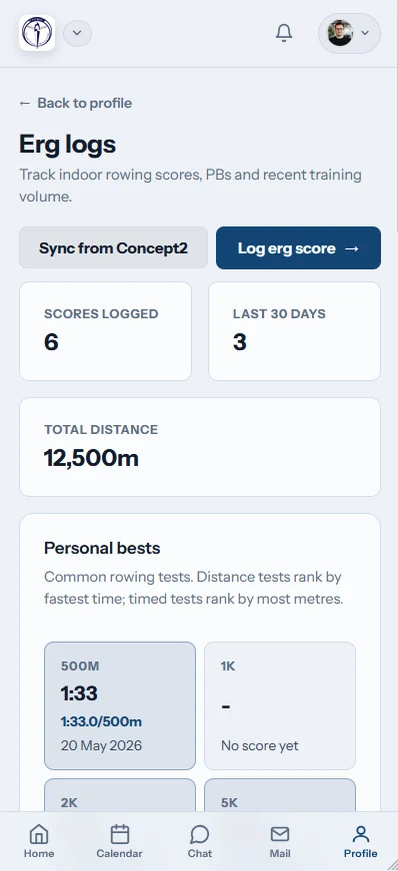
Members can reach the erg screen in any mobile browser, on iOS or on Android. The same view handles score entry, a manual Logbook refresh and review of transfer indicators.
- Record winter tests and interval sessions from a phone
- Confirm whether a Logbook exchange succeeded
- Receive Globe Tracker milestones through phone notifications

Link winter results with the club calendar
Training Sessions
Plan the indoor block and the return to water in one calendar.
Coach Workspace
Place accessible scores beside day-to-day coaching information.
Member Portal
Keep each rower connected to personal and club records.
Review everything inside Row HQ, read the UK Oundle Town club example, or select a Canadian membership band.
Canadian erg tracking questions
What rowers, coaches and club boards need to know before connecting their indoor records.
Yes. New Row HQ entries can be sent with a default-selected checkbox. Incoming RowErg data is collected when the member views the erg page, manually requests Sync, or during the nightly sweep. If rest is supplied, interval workouts are transmitted as interval payloads.
Yes. The direct Row HQ score form works without a Concept2 account. Only Logbook synchronization requires one. A member who chooses it authorizes the connection once at account level, and that authorization functions across every Row HQ club to which they belong.
An incoming Logbook result is compared with manually recorded rows. If a match exists, Row HQ claims the existing record instead of adding another. The result list also presents a synced badge after a successful exchange or an error badge when the transfer needs attention.
Globe Tracker advances a club boat across a real course on a 3D globe using the metres members log. Six routes are supplied, and admins may build a custom one. Admins choose the checkpoint-notification audience, one course remains active, and completed journeys are archived.
The coach surface includes visibility of member erg results. Coaches can check the information available there during indoor preparation and after the club returns to water. Members see their own history separately, with a gold badge identifying each personal-best result.
No. Every band, including free, carries the entire feature set described here. It works from any phone browser and from the Row HQ iOS and Android apps. Globe Tracker checkpoint celebrations may be delivered as push notifications to members' phones.
Build one record for the next winter block
Save detailed work, connect each personal Logbook and see the club move together.
Free up to 20 active members, permanently. After that it is C$27 a month for a 21 to 30 member club. Every feature is included on every plan and there are no transaction fees. GST/HST is not included. See full pricing