Join every ergo metre into one club effort.
Record training pieces and personal bests without chasing screenshots. A rower can connect their Concept2 Logbook for two-way RowErg transfer, while Globe Tracker turns the distance collected across the club into a journey with a finish line.
Watch the 90-second walkthrough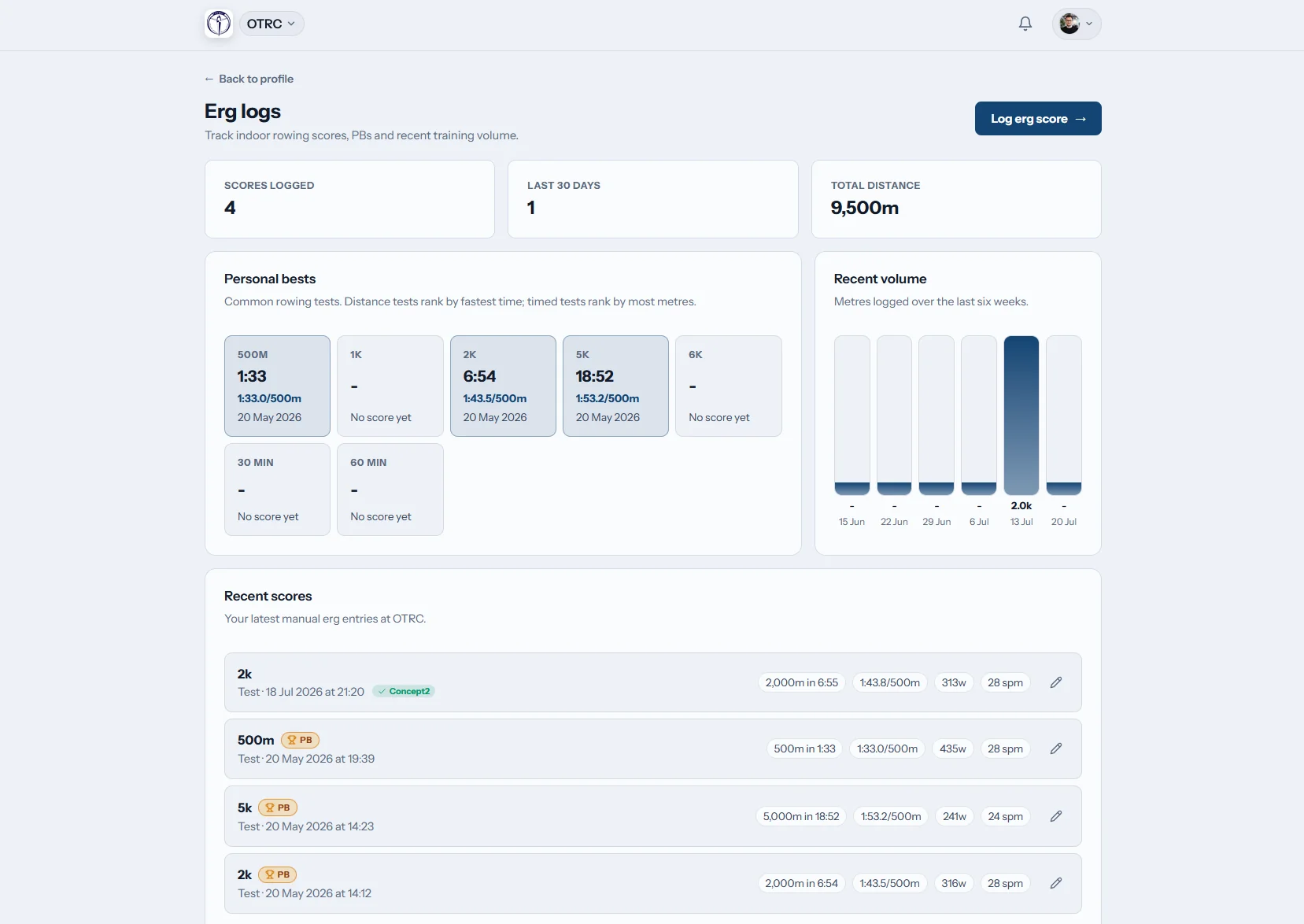
How does a club keep track of ergo training?
Row HQ gives each member an indoor rowing record for metres, time, split information and intervals. It completes the watts and pace calculations, highlights a personal best, and pulls RowErg sessions from the member's connected Concept2 Logbook. Coaches can see member scores, while Globe Tracker combines the club's total distance.
No separate upgrade is needed for the Logbook link or club challenge. Find the right band for your active members.
One 2k test, start to finish, in 90 seconds
A rower logs a 2k on her phone and Row HQ works out the split and watts, then marks a personal best. The walkthrough shows where she connects her Concept2 Logbook once, and the tick that sends a score there. Admins compare results across members, and the globe page tracks the club's metres along the Thames route.
Keep the result working after the session
From a school squad test to a masters conditioning row, the full piece stays attached to the right member.
Record it
Save more than the final time
Enter distance, duration and split rows. For repetitions, include the rest between efforts. Row HQ then calculates the connected split, watts, pace and time values.
All regions use the recognised rowing pace of time per 500 metres.

Authorise it
One Concept2 link follows the rower
A member connects their personal Concept2 Logbook once. Because the authorisation belongs to the account, it also applies if they are part of more than one Row HQ club.
Rows are labelled when synced or errored, and matching manual records are joined rather than duplicated.
Look back
Keep the season's best work easy to find
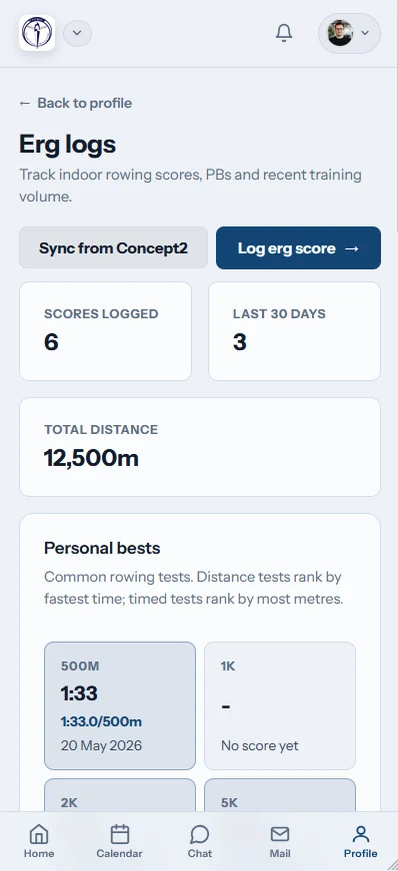
Members retain a list of their ergo efforts. A personal best receives a gold badge, and coaches can view member results in the coach area.
A result from winter preparation stays available through summer racing and beyond.

Add the metres
Send one boat towards the next landmark
The distance from each club entry moves a shared marker along an actual route on a 3D globe. Admins control the course and its checkpoint audience.
A club runs one route at a time and retains completed journeys as history.
Give indoor work a longer life
The score should still be available when crews, coaches and training phases change.
Temporary score keeping
- Results written on a sheet beside the ergs
- School and club records sitting in different inboxes
- Split detail dropped after the session ends
- Previous bests checked from memory
- Challenge totals waiting for a manual update
A connected club log
- Each rower can revisit a personal training record
- Row HQ exchanges RowErg sessions with the Concept2 Logbook
- Coaches read the scores made available in their workspace
- The built-in ergo calculator fills in connected figures
- Globe Tracker advances as members submit new distance
Indoor rowing records without extra admin
The score log is one part of the club platform, rather than another standalone sheet. See a complete setup through the UK Oundle Town Rowing Club example.
Piece-level detail
Record time, distance and individual splits. Rest makes interval work explicit, and ergo pace is consistently displayed per 500 metres.
Linked values calculated
Row HQ converts among split, watts, pace and time as data is entered. The public calculator pages use the same formulas.
Three ways to pull
RowErg entries arrive when a member visits the erg screen, chooses Sync, or through the scheduled nightly collection. New Row HQ scores may also be sent out.
Personal best recognition
The member can identify a strongest effort immediately because its item in the ergo log carries a gold badge.
Challenges from local to global
The preset list begins with the 33 km English Channel and reaches a 46,137 km Around the World route. A club may draw its own alternative.
Shared with the right role
Member results appear in coach tools. The complete set remains part of every membership band, including free.
Globe Tracker
Set a course for the squad's indoor distance
A long ergo block feels different when each row has a visible destination. Put the sessions into the club training programme, then let Globe Tracker collect the actual metres as members finish them.
Plot the trip
Choose a standard course or build a route through the admin editor.
Row the distance
Member scores move the club boat according to metres completed.
Pass each marker
Checkpoint celebrations appear to the in-app group chosen by admin.
Remember the finish
The completed course is archived before another route is made active.
Work out the session pace in the browser
Use the no-cost erg calculation library without signing in. The same maths sits behind Row HQ score entry.
Erg Pace Calculator
Find the 500-metre average for a known row time and distance.
Calculate a paceErg Score Calculator
Fill in the missing time, distance or split for an indoor row.
Complete the score2K Prediction Calculator
Estimate a 2K target from another recent piece or set of pieces.
Estimate 2K paceThe result can leave the ergo room with the rower
A member can open Row HQ in any phone browser or either app. Score entry, personal-best markers and Logbook status remain accessible during training, at school or back at the club.
- Store an interval session with its split and rest detail
- Refresh the connected Concept2 Logbook from mobile
- Read club checkpoint updates as push notifications

Fit the ergo block into the summer programme
Session Planning
Publish indoor work alongside water training and race dates.
Tools for Coaches
Keep relevant member scores close to planning and attendance.
Member Area
Let rowers manage their personal club record from one place.
Compare the other club management features, inspect a live UK example in the Oundle Town story, or read New Zealand pricing.
FAQs for ergo records and Concept2 sync
Details for New Zealand school squads, community clubs, rowers and coaches.
Yes. A new Row HQ score can be pushed to the member's Logbook through a preselected option. RowErg sessions come into Row HQ when the member opens the relevant page, requests Sync, or through nightly collection. Intervals are sent as interval data when a rest value is recorded.
No. A Concept2 profile is only required for members who want to connect the Logbook. Direct score logging works without it. If a rower authorises a Logbook, the setup is done once against their account and continues to work in each Row HQ club they join.
The sync checks for a manual Row HQ entry that matches the incoming result. It associates the Logbook result with that existing row instead of producing a second one. Synced and error badges also make each transfer state visible on the member's list.
The club can activate one of six routes or have an admin draw a custom course. Every recorded metre advances the boat on the 3D globe. Admin controls who sees checkpoint notices in the app, and all completed routes remain available in the journey history.
Yes. The coach section includes visibility of member ergo results. Coaches can use those records with their other club responsibilities. Each rower also retains their own history, where Row HQ gives a gold badge to an effort that establishes a personal best.
Yes. The free band has the same erg score logging, Concept2 Logbook connection, coach visibility and Globe Tracker access. Rowers may use a browser on any phone, the iOS app or the Android app. Checkpoint celebrations can arrive through mobile push notifications.
Keep the club's next ergo block in motion
Gather the scores, match them with the Concept2 Logbook and follow the combined metres across the globe.
Free up to 20 active members, permanently. After that it is NZ$33 a month for a 21 to 30 member club. Every feature is included on every plan and there are no transaction fees. GST is not included. See full pricing