The short answer
Row HQ is now published and ready to install free from Google Play. It is the Android app for the Row HQ rowing club platform. Members open it with their club's existing Row HQ account, so nobody needs another login or a separate app made for one club.
A wet Wednesday in November is not the moment to search an email thread for tonight's crew. British club rowing runs through head race season, winter training and dark evenings when plans can change after people have left work. The app puts the same Row HQ club account into a familiar place on an Android phone, with club updates arriving there when they matter.
This is a practical release, not a different version of Row HQ. A member sees their sessions, boats, notices and payments. A coach sees the information needed to pick crews and run an outing. Committee and admin users get views for membership, fleet and payments. It is built around the jobs a British club already has to do, in the order a club does them.
What can a rower do from the app?
A rower can confirm or decline a session, see the named crew, check free boats, make a reservation, read club notices, and pay subs or entry fees. These are the same day-to-day jobs in the Row HQ member portal, presented in the Android app after the member signs in.
The useful bit is the sequence. A session appears. You answer it. Once the coach publishes the lineup, you can see exactly where you are sitting and who is alongside you. If you need a boat outside the planned outing, the fleet view shows what is free before you reserve it. That cuts out the usual guessing without changing who controls club bookings.
- Answer a session with a clear confirmation or decline, rather than leaving a coach to chase a reply.
- Open the published crew and check the lineup before arriving at the boathouse.
- Look at boat availability and reserve a free shell through the club account.
- Read news and notices published by the club in the same place as the session details.
- Pay club subs in pounds and settle entry fees recorded against the member account.
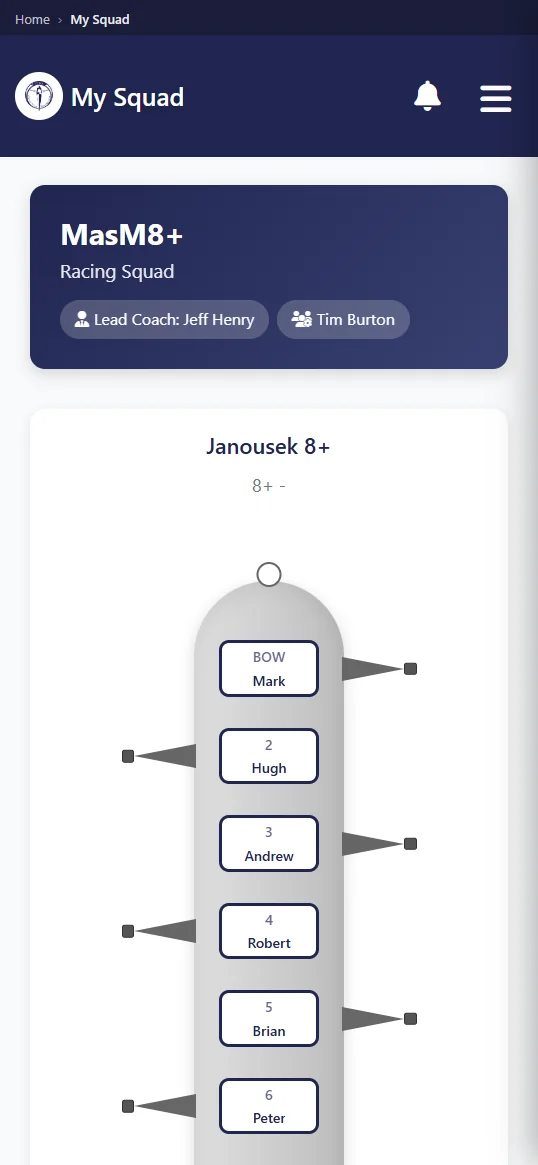
Members can also set a profile photo straight from the phone camera. That is a small detail, but it helps a growing squad put faces to names and leaves fewer half-finished profiles for the membership secretary. The camera is used when the member chooses to update the photo. It does not change the rest of the account or create a second member record.
What does a coach get on their phone?
A coach can see availability before crew selection, build and publish a lineup, take attendance, and review safety trends. The Android view uses the same club data as the browser. Our training sessions page explains how confirmations and crew planning fit together before an outing starts.
For a winter outing, the first question is often not the programme. It is who can actually make the session. Availability gives the coach that answer before names are placed into seats. Once a crew is ready, publishing the lineup gives every included member one source to check. The coach can then mark attendance at the boathouse instead of rebuilding the list from messages.
- Check confirmed, declined and unanswered availability before starting crew selection.
- Build the crew lineup and publish it when the seats and boat are settled.
- Take attendance on the phone while the squad gathers for the briefing.
- Review safety trends recorded through the club, without waiting to get back to a laptop.
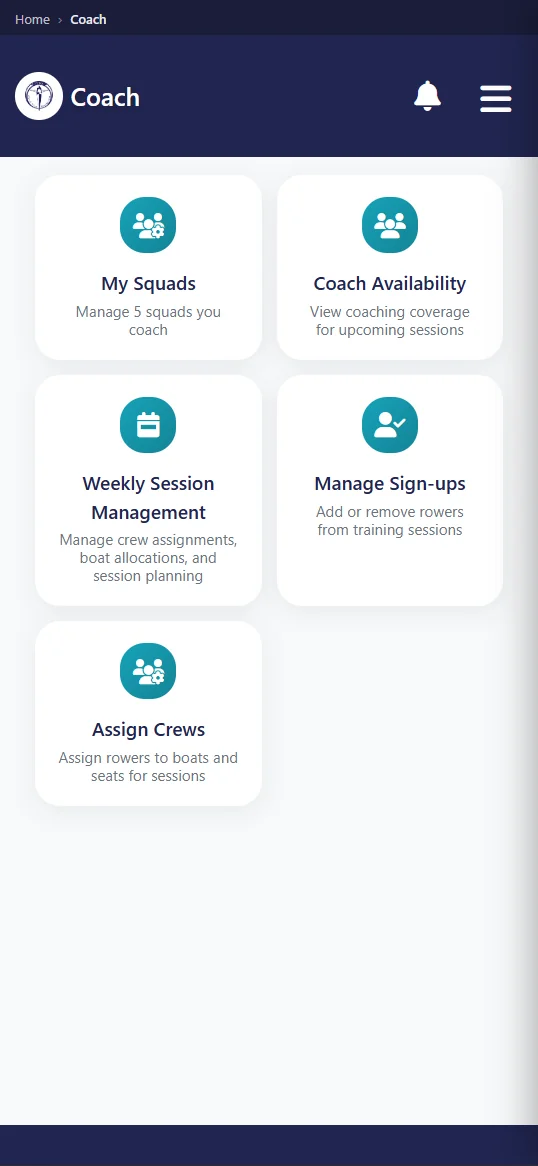
The app does not make selection decisions. The coach still decides who rows, where they sit and when a lineup is ready. Row HQ records and publishes that decision. That distinction matters in a club where a last-minute illness, a red board or a change in river conditions can move the whole outing. The phone view lets the coach update the club record from where the decision is being made.
What notifications does the app send?
The app can notify a phone when the club cancels a session, publishes news, publishes an event, sends club mail, or records a payment. Those alerts come from activity inside the member's club. They are not Row HQ marketing messages, and they relate to information the club has chosen to publish or record.
Cancellation is the obvious one during head race season. If fog, stream or weather stops an outing, the member should not need to keep refreshing a page. Event and news alerts cover a different kind of club update. Club mail stays connected to the organisation that sent it. A payment alert confirms that the club account has recorded the transaction, which gives the treasurer and member the same reference point.
- A planned session is cancelled by the club.
- A club news post is published for members.
- A new event is published to the club calendar.
- Club mail reaches the member through Row HQ.
- A payment is recorded against the member account.
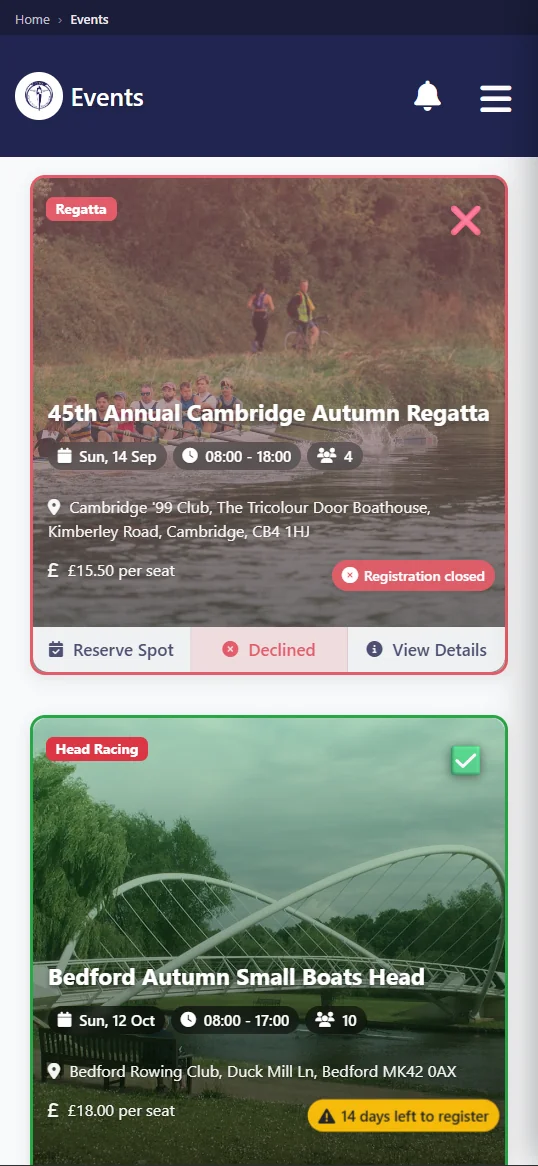
Push notifications are useful because they put a club action on the phone without turning Row HQ into another chat group. The source remains the session, news post, event, mail item or payment record inside the club. Members can open the app and see the underlying information. A coach or committee member still decides what the club publishes and when.
How do members sign in?
Members can sign in with Google, sign in with Apple, or use an email address and password. The login belongs to the same Row HQ account used in a browser. There is no separate mobile registration, no second member profile, and no club-specific app name to find in Google Play.
That keeps joining straightforward. The club sets up Row HQ and invites its members. Each member then uses the account already tied to that club. Installing Android does not restart onboarding or detach somebody from their crew history. If the member later opens Row HQ on a laptop, the same club information is there because both routes lead back to one account.
One account
Use the existing Row HQ details. The app does not ask the club to manage a second member list.
Three sign-in choices
Choose Google, Apple, or the email address and password already linked to the account.
Views follow the role
Rowers, coaches, committee members and admins see the jobs relevant to their club role.
Camera profile photo
A member can take and set a profile picture from the phone when they choose.
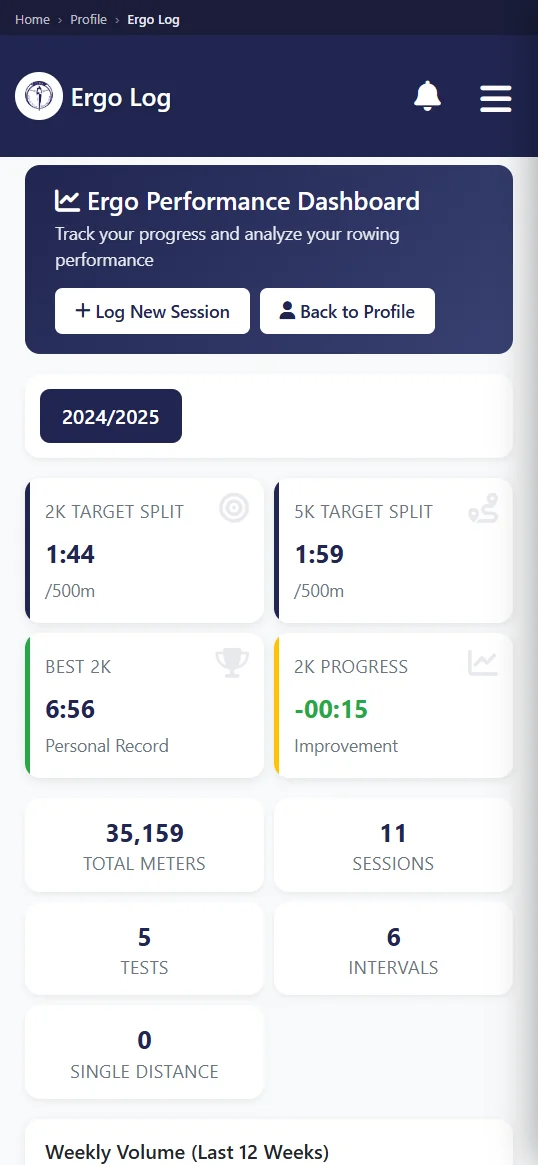
Committee and admin users do not need a separate management app either. Their views cover membership, the fleet and payments within Row HQ. The permissions on the account decide what appears after sign-in. A rower does not suddenly receive committee controls because they installed Android, and a treasurer can still use a laptop when a wider screen suits the job better.
Do members have to install it?
No. Row HQ in the browser does exactly the same job on any phone or laptop, so the Android app is a convenience rather than a requirement. The app needs a connection and has no offline mode. If a member prefers the browser, the club does not lose any core function.
That matters for mixed squads. Some people install every useful club app. Others keep their phones lean or use a device that is not Android. A club can give both groups the same instructions: use your Row HQ account. The route into that account may be the app or a browser, but sessions, crews, reservations, notices and payments are not split into separate systems.
The lack of offline mode should be understood before an outing. If the phone has no connection, the app cannot load club information. Do not treat it as a substitute for the club's on-water safety procedure or any local briefing. It is an administrative convenience for the work around rowing. The browser has the same connection requirement because it is doing the same job.
Is there an iPhone app?
Yes. Apple has approved the app and it is live on the App Store. Members using an iPhone can search for RowHQ or follow the App Store link on rowhq.app, then sign in with the same Row HQ account they use in a browser. There is no separate registration and no second profile to create.
That closes the platform gap. Android members install from Google Play, iPhone members install from the App Store, and anyone who prefers the browser can carry on exactly as before. Every route opens the same club data, so a captain or membership secretary can give the whole club one set of joining instructions.
Members who have been using the browser on an iPhone can switch to the app whenever it suits them. Their login, role and history carry over, because the app is another way into the same account rather than a separate system. Nothing in the club setup needs rebuilding.
How do I get my club on it?
If your club already uses Row HQ, install the free Android app from Google Play and sign in with your normal account. If the club is new, set up the club free, invite the members, and use those same accounts in the app.
Start with the club rather than the device. The rowing club app page shows the wider platform, while pricing explains the member bands after the free starting level. Once the account exists, Android is another door into it. The club still controls membership, crews, boats, events and payments from Row HQ.
For a British club heading into winter training, the main gain is ordinary: fewer gaps between a club decision and the member seeing it. A cancelled session reaches the phone. A published crew is there before the drive to the boathouse. Subs in pounds sit against the right account. Row HQ remains the same platform, now with a direct Android route for members who want one.
See you at the boathouse.
- The Row HQ Team