The short answer
The Row HQ iPhone app is live and free to download from the Apple App Store. Members can sign in with the Row HQ account they already use in a browser. There is no second registration and no separate app for each club.
Android members got their app in early August. The iPhone release completes the other half of the club phone list. A squad can now use Row HQ through either store, while the browser stays available for anyone who prefers it.
For British clubs, the useful change is simple. A rower can check tonight's crew before leaving for the boathouse. A coach can publish a changed lineup from the phone. Committee and admin users can open the membership, fleet and payments views allowed by their role.
What can an iPhone member do in the app?
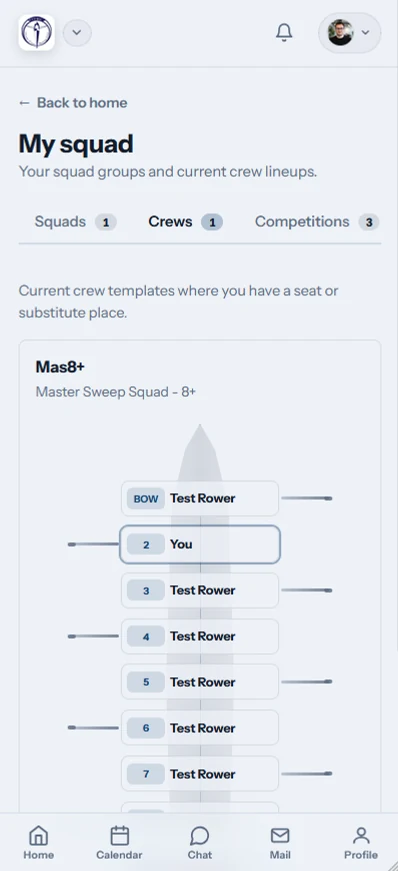
An iPhone member can confirm or decline sessions, see published crew lineups, check boat availability, reserve a boat, read news and notices, pay subs and entry fees, and log erg scores. The same jobs remain available through the Row HQ member portal in a browser.
The app follows the club day rather than creating a new process. Members reply before selection. Coaches see availability, build the crew and publish it. Attendance can be taken at the boathouse. Officers with the right role can then handle membership, fleet and payment records from their own view.
- Confirm or decline a session and check the published crew lineup.
- See which boats are available and reserve one through the club account.
- Read club news, notices and the information attached to each session.
- Pay subs and entry fees that the club has recorded for the member.
- Log erg scores and set a profile photo with the iPhone camera.
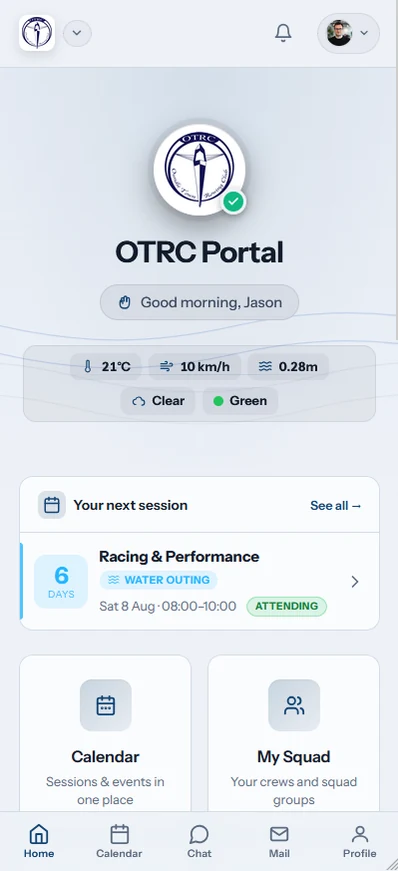
The screen changes with the account role. Rowers get member tasks. Coaches get availability, lineup and attendance controls. Committee and admin users get the membership, fleet and payment areas assigned to them. Installing the app does not add permissions or expose officer tools to an ordinary member.
What changes if I used Row HQ in Safari?
Nothing is lost when an iPhone member moves from the browser to the app. The app is a second door into the same account. Existing club access, role and records remain there, and the member can still return to the browser on the phone or a laptop.
There is no transfer to run. A session reply made in Safari is visible in the app. A crew published by a coach appears in both places. A boat reservation remains attached to the same member record. The club does not need to re-invite iPhone users.
- Keep the Row HQ account already linked to the club.
- See the same sessions, crews, boats and notices in both places.
- Move between the iPhone app and browser without rebuilding anything.
- Use either route with a connection because there is no offline mode.
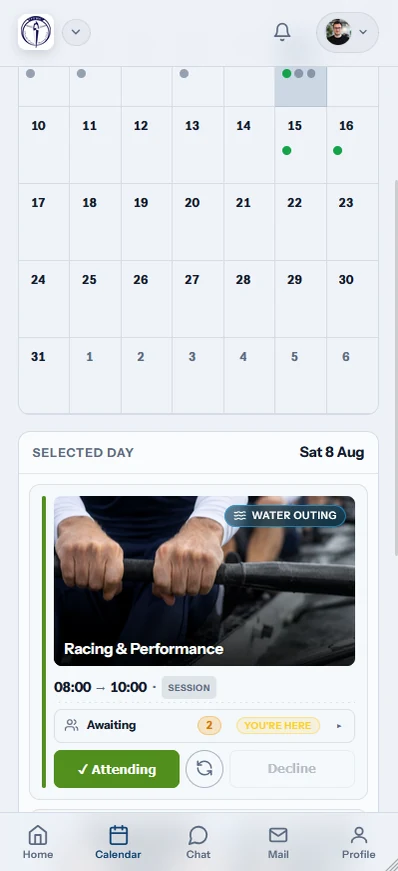
The browser remains fully equivalent. That matters when a membership secretary wants a larger laptop screen, or when a member simply does not want another installed app. The club can keep one set of instructions: sign in to Row HQ and use the screen that suits the job.
How do members sign in on iPhone?
Members can choose Sign in with Apple, Google, or their email address and password. Each route opens the same Row HQ account used in the browser. People who created their account with Apple can keep using that method, with no new registration or duplicate profile.
Row HQ is one app for every club using the platform. Members do not search for a separate download carrying their club name. Once signed in, the account supplies the club connection and the correct view for a rower, coach, committee member or admin user.
Apple sign-in
Use the Apple sign-in already connected to the Row HQ account.
Google sign-in
Open the same club profile with the linked Google account.
Email and password
Use the existing email login rather than registering again.
Club role retained
The assigned role controls which member or officer views appear.
A member can also take a profile photo with the iPhone camera. The image belongs to the established member record. It does not create an app-only identity. Coaches and committee volunteers then see the updated photo wherever they use Row HQ.
What push notifications does the iPhone receive?
The iPhone app can send a push notification when a session is cancelled, a news post is published, an event is published, club mail arrives, or a payment is recorded against the member. Every alert is operational club information. Row HQ does not use these notifications for marketing.
During head race season, a cancelled outing may need to reach people after they have left work. A published event or club notice has a different purpose, but it comes from the same club record. Payment alerts tell the member when the club has entered the transaction.
- A coach or club officer cancels a scheduled session.
- The club publishes a news post for its members.
- A new event is published to the club account.
- Club mail arrives for the signed-in member.
- A payment is recorded against that member's account.

The notification is a prompt, not a separate record. Members can open Row HQ to see the club item behind it. Coaches and officers still decide what they cancel, publish, send or record. The app carries that action to the phone.
What about Android and browser users?
Nothing changes for them. The Android app remains available on Google Play, and Row HQ in a browser remains fully equivalent on any device. iPhone, Android and browser users all reach the same club account. Each route needs a working connection because Row HQ has no offline mode.
Android members can still install Row HQ from Google Play. iPhone members now have the App Store option. People who prefer a browser can carry on as before. Their replies, crews, reservations and records stay together.
That leaves the club with one operating process across a mixed squad. Coaches do not need an iPhone list, an Android list and a web list. The device changes. The club record does not.
How do I get my club started?
If your club already uses Row HQ, download the free iPhone app from the App Store and sign in. If the club is new, set up Row HQ free, invite the members, and let them choose the app or browser.
The rowing club app overview explains the full platform. Row HQ is free for clubs with up to 20 members. The pricing page lists the paid member bands above that level.
Every phone in the club now has a direct route into Row HQ. The browser remains there too. One account holds the session reply, published crew, boat reservation, notice, erg score and payment record, whichever screen the member uses.
See you at the boathouse.
- The Row HQ Team