What launched
The Row HQ iPhone app is live and free to install from the Apple App Store. It uses the same Row HQ club account as the browser. Members keep their existing login, role and records, with no extra registration and no different app for each club.
Android members received a phone app in early August. The App Store release now gives iPhone members the same choice. A New Zealand squad can include both platforms and browser users while keeping one current set of club information.
That single account follows members through regatta season and winter erg work. Rowers answer sessions, view crews and boats, read notices, pay subs and record scores. Coaches handle availability, lineups and attendance. Committee and admin users receive membership, fleet and payment views when their role allows them.
What can members do from an iPhone?
A squad member can answer a session, check a published crew, view boat availability, reserve a boat, read club news, pay subs and entry fees, and log erg scores. The Row HQ member portal keeps every one of those tasks available through a browser as well.
Before a weekend regatta session, rowers can confirm the current plan and boat. A coach can work from the responses, arrange the crew and publish it to the selected members. The wider club records for boats, payments and membership remain available to authorised committee users.
- Reply to training and inspect the crew once it is published.
- Check the available boats and reserve one for another row.
- Open news, notices, and event details shared by the club.
- Pay recorded subs and entry fees from the member view.
- Add erg scores and take a profile photo with the iPhone camera.
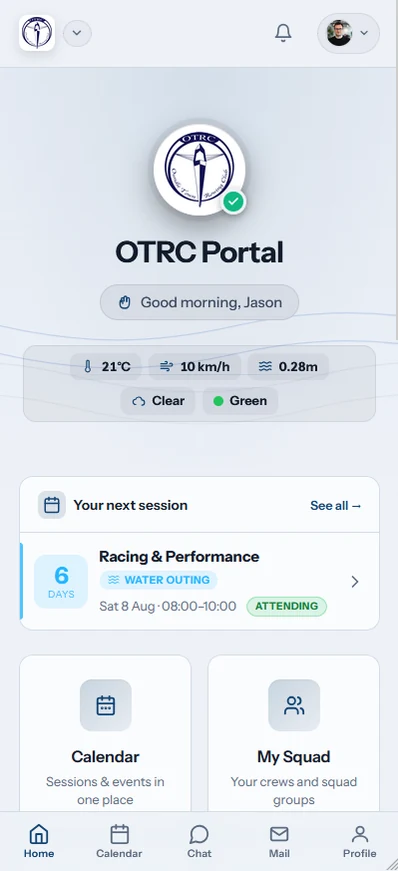
The app presents different tools to different roles. Coaches can see availability, build and release crews, and mark attendance. Committee and admin users can use membership, fleet and payments screens. A normal member stays in the member view.
What changes after using Row HQ in a browser?
The member does not give anything up. The iPhone app is a new entrance to the existing Row HQ account, not a replacement account. Club roles, session replies, crew history and other records remain intact, and the browser can still be used on any device.
There is no app migration for the committee to organise. A response made on the web sits in the same session the iPhone displays. Boat reservations and payment records also stay with the original profile. Current members simply install and sign in.
- Retain the current Row HQ login and squad connection.
- Find existing sessions, lineups, bookings, and records after sign-in.
- Use the app at training and a browser for longer club tasks.
- Stay online for both because Row HQ does not have offline mode.
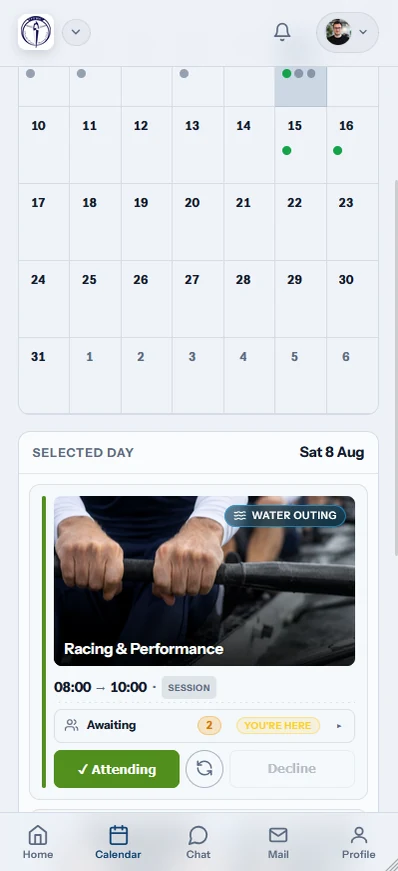
A browser is still the full Row HQ service. It may suit a committee meeting or a member using a shared computer. The iPhone app adds convenience at the boats without removing the web route.
How does the existing account open on iPhone?
Members choose Apple, Google, or their email address and password. Each sign-in method reaches the Row HQ account already linked to the club. Sign in with Apple remains suitable for anyone who created the account that way. There is no repeat registration or club-specific download.
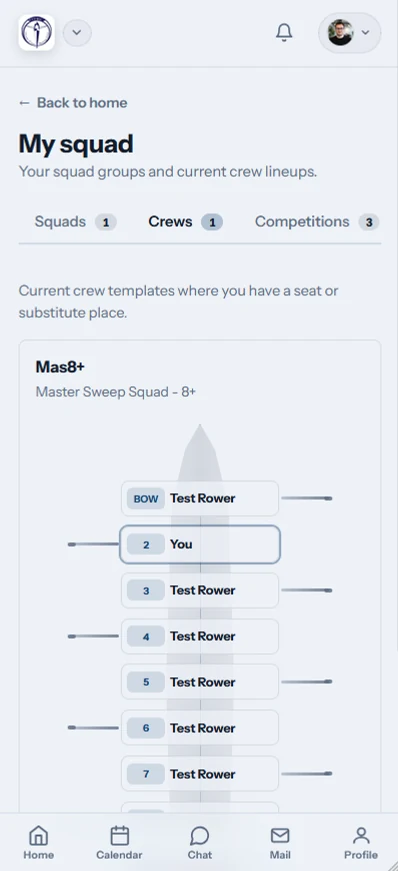
The account carries its assigned club role. A rower sees squad work. A coach sees lineup and attendance controls. Committee and admin users see membership, fleet and payment areas where permitted. One app can therefore serve the whole club without giving everyone officer access.
Apple sign-in
Continue through the Apple identity already used for Row HQ.
Google sign-in
Select the linked Google account to reach the same profile.
Email details
Enter the established email address and password.
Squad role
Row HQ keeps the permissions supplied by the club.
The iPhone camera can supply a new member profile photo. Row HQ saves it against the original membership record, so coaches and club volunteers see the same person and image from the app or browser.
What brings a club notification to iPhone?
The app can send an alert when a session is cancelled, the club publishes news or an event, club mail arrives, or a payment is recorded for the member. Each alert reflects a club action inside Row HQ. Marketing messages are not sent through these notifications.
Plans can shift quickly during regatta season. A cancellation alert puts the changed session on the member's phone. News, events and mail cover published club information. A payment notice confirms that the transaction has been entered against the account.
- A scheduled squad session is cancelled.
- The club publishes a fresh news item.
- A regatta or another event is published.
- Club mail reaches the member profile.
- An authorised user records a payment.

Members can open the notification to view the full club record. The coach or committee still decides what to cancel, publish, send or record. Row HQ only carries that decision to the phone.
Do Android and browser users need to change?
No. Android members keep the Google Play app, and browser users keep the fully equivalent web version on any device. iPhone simply joins those routes into the same Row HQ club account. Each option requires a live connection, since sessions and records are not stored for offline use.
The Android app remains free on Google Play. The new iPhone download is on the App Store. Rowers who like the browser can keep using it. Every response reaches the same squad list.
A coach can publish one crew to the whole squad. There is no platform-specific version of the lineup and no extra process for people who avoid phone apps.
How can a New Zealand club start?
If the club is already on Row HQ, install the free iPhone app and enter the usual login. A new organisation can set up its club free, invite the squad, and use those accounts across iPhone, Android and the browser.
The rowing club app overview covers the complete system. Clubs with up to 20 members pay nothing. The New Zealand pricing page lists the member bands in dollars once the club grows beyond 20.
The iPhone app gives the whole squad a direct phone option before the next regatta season. Android and browser access stay put. Row HQ continues to hold one set of crews, boats, subs and member records.
See you at the boats.
- The Row HQ Team