Rowing club member portal
Rowers confirm training, keep their details right, and book a boat. Guardian accounts keep school families in the loop.
Watch the 90-second how-to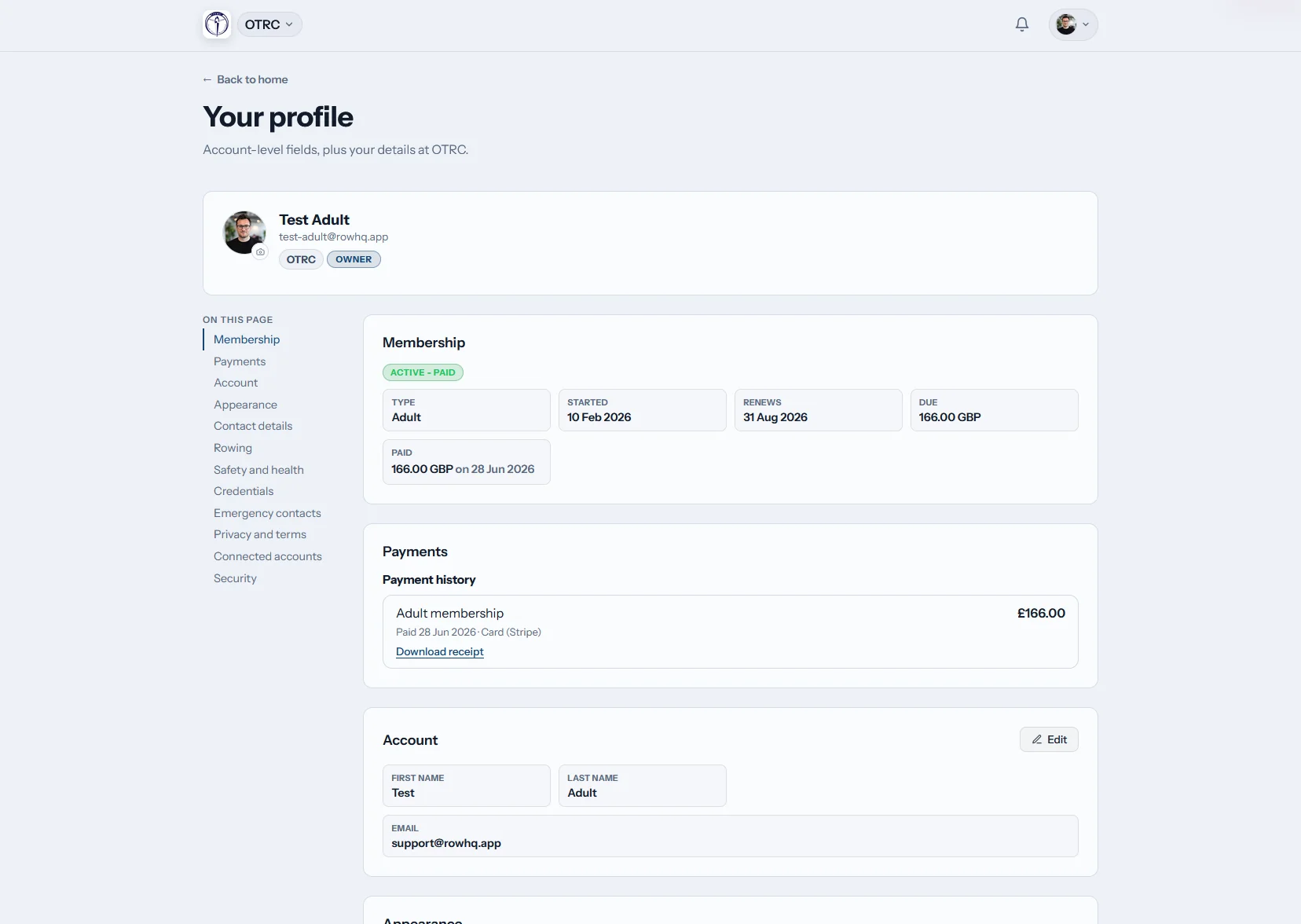
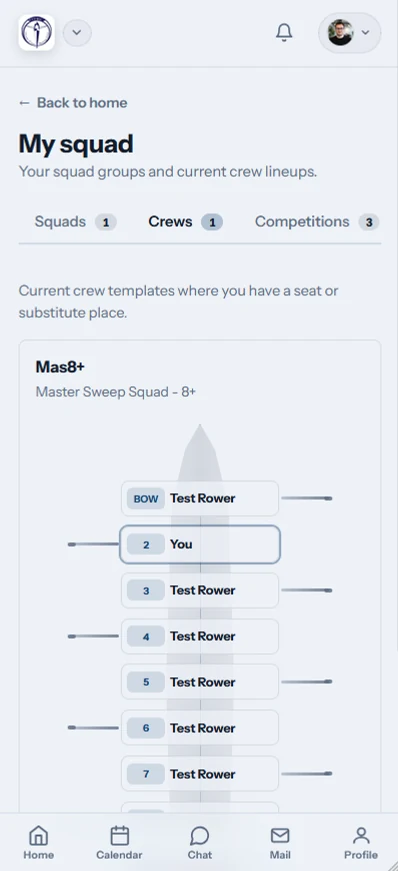
How does the portal help Australian rowing clubs?
The portal puts each rower’s schedule, profile, regatta replies, erg history and club news behind one login. Members manage their own information. Guardians can follow junior schedules through linked accounts. Coaches and volunteers receive cleaner data, while rowers can check crew activity and boat availability before heading to the pontoon.
All subscriptions include member access. Compare bands based on active club numbers.
A member's club week, on her phone in 90 seconds
Watch a member open the portal on her phone. Home shows her next outing, where she sits in the crew, and the weather, river height and club flag. She checks sessions and club events in one calendar, taps to say she is coming, glances at her ergo personal bests and reads the newest club notice.
The rower’s view from training to regatta day
Members and school families have one dependable place for sessions, dates, indoor results and club notices.
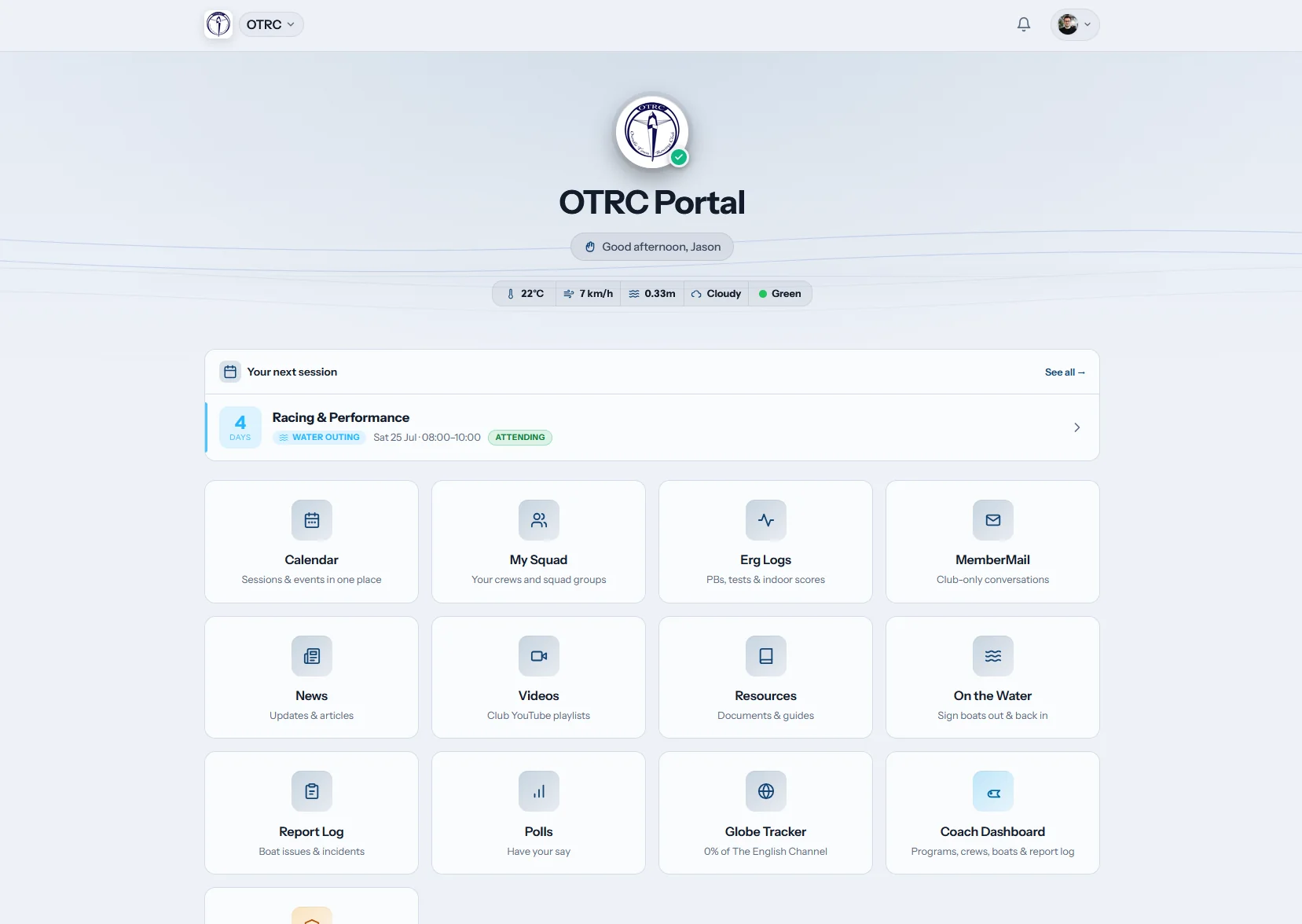
Home
Start with the next push-off
The dashboard surfaces the next session with weather and river chips. Club tiles take a member straight to the jobs that matter before training.
A rower can check the plan before leaving home or school.
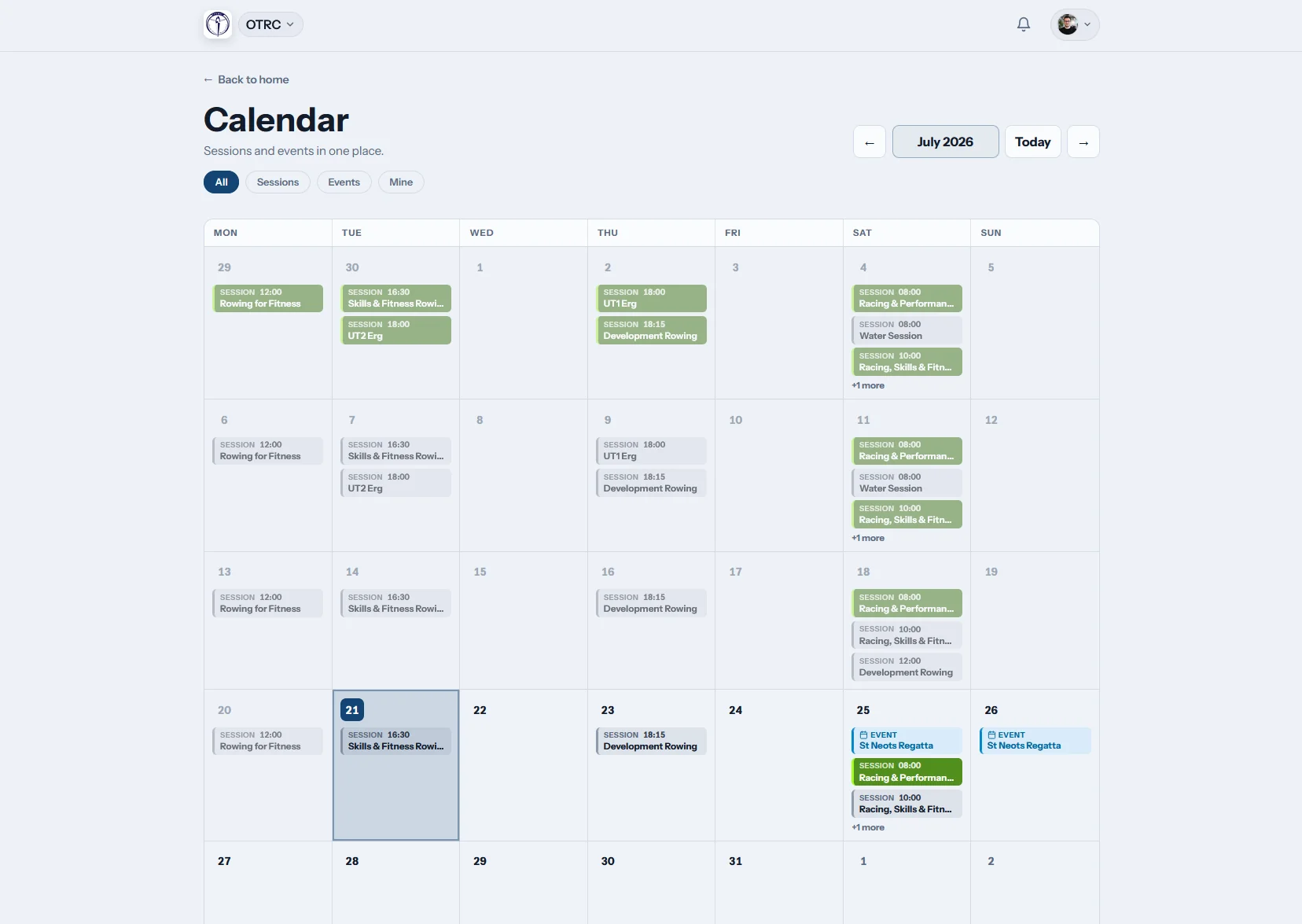
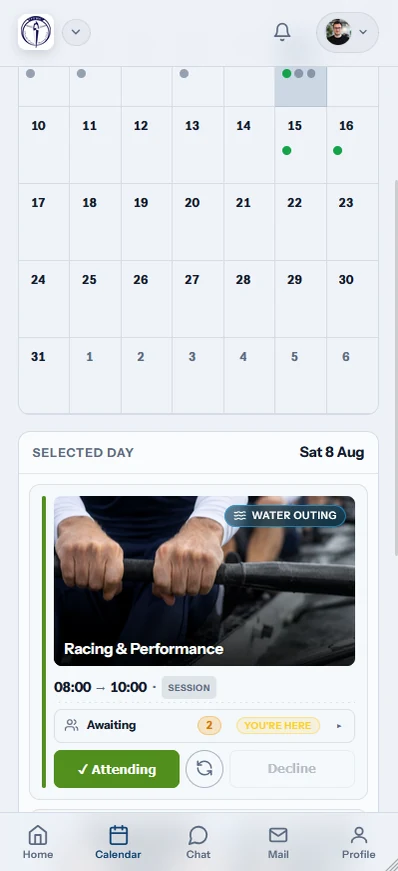
My calendar
Training and regattas share one diary
Squad sessions and race dates sit together. Members respond from the calendar row, while iCal subscription puts the published schedule into their regular device calendar.
Families can plan travel without waiting for a forwarded screenshot.
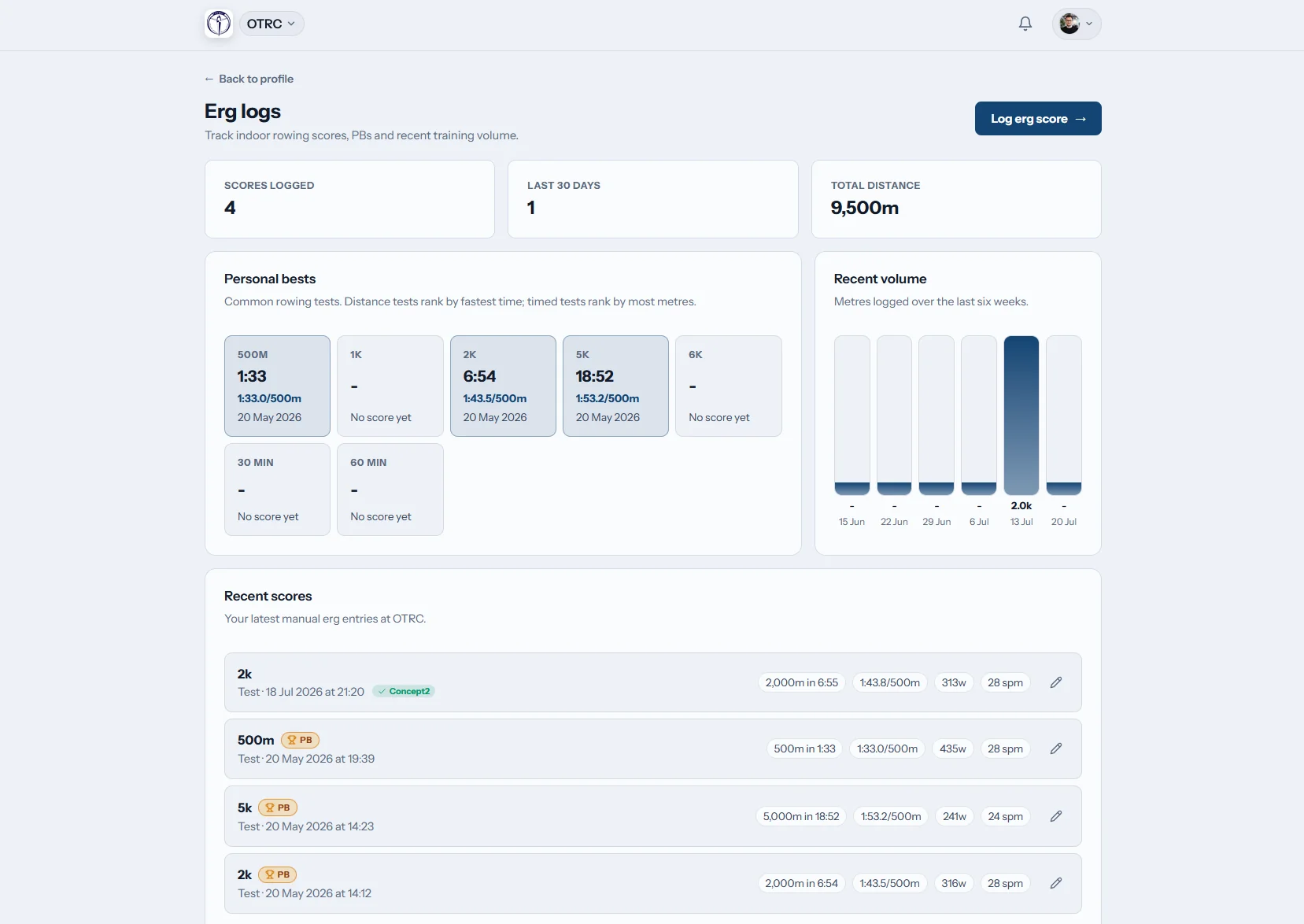
Erg logs
Ergo work stays with the rower
Scores, personal bests and past pieces form a single record. Concept2 Logbook sync is available when the athlete already records sessions there.
Testing results remain easy to find when crews are being reviewed.

Club news
Notices outlast the group chat
Regatta instructions, weather calls and committee updates remain in one club feed. Members can return to the post when details are needed later.
The official version is clear even when chat moves quickly.
Give families a source of truth
Read how Oundle Town Rowing Club uses Row HQ day to day, or weigh the portal against spreadsheet-based club admin.
Messages doing database work
- Parents receive copied timetables with no live update.
- Availability gets counted in WhatsApp replies.
- Member changes wait for a volunteer registrar.
- Ergo numbers scatter across coaches and squads.
Members using Row HQ
- Guardian accounts show the junior schedule directly.
- Session and regatta responses stay attached to the rower.
- Members maintain the profile information they own.
- Training records remain available across the season.
Member tools for the whole programme
Club and school rowing members can handle regular tasks without adding another job for the registrar.
Current member profiles
Rowers or guardians maintain personal, emergency and rowing details at the source.
Appropriate access
Signed-in club information is separated from public content. Review Row HQ security practices.
Rowing details that coaches can use
Coaches see useful rowing fields, while volunteers handle the same member in the admin dashboard.
Personal record
Contact details, governing-body number and swim declaration.
Emergency contact
A current contact for club or school rowing activity.
Seat preferences
Sweep or scull, bow or stroke side, squad and experience.
Membership record
Active status, renewal information, fees and payment history.
The portal goes to the pontoon
Members can act on the latest club information without opening a laptop or waiting until they get home.
- Confirm training and check regatta dates while travelling.
- Use push notifications for squad and weather updates.
- Record an ergo piece beside the machine after training.

Part of the same club system
Coach Tools
Training and crew decisions appear where rowers can act on them.
Events
Regatta availability and dates connect to each member.
White Label
Club colours and identity remain visible throughout the portal.
Further reading
Why club members need their own portal Running a cleaner training programme Making sense of ergo data Inside the coxswain roleFind more answers in the FAQ, hear from clubs using Row HQ, and check local pricing. Member self-service works with rowing membership software and the club administration area.
Australian member portal FAQs
Common questions from community clubs and school rowing programmes.
A member sees their own profile, rowing information, sessions, regattas, erg results, notifications, news and membership position. Junior rowers can be supported through guardian accounts. It gives club and school programmes one signed-in place for the information that would otherwise move through family emails and squad chats.
The member or a linked guardian can keep relevant contact and emergency information current. Rowing fields include discipline, side preference, skill level, governing-body number and swim declaration. Membership status and recorded payments can also be viewed through the account, subject to the access set by the club.
Member records require an authenticated account. Row HQ separates that information from the club’s public pages and applies access according to the user’s role. The security page sets out the safeguards and data handling approach, including the cross-border context for Australian organisations using a UK-hosted service.
Yes. The portal works in a normal browser on phones, tablets and computers. Native apps are also available from Google Play and the App Store. Members use one account across browser and app, with the same schedule, profile and club record whichever option they open.
Members can review their own session activity and save ergo scores, including personal bests. Concept2 Logbook sync can bring connected results into the record. Coaches continue to manage training and crews, while the rower has a useful history for the school or club season.
Give rowers and families one clear account
Put squad dates, profiles, responses and training records where members can reach them.
Free up to 20 active members, permanently. After that it is A$29 a month for a 21 to 30 member club. Every feature is included on every plan and there are no transaction fees. GST is not included. See full pricing