Set the session before the shed opens.
Publish pre-dawn rows, ergo work and weekend crews in one place. Rowers answer from their phones, so coaches can leave the training spreadsheet behind.
Watch the 90-second how-to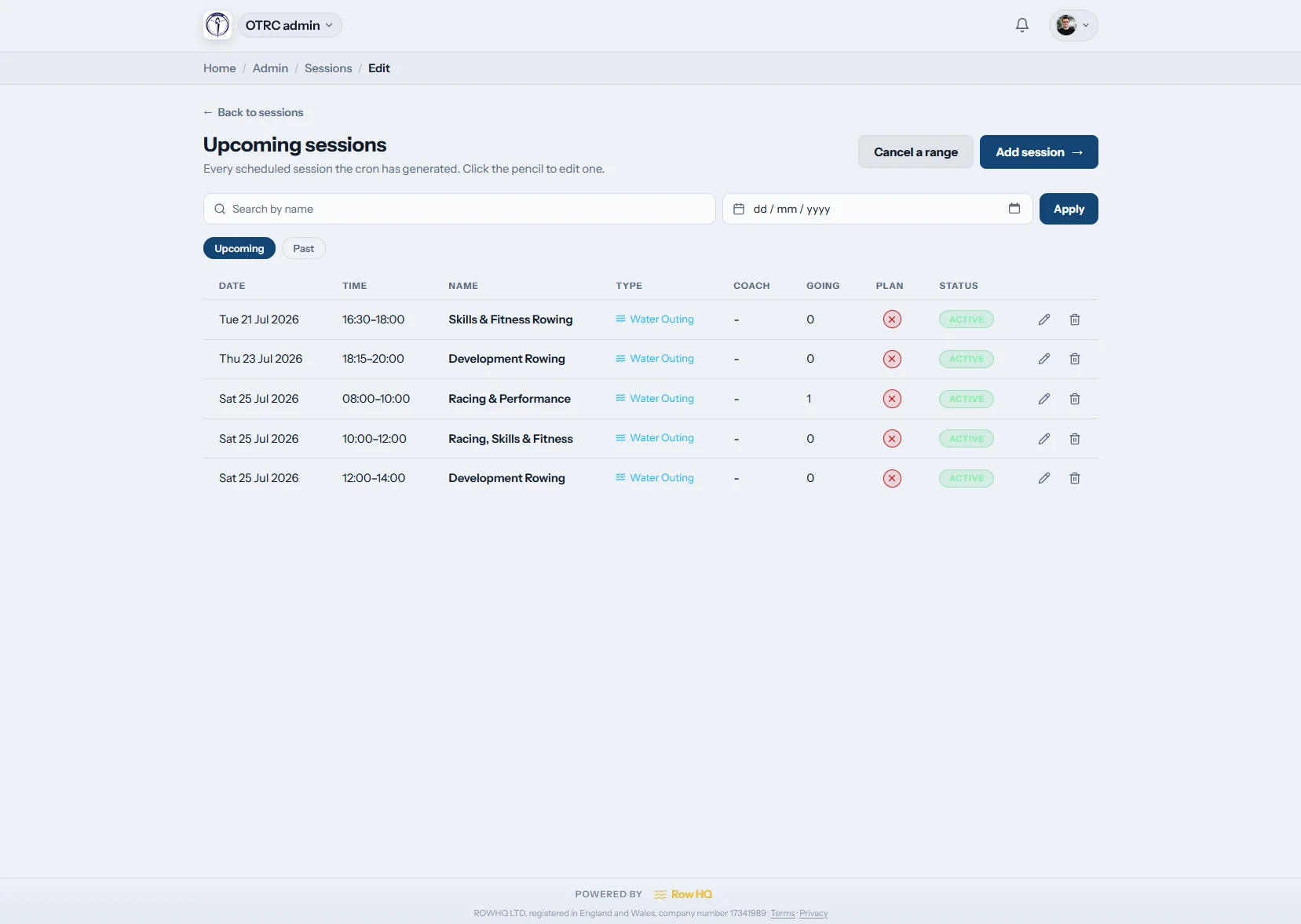
What does rowing training session software do?
Training session software keeps a club calendar, recurring templates and one-off rows together. Members tap to attend as rowers, volunteers or coaches, while reminders collect missing answers and cancellation notices cover sudden weather changes. Session plans, actual turnout and crew planning remain linked from the first summer water session to the last winter ergo block.
Session tools come with every plan. Check Australian pricing for your membership band.
From template to boatshed list in 90 seconds
The how-to video below starts with an empty session list and ends with a member checking her seat. Watch a Saturday template get its time slot, boat set and squads, see seven sessions appear on the calendar at once, then follow the coach filling an eight and a coxed four from the members who said they were coming.
A training week in Row HQ
Prepare the boatshed before dawn, then keep every change and attendance mark on the same session record.

Build templates
Save the boatshed routine
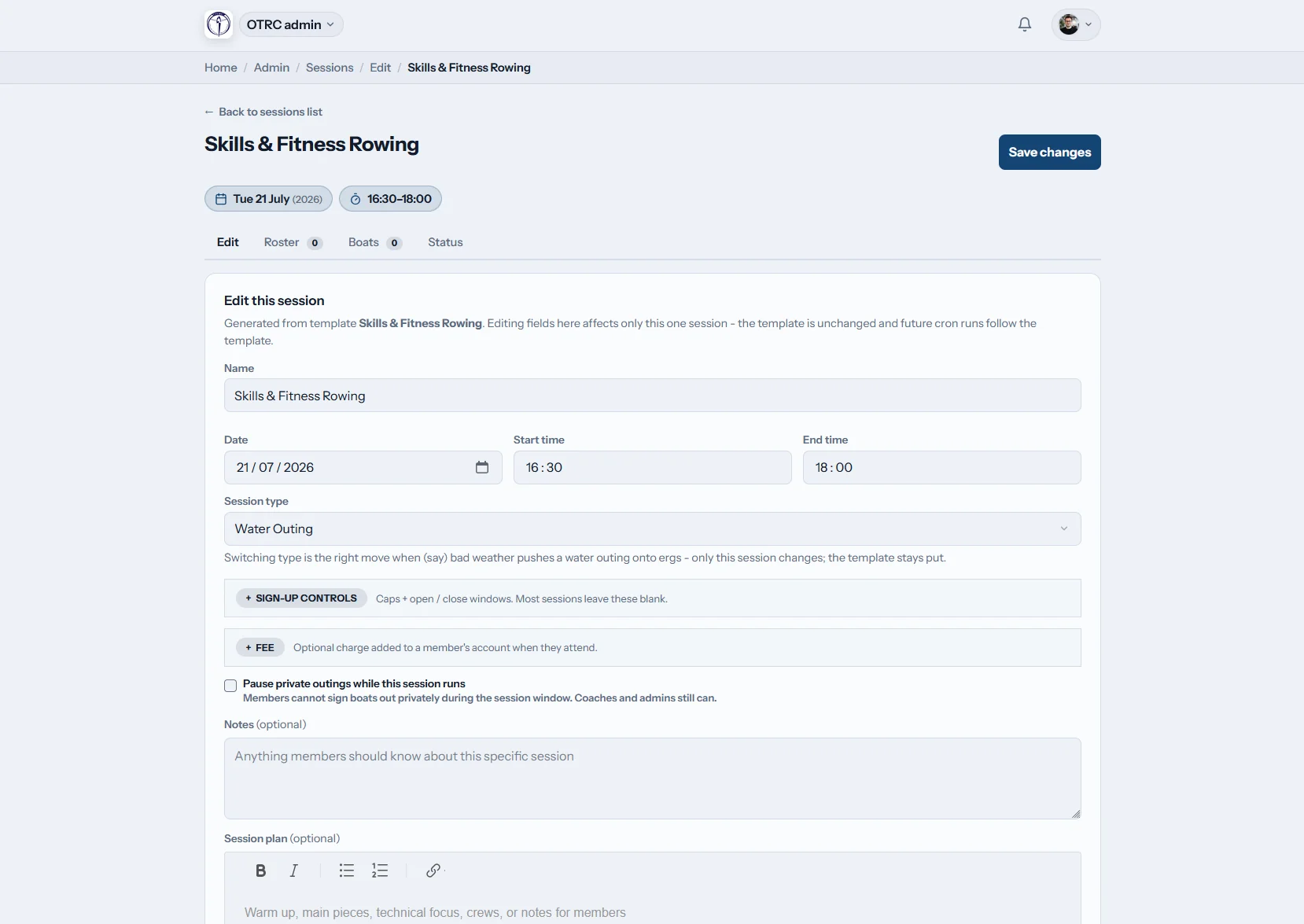
Create repeating templates for pre-dawn water rows, school squad sessions and evening ergo work. Slot in a one-off regatta rehearsal without touching the regular pattern.
The normal summer week is still there after a special session passes.
Publish the week
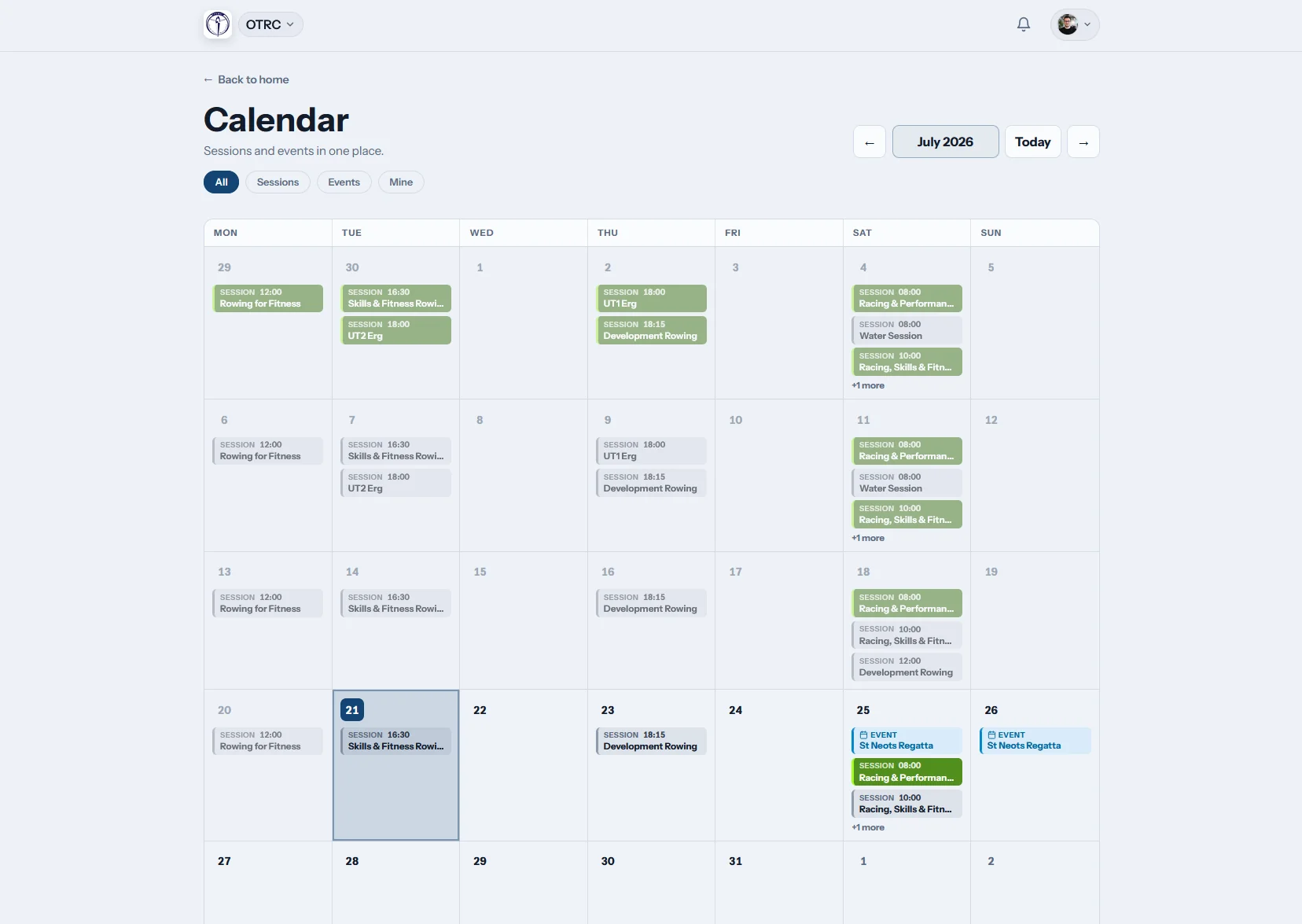
Put training beside regatta dates
Members scan sessions and events in one calendar during the build to state and national regattas. An iCal subscription puts the same dates into their usual diary.
Every squad sees the current plan before the alarm goes off.
Members respond
Count rowers and helpers
One tap says who is rowing, volunteering or coaching for that session type. Automatic reminders collect late replies before crews and support jobs are allocated.
The coach checks a live list instead of chasing the squad chat.
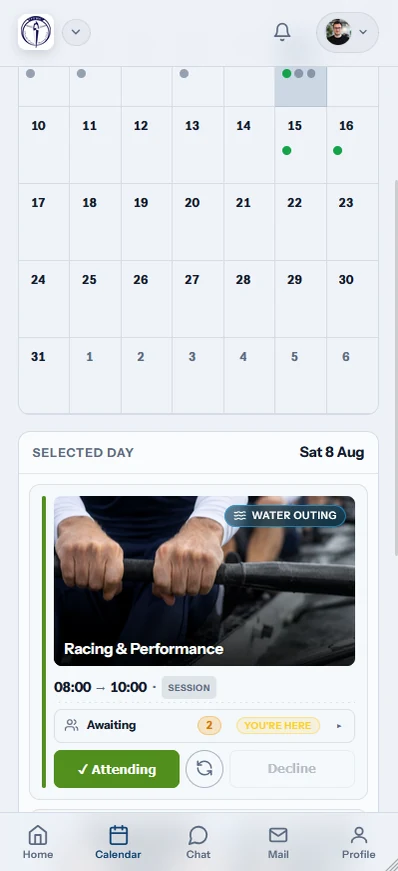
Run the session
Take the plan onto the pontoon
Keep the warm-up, pieces and crew planning link on the session. Change one row when heat or wind intervenes, then mark final attendance at the water.
The boatshed record reflects who actually trained and what they did.
Trade the group-chat chase for a live list
The week stays readable even when the forecast, crews or venue change after it is published.
Without Row HQ
- A WhatsApp poll posted while half the squad is asleep
- A training sheet saved under yesterday's version
- Late scratches discovered beside the racks
- No combined view of rowers, coaches and volunteers
- Summer attendance forgotten when selection starts
With Row HQ
- Phone replies recorded against the right session
- Cancellation notices sent when conditions turn
- Automatic reminders before pre-dawn training
- Season records available in the admin dashboard
- One published programme for the whole boatshed
Session tools shaped around a boatshed
Inspect each live screen in the Row HQ gallery, including templates, calendars and mobile rosters.
Repeating programs and extras
Set the normal week as templates, then add a one-off trial or alter one dawn row without rebuilding it.
Attendance for each role
Let rowers, volunteers and coaches respond with one tap. Members review sessions through the member portal.
Useful session alerts
Send automatic reply reminders, then push a cancellation notice when heat, storms or water conditions change the call.
Water, ergo and land work
Keep every training type distinct. Water rows can reserve the right shell through boat booking.
Club calendar plus iCal
Read training beside events or subscribe elsewhere. Committee reporting stays available in the admin dashboard.
Session and crew plans
Share the work before push-off and carry the confirmed list into crew planning.
From the programme to the pontoon
Review the Oundle Town Rowing Club case study for a working club example, or calculate the next ergo piece with our erg pace tool.
Lay out training
Save recurring times, locations, squads and session types.
Publish the call
Open the week and let reminders gather every response.
Check the numbers
Read rower, coach and volunteer availability before dawn.
The boatshed can run from a phone
Members answer wherever they are. Coaches carry the current roster down to the pontoon without printing another list.
- RSVP from the phone before a dawn row or ergo session
- Receive push notifications when a session is cancelled
- Mark attendance at the water once crews push off


Carry confirmed numbers into the next job
Coach Tools
Seat eights and small boats using the rowers who replied.
Member Portal
Give each rower a clear programme and attendance history.
Boat Booking
Hold the correct shell when the water session is planned.
Related reading
Sorting out the club training week A practical approach to crew selection Reading ergo numbers with contextFind more detail in the FAQ, see club feedback, or check Australian pricing.
Questions from Australian rowing clubs
Straight answers for committees ready to move training out of WhatsApp and spreadsheets.
It gives the club one place for repeating training, one-off rows, member replies and the final attendance record. A coach publishes water, ergo or land sessions. Members answer from their phones. The boatshed sees the current headcount without copying poll results into a second sheet.
They can. One session type can collect rower RSVPs, another can ask for coaches or volunteers, and every answer takes one tap. That helps the club plan crews and the people around them before a pre-dawn row, club day or regatta preparation session begins.
Recurring templates create the familiar week of water, ergo and land training. A coach can adjust one session for heat, wind or a changed venue without altering later dates. Extra trials, regatta rehearsals or briefing sessions can be added once and left outside the repeating pattern.
Yes. Row HQ sends cancellation notifications to the people connected to that session. It also sends automatic reminders before training when a reply is still missing. The club calendar updates, and members who use iCal see the current programme in the calendar they already check.
Yes. Confirmed rowers link into crew planning, while the session itself carries the warm-up, pieces and technical notes. At the pontoon, the coach records the final attendance with one tap. The club then has a reliable training history for later selection discussions.
Publish the next boatshed programme once
Give every squad a clear week, collect the answers, and prepare crews before the first push-off.
Free up to 20 active members, permanently. After that it is A$29 a month for a 21 to 30 member club. Every feature is included on every plan and there are no transaction fees. GST is not included. See full pricing