Member portal for Canadian rowing clubs
Keep spring renewals, water sessions, winter erg work and boat reservations in one member account.
Watch the 90-second how-to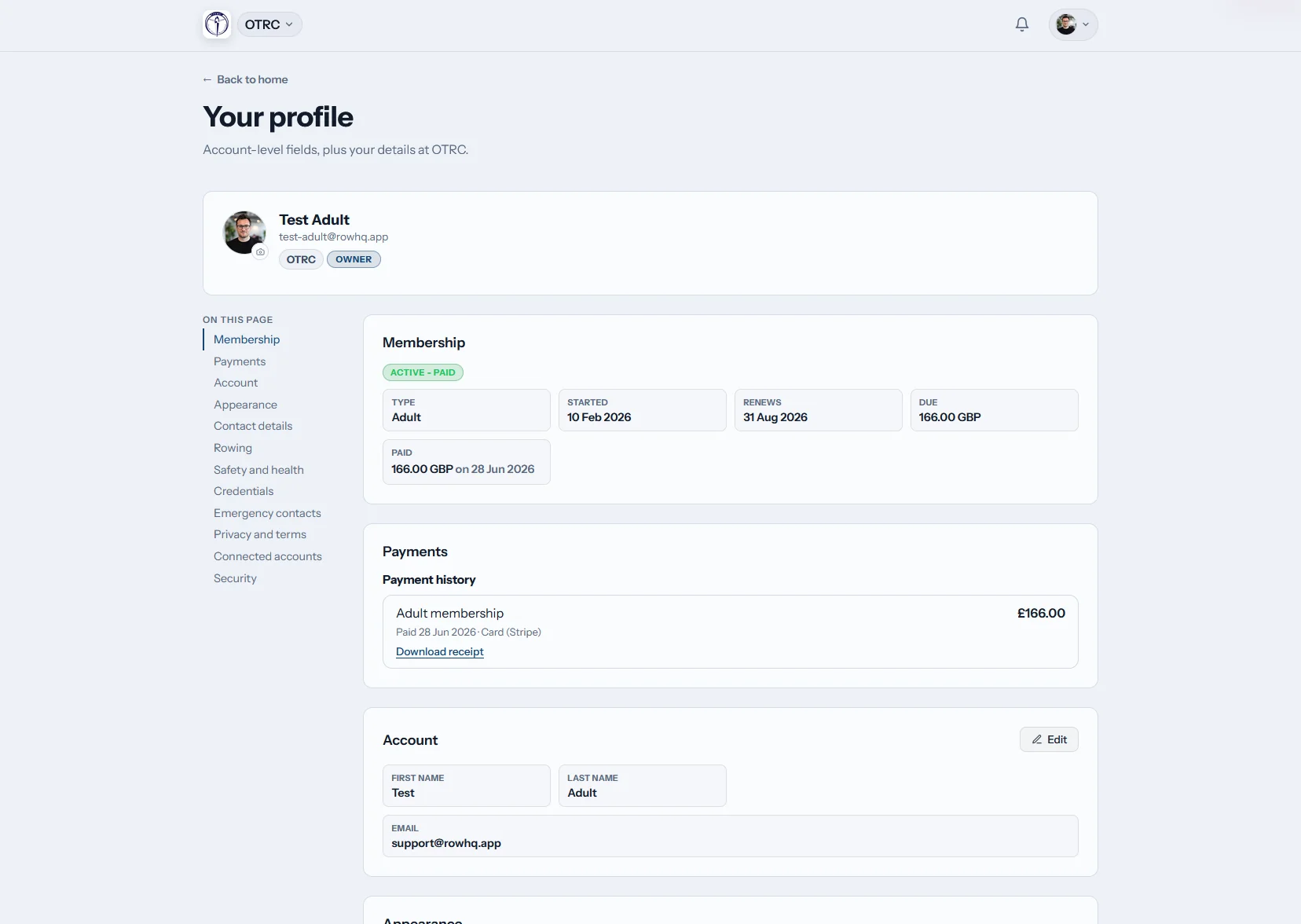
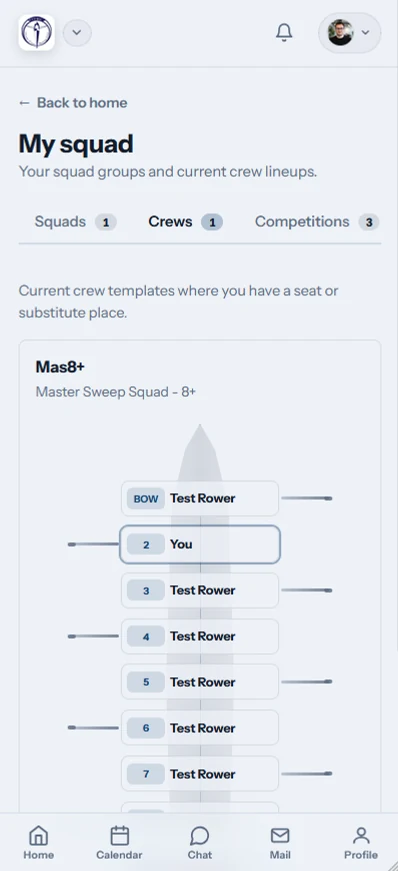
What can Canadian rowing members do in Row HQ?
Members use Row HQ to renew their club record before spring, respond to sessions during the short water season and keep winter erg results in view. Profiles hold emergency and rowing information, while the calendar, regatta replies, news, notifications and membership status remain available through one secure login.
Member access is standard. Clubs can review pricing linked to active membership.
Watch a member plan her week from her phone
The video below shows the member portal on a phone. The home screen leads with her next outing and seat in the crew, beside the weather, water level and club flag. She reviews sessions and club events in one calendar, confirms attendance from the list, checks her erg personal bests and catches up on club news.
From ice-out to winter testing
The portal follows the Canadian club year. Members can see what matters now without losing the records built in the previous season.
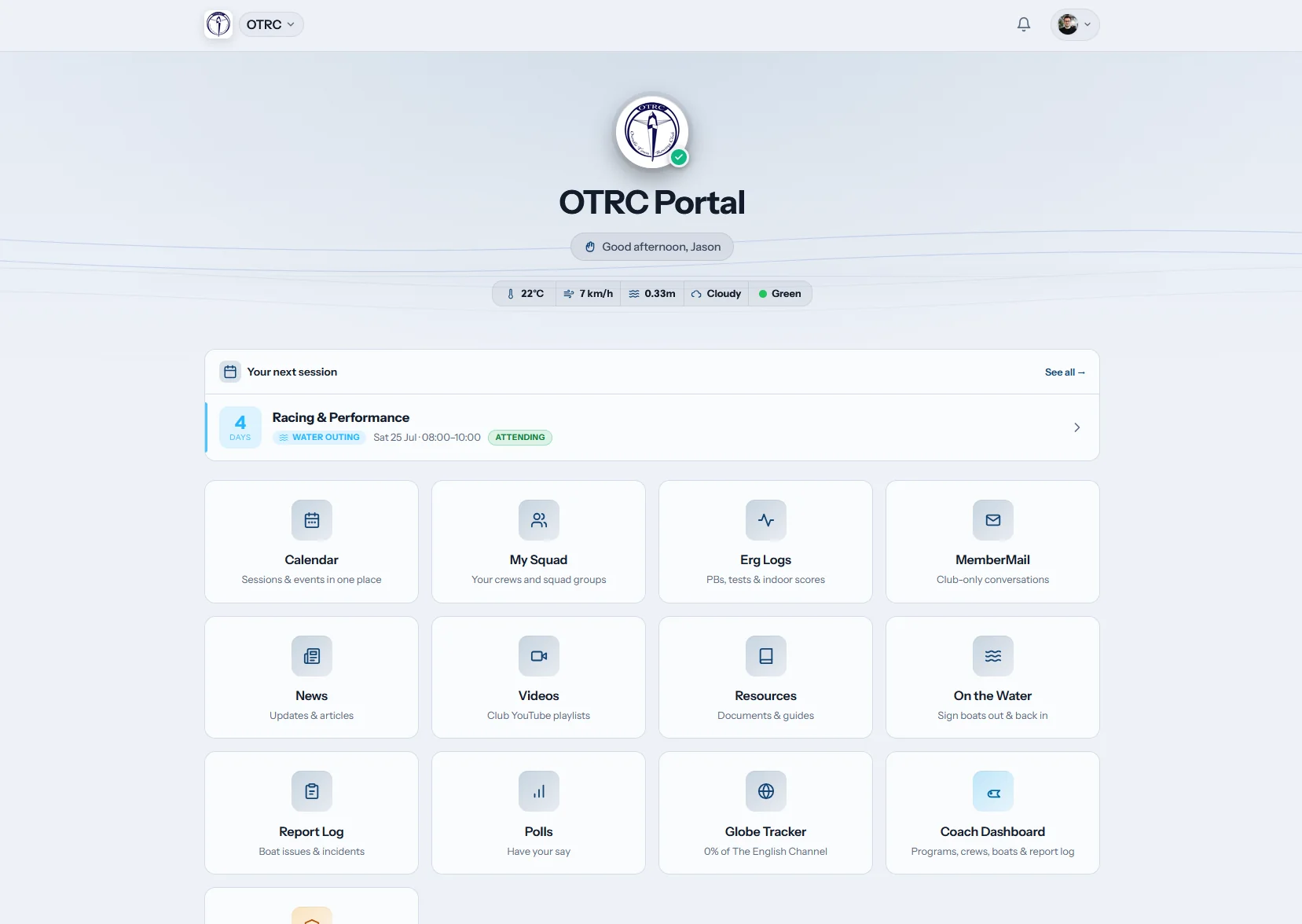
Home
Today’s club picture
A member lands on the next scheduled session, local weather and water condition chips. Club shortcuts sit below, ready for the next task.
The launch screen changes from winter training to water activity without changing accounts.
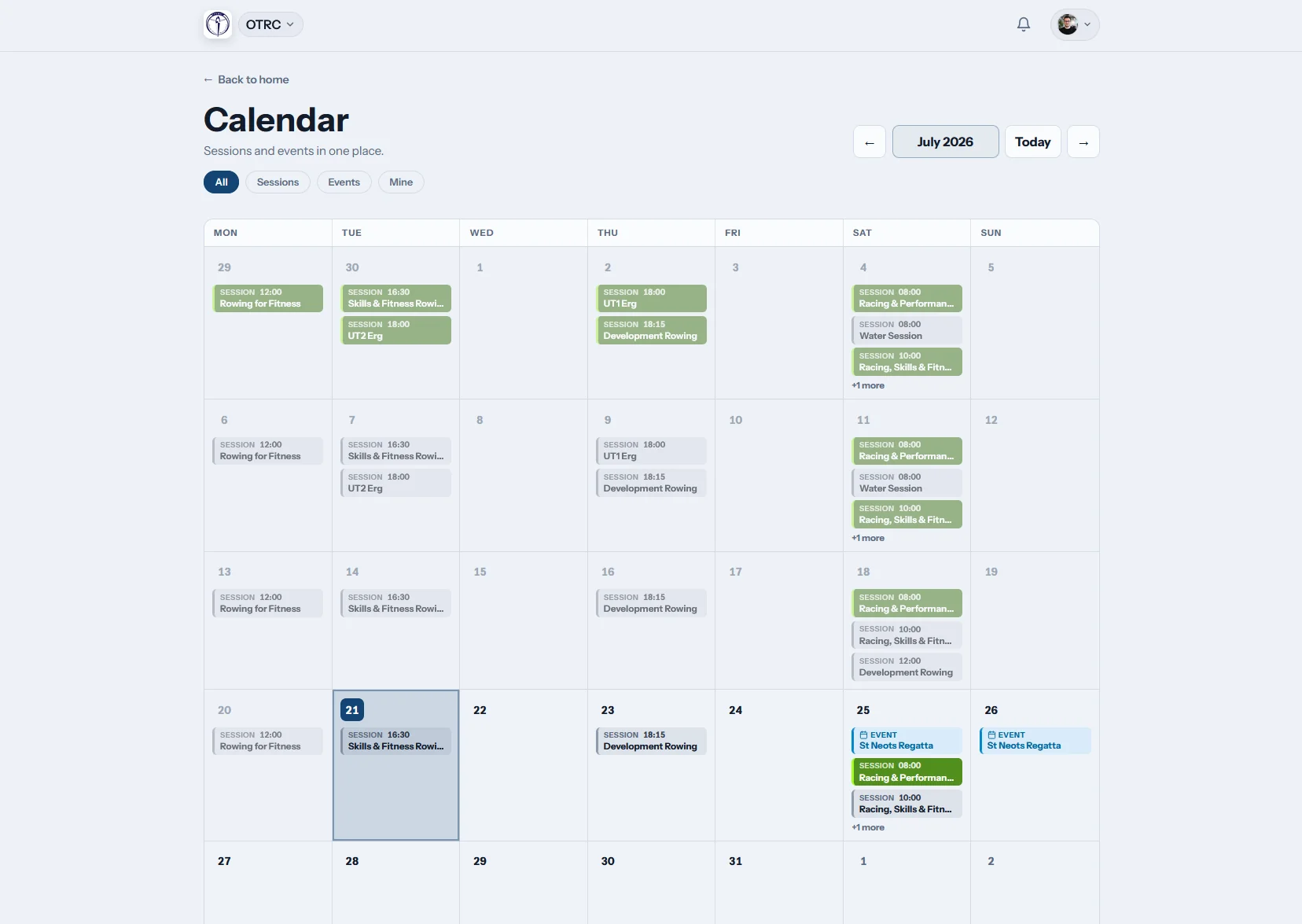
My calendar
The compressed season stays readable
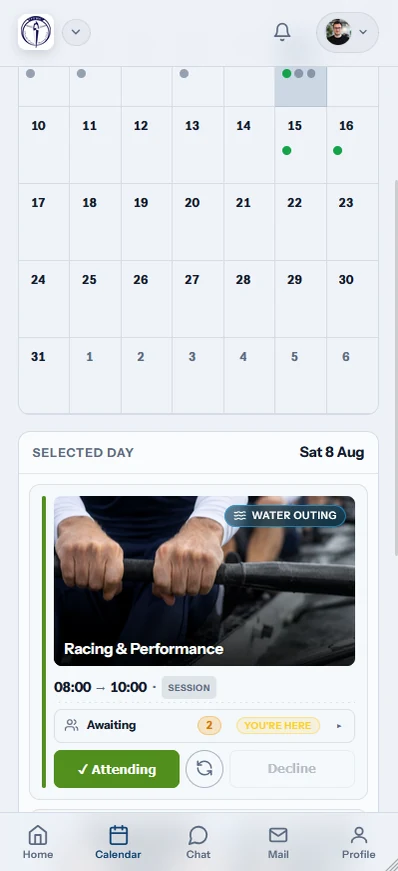
Sessions and regattas share a dated view, with replies made directly from the list. An iCal subscription adds the club schedule to a personal calendar.
Members can plan busy race weekends before the water calendar fills up.
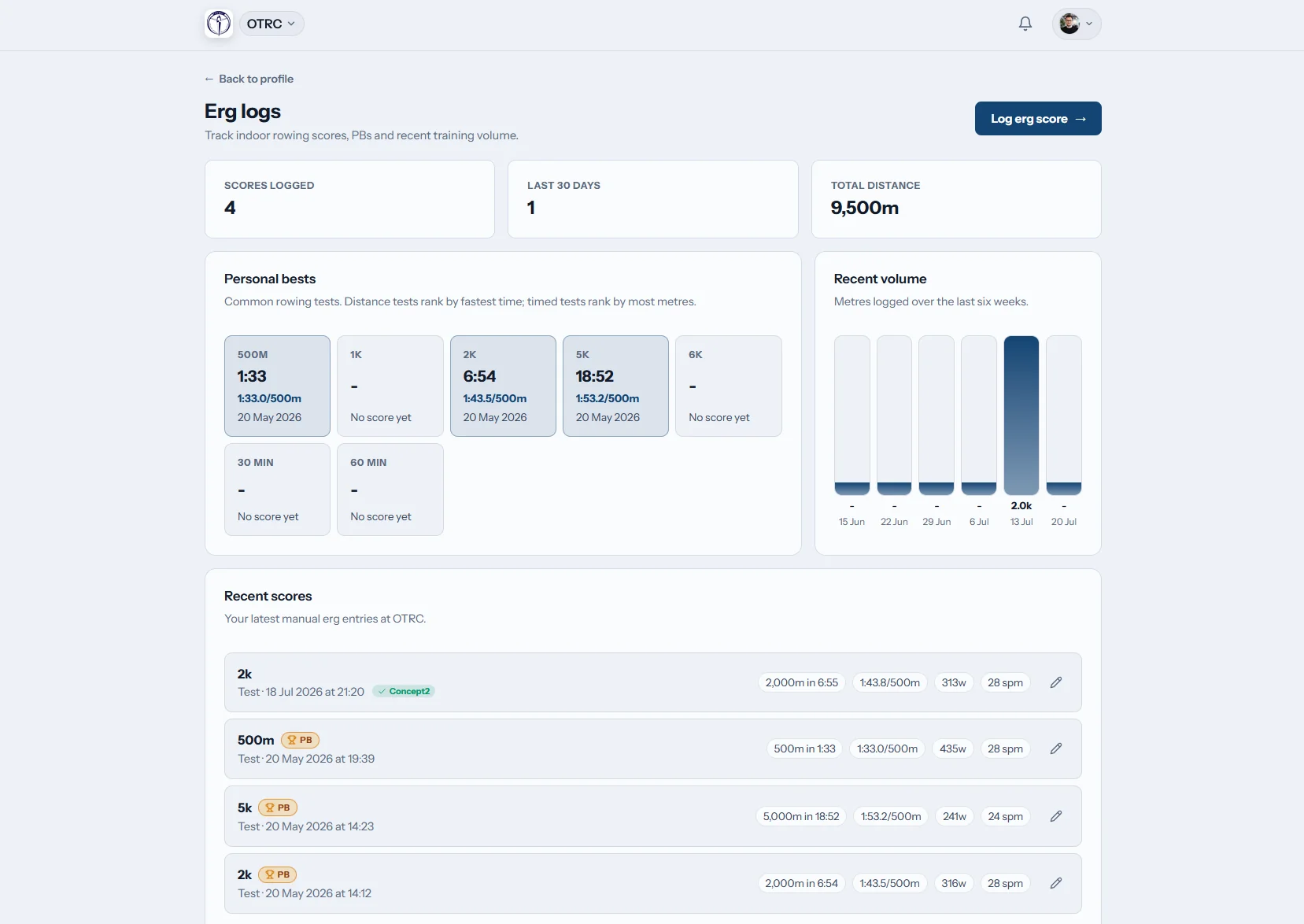
Erg logs
Winter blocks remain measurable
Erg pieces, season bests and personal bests stay in the member record. Concept2 Logbook connection keeps indoor work moving into Row HQ.
A long indoor block produces a usable history instead of another temporary sheet.

Club news
Launch dates do not get buried
Learn-to-row intake news, dock updates and member notices share a permanent feed. People can check the source post after an email or push alert.
Season-opening instructions stay available while new crews are joining.
Do not restart club records every spring
Oundle Town Rowing Club offers a working example of member self-service. Our spreadsheet guide shows what the shared account replaces.
Seasonal admin gaps
- Renewal changes arrive just as boats return to water.
- Learn-to-row contacts are copied into new lists.
- Winter test scores stay outside the summer record.
- Regatta replies are rebuilt for each weekend.
Continuous member records
- Returning rowers review the details already on file.
- New intake members receive their own club account.
- Indoor results remain connected to the rower profile.
- Calendar replies give organisers a current picture.
Useful in every training block
Members can look after routine club information whether the programme is indoors, on water or preparing for regattas.
Self-managed records
Returning members and learn-to-row participants keep contact, emergency and rowing details accurate.
Signed-in information
Member data is not published with club news. See the platform’s security approach.
Membership records built for rowing
Coaches can use rowing-specific fields, and club officers work with the same information in the administration area.
Core profile
Personal contacts, Rowing Canada number and swim declaration.
Emergency person
A current contact for club safety and session leaders.
Rowing detail
Preferred discipline, side, training group and ability level.
Renewal position
Membership state, renewal details, dues and past payments.
Club access for the short water season
Members can respond while plans are moving quickly, then use the same app throughout the indoor months.
- Check session availability and the regatta diary from a phone.
- Receive push messages for weather, water and club changes.
- Save winter erg numbers at the machine or sync Concept2.

Keep club work connected
Coach Tools
Squad planning and crew information connect to member accounts.
Events
Race interest and calendar dates stay available through the season.
White Label
Your club name, crest and colours frame the member experience.
More for club organisers
The role of a rowing member portal Planning sessions without message chains Using erg results properly A guide to the coxswain seatCheck the wider help section, read customer feedback, and see Canadian pricing. The member account is joined to rowing membership management and the club admin dashboard.
Canadian member portal FAQs
Answers for clubs balancing winter training, spring intake and summer racing.
It brings the individual member’s club activity under one login. Profiles, emergency contacts, rowing preferences, session and regatta replies, calendar dates, erg scores, notices and membership details all sit there. The record carries through winter training, spring renewals and the water season instead of being recreated at each changeover.
Yes. A returning rower can update contact and emergency details, discipline, side preference, skill level, Rowing Canada number and swim declaration. They can also review membership state and payment history. New learn-to-row members can begin with an account that becomes part of the same club records.
Personal records are available inside authenticated Row HQ accounts. They do not appear on public club pages. Access can be set around the roles used by the club, including members, guardians, coaches and administrators. The security page gives the current detail on how the platform protects those records.
No. The browser portal works on laptops and mobile devices. Members who want an installed experience can use the Row HQ app from Google Play or the App Store. A single login covers both options and keeps the same club calendar, profile and erg history available.
Members can view their activity across the programme and respond to scheduled sessions. The erg area holds scores and personal bests, with Concept2 Logbook sync available. That gives a rower continuity from a winter testing block to spring training and the compressed summer regatta calendar.
Carry member records through every season
Start spring with current profiles, clear replies and the winter work already attached.
Free up to 20 active members, permanently. After that it is C$27 a month for a 21 to 30 member club. Every feature is included on every plan and there are no transaction fees. GST/HST is not included. See full pricing