Rowing program member portal
Athletes and families check practice plans, update roster details, and reserve shells from one account.
Watch the 90-second how-to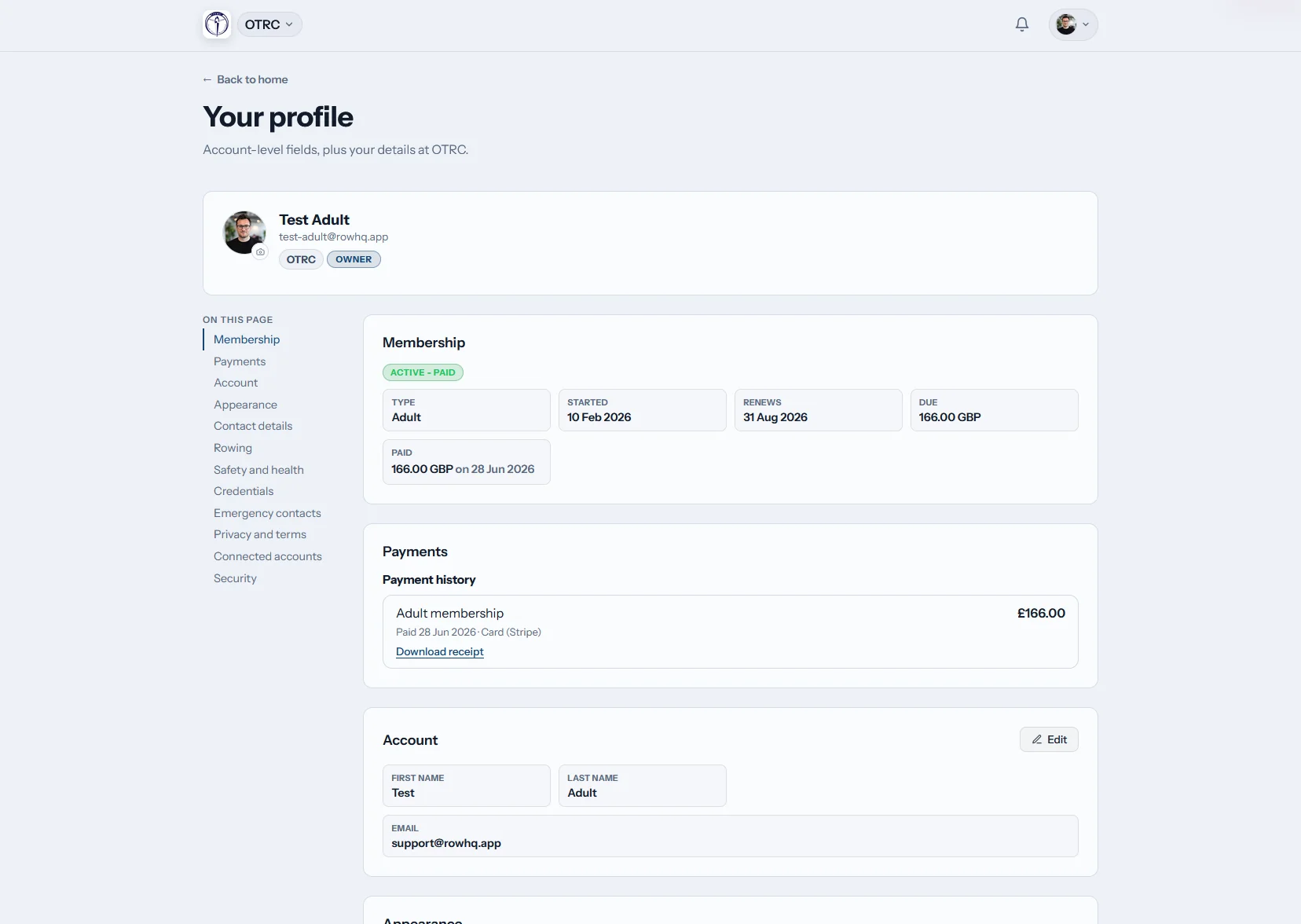
How does the Row HQ athlete portal work?
Each athlete gets one place for practice responses, regatta availability, profile details, erg results, team posts and the season calendar. Junior families can use guardian accounts to follow schedules. Collegiate and masters rowers handle their own updates, while coaches see those changes reflected in the central roster.
Portal access is included across Row HQ. Review rates based on active roster size.
Follow one athlete's week in the member portal
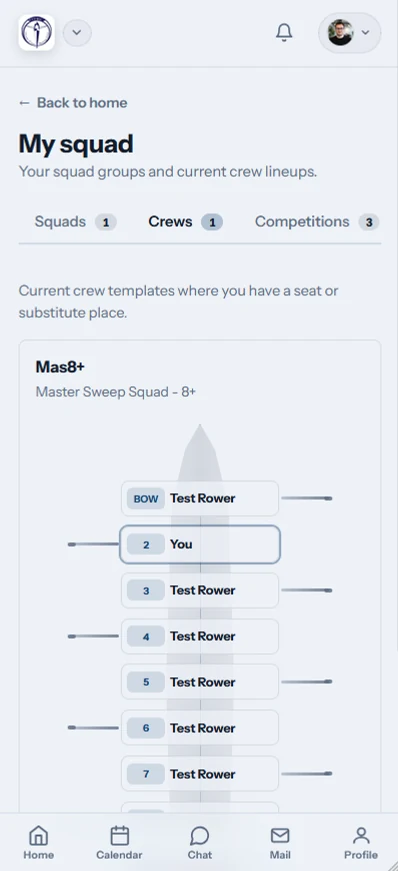
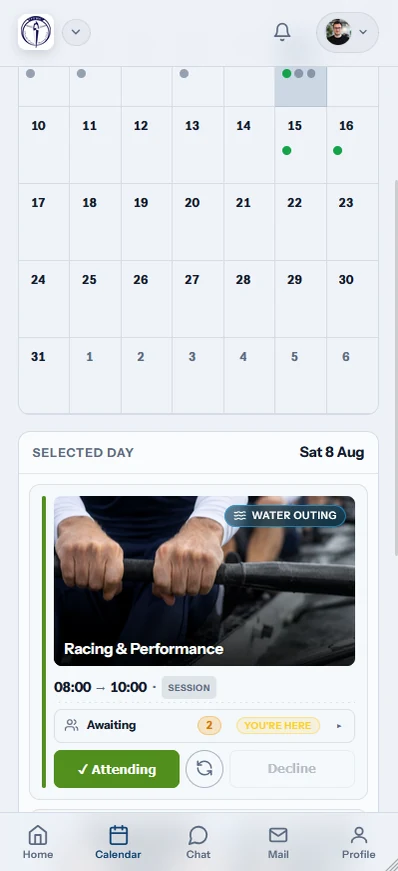
In this 90-second how-to, an athlete opens the portal on her phone. Her home screen shows the next practice, her seat in the lineup, the weather, river level and club flag. She checks practices and events in one calendar, confirms she is attending with a single tap, reviews her erg personal bests and reads the latest club news.
The daily team view, under one sign-in
Athletes can move between practice information, race dates, erg progress and announcements without piecing together another GroupMe thread.
Home
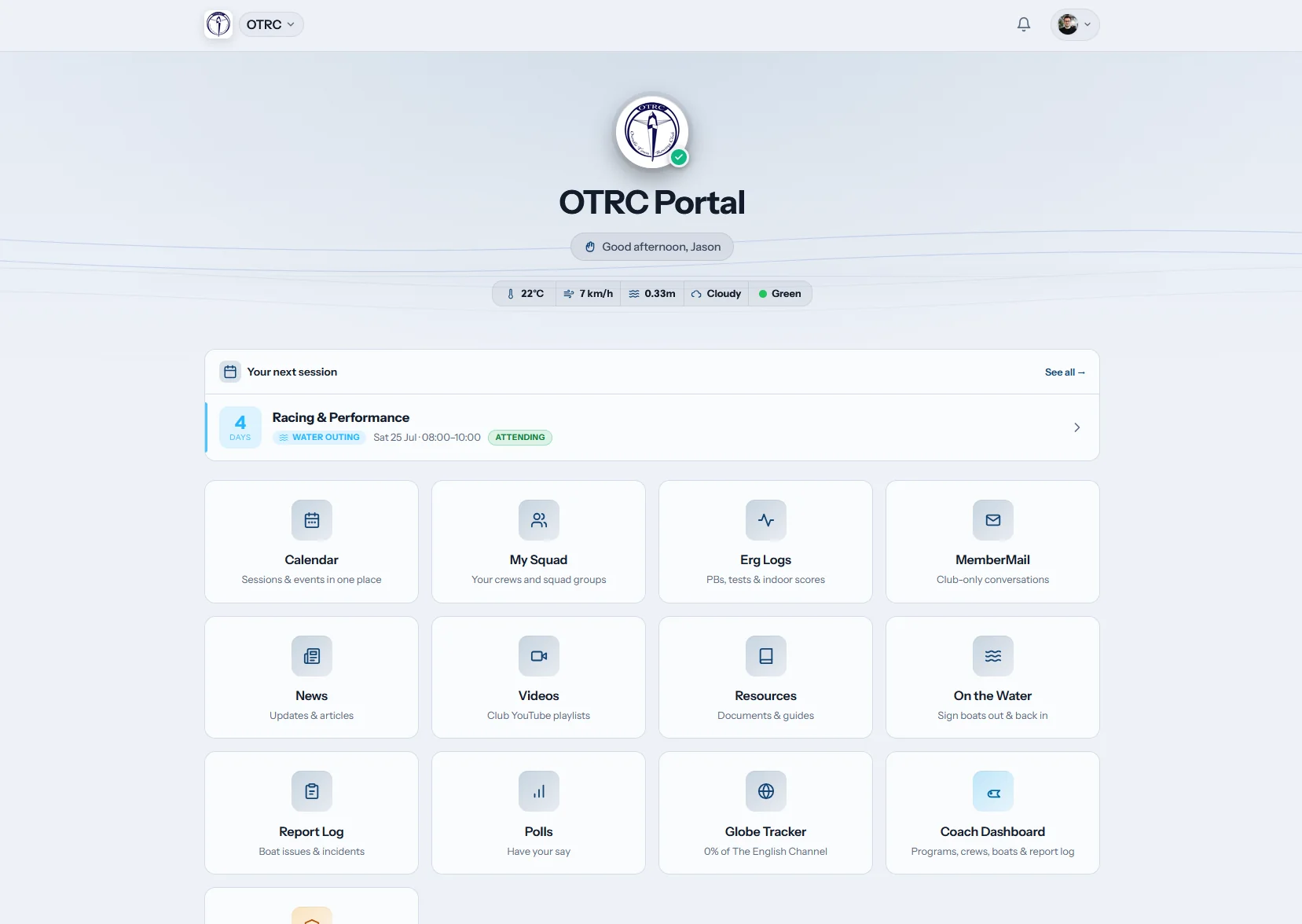
Practice starts on the dashboard
The opening screen shows the next practice alongside weather and water condition chips. Team tiles provide direct routes to the areas an athlete uses most.
The first screen answers where to be and what is happening next.
My calendar
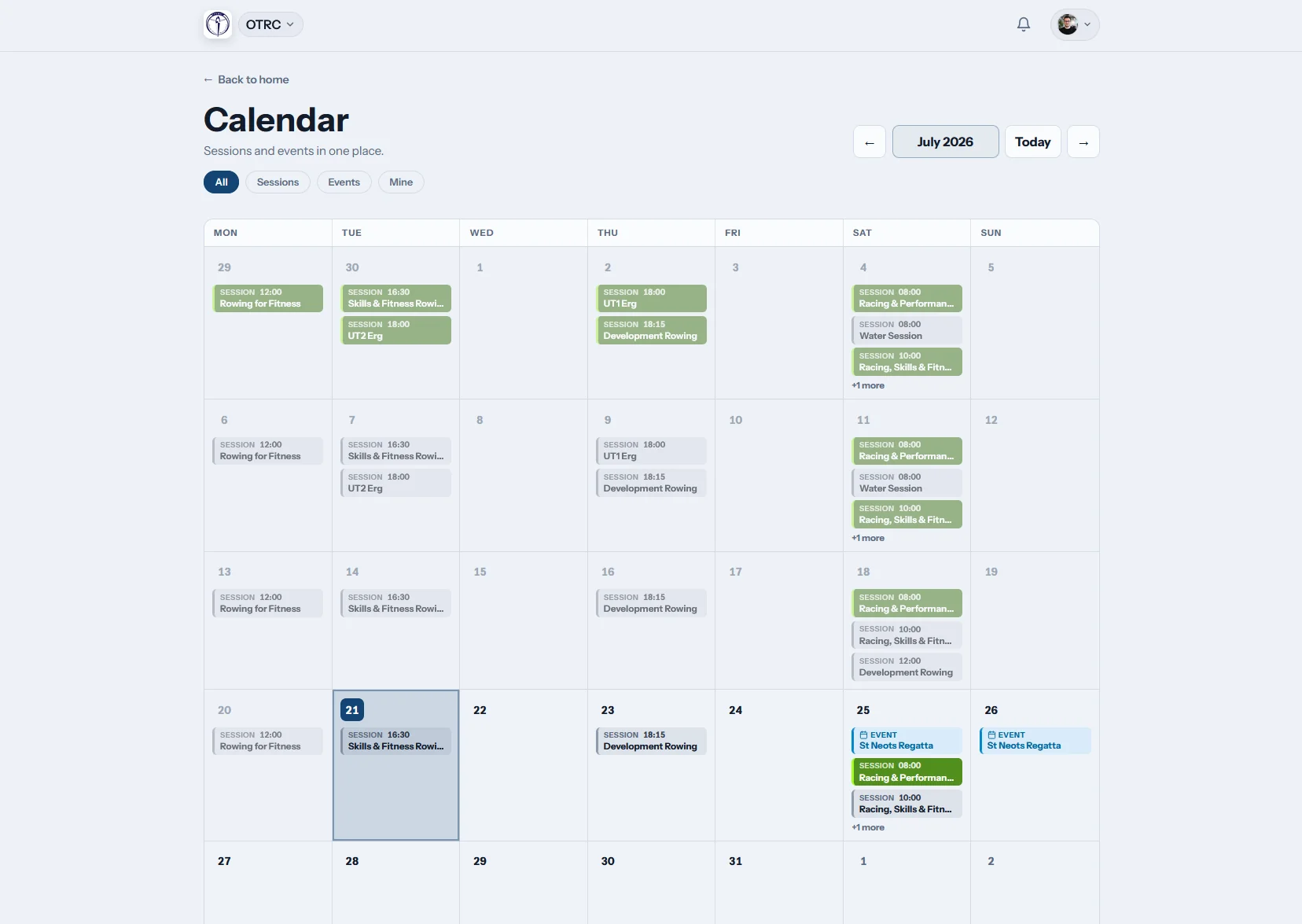
Practice and racing share a schedule
Workouts and regattas appear in the same calendar. Athletes respond from the list, then add the feed to Apple Calendar, Google Calendar or another iCal app.
Parents planning rides can work from the same published dates.
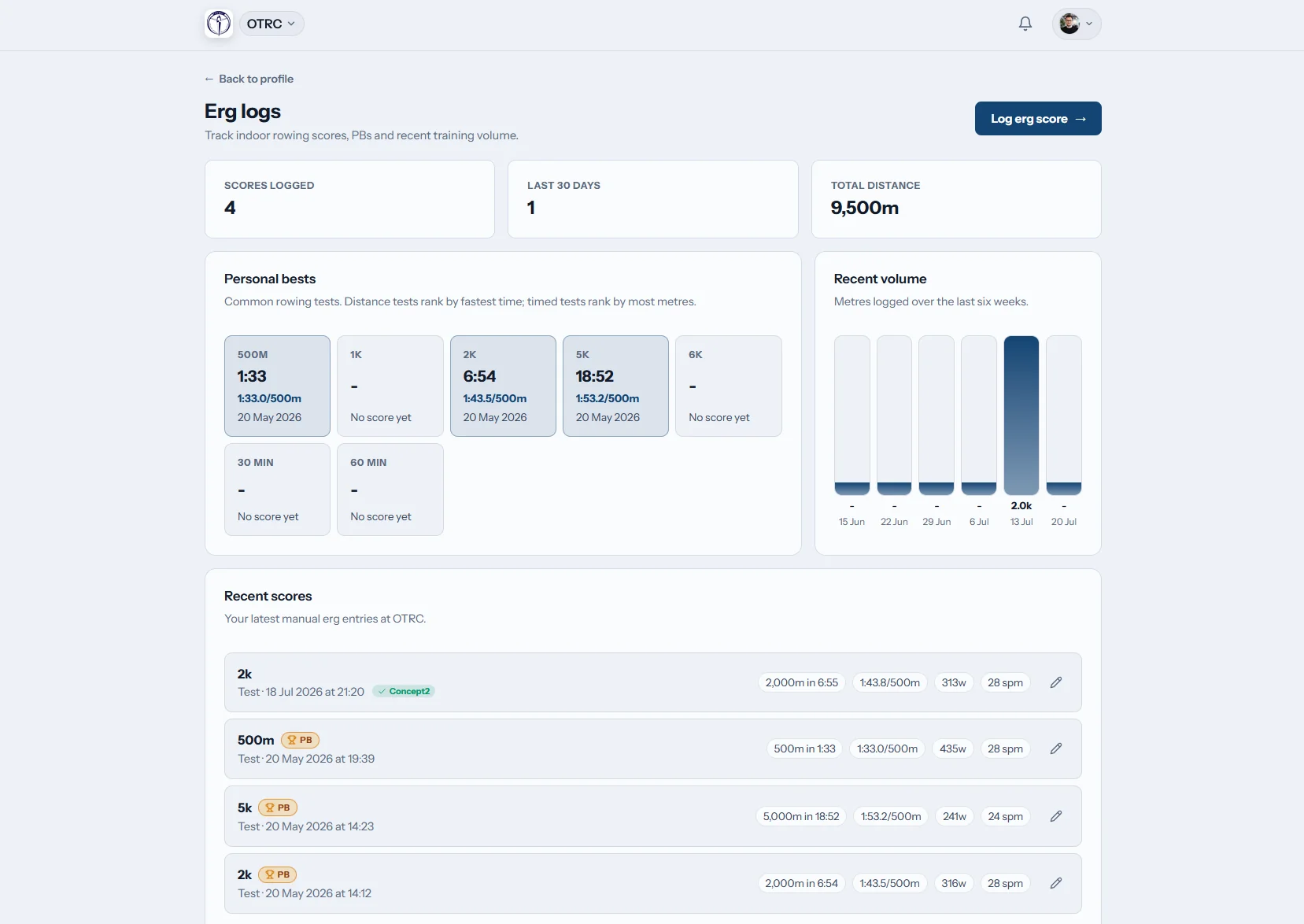
Erg logs
Winter work has a home
Every athlete can save erg scores, watch personal records and connect a Concept2 Logbook. Results no longer disappear into a notebook after testing day.
Connected Concept2 data keeps the personal record current with less typing.

Team news
Updates remain easy to find
Coaching notes, program announcements and operational messages live in one feed. An athlete can return to the original post after a notification is gone.
One durable feed cuts down on repeated questions in team chats.
Stop rebuilding the roster from messages
The Oundle Town case study shows the product in club use. The same workflow replaces the gaps described in our spreadsheet comparison.
A fragmented program
- Parents forward practice times between family chats.
- Coaches tally availability from mixed replies.
- Testing scores sit in separate coach spreadsheets.
- Athletes wait for someone to confirm roster details.
A shared Row HQ record
- Athletes and guardians use the account built for them.
- Practice and regatta responses feed the team roster.
- Erg history and personal records follow each athlete.
- Membership standing and payment history are easy to check.
Tools athletes will actually open
The portal covers the small jobs that repeat across junior, collegiate and masters programs.
Athlete-owned details
Rowers maintain contact information, emergency contacts and rowing preferences without a roster correction email.
Regatta availability
Athletes respond to race invitations while families keep upcoming weekends visible.
Controlled access
Personal roster information stays behind a sign-in. The security page explains the safeguards in place.
Roster details with rowing context
The coaching staff sees relevant athlete information, while the program office works from the same record.
Athlete profile
Current contact information, USRowing number and swim declaration.
Emergency contacts
Family and emergency contact details kept with the athlete.
Rowing setup
Sweep or sculling, port or starboard, team group and skill level.
Membership view
Program status, renewal information, dues and recorded payments.
The team account travels with them
Athletes can deal with the next decision while leaving school, sitting in the carpool or standing beside the erg.
- Respond to practice and review race dates from a phone.
- Get push alerts when the program publishes an update.
- Record a piece before walking away from the erg.

Built into the rest of the program
Coach Tools
Published practice and lineup details reach athlete accounts.
Events
Regatta responses and race dates stay tied to the roster.
White Label
Team colors and identity carry through the signed-in experience.
Keep reading
Why a rowing program needs an athlete portal Organizing the practice calendar Understanding erg performance data The coxswain role explainedBrowse the main questions, hear from other organizations, or view current pricing. Row HQ connects the portal with membership administration and the staff dashboard.
Athlete portal questions
What US rowing programs ask about access, records and everyday use.
It is a signed-in account for each person on the roster. Athletes use it for practice and regatta responses, profile maintenance, erg results, announcements and calendar dates. Guardian accounts help families supporting junior rowers. Coaches and administrators receive the updated information through the central program view.
Athletes can keep contact and emergency information current. Rowing fields cover discipline, side preference, skill level, USRowing number and the swim declaration. The account also displays membership standing and recorded payments, giving families fewer reasons to ask the program office for a status check.
No. Member records live inside authenticated accounts, not public marketing pages. Row HQ uses access controls so the program can give athletes, guardians, coaches and administrators the appropriate view. The security page describes the current platform safeguards without requiring families to interpret a technical checklist.
No. A standard web browser works on phones and computers. Row HQ also has apps in Google Play and the App Store for athletes who prefer them. The account and program data are the same either way, so families can choose the access method that fits them.
Yes. The portal gives each athlete a view of their practice activity and erg log. Scores, personal records and Concept2 Logbook sync are kept together. This supports useful conversations about training without exposing another athlete’s private record.
Put the roster behind one login
Give athletes and families a dependable place for schedules, records and team updates.
Free up to 20 active members, permanently. After that it is $21 a month for a 21 to 30 member club. Every feature is included on every plan and there are no transaction fees. Sales tax is not included. See full pricing