Keep every squad on the same summer plan.
Publish school sessions, club days and regatta preparation once. Members tap in, coaches set crews, and nobody has to decode a shared training sheet before dawn.
Watch the 90-second walkthrough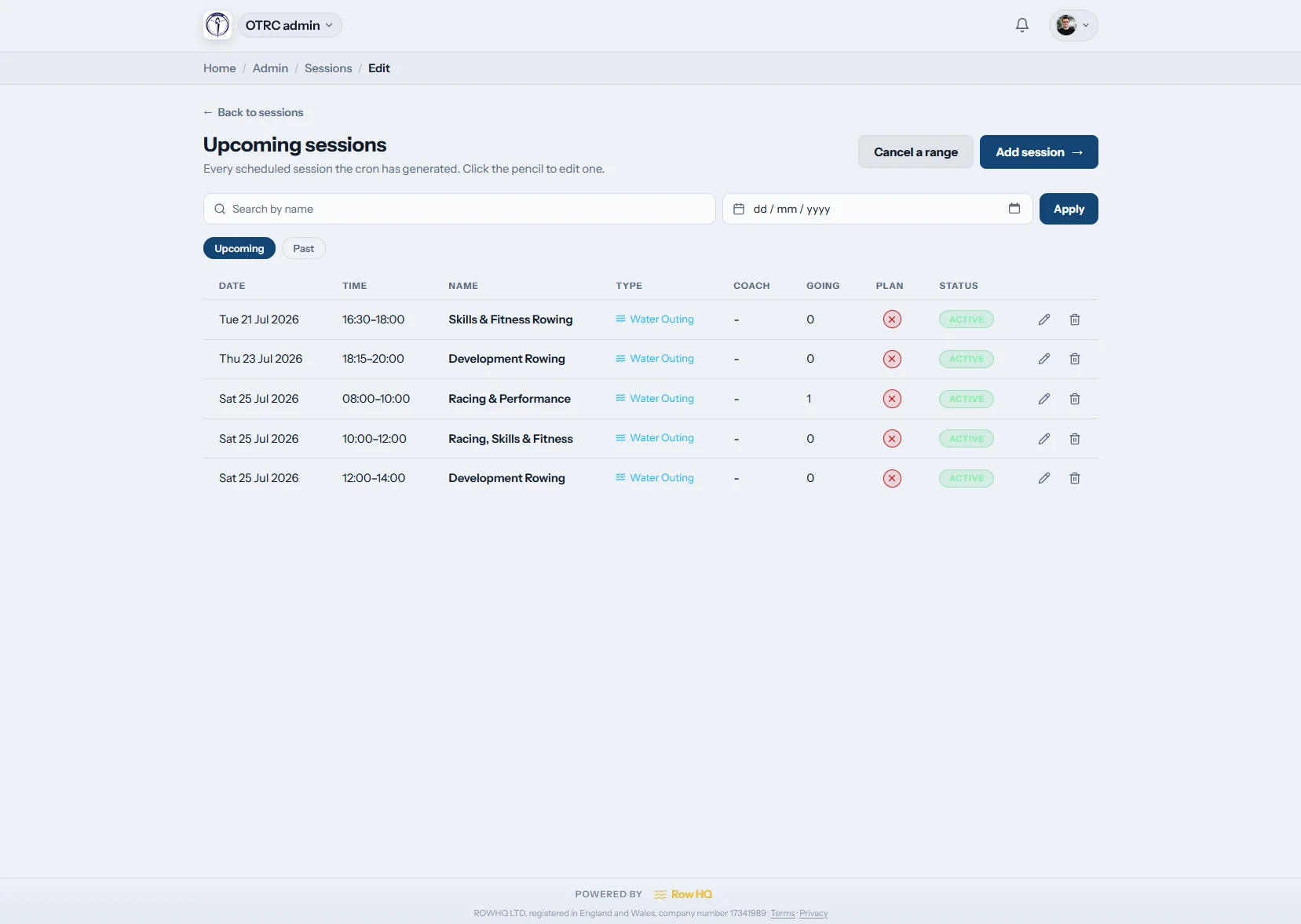
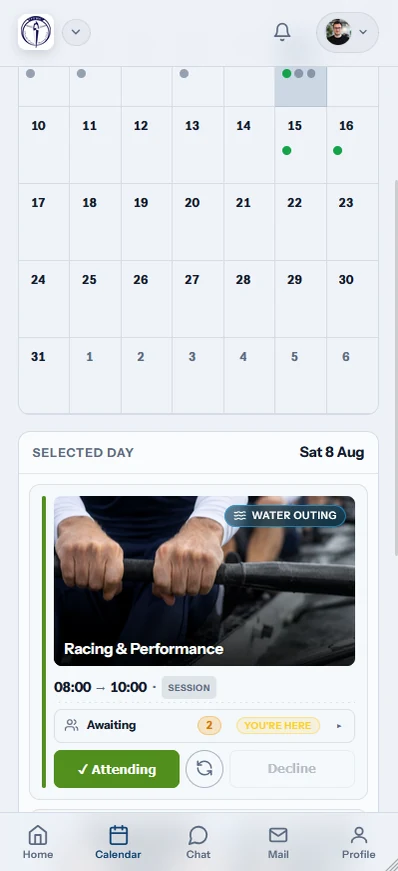
What is training session software for a New Zealand rowing club?
Training session software gives school and club squads one programme for recurring rows, erg work, club days and special sessions. Members make one-tap rower, volunteer or coach responses. Automatic reminders and cancellation notices keep the week current, while session plans, iCal, actual attendance and crew planning stay connected through the summer racing season.
All plans include the session workflow. See New Zealand pricing for the club bands.
Watch a club day go from template to crews
This 90-second video walks through the four jobs behind a regular club day: create the recurring template, generate the sessions, seat the rowers who replied, and let members see their boat. The example is a Saturday outing for two senior squads, with an eight and a coxed four filled seat by seat from the sign-up list.
A training week in Row HQ
Build the summer rhythm, open the calendar and carry a reliable crew list into every club day or race preparation session.

Build templates
Set patterns for every squad
Save recurring early rows, after-school training and club erg sessions as templates. Add a one-off seat trial or regatta briefing without shifting the normal week.
School and club programmes keep their own rhythm as dates change.
Publish the week
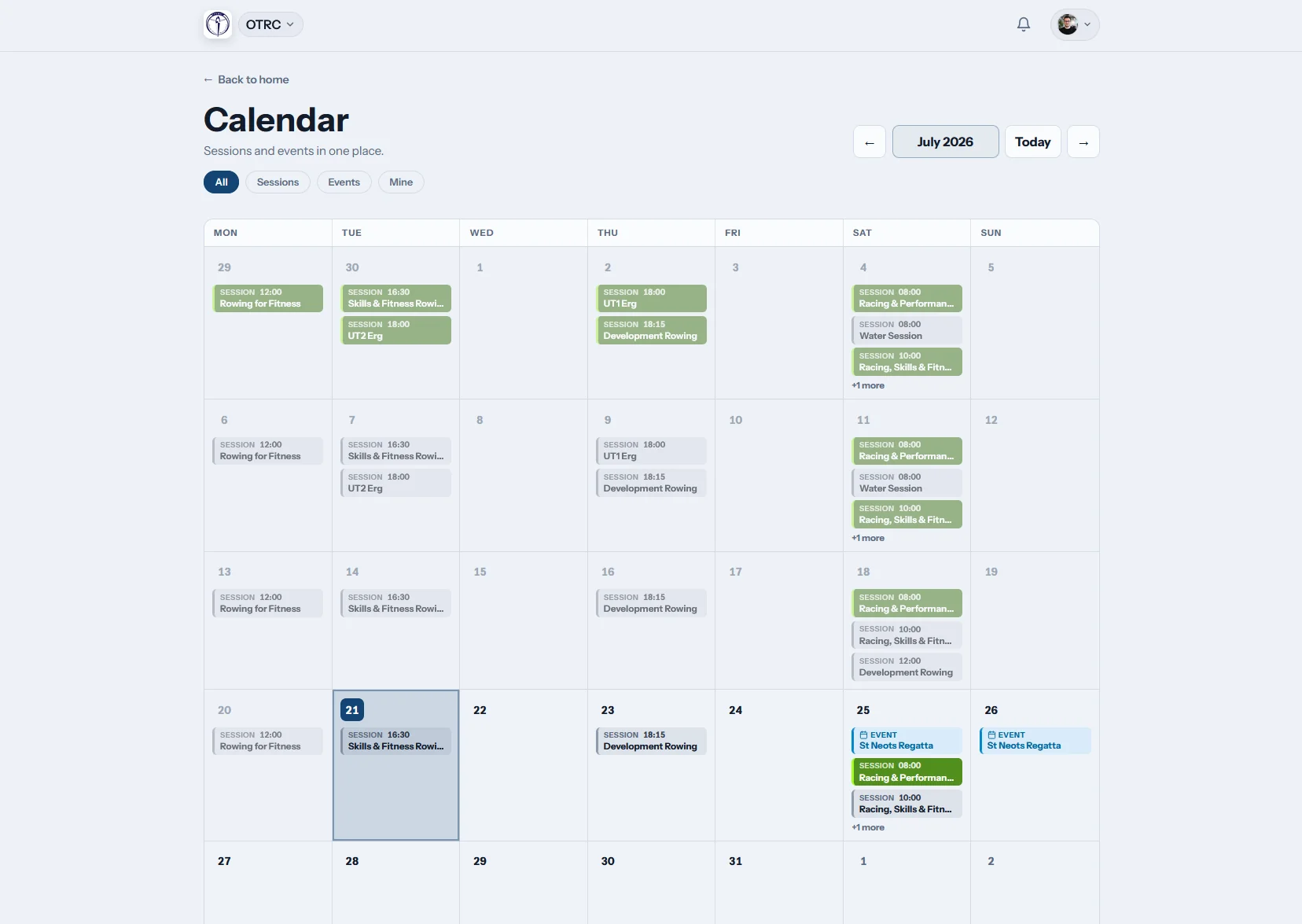
Show training and racing together
The shared calendar makes a Maadi-style regatta build-up, local racing and ordinary club days easy to scan. Members can subscribe through iCal as well.
Families, rowers and coaches refer to the same current dates.
Members respond
Count people by the job they will do
Session types can gather rower, volunteer or coach attendance. A one-tap answer updates the list, and automatic reminders prompt anyone who has not replied.
Coaches know the squad and support numbers before the trailers move.
Run the session
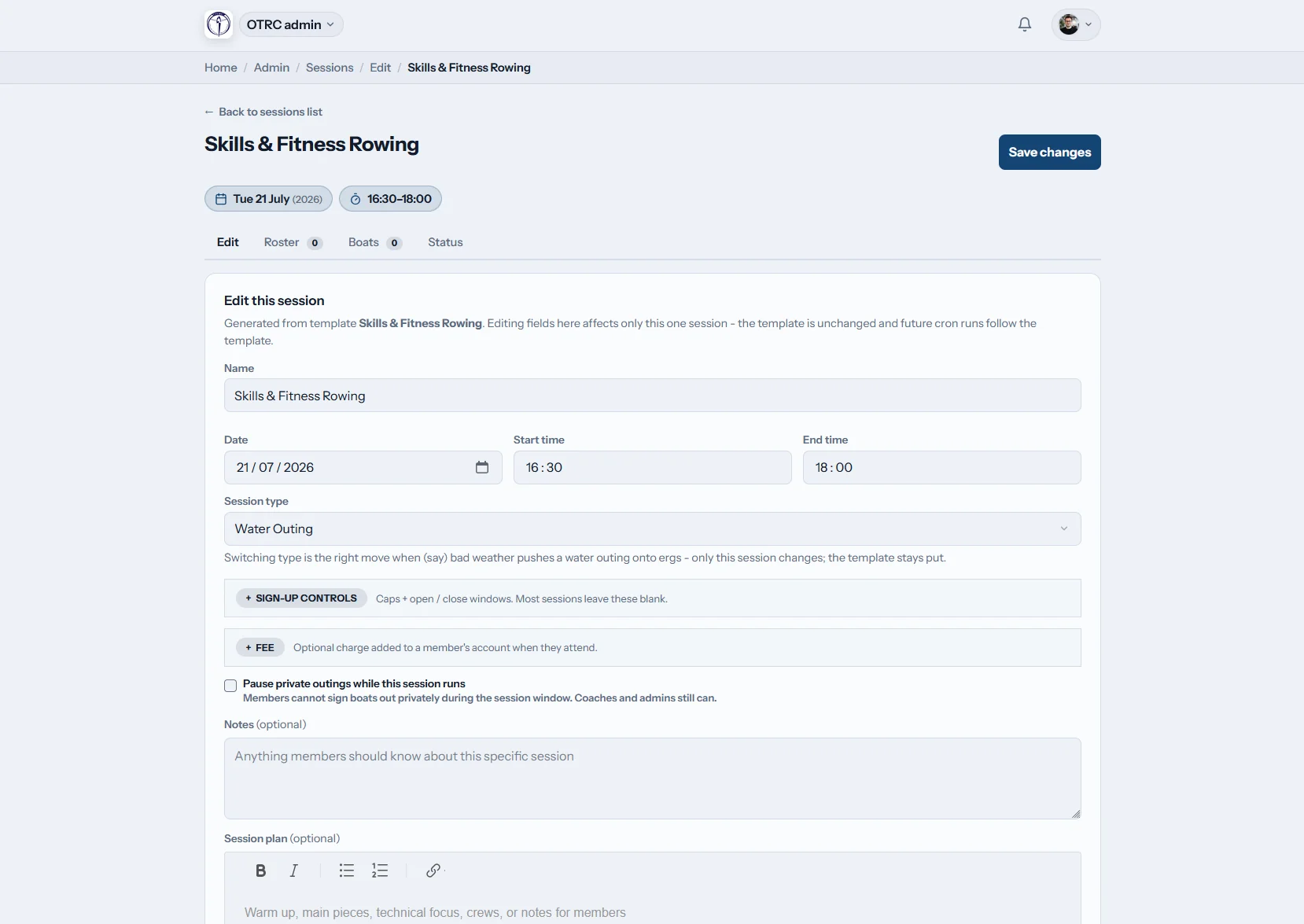
Bring the plan to the lake
Keep pieces and coaching notes on the session, link confirmed rowers into crew planning, and alter one date for weather. Mark who trained at the water.
The programme records the intended work and the actual turnout.
Turn a busy summer programme into one clear list
School squads, masters and club crews can all follow the right session without another version of the weekly sheet.
Without Row HQ
- A poll lost between school and club messages
- A training sheet copied for every squad
- Weather changes relayed through several parents
- Club-day volunteers tracked away from the crew list
- Selection memory replacing a proper attendance record
With Row HQ
- One-tap replies matched to each squad session
- Automatic reminders before early starts
- Cancellation notifications sent to the right people
- Summer attendance in the admin dashboard
- One calendar for rows, ergs and club days
Made for the whole training programme
Open the product gallery to see the session templates, calendar and rosters exactly as clubs use them.
Squad templates and one-offs
Repeat each school or club pattern, then add a trial, briefing or special row without changing later weeks.
Responses for every role
Collect rower, coach and volunteer availability with one tap. Members follow their sessions in the member portal.
Reminders when the week is full
Prompt missing replies automatically and push a cancellation notice when wind or water conditions stop training.
Water, erg and circuits
Keep each training type easy to recognise. Water sessions can connect straight to boat booking.
Full calendar and iCal feed
Put sessions beside events and let families subscribe. Past attendance remains ready in the admin dashboard.
Workouts linked to crews
Share the warm-up, pieces and focus, then carry available rowers into crew planning.
From squad plan to boats on the water
For a club implementation, read the Oundle Town Rowing Club case study. For today's piece, use the free erg pace calculator.
Set each squad pattern
Choose recurring sessions, venues, times and training types.
Open the calendar
Publish the week and let reminders gather outstanding replies.
Read all available roles
See rowers, coaches and volunteers before the club day begins.
Every squad can answer on the move
Members respond after school, at work or on the drive to the lake. Coaches keep the latest roster in hand.
- RSVP from the phone for school rows, club days or erg work
- Receive push notifications when a session is cancelled
- Mark attendance at the water before crews leave


Take the confirmed squad into the next step
Coach Tools
Build school, club and regatta crews from live availability.
Member Portal
Show each rower their programme, replies and training record.
Boat Booking
Reserve shells as the water session is published.
Related reading
Making the summer programme easier to follow Planning crews from real availability Using erg numbers during race preparationBrowse the main FAQ, read club feedback, or check New Zealand pricing.
Session planning questions from New Zealand clubs
What school and club programmes need before a busy summer calendar goes live.
Yes. Separate recurring templates can cover after-school squads, masters rows, weekend club days and erg work. Admins can add a one-off trial or briefing without altering the normal timetable. Members see their sessions on one calendar and respond from the phone rather than several group chats.
The response choices follow the session type. A training row can collect rowers and coaches, while a club day can also ask for volunteers. Everyone answers with one tap. The combined list gives organisers a clear view before they arrange crews, launches and support tasks.
Yes. The template keeps creating the regular squad sessions, while a coach edits or cancels only the affected date. A changed lake, rough forecast or school commitment does not disturb later weeks. Extra race preparation can sit as a one-off session beside the repeating calendar.
They do. Automatic reminders go to members who still need to reply. If a session is cancelled, the attached people receive a notification and the club calendar changes. iCal subscribers also have the same current programme in their personal diary throughout the summer racing build-up.
Confirmed rowers link directly into the crew planning tools, where coaches can arrange boats and seats. The session plan holds the warm-up, pieces and technical focus. Coaches then mark actual attendance at the water, leaving a useful record through school racing, club days and regatta preparation.
Give every squad one current programme
Publish the summer week, gather each role, and plan crews before the trailers or boats move.
Free up to 20 active members, permanently. After that it is NZ$33 a month for a 21 to 30 member club. Every feature is included on every plan and there are no transaction fees. GST is not included. See full pricing