Give members a portal that feels local
The badge and colours members see at the shed can follow them into their account. Your club identity leads, with Row HQ’s full management feature set underneath.
How does white labelling work for a New Zealand rowing club?
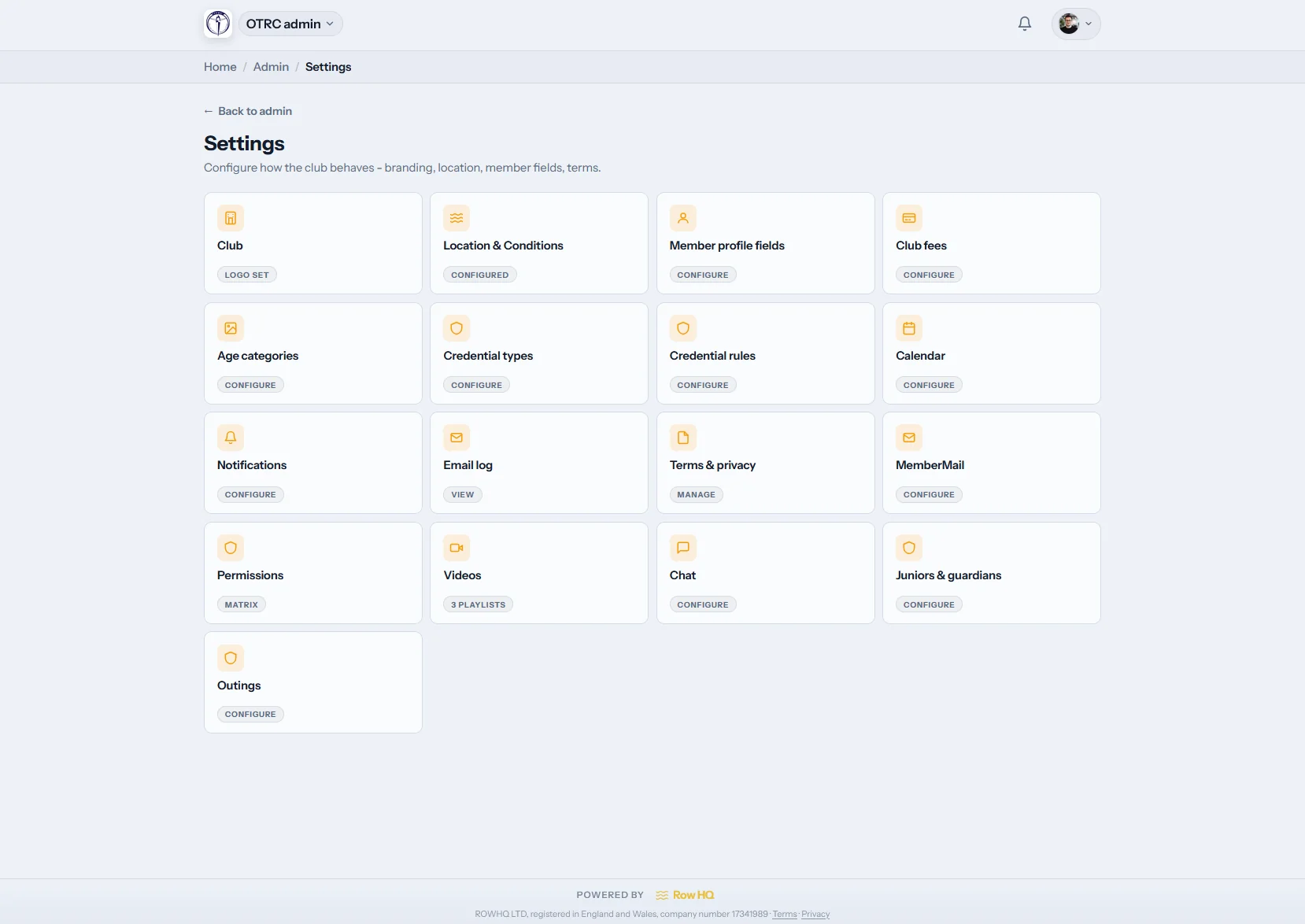
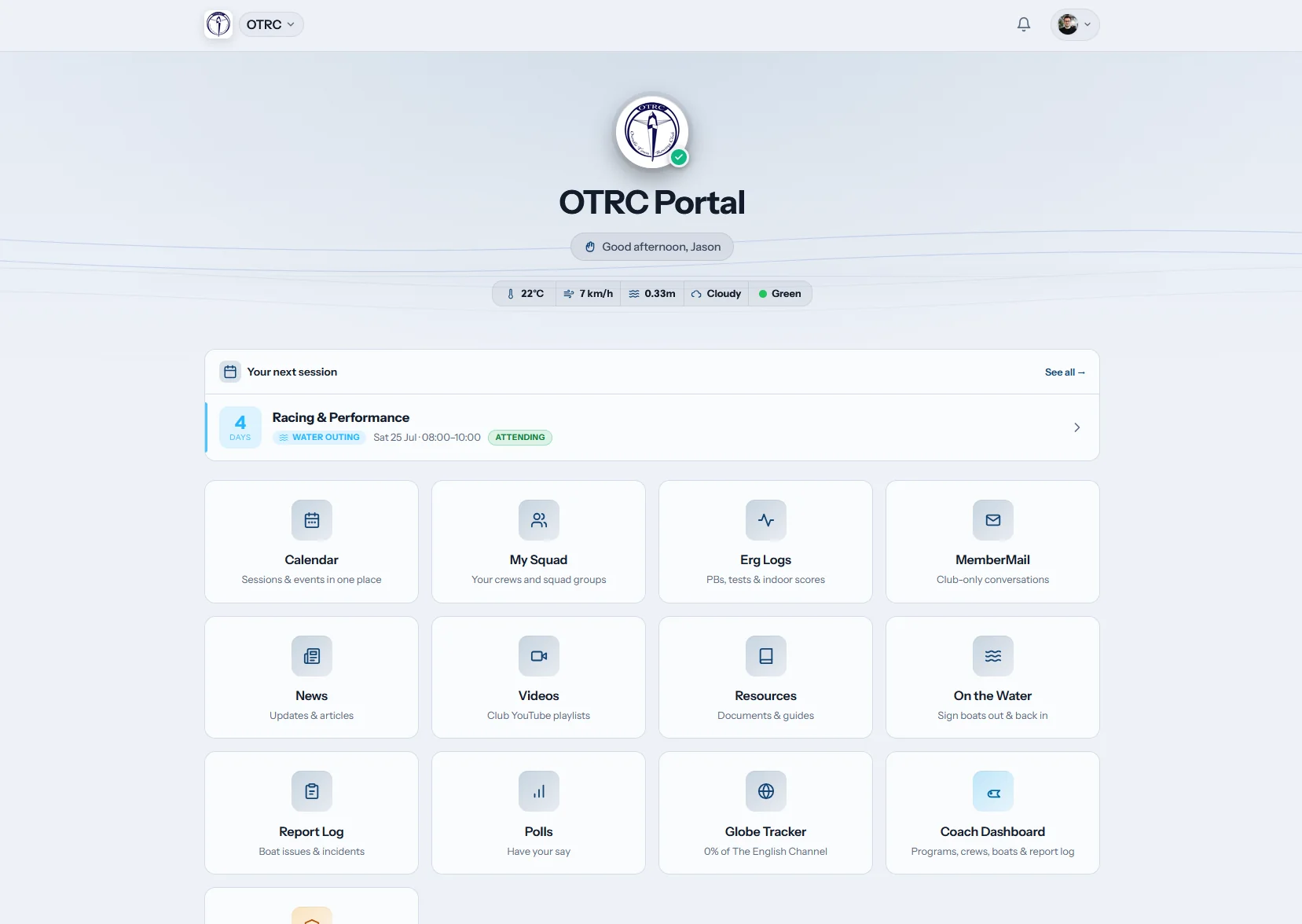
The club receives a dedicated rowhq.app subdomain and an account carrying its own identity. Logo, name, and selected colours appear in the member portal. Club branding also reaches automated email, invoices, joining routes, legal terms, and privacy notices. Row HQ remains the shared platform, so this does not include a custom domain or club-specific store app.
White labelling sits inside every member band. The New Zealand pricing page sets out the rest.
Identity sample
Try the club name above the door
Choose one accent and type the name members use. The example shows the supported identity touches, not a made-to-order skin for every menu and background.
There is room for 24 characters.
Club portal
Squad information and notices for the week ahead.
Next row
Crew list ready
Shed update
New notice
This sample explains how a club identity can appear in Row HQ. The live product keeps its standard structure and controlled accent areas.
The places members meet your badge
A familiar identity links the first learn-to-row invitation with the account a member uses through the season.
The club’s Row HQ address
Your member space runs at yourclub.rowhq.app. It gives the committee one link to publish and members one address to remember.
Badge, name, and skill colours
Add the badge in the club dashboard. Row HQ applies it with the club name and configured skill-level colours across member and admin screens.
Mail that belongs to the club
Invites and account notifications display the club identity, making them easier to place among school, work, and squad messages.
Properly identified invoices
The club’s branding, contact information, and legal particulars appear on invoices sent to members.
Local club policies
Use your own terms and privacy notice, then retain who accepted each document. It forms part of Row HQ’s wider account safeguards.
Joining under the right badge
Club identity appears on the join page and invitation codes before a new member reaches their first portal screen.
A club using it now
Members can see the club before the software
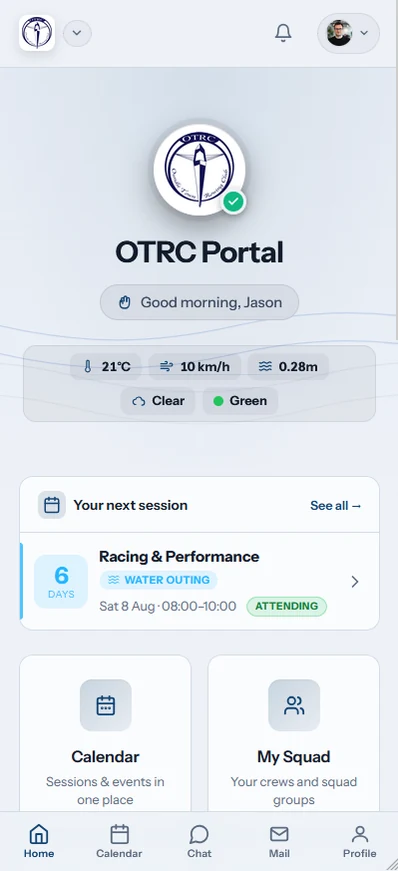
The OTRC portal opens as Oundle Town Rowing Club’s online space. For a Kiwi club, it is a practical example of retaining a local identity while sharing a maintained platform. Read how the setup works in the OTRC case study.
A patchwork of tools or the club online
Move beyond anonymous notifications and volunteer-run rowing spreadsheets while keeping expectations honest.
The patchwork
- An outside portal makes the software vendor more visible than the club.
- System mail arrives without a name members trust straight away.
- Invoices leave people guessing which club contact can help.
The club account
- A club-specific subdomain gives members a stable online home.
- Email and billing records show the organisation they belong to.
- Joining includes the club’s own terms and privacy notice.
Club details from Karapiro to the harbour
The shared Row HQ app and web portal both support the member account. Once logged in, the club context remains clear on a phone.
- The mobile dashboard carries the uploaded badge and club name.
- Flags and skill colours stay with the records they describe.

Features around the club account
Member Portal
Keep club records and updates within easy reach of members.
Admin Dashboard
Run identity settings and club administration from one screen.
Events
Plan regattas and club occasions against the same member records.
If anything is still unclear, check the full FAQ, read club comments, or inspect New Zealand pricing.
White-label answers for New Zealand clubs
What appears under the club identity and what stays part of Row HQ.
The club subdomain and portal show your name, uploaded logo, and supported colours. Transactional mail, invoices, joining pages, join codes, terms, and privacy notices also identify the club. Row HQ may retain small footer marks.
No. The available address follows the pattern yourclub.rowhq.app. Custom domains such as members.yourclub.co.nz are not live, so clubs should publish the Row HQ subdomain.
They are not. Row HQ has light and dark themes. Your name, badge, selected accents, and per-club skill colours appear in intended places, while the main interface keeps a common design.
System email uses the club identity. Invoices include its contact and legal details. The club supplies its own terms and privacy notice, and Row HQ records each member’s acceptance.
No. Members install Row HQ from the app stores or use a browser. Their club identity appears after they sign in, rather than through a separate white-labelled store listing.
See the club name inside the real product
Book a closer look or set up the club and try the identity controls yourself.
Free up to 20 active members, permanently. After that it is NZ$33 a month for a 21 to 30 member club. Every feature is included on every plan and there are no transaction fees. GST is not included. See full pricing