Put your program name on the portal
Athletes and families recognize the school or club they joined. Your logo, program name, and colors appear at the useful touchpoints while Row HQ handles the product underneath. Review every program feature.
How does white-label software work for a rowing program?
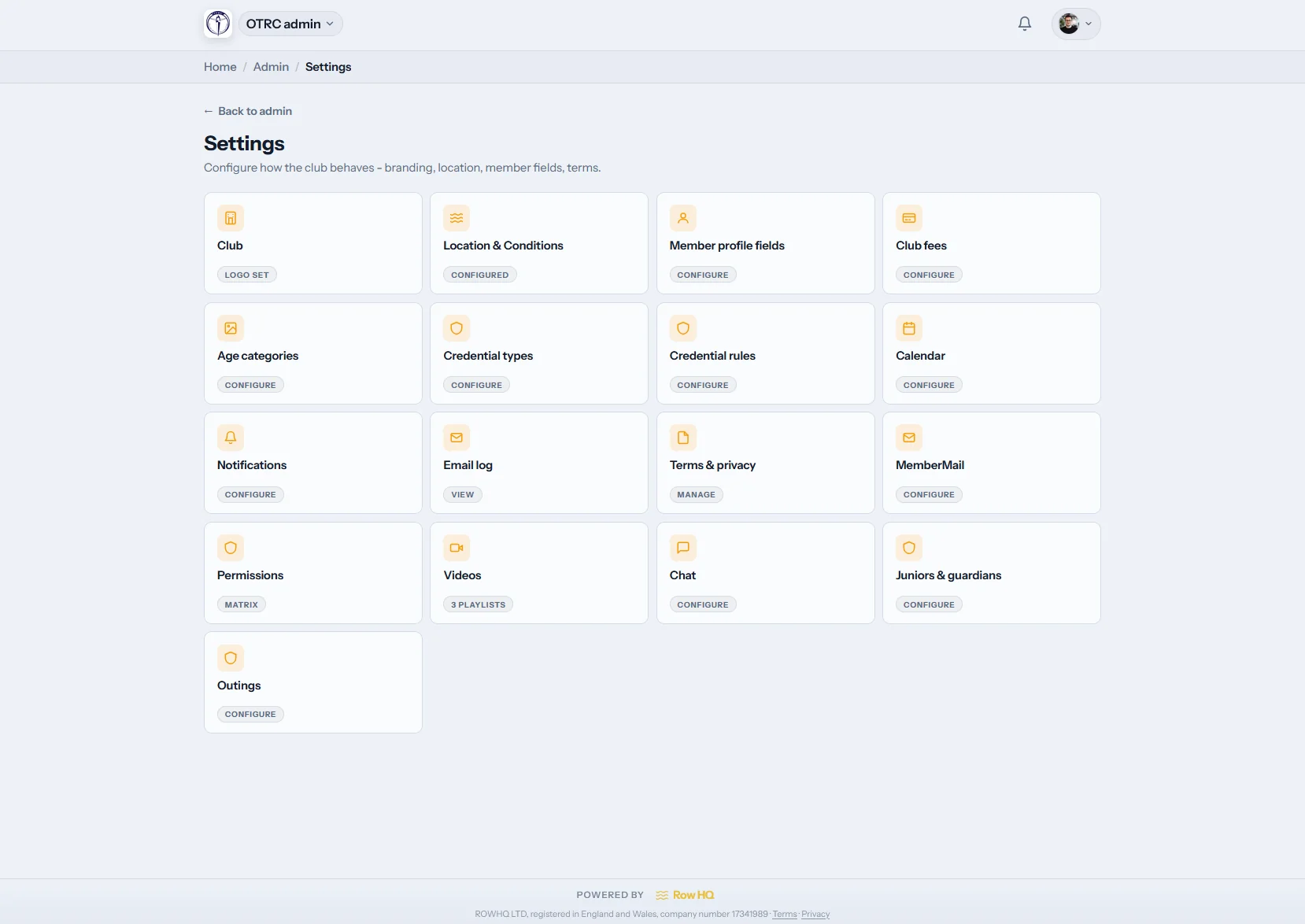
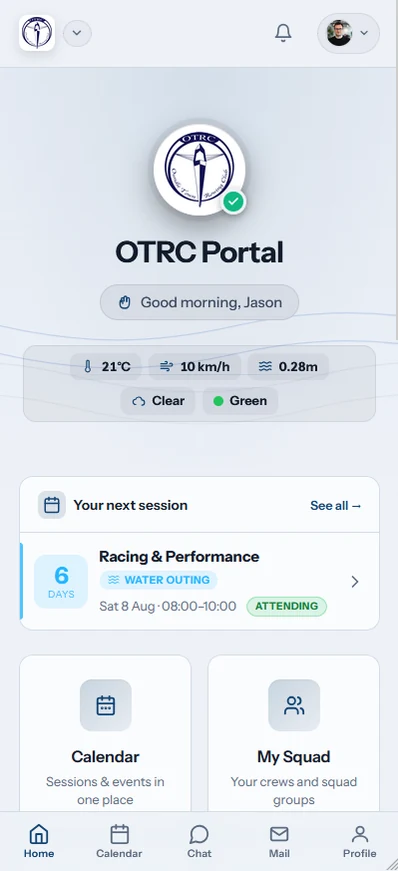
Row HQ assigns each program a program-specific rowhq.app address. The athlete portal displays the school or club logo, name, and selected colors. Parents also see that identity on account emails, invoices, enrollment links, and program policies. This is branded software inside Row HQ, not a custom domain or a separately published mobile app.
Program branding is available across all pricing bands. Review rowing software pricing.
Program identity lab
Test a name and team color
Select a school or club color, then enter the name athletes use every day. The sample reflects the focused accents Row HQ supports rather than suggesting the full interface can be recolored.
Keep the preview name under 25 characters.
Athlete portal
Practice details and program notices for your roster.
Practice schedule
Lineup posted
Team update
Coach note available
This mockup illustrates program identity inside the portal. It does not represent unlimited control of the interface colors.
Where families see your program
Recognition starts with the program name in an inbox and continues through each athlete account task.
A program address
Your athlete portal uses a clear address such as yourprogram.rowhq.app. Coaches can share one dependable destination with every family.
School or club identity
Add the logo through the admin dashboard. The portal and admin experience then show the program name, logo, and program-specific skill colors.
Email parents recognize
Account notices and confirmations carry the program identity. A parent can connect the message to the team before deciding what action it needs.
Invoices with the right owner
Billing documents identify the program and include its contact and legal information, so families know exactly who issued the invoice.
Program terms on record
Publish your own terms and privacy document for athlete accounts. Acceptance is recorded as part of Row HQ’s security controls.
Enrollment that feels official
Join pages and invitation codes display the program identity, giving athletes and parents a familiar starting point.
Production example
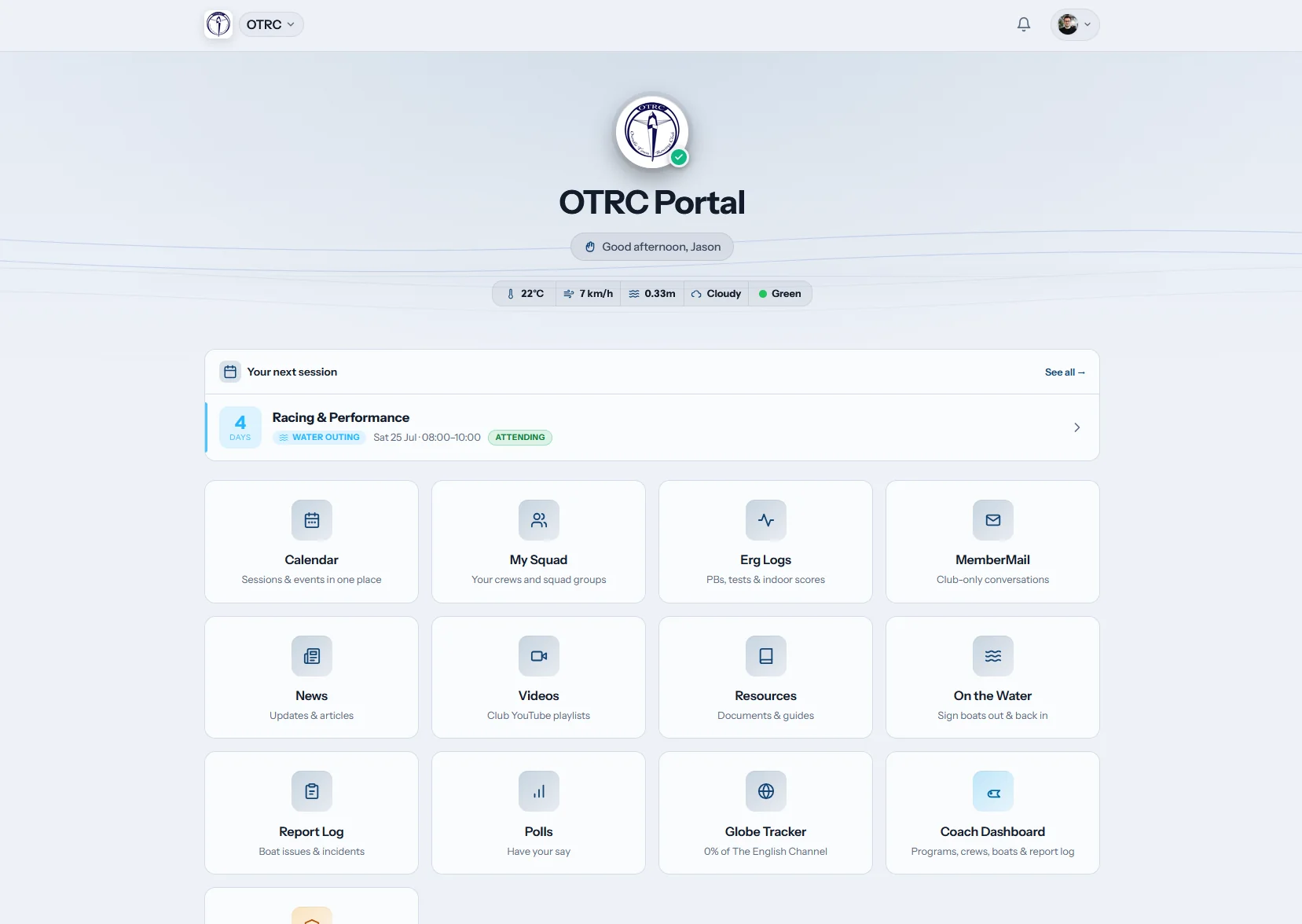
A portal can lead with the organization it serves
The OTRC portal opens with Oundle Town Rowing Club’s identity instead of a generic vendor screen. That live example shows the boundary clearly: the club owns the member-facing context and Row HQ supplies the platform. Read the OTRC implementation story.
Generic software or a program-led experience
Move beyond mismatched sender names and disconnected team spreadsheets without claiming the software was custom-built.
Disconnected setup
- An outside brand dominates the account experience.
- Parents hesitate over messages from names they do not know.
- Billing paperwork leaves program ownership unclear.
Row HQ setup
- A program-specific rowhq.app address gives everyone one destination.
- Messages and invoices display the school or club identity.
- Athletes accept the program’s own terms during enrollment.
Your program travels with the roster
Athletes can open Row HQ from the mobile app or their browser. Once signed in, they see the program context attached to their account.
- The athlete dashboard carries the program name and logo.
- Team flags and skill colors appear in the places built for them.

Keep exploring Row HQ
Athlete Portal
Put schedule details, records, and updates in one athlete account.
Admin Dashboard
Control program settings without handing families another tool.
Regattas and Events
Coordinate races and team events beside the same roster.
For another angle, browse the site FAQ, read club feedback, or compare program pricing.
Questions from US rowing programs
What coaches, administrators, and parents should expect from the branding layer.
The account area uses your program address, logo, name, and selected program colors. Account email, invoices, enrollment pages, invite codes, terms, and privacy documents also identify the organization. Row HQ branding may still appear in small footer locations.
No. Custom domains have not shipped. Your program receives an address such as yourprogram.rowhq.app instead. That keeps onboarding simple and avoids promising a university or club domain configuration the product does not provide.
Not every surface. Row HQ provides light and dark modes. The logo, program name, skill-level colors, and selected accents carry your identity in specific areas. Administrators cannot freely recolor all portal chrome.
Transactional messages show the program identity. Invoices state the program contact and legal information. You can add program-specific terms and privacy documents, then keep an acceptance record for each athlete account.
No. Athletes download the shared Row HQ apps or use a web browser. Their school or club identity appears after login, but Row HQ does not create a separate app-store product for each program.
Preview Row HQ with your program in front
Bring a logo to the walkthrough, or create a program account and test the setup.
Free up to 20 active members, permanently. After that it is $21 a month for a 21 to 30 member club. Every feature is included on every plan and there are no transaction fees. Sales tax is not included. See full pricing