Put every board task on solid ground
Handle rosters, dues, access and reporting without passing another workbook around the board. Row HQ replaces Google Sheets and buried email threads with a program record that outlasts each season.
Watch the 90-second how-to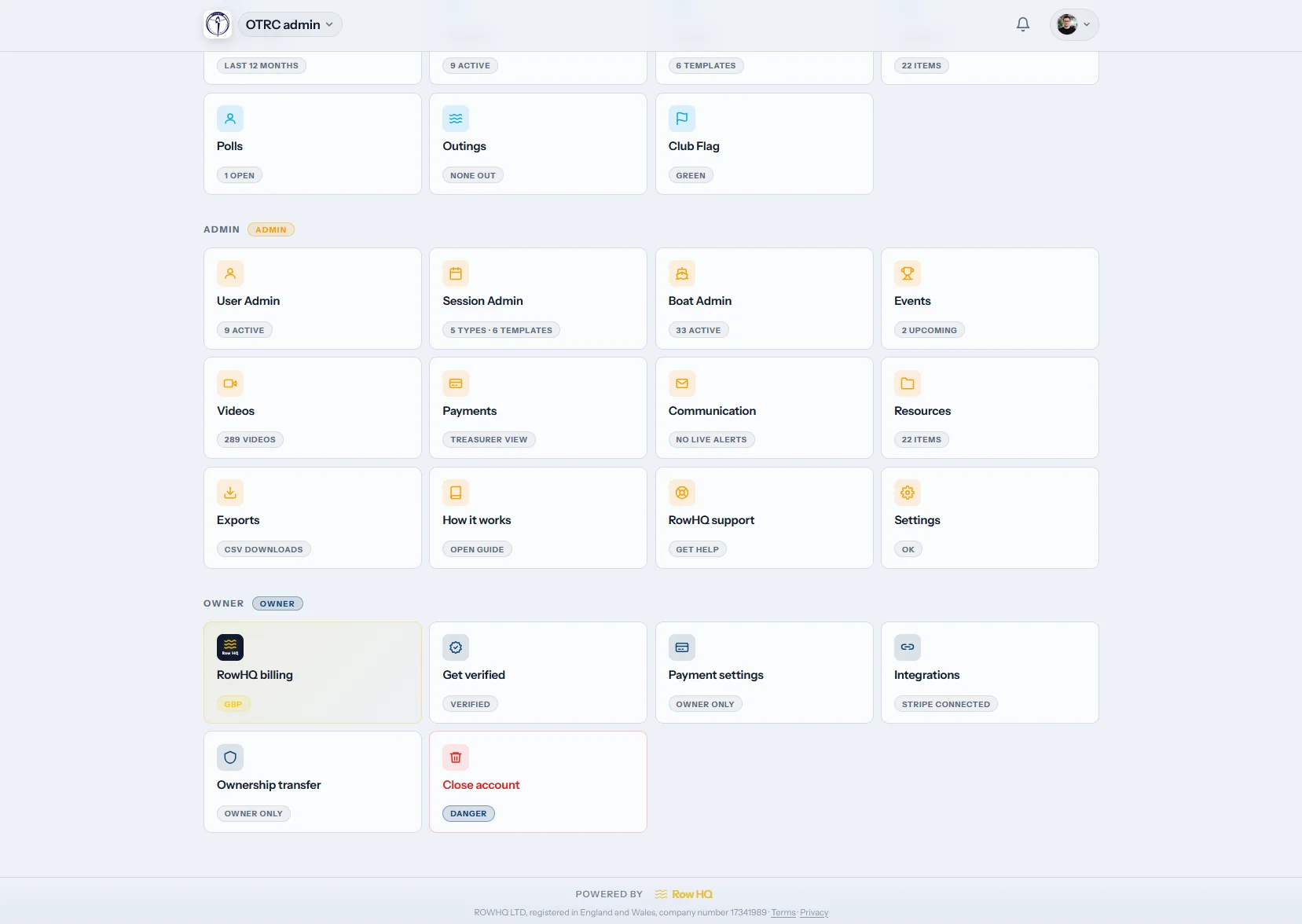

How does the Row HQ admin dashboard run a rowing program?
Row HQ brings roster administration, dues, renewals, permissions and downloadable records into one workspace for the board. Treasurers get a current transaction ledger. Program administrators get an accurate registration list. Owners assign each person the right access instead of sharing credentials. The history remains available when a new board takes over after the season.
Every subscription tier includes these controls. Review US plan pricing by roster size.
See a board member's core tasks in 90 seconds
This how-to follows a club administrator through four board tasks: filtering the member list by label and opening a member record, finding a payment in the ledger and emailing the invoice, reminding every member whose dues are still awaiting payment, and downloading the CSV files plus the owner's full club export.
Open the program operations desk
Follow the screens a board uses during registration surges, dues collection and end-of-season reporting.

Roster
Find the right athlete record fast
Filter people by status, assigned role, tag, activity or skill. An administrator can adjust access, pause an account, trigger a password reset or remove a former athlete from the active roster.
Custom tags and rowing levels make a large seasonal intake easier to sort.
Dues
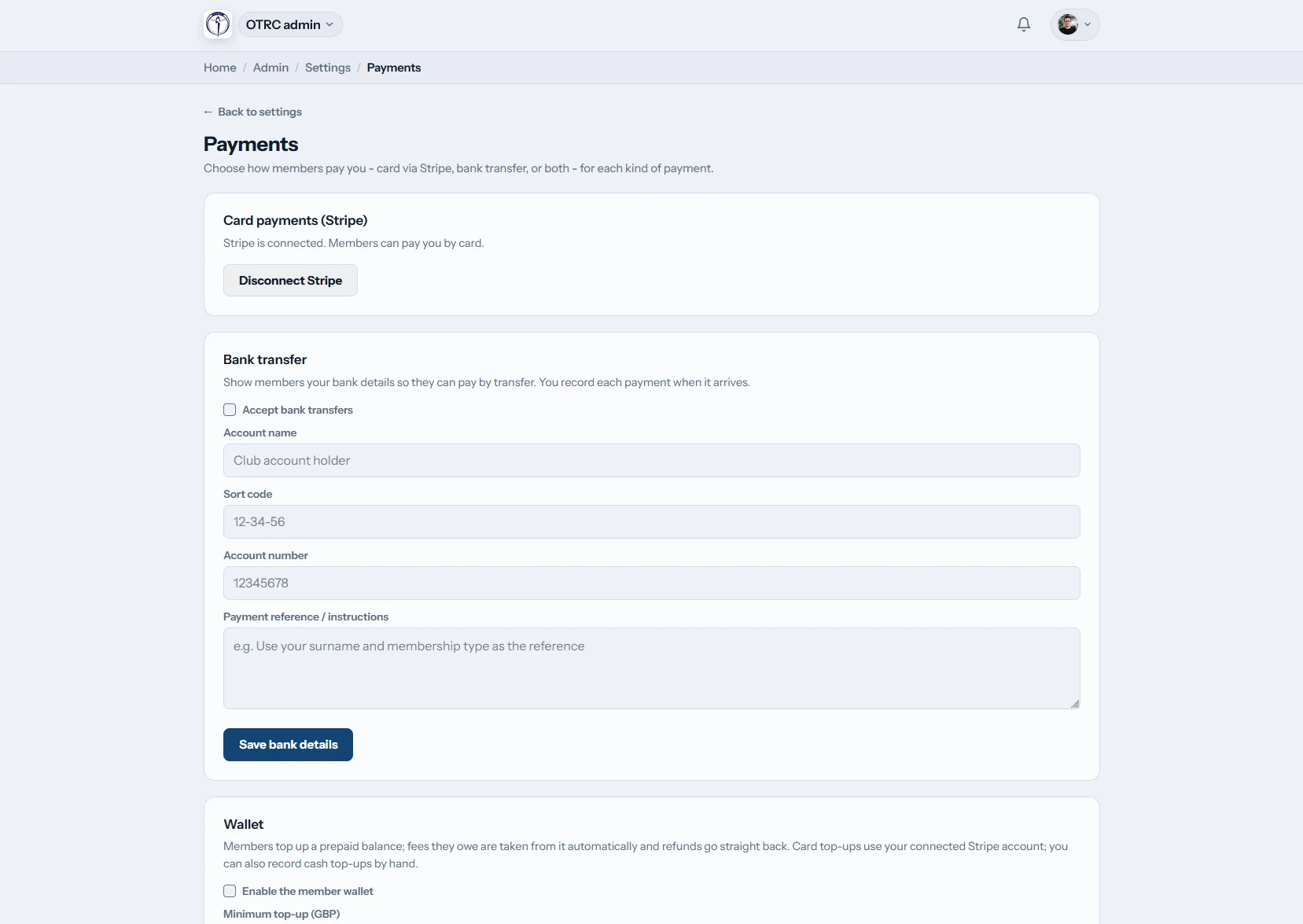
Work from one transaction ledger
See every charge with its athlete, deadline and payment state. Funds can go directly through the program's connected Stripe account, while checks or bank transfers can be entered manually and corrected with a reversal.
Send an invoice by email or save its PDF without rebuilding the charge elsewhere.
Registration
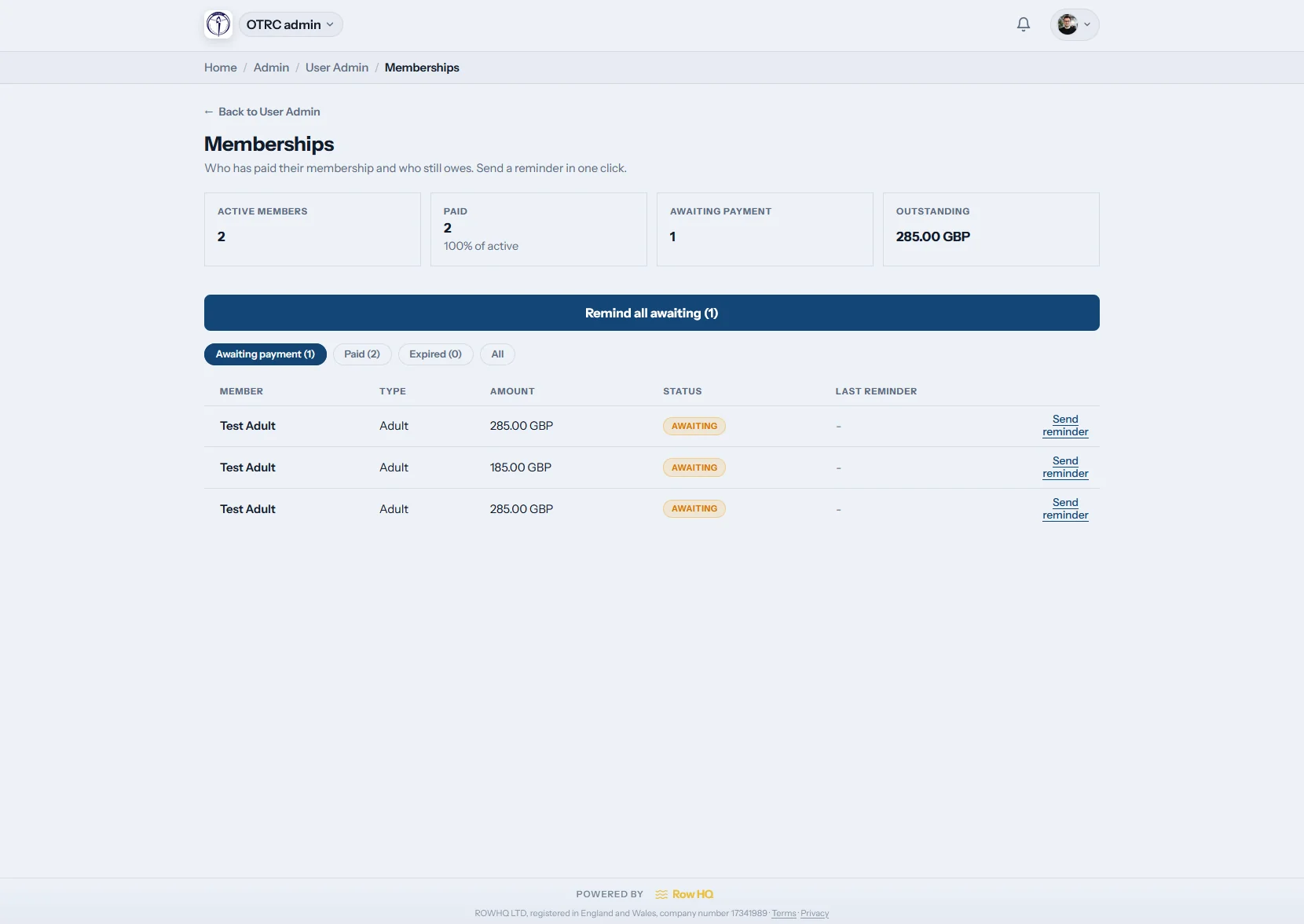
Control the seasonal signup wave
The registration view separates completed dues from accounts still waiting. Staff can send a targeted reminder immediately, while scheduled renewal jobs keep processing in the background and leave a visible result.
Program administrators can follow up only the families who still have an open renewal.

Files
Prepare board and bookkeeping files
Export rosters, transactions, practice attendance and event responses as CSV files. QuickBooks and Xero formats support the finance workflow, and the account owner can obtain a complete JSON copy of program data.
Routine downloads and the owner archive are clearly separated on the exports screen.
What does a shared record fix?
Board turnover stops being a data recovery exercise at the start of each school year or club season.
Before Row HQ
- The treasurer reconciles several workbooks before a board meeting.
- Coaches text families one by one about overdue dues.
- Historical files sit inside a former administrator's personal inbox.
Inside Row HQ
- Current balances and transaction changes appear in a single ledger.
- Renewal jobs and direct reminder actions keep follow-up focused.
- Incoming board members inherit the complete program history.
Controls built for program administrators
Explore how the workflow supports a real club in the Oundle Town RC story, then apply the same accountable recordkeeping to your board.
Roster controls
Change roles, disable access, reset passwords and sort athletes with tags or rowing levels. The athlete portal lets people maintain their own profile information.
Dues collection
Follow Stripe transactions, offline receipts, invoices and unpaid charges. Rowing membership administration connects each renewal to its billing status.
Delegated access
Open specific areas for treasurers, staff and coaches. Account keys stay owner-only, and access to sensitive records is logged.
Board and officer history
Document committees, positions and current officeholders. Assigning responsibility for regattas and program events no longer depends on memory.
Finance-ready downloads
Pull participation from practices and records tied to shell reservations. Standard CSV, QuickBooks, Xero and owner JSON outputs are available.
Guided launch and support
Use the startup wizard and task checklist, then submit a Row HQ support ticket from the admin area. Add program branding after configuration. Review the security approach.
Resolve board questions from the boathouse
A dues question can arrive during lineup changes or while trailers are loading. Mobile access gives authorized administrators the current program view without waiting to get back to an office computer.
- View program administration sections and summary counts on a phone.
- Confirm whether a charge is paid while talking with an athlete or parent.
- Keep the same permission limits used by the desktop dashboard.

Build out the program workflow
Athlete Portal
Give athletes and families a direct place to maintain account details.
Practice Scheduling
Connect signups and attendance to records your staff can report on.
Program Branding
Apply school or club identity across the member-facing experience.
Keep reading
A better maintenance routine for the shell house Organizing rowing practices without message threads Why a rowing program needs an athlete portal Membership software for US rowing programs USRowing affiliation tools and Title IX reportingBrowse the main questions, see club feedback, or compare roster-based plans.
Program administration questions
Answers for boards, treasurers and staff planning a move away from shared workbooks.
The owner can give different permissions to the treasurer, program administrator, coaches and other board members. Each person sees the sections needed for that assignment. Credentials do not need to be shared, and protected account keys remain available only to the owner. Access is easy to revise when jobs change between seasons.
Card payments can flow through the program's own Stripe connection. Staff can also record a check or bank transfer. Every charge retains its athlete, deadline and status in the ledger. Authorized users may reverse an incorrect entry, create a PDF invoice or email the invoice directly, then use reminders for any open balance.
Yes. Program administrators can separate completed registrations from accounts with dues still open, send a reminder to the incomplete group and monitor scheduled renewal processing. Roster filters, custom tags, skill levels and account states help staff work through a new intake without maintaining a parallel signup spreadsheet.
The export area produces CSV files for rosters, transactions, practice attendance and event responses. It also prepares import files for QuickBooks and Xero. A program owner may request the full dataset as JSON. That gives the finance team practical working files and preserves an independent copy for leadership transitions.
A setup wizard and launch checklist walk the owner through core configuration. Support tickets can be sent to Row HQ from the administrative workspace when a question needs a person. Many programs configure the account first, then invite treasurers, board members and staff with the limited permissions required for their assignments.
Start the next season with a dependable record
Walk through dues, roster and permission controls for your board structure.
Free up to 20 active members, permanently. After that it is $21 a month for a 21 to 30 member club. Every feature is included on every plan and there are no transaction fees. Sales tax is not included. See full pricing