Plan practice. Set lineups. Coach.
Move from novice practice to varsity boating without piecing together GroupMe posts, dock notes, and another lineup spreadsheet.
Watch the 90-second how-to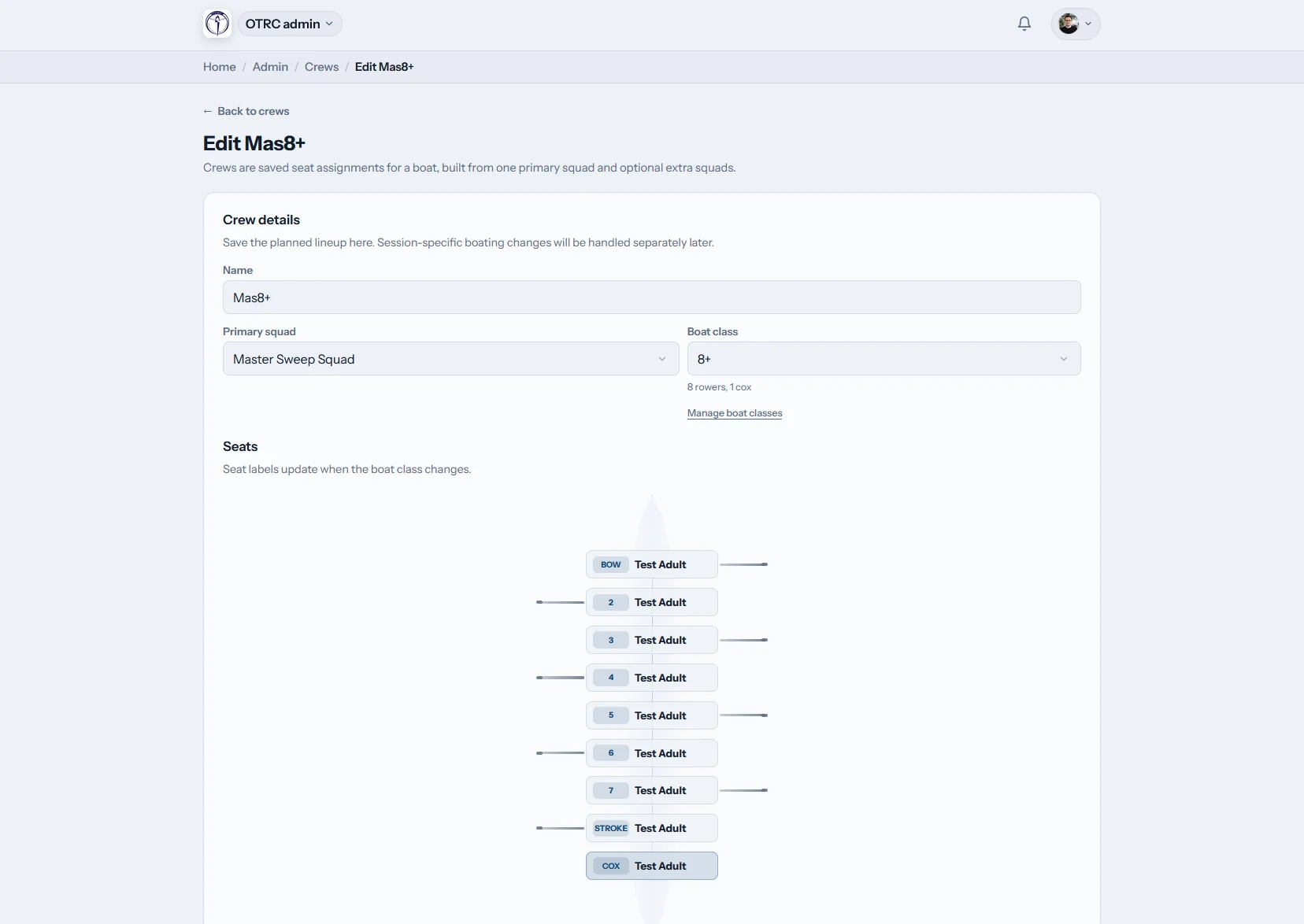
How does Row HQ help a rowing coach?
Row HQ gives a coaching staff one place to organize program levels, write practice plans, fill lineups, take attendance, and review results. Confirmed athletes and the shell diagram sit together, while past practice records remain easy to check before fall head races or spring sprint selection.
The coaching workspace comes with every club tier. Member bands are listed on the pricing page.
Watch a coach prepare Saturday practice in 90 seconds
A coach opens the coaching view, which shows coaching tools only, then writes the practice plan for Saturday's water session and saves it for the athletes. One saved lineup fills every seat in the four, coxswain included. The video ends with attendance across the training block, the squad's best 2k erg scores and one athlete's progress.
Four stops in the practice cycle
Give each coach the right view, prepare the work, boat the athletes, then carry the record into the next selection.
Coach dashboard
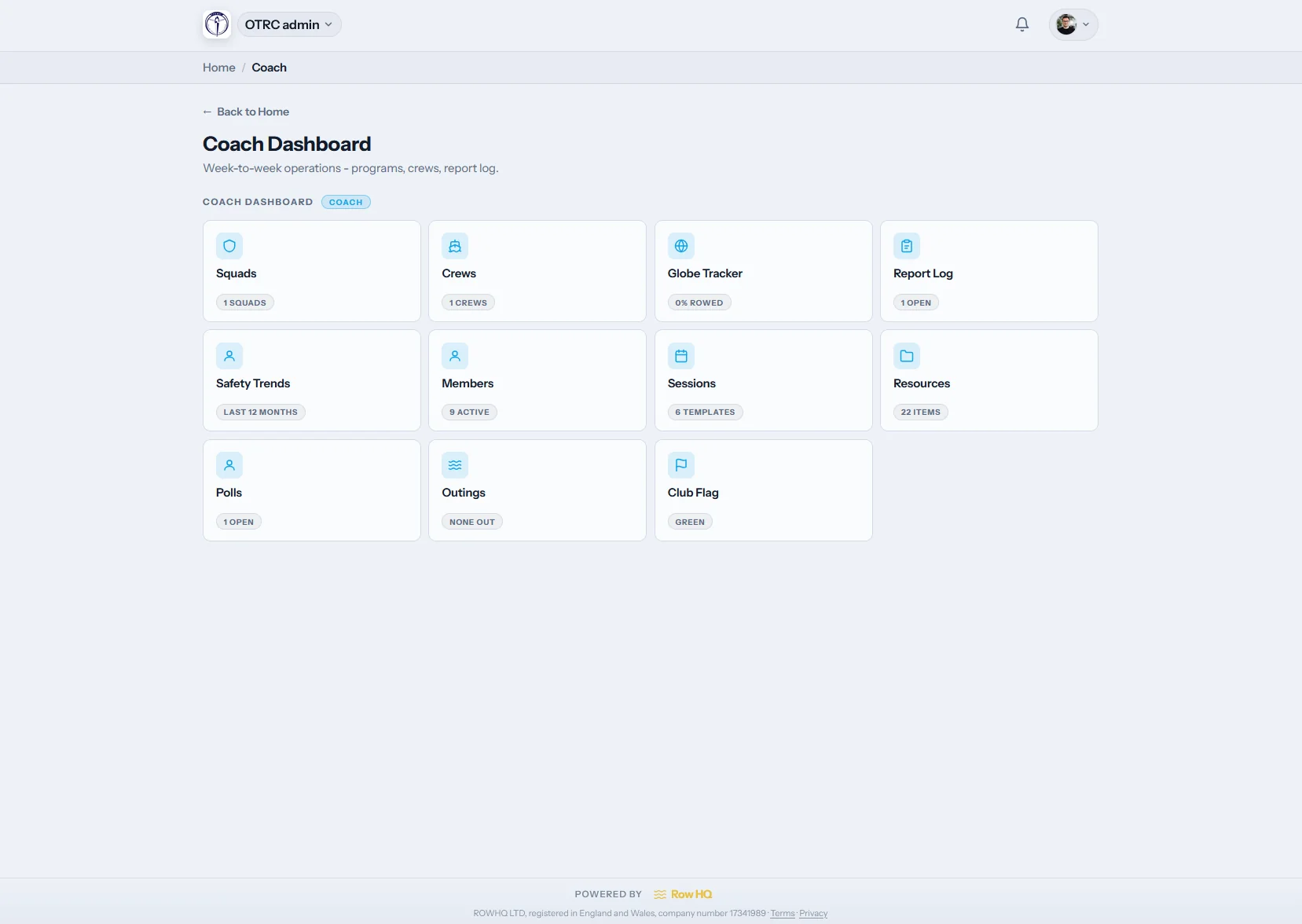
A home screen for the coaching staff
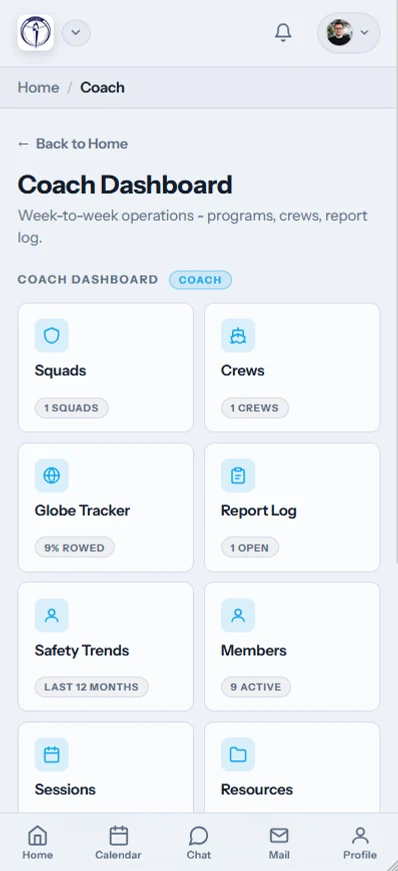
The /coach area keeps novice, varsity, and masters work front and center. Coaches see the program tiles they are allowed to use. Billing and unrelated board administration do not crowd the screen.
A program administrator controls each coach's feature access.
Plan the practice
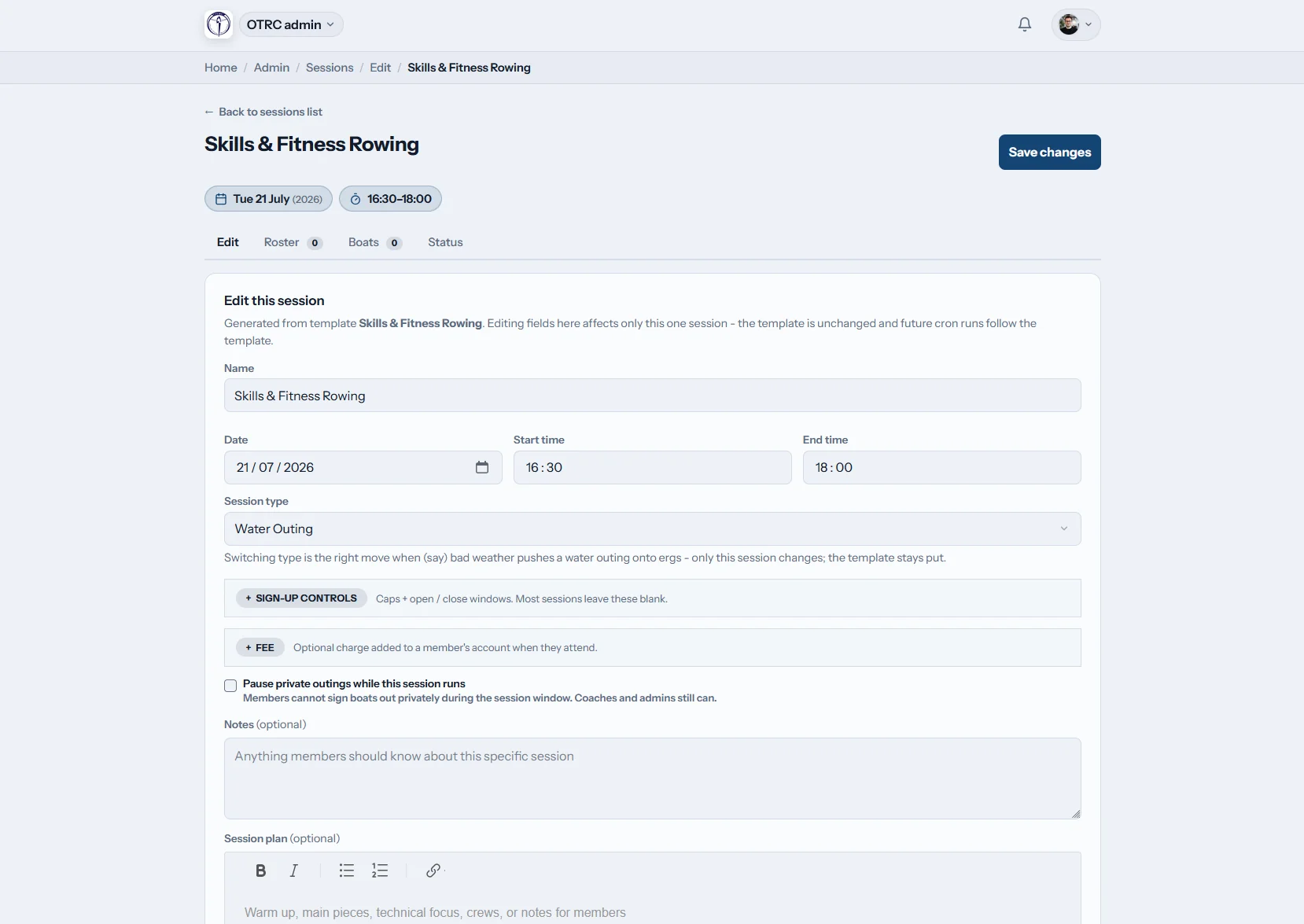
Put the workout beside the attendance list
Use the shared rich text editor for warmups, pieces, and technical notes. Choose attendance categories and add a practice-specific permission override when another coach is covering.
One practice can have different access from the coach's usual role.
Set the lineups
Boat athletes one position at a time
Load a lineup template or begin empty. Assign each athlete on the shell diagram, including the coxswain, then keep that boating attached to the practice.
Templates make regular V8+, 2V8+, novice, and masters combinations quick to reuse.
Read the results
Review more than the latest piece
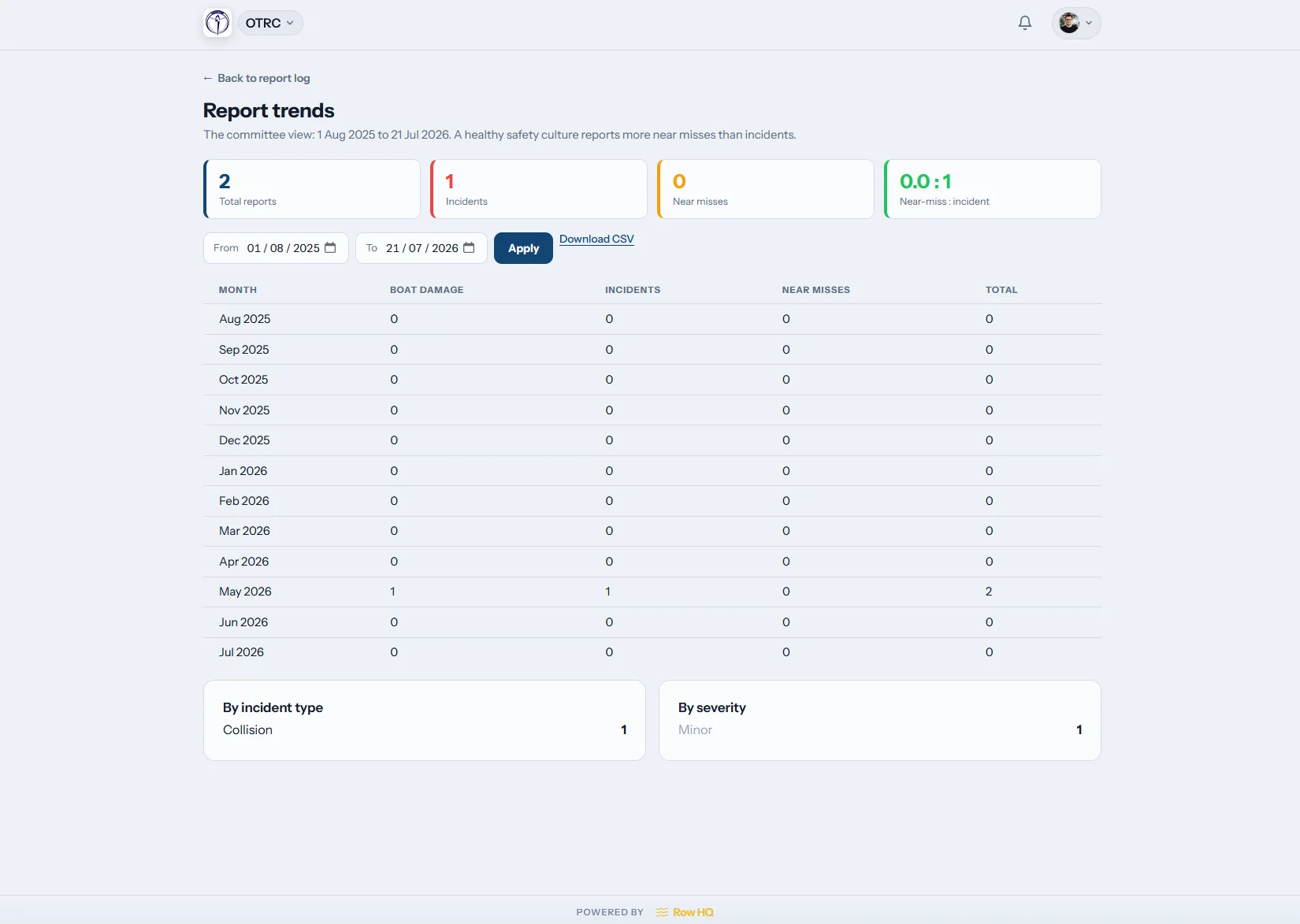
Attendance charts and report history put several weeks in view. Authorized coaches can inspect the report log and erg scores before seat racing, travel rosters, or championship entries.
Fall head mileage and spring sprint preparation stay in the same record.
Stop reconstructing the lineup every night
Coaches still make the call. Row HQ makes sure the latest answers and history are in front of them.
Before Row HQ
- Boatings rewritten in a spiral notebook after every change.
- Attendance pulled from GroupMe messages and email replies.
- Selection based on whoever the coach remembered seeing.
With Row HQ
- Current RSVPs appear with the practice roster.
- Every shell position is clear on the lineup graphic.
- Prior attendance can be checked before a seat is assigned.
The working kit behind each lineup
The screens shown here are already in use. You can also read the Oundle Town Rowing Club case study for a live club example.
Program rosters
Separate novice, varsity, and masters groups without losing the club-wide record. Replies from practices reach the coach view, while athletes update details through the member portal.
Lineup assignments
Drop athletes into the shell graphic and keep useful templates for the next boating. The coxswain has a defined place, and shell reservations remain one click away.
Practice briefs
Store the workout and coaching cues in a shared editor. Tie the work to upcoming races, or record the correction after catching a crab so the next coach sees it.
Dockside check-in
Take attendance with one tap as crews launch. The entry becomes part of the practice history and is available to approved staff through the program dashboard.
Performance history
Compare turnout with coach reports and approved ergometer results. Check a target split using the free erg pace calculator.
Staff permissions
Grant a volunteer assistant, novice coach, or head coach only the areas required for that job. Add a one-practice exception without widening their normal access.
Keep coaching at the dock
Use the phone view while athletes rig, warm up, and launch. The current roster is available without heading back to the office.
- Record attendance where the shells launch.
- Check expected athletes before practice.
- Cancel the practice and notify the roster automatically.

Connect coaching with club operations
Practices
Post the schedule and collect athlete responses before boating.
Shell reservations
Confirm the assigned shell is available for the practice.
Program dashboard
Set coaching permissions while board controls remain protected.
Keep reading
How to make lineup decisionsA better practice planning routineUsing 2k data wellErgometer definitionCatching a crab explained2k pace calculatorReview the site FAQ, hear from other rowing programs, compare club tiers, or brand member screens with white label.
Questions from US coaching staffs
What coaches need to know about lineups, templates, notifications, and records.
A coach can organize program rosters, prepare practice notes, build shell lineups, take attendance, and review reports. The program chooses which tools that person receives. A volunteer novice coach can have a smaller view than the head coach, and neither needs access to board or billing work.
The practice opens with a visual shell and its seat positions. Coaches place athletes into those positions and include the coxswain where required. A saved template can supply the first draft. Row HQ stores the completed boating with the practice, so another authorized coach sees the same assignment.
Yes. Programs can organize athletes into squads and keep recurring lineup templates for different levels. A coach might reopen last week's masters eight or the current 2V8+, then adjust the positions that changed. Previous practices keep their original lineups for an accurate season record.
A coach with permission can cancel the practice in Row HQ. The system sends automatic notices to affected members, so the staff does not need to repeat the update across GroupMe, email, and text. The roster also shows who expected to attend before the decision is made.
Attendance entries build a practice history that can be viewed as trends. Erg scores are also available to coaches when program permissions allow it. That gives the staff useful context for fall head lineups, winter training groups, and spring sprint selection without turning a single score into the whole decision.
See your program in the coach view
Walk through practice planning, lineups, and reports with a real roster.
Free up to 20 active members, permanently. After that it is $21 a month for a 21 to 30 member club. Every feature is included on every plan and there are no transaction fees. Sales tax is not included. See full pricing