Know who is out. Keep the record ready.
Record each outing, publish the club flag and keep incidents, damage and credentials together. Row HQ turns daily safety work into evidence the committee can find when audit season arrives.
Watch the 90-second how-to

How does rowing club safety software help with a British Rowing safety audit?
Row HQ records who goes afloat, when crews return, safety status changes, incidents, damage and member credentials as the club works. British Rowing's safety audit asks clubs to evidence this kind of record keeping. The evidence already exists for review, though Row HQ does not file the audit or guarantee a pass.
Every safety feature is included in every band, including the free band for up to twenty active members. See pricing for your club size.
Watch the club safety record built in 90 seconds
This video shows a flag change, an outing and a damage report from start to finish. The safety officer sets amber with a reason, a sculler signs Swift out on her phone and appears on the live board, a loose rigger is reported, and the committee checks outing history and monthly trends.
One safety record, built during the outing
The useful evidence appears as members and officers do the job, not during a paperwork rush in November.
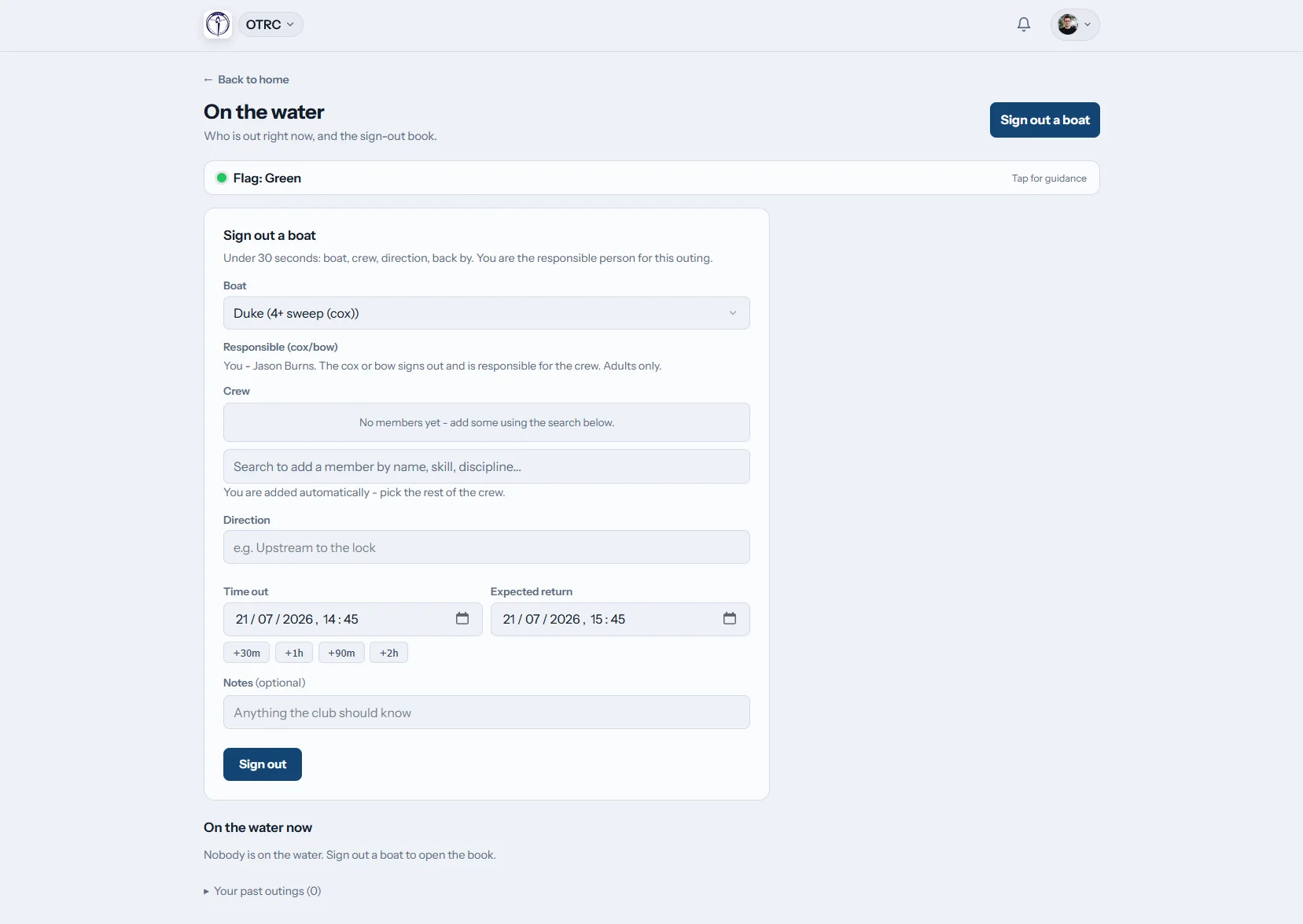
Sign out
Put every crew on the board
A member signs the boat out with its crew, route and expected return time, then signs back in after the outing. Safety contacts receive an alert when a crew is overdue.
The live board shows who is on the water right now.
Set the flag
Publish the club decision
A person at the club sets green, amber, red or black. The change reaches every member in-app and by email. The club writes the label and guidance for each level.
The flag is always set by the club, never by an automatic rule.
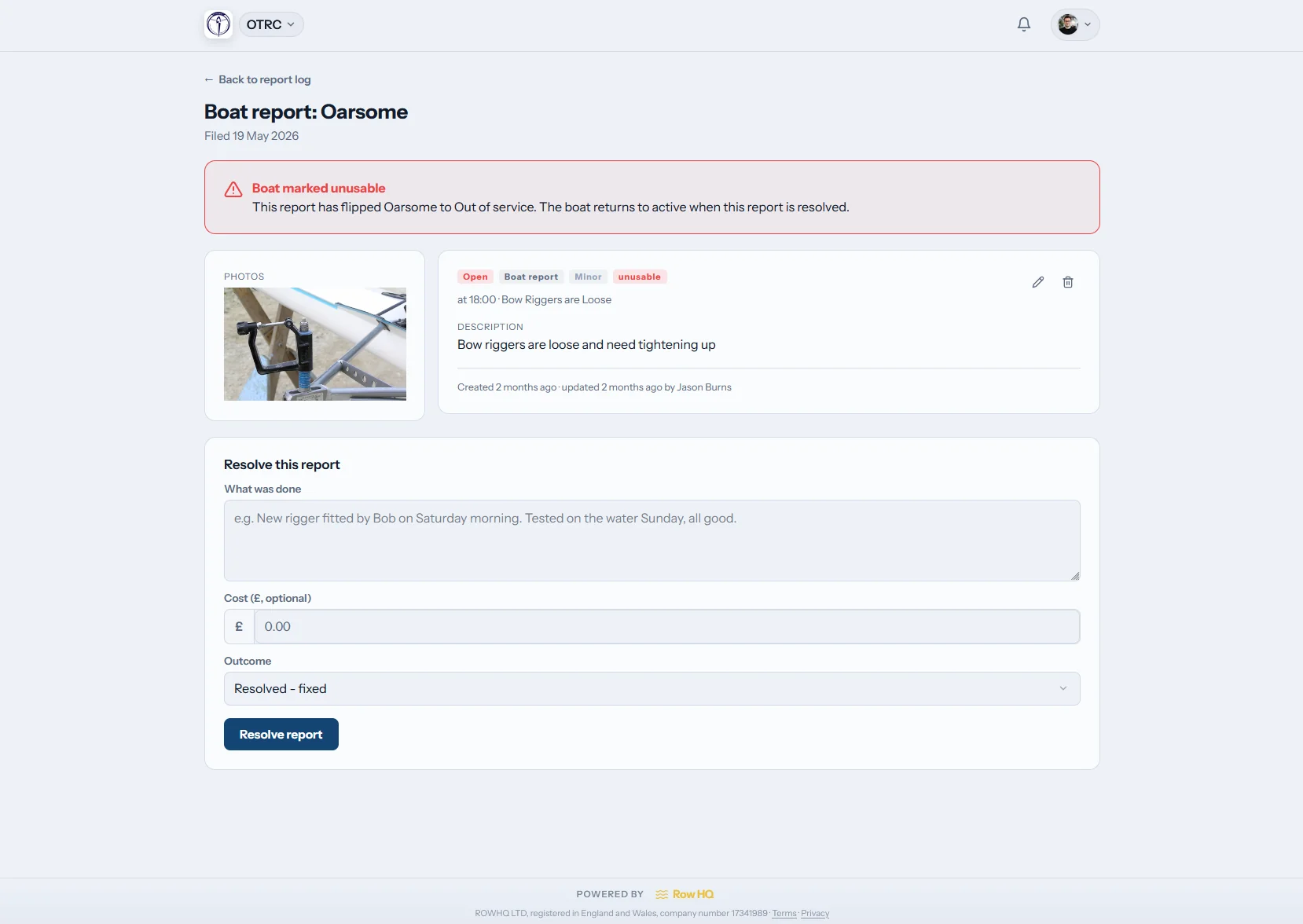
Log it
Capture the report while it is clear
Boat damage and incident reporting share one report log. Add photos, use filters and return to the log from its dashboard tile instead of searching old messages.
The report stays available to the people reviewing what happened.
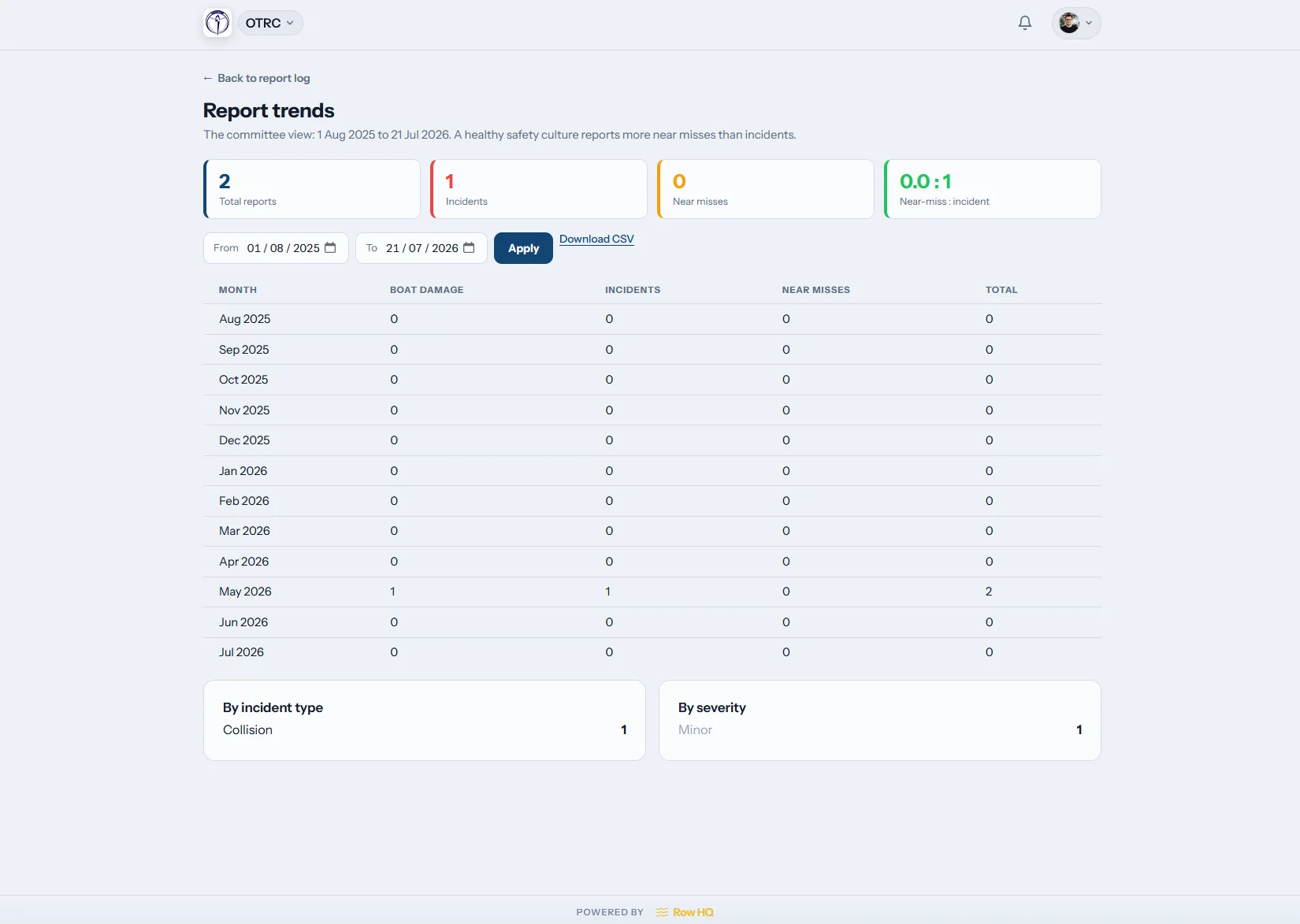
Spot the pattern
Look beyond one report
The trends view groups reports over time. Safety advisers and committees can see recurring damage, on-water hazards or incident patterns and decide what needs attention.
The next review starts with a visible history, not memory.
Stop rebuilding the safety file
Audit evidence is easier to review when the records were made during normal club use.
The scattered way
- Paper sign-out sheets left beside the boat racks
- Club flag changes buried in WhatsApp messages
- Incident photos split across inboxes and phones
- Credential expiry dates held in a separate spreadsheet
- A committee assembling evidence when the audit request arrives
The Row HQ way
- A live on-water board with overdue alerts for safety contacts
- One manual flag change delivered in-app and by email
- Photo reports, filters and trends in a shared log
- Credential approvals and expiry alerts kept per member
- Records pulled together through the admin dashboard
The safety picture your club needs
Each part is configurable by the club and stays connected to the member, outing or report that created it.
Digital outing log
Sign out the boat, crew, route and return time. Sign back in afterwards. Keep equipment organised alongside boat booking.
Club-controlled water flag
Write the guidance for green, amber, red and black, or turn black off. Every update appears in the member portal and safety emails have no opt-out.
Credentials and expiry
Request evidence, approve uploads and track expiry dates with advance alerts. Country and governing-body credential types can gate activities, while the affiliation-audit export gathers the records.
Weather and river level
Show current weather for the club's location. UK clubs can add a river-level gauge from Environment Agency data. Each club chooses what appears.
Incident and damage reports
Keep reports, photos, filters and the trends view together. Open work stays visible through a tile in the admin dashboard.
Member safety details
Keep swim and tread-water declarations on the member profile. Every profile carries at least one emergency contact. Row HQ deliberately does not collect medical or health data.
From daily checks to audit review
Oundle Town Rowing Club uses Row HQ.
Set club guidance
Choose flag levels, wording, contacts, weather and credential types.
Record each outing
Members sign out with the crew, route and return time.
Follow exceptions
Overdue crews, open reports and expiring credentials surface for attention.
Review the evidence
Use the logs, trends and affiliation-audit export when the committee checks its records.
Safety updates reach the boathouse
Row HQ works in any phone browser and through the iOS and Android apps. Members can see the current club flag, file a report and receive push notifications without returning to a desk.
- Read the club's current flag and guidance before going afloat
- Receive flag changes and overdue-crew notices on the phone
- Open the report log and add photo evidence near the incident

Connect safety to the rest of the club
Boat Booking
Keep reservations and the outing sign-out close together.
Member Portal
Give each member their flag, credentials and profile details.
Admin Dashboard
Keep reports, credentials and club controls visible to officers.
Free safety resources
Rowing risk assessment generator Risk assessment template Incident report templateBrowse every Row HQ feature, check pricing, or read how Oundle Town Rowing Club uses Row HQ.
Rowing safety and compliance FAQs
Straight answers for safety advisers and committees preparing their records.
No. Row HQ is not endorsed by British Rowing, does not file the audit and cannot guarantee its outcome. It keeps outing, incident, damage and credential records during ordinary club use. Those are the kinds of records British Rowing's RowSafe guidance and the annual safety audit ask clubs to evidence, so the Club Rowing Safety Adviser (CRSA) and committee have material ready to review.
No. A person at the club always sets the flag. Current weather and an optional UK Environment Agency river-level gauge can inform that person, but Row HQ never makes the decision. The club chooses each level's label and guidance, and can use three levels by turning black off.
The new level and the club's own guidance appear on every member dashboard. Row HQ also sends an in-app notification and an email to every member. Safety emails have no opt-out. The flag communicates the club's decision, but it does not block members from signing a boat out.
The member records the boat, crew, route and expected return time at sign-out. The live board shows the crews currently afloat. When a crew passes its expected return time, Row HQ alerts the club's safety contacts. The crew signs back in when the outing is complete.
Yes. The club can use approved credentials to gate activities. A member receives a request, uploads evidence and waits for an admin to approve it. Row HQ tracks any expiry date and sends alerts before it lapses. Credential types are seeded for each country and governing body.
No. Row HQ deliberately does not collect medical or health data. Member profiles carry swim and tread-water declarations, plus at least one emergency contact. These limited safety details support club operations without creating a medical record inside the platform.
Keep the record while the club rows
Give members clear safety information and give the committee evidence it can find.
Free up to 20 active members, permanently. After that it is £15 a month for a 21 to 30 member club. Every feature is included on every plan and there are no transaction fees. VAT is not included. See full pricing