Know each boat is back before the dock closes.
Bring the sign-out board, club conditions notice, safety credentials and report history into one place. Row HQ helps committees stay watchful through cold water, fast weather shifts and a short rowing season.
Watch the 90-second how-to

How does a digital sign-out system support rowing club safety?
It shows the duty team which boats and crews remain on the water, their intended route and the time they planned to return. Row HQ adds club-written conditions guidance, incident and damage records, plus member credential status. That evidence is created during each practice, ready when a committee or governing-body review needs it.
All bands receive these safety and record tools. Clubs can use the free band while they have twenty or fewer active members. Review the bands for larger rosters.
See the club safety record built in 90 seconds
Watch the safety coordinator set the flag to amber with a reason every member receives, a sculler sign a boat out with her route and return time, a rigger problem get reported from the dock, and the committee review outing history and monthly incident trends in the video below.
From dock departure to committee review
A strong sign-out culture gives the duty team an immediate view and preserves details for the next safety discussion.
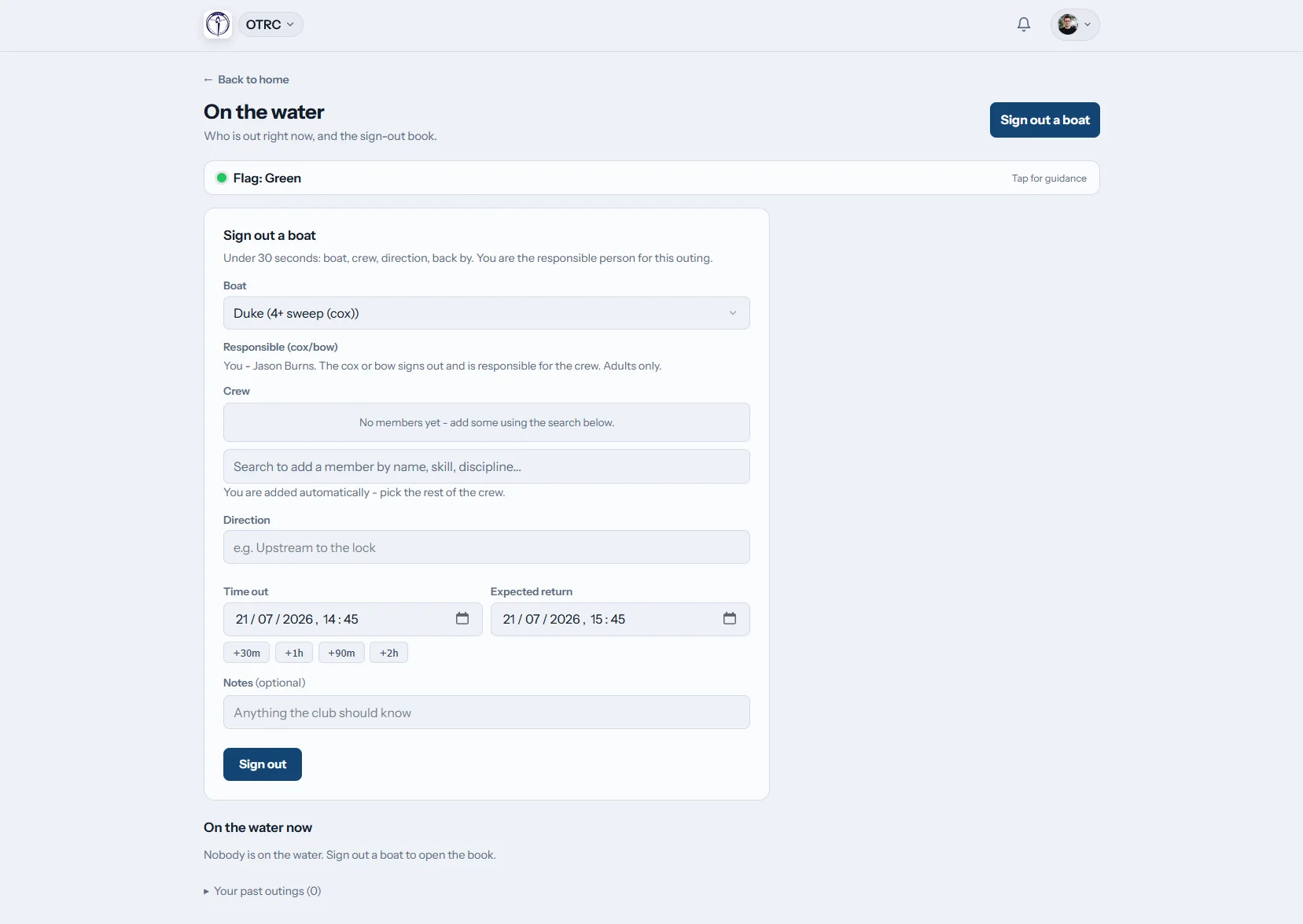
Enter the outing
Put the full crew on record
Before departure, a member adds the boat, names, route and expected return. The entry stays active until the crew signs in. Club safety contacts receive an alert if the return runs late.
One live board shows every boat currently away from the dock.
Publish guidance
Share a human decision quickly
The club chooses a green, amber, red or black status and writes the guidance behind it. Members see changes in Row HQ and receive both app and email notices.
Weather information supports judgement but never selects the status.
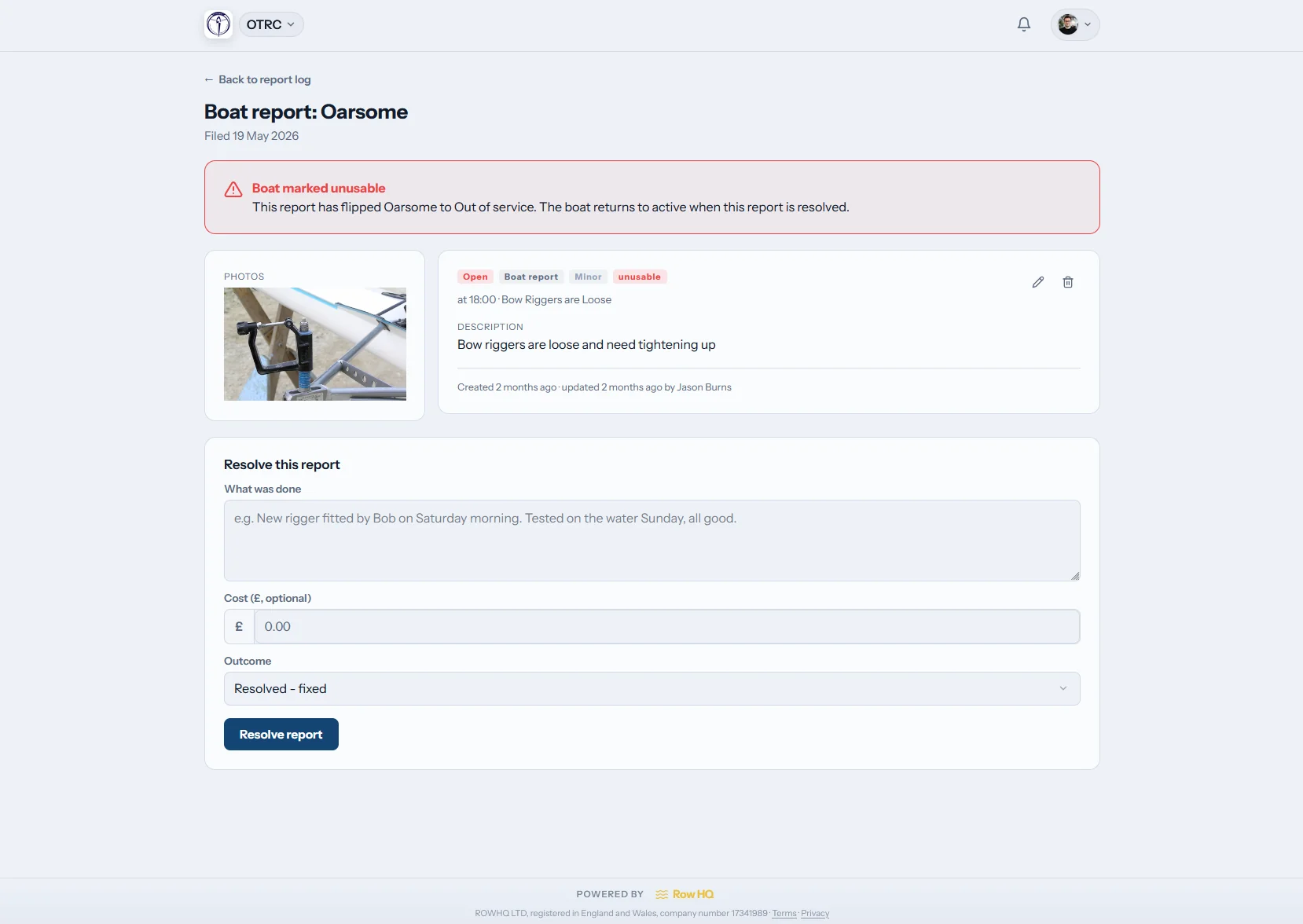
Document it
Keep images with the report
The same log holds incidents and boat damage. Add photos, narrow entries with filters and use the dashboard tile to return to the shared history.
Facts stay attached to the issue instead of a private inbox.
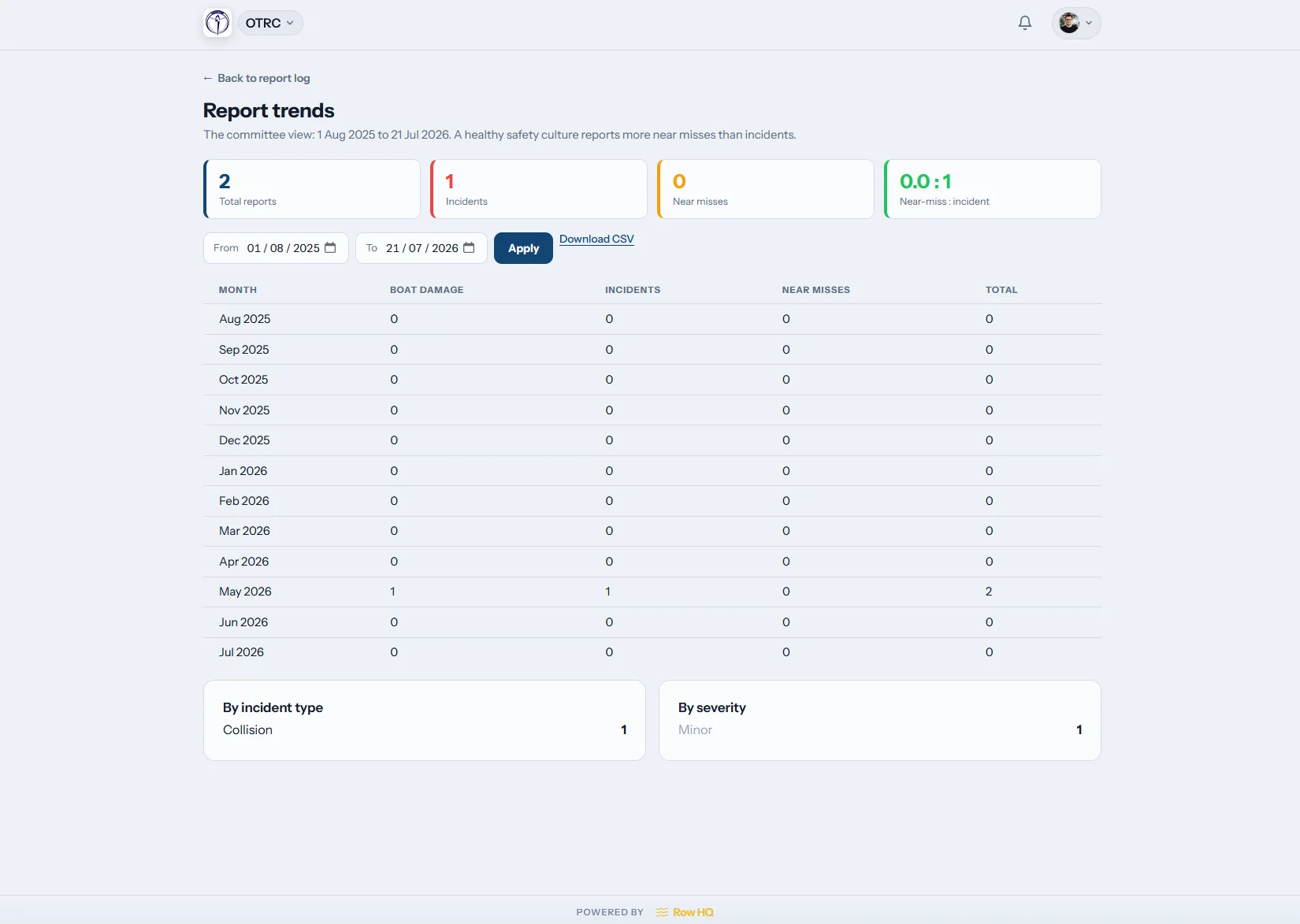
Study the history
Notice repeat issues between seasons
The trends view reveals patterns across the report history. Committees can see recurring damage or incident categories before equipment returns to cold spring water.
The chart leads back to records the club already holds.
Protect the sign-out culture from gaps
The club should have a reliable account after the whiteboard is wiped clean.
Temporary information
- A whiteboard name erased before it reaches the minutes
- Conditions guidance copied into different team chats
- Cold-water incidents documented across several email chains
- Certification dates checked from a winter spreadsheet
- Evidence collected again when the season starts
A lasting record
- Active boats, routes and expected returns on one screen
- A club decision sent by app and mandatory safety email
- One filtered report log with photos and trend views
- Approved credentials with warnings before renewal dates
- Review records gathered through the committee admin view
Clear records for a compressed season
Row HQ keeps current water information and longer-term club evidence available without asking members to learn separate systems.
Live boat sign-out
Record people, equipment, destination and due-back time, then confirm the return. Keep the chosen boat ready through boat booking.
Conditions guidance
The club writes every label and instruction. Use three statuses or enable black as a fourth. Changes appear on the member dashboard and trigger safety notices.
Credential evidence
Request documents from members and approve what they upload. Row HQ warns before expiry. Types seeded by country and governing body may gate chosen activities. An affiliation-audit export assembles the results.
Club-location weather
Display present weather for the boathouse when the club wants it. Officers still assess cold water, visibility, wind and local conditions, and they alone choose the flag.
Reports with context
Put incident notes and damage images in the shared log. Filters and trends support follow-up, while the admin dashboard carries a direct tile.
Profile safety fields
Keep swim and tread-water declarations with a required emergency contact. Health and medical information are intentionally outside Row HQ.
Keep one season connected to the next
Read how Oundle Town Rowing Club uses Row HQ for everyday club organisation and records.
Choose club settings
Write flag guidance, identify safety contacts and select credential types.
Record every departure
Members enter the crew, boat, course and expected arrival back.
Catch exceptions early
Follow late crews, open reports and credentials due to lapse.
Carry evidence forward
Use the report history, trends and export during committee reviews.
Keep the dock team informed
Members can use any mobile browser, the iOS app or the Android app. Push alerts bring club guidance and overdue-crew notices to phones. The report log is also ready beside the equipment, not only in the office.
- Read current club conditions before entering cold water
- See push notifications for flag updates and overdue boats
- Photograph damage and place it directly in the shared log

Join safety with club administration
Boat Booking
Move from an equipment reservation to a clear outing entry.
Member Portal
Give members one home for club guidance and credential tasks.
Admin Dashboard
Bring committee controls and outstanding reports together.
Free club record templates
Draft a rowing risk assessment online Download a risk assessment file Download an incident report fileSee all platform capabilities, compare active-member bands, or read the Oundle Town club example.
Canadian rowing safety software FAQs
Answers for committees building a stronger sign-out and review routine.
No. Row HQ is not approved or endorsed by a governing body, does not submit an audit and cannot promise its result. The platform keeps the outing, incident, damage and credential records created during club operations. Committees can use those records when gathering the evidence requested in a review.
No. The club can display current local weather, but a person always chooses the flag. The club writes its own wording for green, amber, red and black. Black is optional for clubs using three levels. Row HQ does not turn conditions information into an automatic decision.
Every dashboard displays the chosen level and the club's instruction. Row HQ sends the same change by in-app notification and email, with no opt-out for safety mail. The status provides guidance only. It does not prevent a member from opening a sign-out entry.
A crew enters its boat, members, route and expected return before leaving. That record remains on the active board until someone signs it back in. If the expected time passes first, Row HQ alerts the club safety contacts selected in the settings.
Yes. Members can be asked to upload evidence, which an admin then approves. Row HQ tracks the expiry date and warns ahead of a lapse. Clubs may gate an activity using that approved status. The affiliation-audit export gathers the credential records for review.
No. Row HQ deliberately leaves health and medical data out. Profiles hold swim and tread-water declarations and require at least one emergency contact. The system limits itself to those practical club safety fields.
Make every return part of the record
Help the dock team monitor today while the committee preserves evidence for next season.
Free up to 20 active members, permanently. After that it is C$27 a month for a 21 to 30 member club. Every feature is included on every plan and there are no transaction fees. GST/HST is not included. See full pricing