Organize practice before anyone launches.
Publish the program, collect athlete replies, and give coaches a usable lineup. Replace GroupMe roll calls and practice spreadsheets with one live schedule.
Watch the 90-second how-to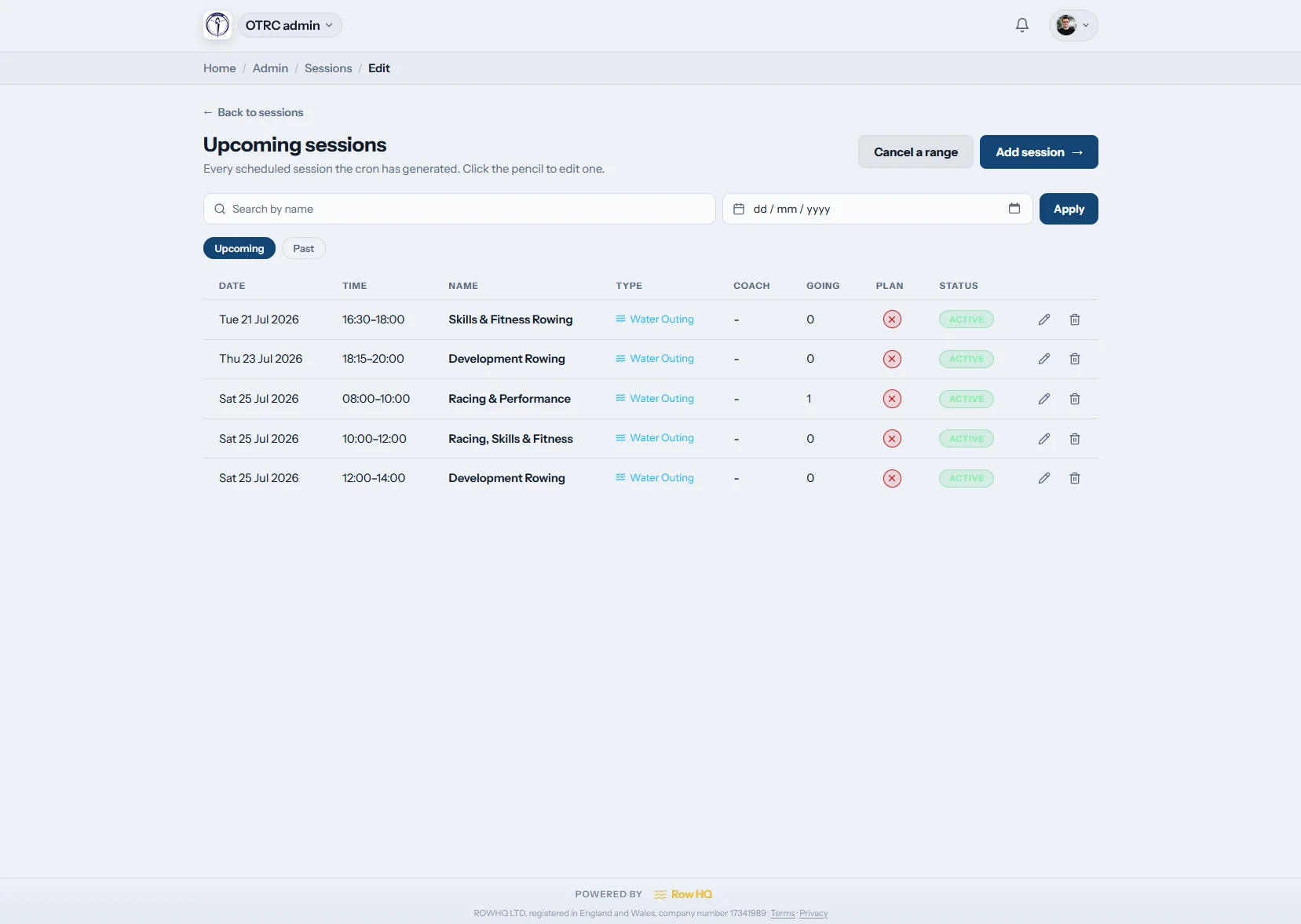
What is rowing practice management software?
Rowing practice management software organizes recurring and one-off practices for junior, collegiate, and masters programs. Athletes respond from their phones, while customized session types can track rowers, volunteer help, or coaches. Automatic reminders, cancellation notices, attendance records, and crew planning stay attached to the same practice instead of being split across GroupMe and spreadsheets.
Every plan includes practice scheduling. Review regional pricing for your program.
Watch a practice go from template to lineup in 90 seconds
This how-to video shows a program admin turning a blank schedule into a set lineup. They create a recurring Saturday template for two squads, generate seven practices with one click, assign every seat in an eight and a coxed four from the athletes who signed up, then switch to an athlete's phone to show her boat.
A practice week in Row HQ
Set the routine, publish the calendar, and give coaches a clear picture before athletes arrive for launch.

Build templates
Map the program by squad
Save recurring templates for varsity water practices, novice learn-to-row sessions, and masters ergs. Add a one-time seat race without rewriting the regular week.
A weather edit never wipes out the practice pattern behind it.
Publish the week
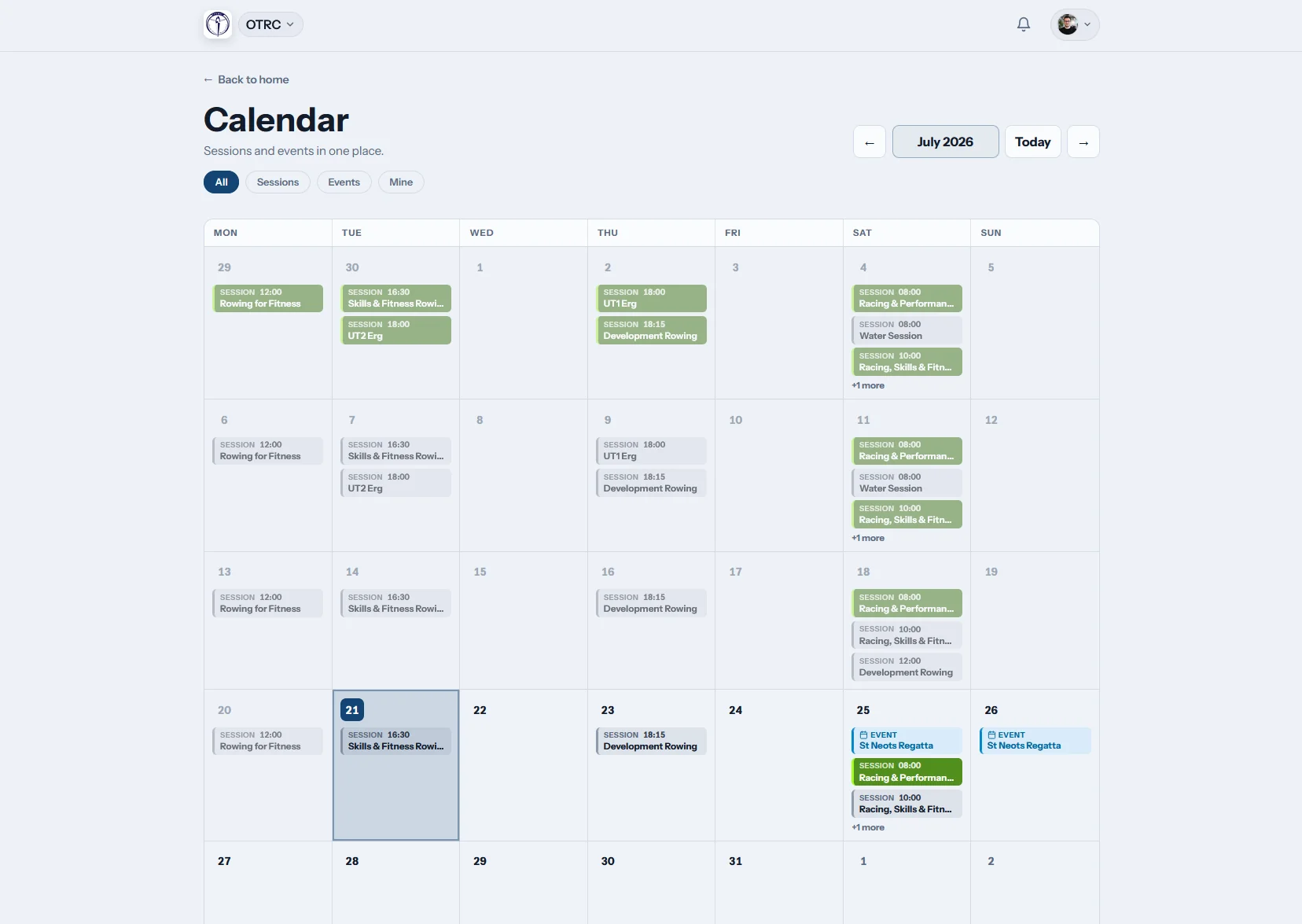
Make the calendar easy to follow
Athletes see practices and club events together, whether the program is building through fall head races or sharpening for spring sprints. iCal subscription keeps personal calendars current.
Coxswains, coaches, athletes, and families work from one schedule.
Athletes respond
Know who will make practice
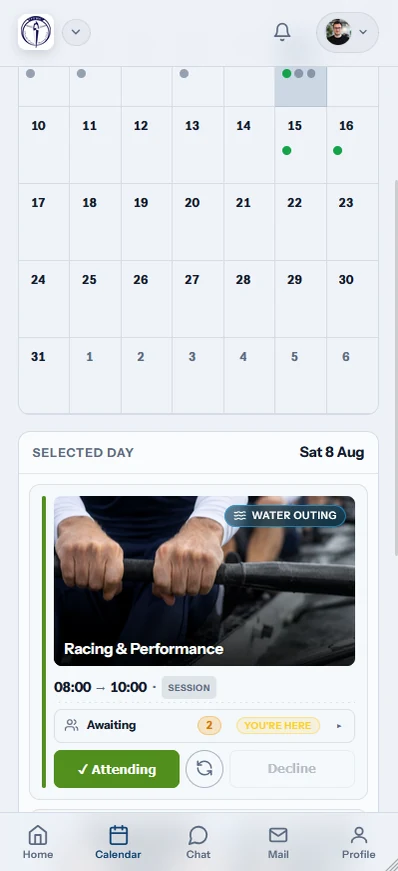
A single tap records each response. The practice type can collect athlete, volunteer, or coach attendance, and automatic reminders follow up anyone still undecided.
The live count gives coaches time to adjust lineups and carpools.
Run practice
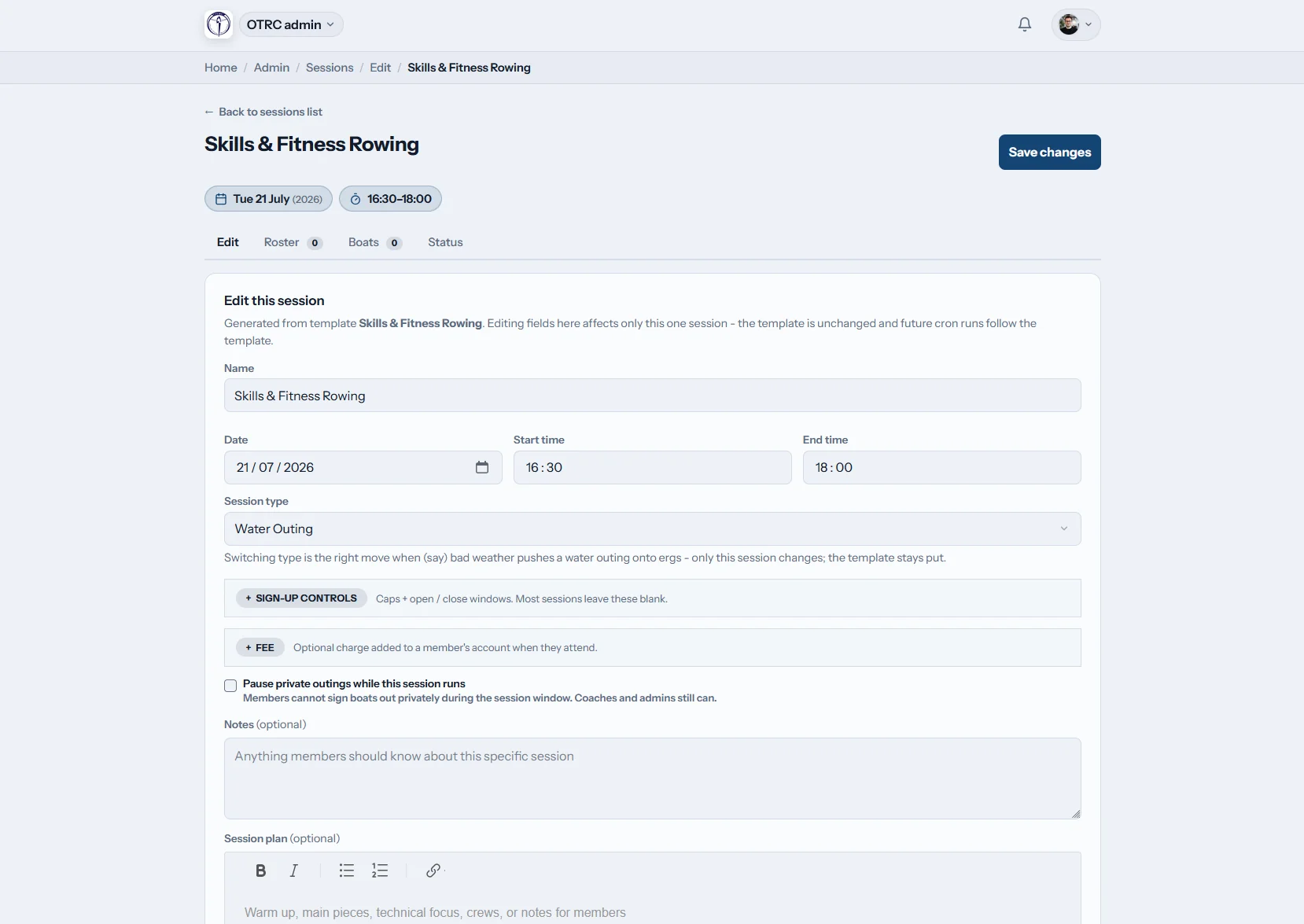
Keep the workout with the roster
Write the practice plan, connect available athletes to lineup planning, and change one date when the water is closed. Mark final attendance from the dock.
The workout, planned lineup, and actual turnout remain connected.
Stop rebuilding the lineup from messages
A live practice record makes the week easier for coaches, coxswains, athletes, and parents to follow.
Without Row HQ
- A GroupMe poll mixed into a busy team thread
- Several versions of the same practice spreadsheet
- Scratch messages arriving after carpools are set
- Coaches guessing which volunteers are available
- No dependable record across the fall and spring seasons
With Row HQ
- One-tap responses for athletes, coaches, and volunteers
- Weather changes sent as cancellation notifications
- Automatic reminders before every practice
- Attendance history inside the admin dashboard
- A shared calendar for every squad in the program
Built for practices, not generic meetings
See the actual scheduling, roster, and calendar screens in the product gallery.
Recurring and one-time practices
Save the normal program as templates, then add or edit one practice without changing later dates.
Customized response roles
Ask for athlete, volunteer, or coach attendance by practice type. Replies stay visible in the athlete portal.
Reminders and cancellations
Nudge missing responses automatically and alert the roster when wind, lightning, or access changes cancel practice.
Water, erg, and land sessions
Organize every workout by type. On-water practices can connect with shell reservations.
Club calendar and iCal
Show practices beside events or subscribe from another calendar. Review completed attendance in the admin dashboard.
Workout and lineup planning
Attach warmups, pieces, and technical notes, then send confirmed athletes into lineup planning.
From the first post to the last launch
Read a club example from Oundle Town Rowing Club, or work out a target piece with the erg pace calculator.
Set the program
Create templates with the right squad, place, time, and practice type.
Open responses
Publish the calendar and let reminders collect athlete replies.
Adjust the lineup
Read athlete, coach, and volunteer availability before launch.
Practice decisions happen away from a desk
Athletes can answer between classes or after work. Coaches keep the same live roster at the boathouse.
- RSVP for practice from the phone
- Get push notifications when weather cancels a session
- Mark attendance at the dock after launch


Connect practice to the rest of the program
Coach Tools
Build varsity, junior, or masters lineups from confirmed athletes.
Athlete Portal
Keep practices, responses, and personal attendance together.
Shell Reservations
Match the practice plan with the shells the crew needs.
Related reading
Getting practice attendance under control Lineup selection advice for coaches Understanding erg performance dataUse the main FAQ, hear from other programs, or review US pricing.
Practice management questions
What US programs want to know before replacing GroupMe polls and shared sheets.
It puts junior, collegiate, and masters practices in one calendar instead of scattering them across GroupMe, email, and spreadsheets. Coaches create recurring templates or a one-time session. Athletes answer on their phones, reminders collect late replies, and Row HQ keeps the attendance record after practice ends.
Yes. Response options can be customized by practice type. One practice might collect athlete RSVPs, while another asks for launch drivers, coaches, or event volunteers. Every person responds with one tap, giving staff a useful roster before they organize lineups, safety coverage, or carpools.
Yes. Save the regular schedule as a template for varsity water, novice instruction, masters sculling, or winter ergs. Cancel or edit a single date for weather, testing, or travel without altering later practices. Coaches can also publish a one-time meeting or seat race whenever the program needs it.
Row HQ sends cancellation notifications to the people attached to that practice. Automatic reminders handle athletes who have not answered yet. The club calendar updates at the same time, and iCal subscribers see the current schedule in their own calendar instead of relying on an old screenshot or forwarded message.
It does. Coaches can move confirmed athletes into the lineup planning tools, assign shells and seats, and keep the workout plan on the practice. After launch, staff mark actual attendance from a phone. That leaves a clean record through fall head racing and the spring sprint season.
Put the next practice week in Row HQ
Publish one schedule, collect useful replies, and arrive with the lineup already taking shape.
Free up to 20 active members, permanently. After that it is $21 a month for a 21 to 30 member club. Every feature is included on every plan and there are no transaction fees. Sales tax is not included. See full pricing