Make the short water season count.
Carry the club from winter ergs through spring thaw and into racing. Members answer once, coaches see the crew, and the attendance spreadsheet stops setting the pace.
Watch the 90-second how-to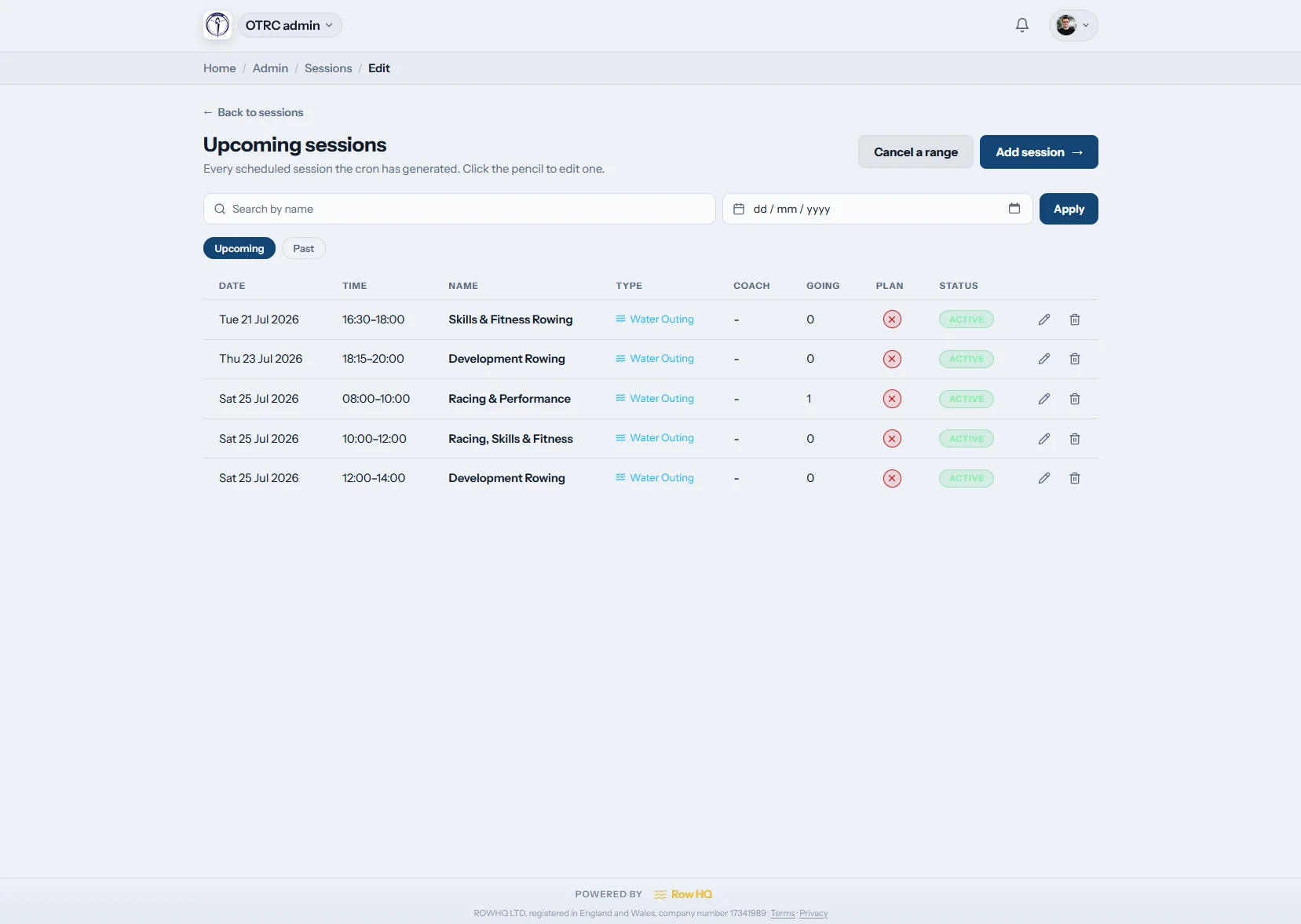
What is rowing training session software for a Canadian club?
Rowing training session software keeps winter erg work, learn-to-row programmes and open-water sessions on one club calendar. Admins create repeating templates or special dates. Members give one-tap rower, coach or volunteer responses, receive reminders and cancellation notices, then feed actual attendance into session plans and crew planning when spring thaw finally opens the water.
The complete session workflow is included. View Canadian pricing by club size.
See the weekly routine built in 90 seconds
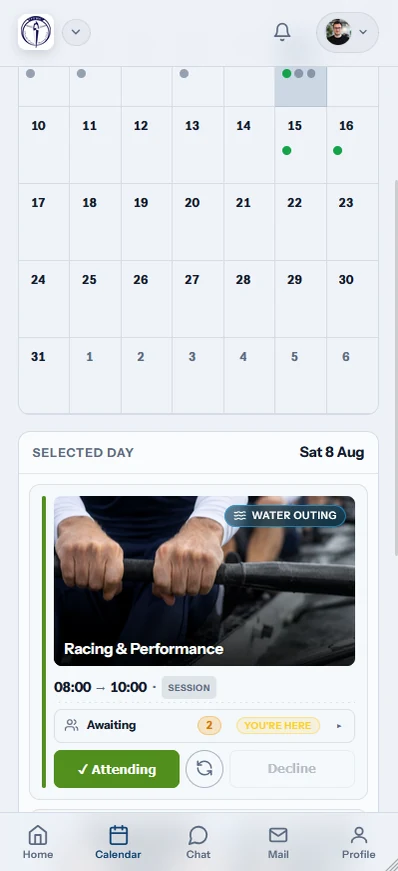
Watch a club admin set up a repeating Saturday session in the 90-second video below. The template picks up a time, a boat set and two senior squads, Row HQ adds seven dates to the calendar, the coach fills an eight and a coxed four seat by seat, and each member sees their boat drawn on their phone.
A training week in Row HQ
Switch seasons without losing the pattern, the replies, or the record coaches need for the next crew decision.

Build templates
Move from erg room to dock
Save recurring winter erg sessions, learn-to-row slots and summer water work as separate templates. Add a one-off thaw check or crew trial without altering the season plan.
The club can change the current week while preserving what repeats.
Publish the week
Show the season as it changes
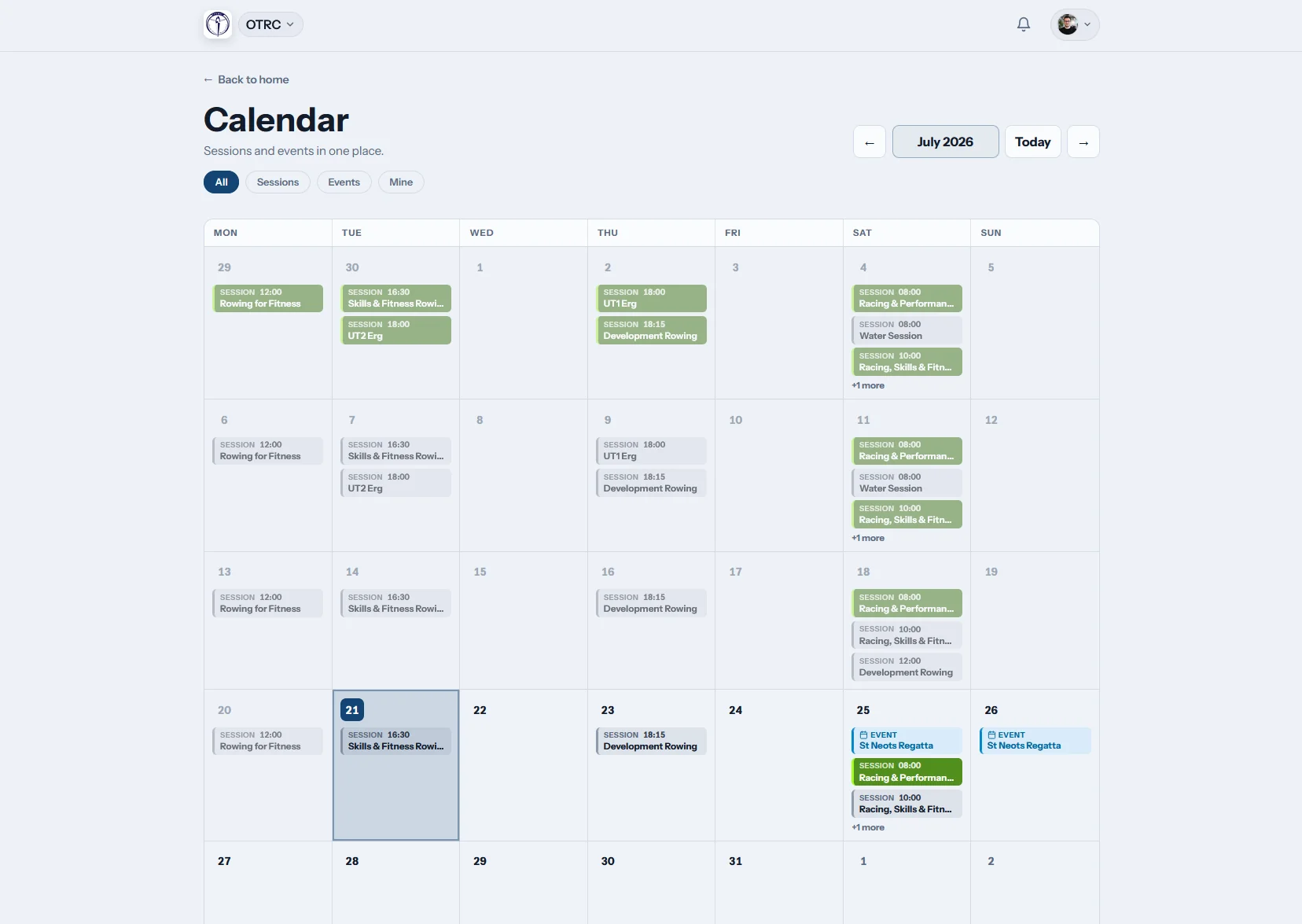
The shared calendar carries indoor training, first outings and regatta preparation in one view. Members can subscribe by iCal when they prefer their personal calendar.
Nobody follows an old winter timetable after the docks reopen.
Members respond
Gather the right kind of availability
Each session type can collect rower, volunteer or coach attendance. Members reply with one tap, while reminders bring outstanding answers into the live roster.
Learn-to-row helpers and racing crews are visible before anyone travels.
Run the session
Keep the workout on the record
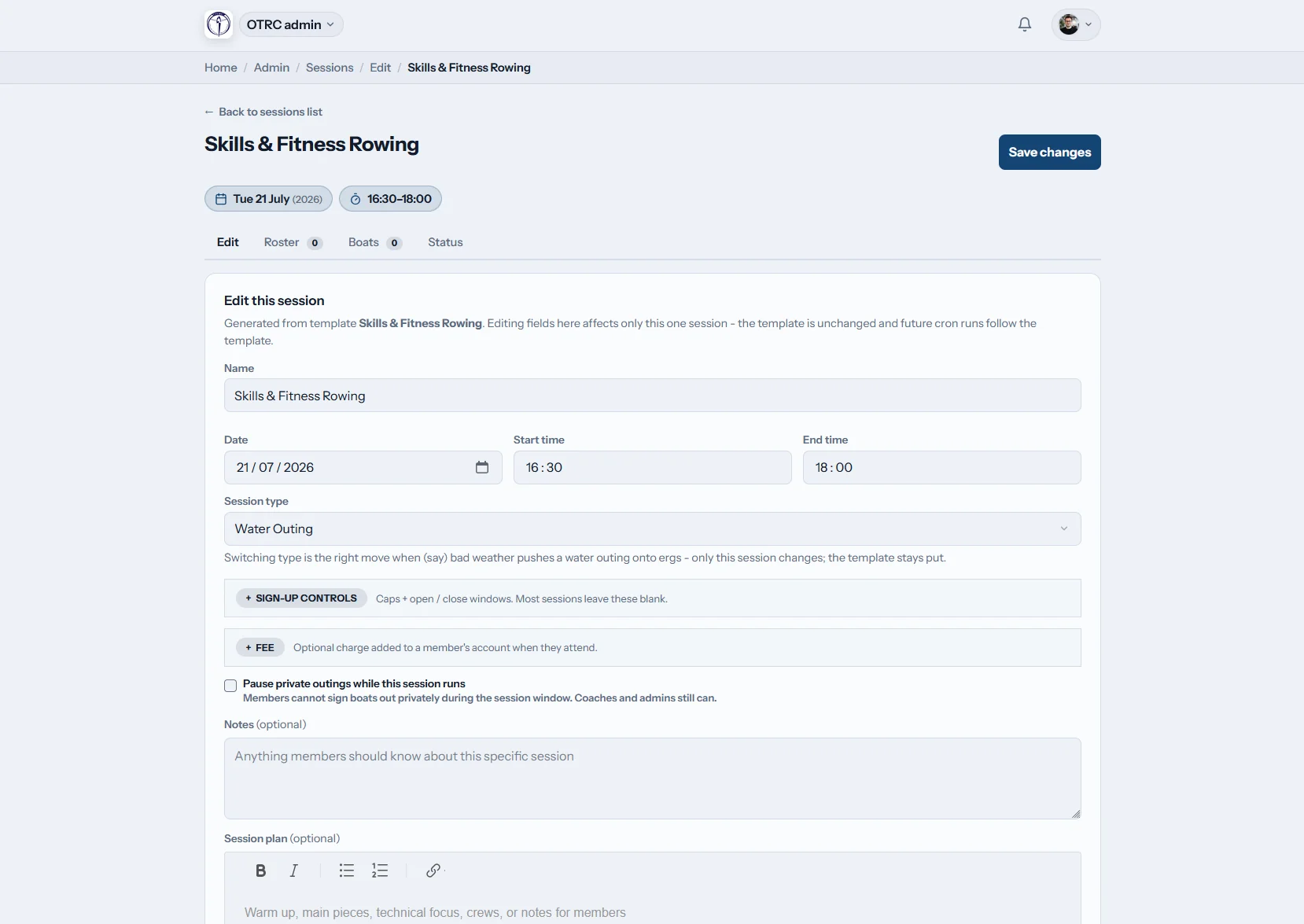
Attach the session plan, connect confirmed names to crew planning, and change a single outing if cold water or wind intervenes. Mark turnout at the dock.
Coaches keep the plan and the actual attendance in one place.
Use the open-water season for rowing, not chasing replies
One current roster keeps a seasonal programme clear through ice, thaw and the busiest race weeks.
Without Row HQ
- Winter erg replies scattered through a group chat
- A shared sheet copied again when water opens
- Late cancellations found after members start driving
- Learn-to-row volunteers counted on a separate list
- Attendance lost between indoor and outdoor seasons
With Row HQ
- One-tap rower, coach and volunteer replies
- Automatic reminders before indoor or water training
- Cancellation notices for ice, wind or poor conditions
- Year-round records in the admin dashboard
- One calendar that changes with the season
One workflow for indoor and on-water training
The screenshot gallery shows the exact templates, calendar, session plans and mobile roster members use.
Season-ready templates
Repeat winter ergs or summer water sessions, while a one-off change stays separate from the normal pattern.
Rower, helper and coach replies
Collect the roles each session needs with one tap. Members see their choices through the member portal.
Weather-aware communication
Remind people automatically, then send a cancellation notice when ice, wind or unsafe water closes the session.
Erg, tank and water types
Keep indoor and outdoor work easy to filter. Water sessions connect with boat booking.
Shared calendar and iCal
Publish training beside club events and offer calendar subscription. Historical turnout remains in the admin dashboard.
Plans for the available crew
Store the workout, safety notes and technical focus, then use confirmed names in crew planning.
From winter base to race crew
See an established club workflow in the Oundle Town Rowing Club story, or set the next indoor piece with the erg pace calculator.
Choose the season pattern
Create repeating sessions with squads, times, places and types.
Share the current week
Publish the calendar and let reminders collect responses.
Confirm people and roles
See rowers, volunteers and coaches before the club opens.
The roster stays current on the way to the club
Members answer before leaving home. Coaches carry the latest session record from the erg room to the dock.
- RSVP from a phone for water, tank or winter erg training
- Receive push notifications when a session is cancelled
- Mark attendance at the water after spring thaw


Link attendance to the next club task
Coach Tools
Plan racing and training crews from confirmed availability.
Member Portal
Give every member their schedule, replies and history.
Boat Booking
Keep the shell reservation beside the water session.
Related reading
Building a clearer seasonal training plan Using attendance when crews are selected Putting winter erg data to workRead the wider FAQ, review club experiences, or check Canadian pricing.
Training questions from Canadian clubs
How the session workflow handles a long indoor winter and a compact racing season.
Yes. Row HQ keeps indoor ergs, tank sessions, learn-to-row programmes and water outings in the same calendar. Clubs can use recurring templates for each season and publish one-off dates when needed. Members answer on their phones, so the attendance record continues when training moves between venues.
Response choices are set around the session type. A racing practice can ask for rowers and coaches, while a learn-to-row date can collect volunteer help. Each member answers with one tap. The live roster keeps those roles together before the club assigns crews or instruction groups.
It can. The repeating template continues to generate the normal week, while a coach edits or cancels one date affected by ice, water levels or access. A separate one-off outing can also be added after the river opens without changing the rest of the spring programme.
Automatic reminders collect missing replies before the session. If conditions force a cancellation, Row HQ notifies the attached members and updates the club calendar. An iCal subscription puts the same current sessions into a personal diary, which helps during the quick change from indoor winter work to open water.
Yes. Coaches take confirmed members into crew planning, assign boats and keep the session plan alongside the roster. The workout can include warm-up, pieces and technical notes. Actual attendance is marked from the dock, leaving a continuous record through learn-to-row, club training and regatta preparation.
Keep the whole season on one calendar
Plan winter work, publish the first water sessions, and know the crew before anyone reaches the dock.
Free up to 20 active members, permanently. After that it is C$27 a month for a 21 to 30 member club. Every feature is included on every plan and there are no transaction fees. GST/HST is not included. See full pricing